
Ready to explore the capabilities of Brevo, the powerful email marketing software formerly known as SendinBlue? This comprehensive review will delve into every function, from its intuitive email editor to advanced automation, helping you decide if it’s the right fit for your business.
We’ve meticulously tested each feature and gathered insights from longtime users to bring you the most detailed and unbiased review available.
Editor’s Note: In May 2023, Sendinblue officially rebranded to Brevo. We’ve thoroughly tested the new interface and integrated all the latest updates into this review. You can also try a demo of Brevo yourself to experience it firsthand.
Brevo (SendinBlue) Review Summary
- Brevo is an effective and excellent email software solution perfectly suited for Small to Medium-sized Businesses (SMBs). It’s not designed for enterprise-level operations.
- The platform offers a robust free plan, and its paid tiers are among the most affordable in the email marketing software market.
- Getting started with Brevo is remarkably easy, making it accessible for new users.
- The email editor consistently exceeds expectations, providing a fun and straightforward experience for crafting newsletters.
- While its automation features may not be as intricate as those found in platforms like ActiveCampaign, they are highly effective and user-friendly.
- With a comprehensive suite of features, Brevo proves itself worthy of managing your essential email marketing campaigns and newsletters.
Brevo (SendinBlue) Email Marketing Review: An Overview
Brevo, previously known as SendinBlue, stands out as a versatile email marketing solution tailored for small and medium-sized businesses (SMBs). It empowers businesses to send and automate sophisticated email marketing campaigns, even with a limited budget.
Simply put, Brevo functions as a more affordable, yet feature-rich, alternative to platforms like MailChimp. It offers both a generous free version and a free trial, packed with even more functionality.
This strategic approach has clearly paid off: today, Brevo boasts over 80,000 users and successfully delivers a staggering 100 million emails per day. Originally launched in 2012, the platform underwent a significant redesign, so this review focuses on the updated 2023 version of the Brevo platform.
1. Brevo’s Most Important Features
While many businesses primarily use Brevo for sending email marketing campaigns and newsletters, its capabilities extend far beyond that. The platform allows you to automate triggered campaigns like welcome emails, alongside a host of other powerful tools.
What exactly can you achieve with Brevo email marketing software?
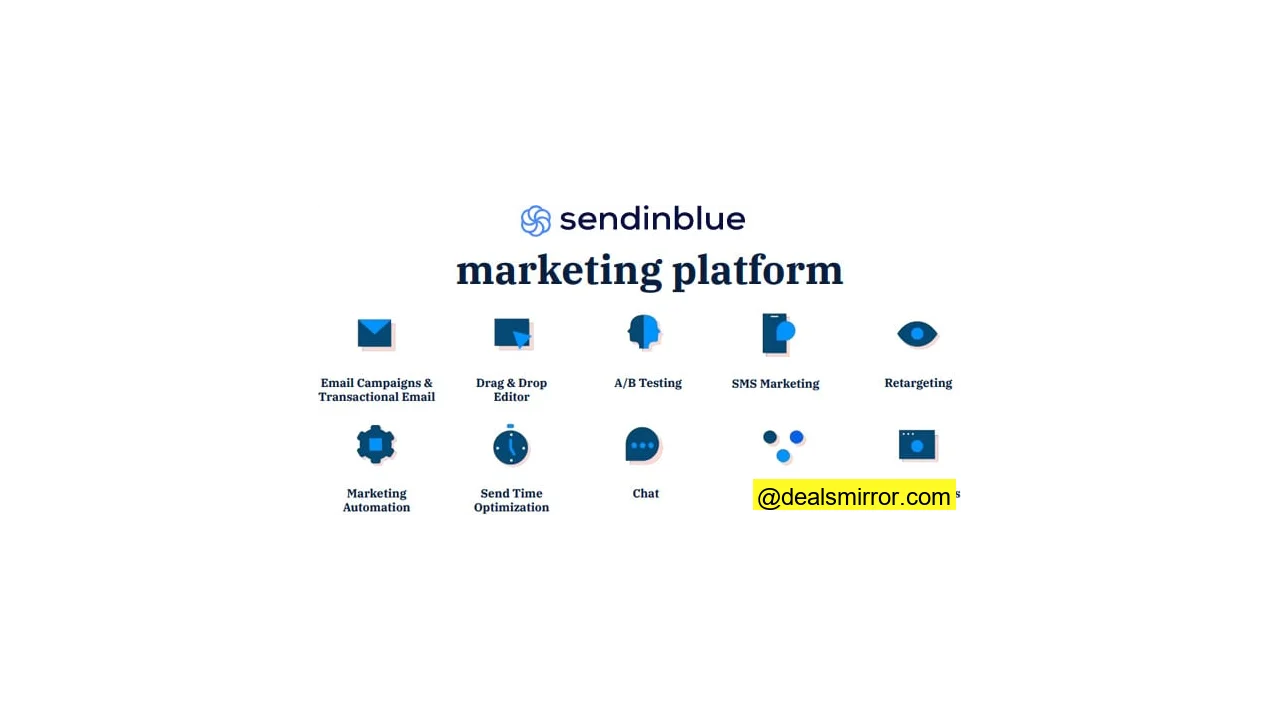
Here’s a detailed look at the most important features Brevo offers:
- Drag and Drop Email Editor: Brevo provides an intuitive drag-and-drop email editor, allowing you to easily customize your email designs by choosing from a wide variety of pre-set elements.
- A/B Testing: Optimize your email performance by testing multiple subject lines and content variations to identify the most effective versions.
- SMS Marketing: Extend your reach beyond email by using Brevo to send SMS messages and automated autoresponder texts.
- Landing Pages: (Available in Business and Enterprise plans) Create high-converting landing pages from scratch or accelerate your design process using Brevo‘s professional-looking templates.
- Bounce Management: Gain access to a detailed log of both soft and hard email bounces. Hard bounces are automatically removed from your lists, ensuring better deliverability.
- Reports and Analytics: Access all essential email marketing metrics, including an email click-map, seamless Google Analytics integration, and geo-tracking for deeper insights.
- Opt-In Forms: Brevo’s subscription forms are dynamic and fully customizable to align with your brand. Advanced features include captcha verification and automatic data population, saving your subscribers time.
- List Management: Effortlessly manage your mailing lists by importing, exporting, and editing contacts with ease.
- Email Segmentation: Segment your audience based on demographics, actions taken, and lead scores to deliver highly targeted and relevant messages.
- Email Marketing Automation: Brevo offers extensive email automation functionality. Its workflow editor lets you target leads based on their on-site actions, web behavior, email engagement, and more.
- Transactional Emails: Directly send crucial transactional emails, such as receipts, order confirmations, and password resets, via Brevo‘s SMTP service.
- Email Templates: Jumpstart your campaigns with Brevo’s library of 65 pre-made email templates.
- Chat: Integrate a chat function directly onto your website to enable immediate, one-on-one communication with your visitors.
- CRM: Brevo includes a built-in sales and marketing CRM, allowing you to centralize all contact information and schedule follow-up actions efficiently.
- Fantastic Customer Support: Beyond live web chat, Brevo offers support via email and phone. Its comprehensive knowledge base provides helpful tutorials and FAQs. Users consistently praise the support team’s speed and expertise.
2. Brevo (SendinBlue) Review: Sending Email Marketing Campaigns and Broadcasts
When it comes to executing email marketing campaigns and broadcasts, Brevo provides all the features you’d expect from a top-tier platform. For this review, I started with a fresh, free Brevo account, navigating the setup just as any new user would.
You have three flexible email editor options:
1. The intuitive drag-and-drop editor.
2. A straightforward rich text editor.
3. An option to paste your own HTML code, allowing you to import and edit custom email templates.
The drag-and-drop email editor is the preferred choice for most users. Let’s dive into testing it!
Once you select the drag-and-drop editor, a clean canvas appears, ready for you to begin crafting your email. Brevo’s editor features ready-made blocks that you can simply drag onto your email. These are visible on the left side of the interface. You can easily add all common email content types, such as images, text, and buttons. All blocks and templates are mobile-friendly by default, ensuring your emails look great on any device.
Many Brevo customers we interviewed describe the process of adjusting email designs as “effortless,” a sentiment I wholeheartedly echo. It’s incredibly simple to use.
During my testing, I once changed a design element (the background color) and wasn’t satisfied. Thankfully, the auto-save function came to the rescue, allowing me to revert to an earlier version. What a relief!
The email editing experience is exceptional:
- Text editing is in-line: As you type, the email updates instantly, providing a true “What You See is What You Get” experience.
- Hovering over a section reveals its specific editing options, allowing you to add, copy, delete sections, or insert new content like text and images.
- Clicking inside a block brings up its specific options on the right, such as color and size controls for buttons.
- You can edit pictures directly within Brevo using its built-in image editor, which supports resizing, cropping, text addition, and various color and effect filters.
Other Brevo users have noted that the email editor is highly responsive to mouse movements, with no noticeable lag. My personal experience with the Brevo email editor was consistently excellent.
Preview how your email looks in Gmail, Outlook, etc.
Brevo includes extensive email inbox testing, providing real screenshots of how your email appears in various inboxes like Outlook, Gmail, and Yahoo, across different mobile devices. This eliminates the need for separate rendering testing tools like Litmus or Email on Acid!
Utilize Free Email Templates (or Reuse Your Own)
Brevo offers a comprehensive free email template library, enabling you to get started quickly with over 65 professionally designed templates.
These email templates are conveniently organized into various categories, including:
- Contests
- Ecommerce
- Events
- Holiday greetings
- Lead Generation
- Newsletters
- Sale emails
For those without a background in web design, utilizing these email templates provides an excellent starting point. They not only look professional but are also optimized for seamless display on both desktop and mobile devices.
Every element within these templates is fully customizable. You can modify the emails just as you would a regular email, adding your own sections and personal touches.
You can easily customize your templates to:
- Add a branded header with your logo and preferred color scheme.
- Change the email footer to match your branding.
- Edit the text content to convey your message.
- Incorporate your own compelling Call-to-Action (CTA) buttons.
You get the idea. You might even recognize that I used the “Concrete” template for an earlier email example. My final email ended up with its own distinct look (though in this case, I liked the green!).
A particularly useful feature is the ability to save your own customized templates. They are then stored under the ‘My Templates’ tab, eliminating the need to start from scratch for every new campaign.
This functionality saves significant time. If you manage multiple brands or operate as a digital agency, you can also import templates from other environments.
Brevo (SendinBlue) Review: Contact Management
Effective contact management is crucial for any email marketing strategy. In Brevo, you organize and manage your contacts within the dedicated ‘Contacts’ tab.
I manually created a quick list for testing purposes – an unlikely scenario in real-world use. My ideal test list included myself, Jordie, Melinda Gates, and Gordon Ramsey. As you can see, you can add custom fields, such as “Do they like pets?” to store specific preferences.
Any other cat fans out there? 😀
Key actions you can perform in Brevo Contact Management:
- Create and segment your email lists based on various criteria.
- Edit individual contacts or entire lists with ease.
- View detailed statistics on how engaged your contacts are with your campaigns.
- Design and implement subscribe and unsubscribe forms.
- Import new contacts efficiently using either .csv files or by simply copying and pasting data.
- Access individual contact history, including specific data like opens, clicks, and their full profile.
My experience with contact management here was nearly flawless, with the only minor adjustment being remembering to click “save” when editing individual contacts. Importing and exporting contacts proved to be incredibly straightforward.
Brevo (SendinBlue) Review: Email Marketing Automation
Brevo’s email automation allows you to trigger one-off emails and set up comprehensive automation sequences and email funnels. The possibilities for automated emails appear limitless, bound only by your imagination.
Here are 5 practical examples of what you can achieve with Brevo email automations:
- Uno: When someone subscribes to your email list, automatically send a welcome email, followed by a series of nurturing emails. For instance, you could send blogging tips and ebooks to warm them up to the idea of hiring a writer.
- Dos: If a prospect visits a specific web page or link, automatically send them an email with more information related to that topic (like their favorite pets!).
- Tres: If a customer is shopping (perhaps for some fried chicken) and abandons their shopping cart, you can send out an automated follow-up email reminder.
- Quatro: Follow up with your new customers a week after their first purchase to gather feedback or offer related products.
- Cinqo: For a customer’s birthday, send them a special birthday email with a freebie or a coupon as a treat!
Best of all, Brevo comes with pre-made templates for the most popular email automation sequences, making setup even easier.
All automation features are housed under the ‘Automation’ tab. Although it might not be as elaborate as ActiveCampaign, it’s incredibly user-friendly and guided by a step-by-step wizard to help you set up workflows.
The core idea is to “automate your marketing based on your contacts’ personal and behavioral data.” Over time, as you accumulate more data, you can leverage it to send increasingly targeted automated campaigns through Brevo.
How Does Email Automation Work in Brevo (SendinBlue)?
To initiate an automated workflow in Brevo, you need a ‘Trigger.’ The trigger is the specific action or event that starts the automation sequence.
For example, a visitor subscribing to your email list (the trigger) could automatically send out a welcome email campaign (the automation). Clear enough?
When you create a new workflow, Brevo offers four distinct entry points to choose from:
- Email activity (e.g., opens and clicks).
- Contact details (e.g., specific attributes or segments).
- When a contact submits a form.
- Website activity (e.g., page views or specific interactions).
Setting up an email automation workflow is remarkably simple. Brevo provides a step-by-step guide as you create your first workflow. Additionally, comprehensive tutorials are always available within Brevo’s knowledge base if you need further assistance.
Brevo (SendinBlue) Social Media Tools
Brevo also integrates a suite of social media marketing tools, a relatively recent addition to its comprehensive marketing platform.
One of the most frequently used features is the ability to launch Facebook ads directly from your Brevo account. This tool is particularly useful for retargeting existing contacts or reaching new audiences based on your email lists, especially if your target demographic is highly active on Facebook.
A Facebook Ad created within Brevo typically includes text, an image, and a link to your website or landing page, displayed prominently across the Facebook website and mobile app.
Brevo (SendinBlue) CRM
Brevo includes a robust sales CRM, which can be a significant asset if you currently lack a Customer Relationship Management system. The Brevo CRM serves as a central hub to store all your contact information and plan strategic follow-ups. For a comprehensive comparison, you can research other Brevo competitors’ CRM offerings.
For tasks within the CRM, you can schedule and manage:
- Sending an email
- Initiating a phone call
- Creating a “To Do” item
- Arranging a meeting
- Setting a deadline for follow-up
You can also store additional profile information, such as notes from previous communications, or upload relevant documents directly to a contact’s profile.
Utilize lists to organize your contacts based on any criteria you choose. This could include shared demographics, the source of leads, their stage within the lead conversion funnel, and more.
You can create deals and tasks directly within the Brevo CRM. These tasks can then be delegated to other team members (or a Virtual Assistant) with assigned deadlines to ensure timely completion. With integrated notifications, you’ll receive an email reminder when a task is due.
The ability to set the Deal stage and view an overview of your deals provides excellent visibility into your sales pipeline. Overall, the Brevo CRM is a powerful and valuable addition, available for free even with the forever-free version of Brevo.
Brevo (SendinBlue) Review: Registration and Email Opt-In Forms
Brevo’s templates for registration and subscription forms are remarkably advanced. You can customize these forms using the intuitive drag-and-drop editor. Within seconds, you can modify the color scheme, insert images, add text, and select your desired fonts. Furthermore, you have complete control over the number and type of fields you include, allowing you to collect precisely the information you need.
You can integrate all the typical form fields, such as:
- Text input fields
- Radio buttons
- Dropdown lists
- And many more options
Once you’re satisfied with your form, you can easily embed it on your website by pasting the generated HTML code.
These forms incorporate captcha verification to minimize fake sign-ups, and you can choose whether subscribers go through a single or double opt-in process for compliance and list quality.
An impressive feature is the ability to pre-populate form fields with existing data (like name, email address, or phone number) if visitors arrive at your form via an email. This means you can automatically fill in the information you already have and only ask for what’s missing, significantly improving the user experience!
Brevo (SendinBlue) Review: Reporting and Analytics
When it comes to reporting and analytics, Brevo meticulously tracks all essential email metrics within its software, including:
- Sends, bounces, opens, and clicks rates.
- Subscription and unsubscribe rates.
- Outcomes of your A/B testing campaigns.
- Comprehensive statistics on automated campaigns.
You get the idea. Brevo provides access to the following, offering invaluable insights into your subscribers’ behavior:
- Detailed click-map visualizations within your emails.
- Geo-tracking to understand your audience’s geographical distribution.
- Seamless Google Analytics integration: Brevo automatically adds tracking codes to your email campaign links, enabling you to analyze traffic from your emails in Google Analytics and identify top-performing campaigns.
- Engagement rates for your various lists.
Once an email automation workflow is active, Brevo automatically tracks this data as well, providing continuous performance insights.
You can also track events outside of Brevo (such as website traffic, sales, or abandoned carts) by adding a small piece of JavaScript to your website. This enables Brevo to perform the following:
- Use cookies to track website visitors’ behavior.
- Identify subscribers who clicked links inside your emails.
- Monitor page views for deeper engagement analysis.
By integrating this additional tracking, you gain a more in-depth understanding of your campaigns’ success and your subscribers’ overall behavior.
Brevo (SendinBlue) Review: Integrations and API
Brevo is fully integrated with Zapier, allowing you to connect your account with hundreds of other applications. This includes tools for CRM, e-commerce, event management, analytics, and various Content Management Systems (CMS).
Brevo also offers a variety of native integrations, such as:
- WordPress
- Drupal
- Salesforce
- PrestaShop
- Magento
- Shopify
- Jimdo, Wix
- And many more popular platforms
The Brevo WordPress plugin is particularly popular, given WordPress’s status as the world’s most used CMS. With this plugin, you can:
- Create sign-up forms that perfectly match your brand image and easily embed them into your posts or pages.
- Design, set up, and program your transactional emails directly via the Brevo SMTP.
- Manage your contacts simply and efficiently, right within your WordPress dashboard using the Brevo plugin.
- Imagine, create, and manage your email campaigns directly from WordPress.
- Access and analyze your campaign statistics to continuously improve your performance based on those results.
The team at Brevo has indicated that they are actively working on adding even more native integrations throughout 2023. Of course, you can also leverage Brevo’s robust API to integrate and automate a wide range of tasks, offering ultimate flexibility.
Brevo (SendinBlue) Review: Landing Pages
Users consistently report that Brevo’s landing page editor is incredibly sleek and efficient.
You can effectively use landing pages to streamline several key processes:
- Product-focused landing pages are excellent for driving conversions directly from your email campaign traffic.
- Utilize landing pages for ad or social media campaigns to collect information that directly integrates into your email marketing account. With automation, you can then score these leads and plan targeted marketing automation follow-ups.
- Promote content or lead magnets, collecting opt-ins and profile information when visitors click to download. This data can then be synced with your Email Service Provider (ESP) to trigger marketing automation sequences that deliver the resource and initiate further engagement.
Landing pages are available with the Business plans. Just like with email creation, Brevo provides pre-made landing page templates to help you quickly create high-converting pages, or you can design your own custom layouts from scratch.
3. How Much Does Brevo (SendinBlue) Email Marketing Cost?
Understanding Brevo’s pricing is crucial. After all, even the best email marketing software needs to fit within your budget. Fortunately, Brevo is remarkably affordable compared to its competitors.
Standard
Basic
So, what does Brevo cost? There is both a free and a paid plan. Brevo’s pricing is uniquely based on the volume of emails you send, rather than the size of your email list. This means whether you have ten subscribers or a million, you won’t incur extra charges simply for having a larger contact database.
Brevo (SendinBlue) Discount 💎
If you’re ready to try out Brevo email marketing software, we have an exclusive discount for you. We spoke with the Brevo team, and they want to ensure you get started on your favorite plan with an advantage.
When you register for a new account, you get…
- A 10% discount if you choose to pay annually.
About the Forever-Free Email Marketing Software Plan
You’ll be pleased to know that Brevo offers a robust forever-free plan. This is an excellent opportunity to try Brevo and experience its features before making any financial commitment.
Key details about the free plan:
- If you’re just starting to build your email list and have anywhere from one to 1,000 subscribers, the Brevo free plan should sufficiently meet your initial needs.
- Please note that landing pages are not included in the free plan.
- The free plan allows you to send 300 emails daily, totaling 9,000 emails per month. Email automation is free for up to 2,000 email subscribers and includes page tracking.
- As you familiarize yourself with the software, you can contact support via email for any questions or assistance.
Compared to other free email marketing software plans, Brevo‘s offering is incredibly generous.
In summary, Brevo offers a robust forever-free plan, and its paid tiers start at $25 per month for 20,000 emails, with costs scaling based on your email send volume.
4. Brevo (SendinBlue) Long-Time User Reviews: Pros 👍
As part of this review, we engaged with longtime Brevo users to uncover the specifics of their experiences. Generally, feedback is overwhelmingly positive, with users praising its attractive pricing and ease of use.
Let’s highlight some of the specific strengths identified by users:
Brevo user reviews consistently mention:
- The Brevo email editor is incredibly intuitive, requiring almost no learning curve.
- The inclusion of an auto-save function and comprehensive email render checking is a significant plus.
- Brevo offers impressive and flexible email automation functionality.
- A library of over 65 professional email templates helps users get their designs started quickly.
- Brevo’s customer support team is consistently responsive and knowledgeable, available via email, live chat, and phone.
- Compared to virtually any other email marketing tool on the market, Brevo’s pricing is exceptionally competitive and hard to beat.
- Brevo provides a very generous forever-free plan, making it accessible for startups and small businesses.
Users Reviews: Customer Support
Brevo offers users a convenient ‘Help’ button directly within the interface. Clicking this grants access to Brevo’s comprehensive knowledge base, live web chat, or the option to send them an email message.
Brevo users consistently report that the agents on live chat are responsive, helpful, and friendly – attributes that are always appreciated. My own testing confirmed this positive feedback. Furthermore, the knowledge base is quite thorough, covering a wide range of topics. Overall, customer support receives high marks across the board.
Interestingly, Brevo proactively anticipates where users might need extra help by automatically offering a “live” assistant. For example, an option might appear when you begin setting up your first automation workflow, providing timely guidance.
Brevo (SendinBlue) Long-Time User Reviews: Cons 👎
Every email marketing tool, no matter how good, can have its downsides. Brevo isn’t for everyone. Here’s a list of issues we heard back from users and discovered in various online Brevo reviews:
Identified issues include:
- Multiple user logins are only available as an add-on in the Business plan. Unless you opt for Brevo’s Business or Enterprise plans, you cannot set up separate logins for different team members. This can complicate management for small teams or senders. If you require multiple logins with varying access levels, you’ll need a plan starting at $65/month, or benefit from a 10% discount if you pay annually.
- Not an Enterprise automation system. While Brevo offers extensive possibilities in email automation, it’s important to remember that it is not designed as an Enterprise Marketing Automation tool comparable to platforms like Salesforce, Eloqua, or HubSpot for very elaborate autoresponders and complex automation.
- Dedicated IP addresses are only available as add-ons for an additional $251 per year per IP.
- Non-opt-in lists might be blocked. Some online reviews express negativity about Brevo’s policy against non-opt-in lists (primarily from spammers). From an ethical standpoint, it’s generally considered a positive that they do not permit spammers on their platform.
- There is an A/B testing wizard specifically for email subject lines, but for A/B testing complete campaigns, you will need to manually split your audience and send the emails yourself.
Final Conclusion: Is Brevo (SendinBlue) Worth It?
Email marketing remains a vital component for countless online businesses, and for very good reason. Thanks to the Brevo free plan, you can try it out for yourself and determine if it aligns with your needs. Should you require more advanced features or higher send volumes, you can easily upgrade to a paid plan and unlock additional perks.
My Scorecard for Brevo (SendinBlue):
Ease of Use: 4.5 / 5
Pricing: 5 / 5
Editor and Templates: 4.5 / 5
Functionalities: 5 / 5
Email Automation: 4.25 / 5
Customer Service: 4.5 / 5
Total Score: 4.6 / 5
Considering its exceptional value for money, Brevo is an outstanding tool. The breadth of functionality you receive for its price point is almost unparalleled in the email marketing software landscape. It is highly likely to fulfill your email marketing needs comprehensively. Get your Brevo account today.