

Choosing the ideal Email Service Provider (ESP) can be a significant decision, and a crucial, often overlooked element is the availability of fast, comprehensive statistics and reports. Beyond basic metrics, advanced email analytics are essential for truly understanding your audience and optimizing your marketing strategies.
Beyond Basic: Advanced Email and Reporting Analytics
When selecting an ESP, various factors come into play, such as sending limits and audience caps. However, a less obvious yet incredibly vital feature to scrutinize is the depth of advanced email and reporting analytics it offers. While tracking opens, unsubscribes, and click-through rates (CTRs) is fundamental, relying solely on these metrics means you’re merely scratching the surface. To genuinely uncover your audience’s motivations and needs, you need more profound insights.
Every business has unique requirements, but investing in an ESP that provides robust, advanced reporting tools can significantly impact the success of your marketing efforts. These tools empower you to execute highly effective strategies that resonate with your subscribers.
Let’s explore some exceptional analytic and reporting tools designed to elevate your email marketing to the next level.
1. Heat Mapping and Geolocation Tracking
Understanding both *who* and *where* your audience is crucial for crafting targeted email copy. Heat mapping allows you to visually identify the most engaged areas within your emails, while geolocation tracking pinpoints your readers’ geographic locations.
An example of a heatmap demonstrating areas of user interaction within an email.
Geolocation tracking, often used in conjunction with heat mapping, reveals where your emails are being opened. You can leverage this information by implementing localization in your subject lines, tailoring your email sends to specific geographic regions.
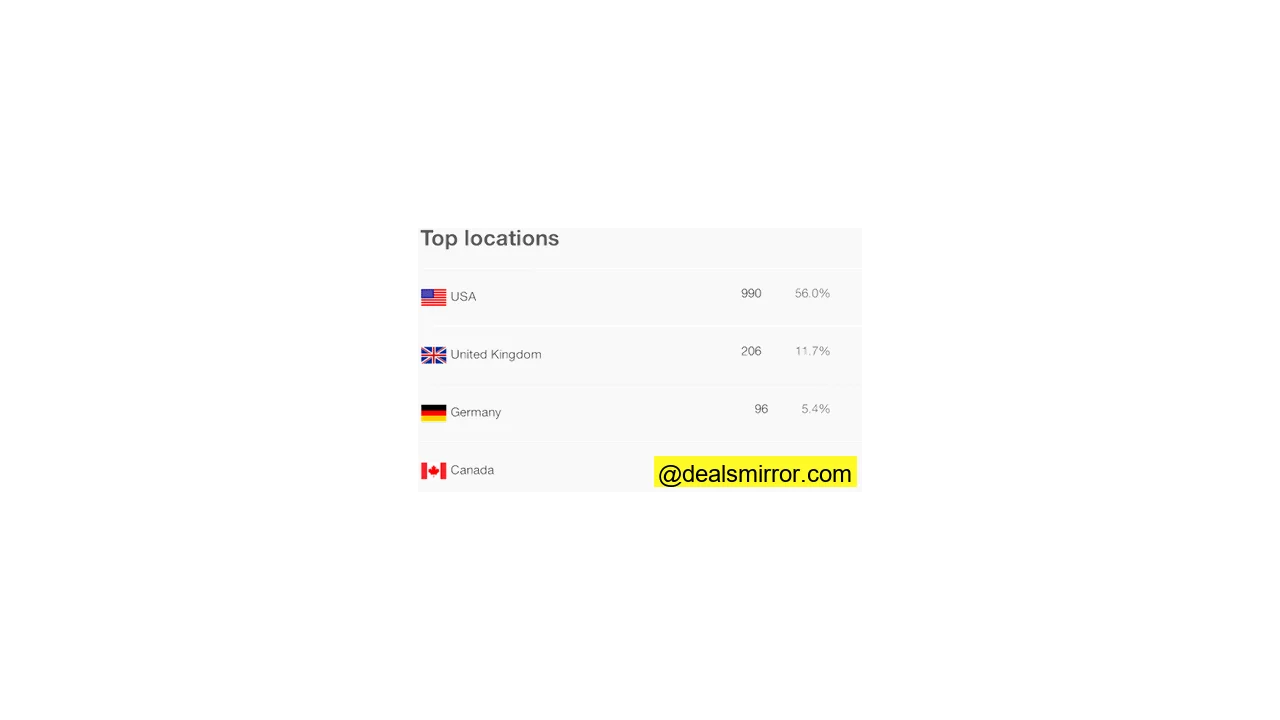
This is a screen capture of geographic targeting data.
For instance, the retail giant Target successfully tested localization in promotional emails by identifying stores closest to recipients’ addresses. Emails featured the local store’s name in the subject line, along with its phone number and store-specific links. This tactic can boost purchase likelihood by up to 50%! A study by Mailchimp also supported this, showing that localizations (like including a city name) significantly improve open rates. Adding such a small detail makes emails feel more relevant, thereby enhancing overall email metrics.
2. Engagement Reporting
Engagement reporting software tracks how long a subscriber keeps an email open, essentially measuring activity between an open and a click. This provides vital context to open rates, differentiating between a quick glance before deletion and a thorough read. It helps you identify if your message truly resonated or if the subscriber was merely “trigger-happy” to trash it.
This tracking establishes “thresholds” to define engagement levels:
- Glance/Delete Rate: Email open for 2 seconds or less
- Skim Rate: Email open for 3 to 7 seconds
- Read Rate: Email open for 8 seconds or more
This is a screen capture from Email on Acid’s analytics tool.
By analyzing these metrics, you can easily pinpoint campaigns that captivate your customers for longer periods. Then, you can extract the marketing elements that made those campaigns successful and apply those tactics to future emails, fostering more engaging content.
3. Email Client Reporting
The vast landscape of email clients and devices can present numerous display challenges. Email client reporting helps you focus your optimization efforts by tracking which clients and devices your subscribers use to read your emails.
Many ESPs provide data indicating, for example, that the most popular mobile device for your audience might be the iPhone and their preferred email client could be Outlook. This data is indispensable for optimizing the design and content of your emails, ensuring pixel-perfect display on the platforms most frequently used by your audience.
This is a screen capture illustrating client reporting data.
4. Interactive Graphs
Interactive graphs offer dynamic views of your email reports, allowing you to visualize key metrics such as delivered emails, open rates, click percentages, and more. These graphs are excellent for gaining a macro perspective of your email marketing performance. For instance, the example below tracks list growth month-by-month, helping you identify areas of improvement or where to intensify your efforts.
This is a screen capture from MailChimp’s analytics.
5. Subscriber Activity Reports
Many ESPs offer highly granular reporting through subscriber activity reports, providing a detailed snapshot of each subscriber’s interaction with your email campaigns. These reports allow you to delve deeper, tracking an individual’s specific activities like when they opened an email, what they clicked on, and even the location where the email was read.
Above is an example of a subscriber-level report.
One practical application of these reports is identifying subscribers who didn’t open an email and then strategically resending it to them, ideally with a different subject line to pique their interest the second time around.
6. Click Maps
An incredibly useful feature offered by many ESPs is the email click map overlay. This visual tool lets you gauge what aspects of your email most interest your audience. Moving beyond simple CTR, a click map shows you whether your audience prefers images over text, and precisely where the majority of clicks occur within the email.
For example, if a click map reveals that most clicks happen at the top of your email, you would strategically place your primary Call-to-Action (CTA) above the fold. This invaluable information helps you understand your audience’s habits and, in turn, create more compelling and effective mailings.
This is a screen capture demonstrating a click map.
7. Social Reporting
Email and social media are powerful marketing channels that can work synergistically to achieve your objectives. Integrating your social pages into your email campaigns is crucial. With proper social tracking, an ESP can facilitate sharing your campaigns on platforms like Twitter and Facebook by embedding “Like” or “Tweet” buttons directly into your emails.
You can then see how many people shared your email, who shared it, and even read what they said about your content to their friends and followers. Furthermore, ESPs enable effortless campaign comparison. Whether you want to see how last year’s holiday campaign stacks up against this year’s, or compare this month’s newsletter to last month’s, you can view engagement across multiple campaigns or even side-by-side in an instant. This makes it easy to identify which emails resonate most with your audience and which might need refinement.
This is a screen capture from Email on Acid’s analytics.
How Are *You* Measuring Success?
In the world of email marketing, what you don’t know can certainly hinder your progress. That’s why it’s imperative to find an ESP that goes beyond merely tracking opens and clicks. To craft truly impactful campaigns that spur your audience into action, you must deeply “know your audience.” For marketers, this boils down to effectively leveraging the right advanced email analytics and reporting tools to uncover your audience’s interests, preferences, and pain points. Be diligent in evaluating the tracking capabilities of potential ESPs to ensure you’re getting the most value for your investment.