

Email Service Providers (ESPs) are constantly evolving, releasing new and advanced features that can be both exciting and overwhelming. While innovative functionalities are appealing, they can often distract businesses from making a truly sound ESP choice, leading to costly mistakes.
It’s easy to get sidetracked by “shiny” new features, but the reality is that many companies won’t utilize them, or they might even complicate existing processes. So, how can you navigate the allure of cool functionality and ensure you select the right vendor for your specific needs?
Here are five practical tips to help you stay focused and avoid getting sidetracked by unnecessary “shiny” features when evaluating new email service providers.
Tip 1: Ask the Hard Questions Before You Start
Before diving into research for a new provider, conduct a thorough assessment of your current ESP usage and performance. Are you effectively tracking the success of your email programs? If not, it’s possible you don’t need additional functionality beyond what you already possess.
Critically evaluate if transitioning to a higher-level ESP will genuinely increase your Return on Investment (ROI). Moving to a more advanced platform typically involves higher costs and a steeper learning curve. Is this investment truly justified? Ensure you’ve maximized your current ESP and are genuinely ready for more sophisticated features before embarking on a search for a new one.
Tip 2: Embrace the 80/20 Rule for Features
When comparing ESPs, it’s helpful to consider a version of the 80/20 rule: most providers offer a similar 80% of core functionalities, though their technological implementations may vary. Focus your evaluation on the differentiating 20% – this is where you’ll find the specific additional functionality you might need, alongside the tempting “shiny” distractions.
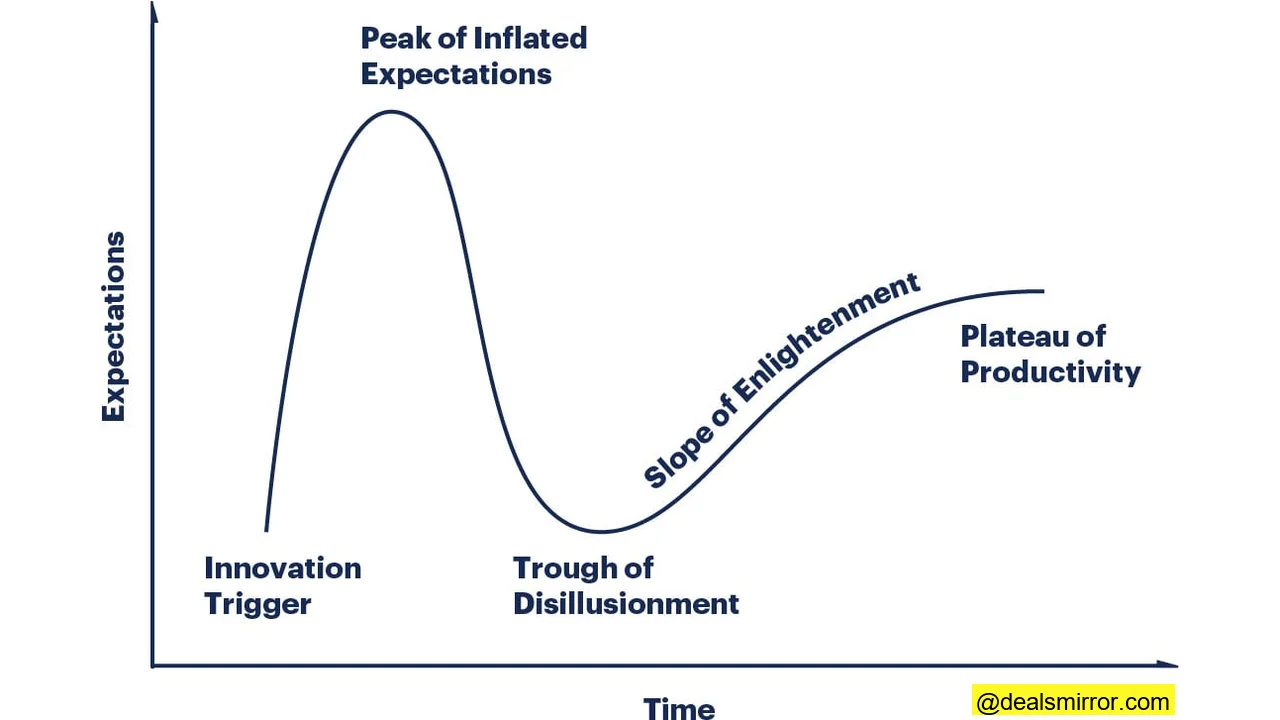
Often, the promise of new technology can create unrealistic expectations, leading to inflated hopes and eventual disillusionment when features go unused or prove too complex.
Tip 3: Craft a Realistic, Prioritized Needs List
Is your list of desired features truly realistic, and will you actually use everything on it? Building on the 80/20 principle, before getting caught up in elaborate bells and whistles, clearly define your needs:
- Must-Haves: Essential features critical for your operations.
- Medium Importance: Features that would be highly beneficial.
- Nice-to-Haves: Desirable functionalities you can live without.
Stick rigorously to this prioritized list. This disciplined approach will prevent you from being swayed by “cool” functionality that isn’t necessary now, or realistically won’t be used within the next 12-18 months.
Tip 4: Gather Internal Feedback, But Be Prepared to Push Back
Consult with other departments to understand their perceived functional requirements. However, also be prepared to critically challenge these requests. Pushing back is crucial for narrowing down your list to genuine “must-haves” and avoiding “shiny objects.” Guide all stakeholders through the same prioritization process: what features are truly essential, what would be beneficial, and what can they ultimately live without?
Tip 5: Insist on Ownership and Accountability for Advanced Features
A powerful way to counter requests for “cool” functionality is to demand clear ownership. For instance, if a department insists that predictive intelligence is a must-have, require them to:
- Demonstrate the specific business need.
- Predict the potential ROI of the tool.
- Commit to owning its implementation, setup, and ongoing optimization.
- Provide a clear timeline for these tasks.
If everyone agrees a certain functionality is great but won’t be utilized for 18 months, or no one is willing to commit to the resources required to implement and manage it, then it’s likely just another “shiny thing.” Features like predictive intelligence require dedicated time to configure, optimize, and manage properly. The departments advocating for these capabilities should be the ones committing to the necessary tasks and timelines. Without that commitment, it remains a distraction, not a genuine need.
Ideally, these evaluations – including defining ownership and accountability – should occur before you even begin the search for a new ESP, informing your list of requirements from the outset.
Beware of Making a Suboptimal Choice
If you prioritize a specific function as essential but then fail to use it, you might have made a suboptimal choice. You could have overlooked another ESP that was a better fit for your actual needs, simply because it lacked the “shiny” feature you’re not even utilizing.
That said, it’s also vital to consider your future plans. If your strategic roadmap for the next 12 to 24 months genuinely requires a functionality that isn’t critical right now, it might not be a “shiny thing” but a legitimate future need. Even in such cases, always insist on clear ownership and accountability. Acquiring a feature doesn’t guarantee its use, regardless of initial claims.