
The landscape of content creation has been revolutionized by the rapid advancements in AI writing tools. What was once science fiction is now an essential reality for content creators, marketers, journalists, bloggers, and anyone striving to maintain a strong online presence. AI writing software offers immense potential to save time, enhance efficiency, and elevate the quality of text content across various platforms.
With a burgeoning market of innovative solutions, choosing the right AI writing tool can be challenging. This comprehensive guide simplifies your decision-making by exploring the top AI writing software available today.
Transform Your Content Strategy with AI Writing Tools
AI writing software tools empower a diverse range of users in numerous ways. In a short span, a broad market of specialized tools has emerged to cater to every need. While there isn’t a single ‘AI writer’ definition, different types focus on specific tasks and use cases.
Some of the most common applications for AI writing software include:
- Generating blogs, articles, and other content types from scratch
- Accelerating and scaling marketing copywriting efforts
- Facilitating SEO content planning and creation
- Assisting with and improving existing writing
- Proofreading and editing
- Conducting research and planning
- Supporting creative writing endeavors
This article features platforms specializing in all the above. Many tools on this list offer capabilities across multiple use cases. What unites them is their promise to make writing more efficient, accurate, and impactful.
Here’s a quick look at some leading AI writing tools:
| AI Writing Tools | Best For | Free Plan/Trial | Starting Price |
| Reword | All-Round Writing Assistance | Yes, 14 days | $39/mo |
| Surfer | SEO Writing Support | No | $69/mo |
| Rytr | All-Round Text Generation | Yes | $9/mo |
| HubSpot | CRM Platform with AI writing | Yes | $20/mo |
Key Features to Look for in AI Writing Tools
Given the variety of AI writing solutions, defining a ‘great’ AI writer can be complex. However, the best AI writing software shares certain common features and qualities. Here’s what to prioritize in your search:
- A user-friendly interface for seamless navigation
- Support for multiple text types, often with helpful templates
- Built-in plagiarism checks to ensure originality
- A diverse selection of writing or improvement tools
- High word limits to generate or check all necessary copy
- Integrations with popular platforms to streamline your workflow
- A free plan or trial to test the software before committing
- For SEO-focused tools, robust content planning capabilities around keyword clusters
23 Best AI Writing Tools (Free & Paid)
Ready to discover the best AI writing tool for your needs? Below are the key features, pros, cons, and costs of the top products on the market today. (Note: While the original article indicated 27 tools, the provided content includes detailed descriptions for 23, with the last item being incomplete.)
1. Reword: Best for All-Round Writing Assistance
Reword functions more as an AI writing assistant than a fully automated AI writer. It’s designed to support your own writing process, from brainstorming ideas and researching topics to correcting mistakes, making improvements, and optimizing for SEO. It serves as a smart toolkit guiding you at every step.
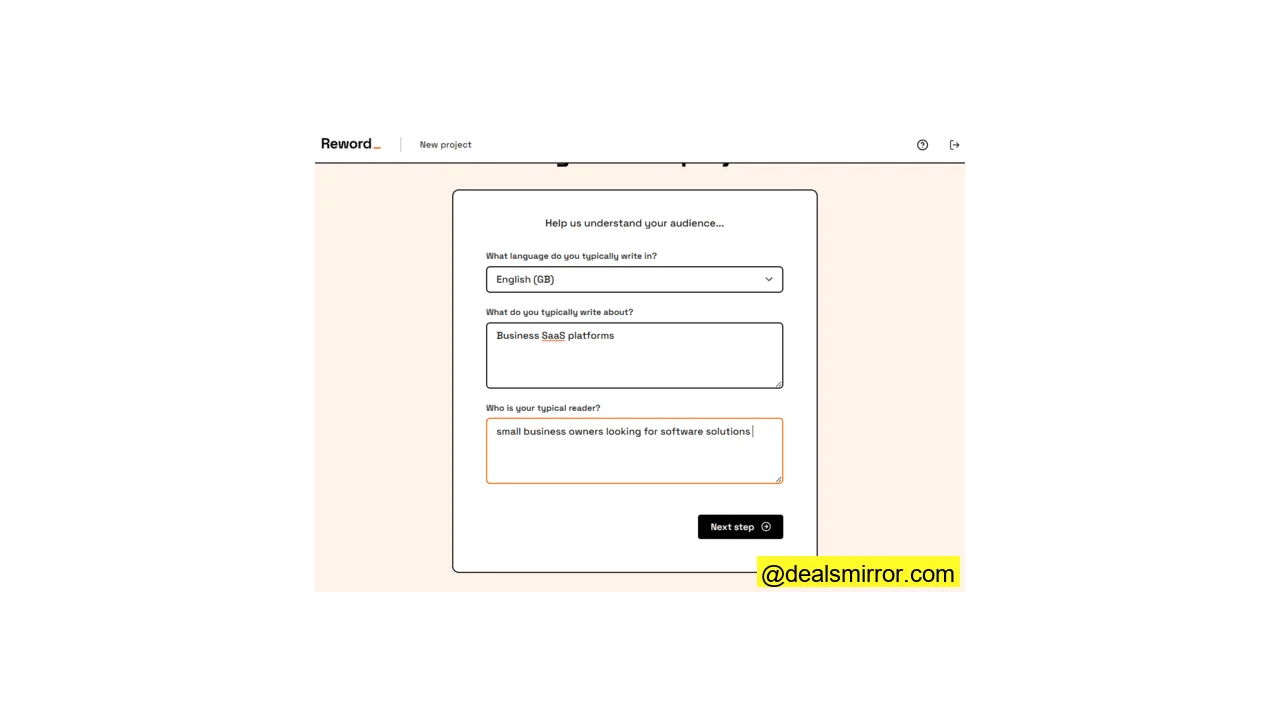
Reword’s major strength lies in its ability to learn about you and your writing. For each new project, you define your topic and audience. You can train the AI to understand relevant subjects over time by connecting your Google Search Console. It also learns from the articles you write and edit.
Reword emphasizes collaboration between human and AI. It corrects errors, suggests links, improves text as you write, or provides targeted comments for improvement. It also supports human-to-human collaborative editing.
Reword Pros
- AI assistance at every stage of the writing process
- Learns from your writing over time
- Wide range of integrations with popular CMS
- Designed for team writing and editing
Reword Cons
- For the price, a limit of 3 writing projects a month on the cheapest tier feels restrictive.
Pricing for Reword starts at $39/month for 3 users, 3 projects, and 40 drafts, including collaborative editing. A 14-day free trial is available.
Best for: Professionals seeking collaborative AI assistance in their writing process, rather than a tool to fully automate content creation.
2. Surfer: Best for SEO Writing Support
Surfer is an SEO-focused AI language tool that uses NLP to optimize text for search engines, rather than primarily for text generation.
Surfer’s content editor analyzes the top-ranking articles in SERPs for any given topic. It breaks down the key elements contributing to those articles’ high rankings, which then form a checklist for you to use while writing or editing. This checklist covers keywords, images, headings, word count, and paragraphs. Your text receives a score, with a target to match top-ranking examples.
The platform also includes an AI-powered keyword research tool. Add-on features offer a simple generator for creating articles.
Surfer integrates with Google Docs, WordPress, Semrush, and Jasper, or can connect with other software via its API.
Surfer Pros
- Simplifies keyword research and competitor analysis
- Points-based analysis allows quick text optimization
- Easy integration with Google Docs
Surfer Cons
- As powerful and user-friendly as Surfer is, it’s on the pricey side.
Surfer starts at $69/month (billed annually) for 2 seats and 180 keyword analyses. Additional tools like the AI content generator and audit tool are add-ons. While there’s no free plan, a free AI outline generator and Google keyword extension are available.
Best for: Anyone looking to improve SERP rankings for their online content through comprehensive SEO analysis and optimization.
3. Rytr: Best for All-Round Text Generation
Rytr is one of the most popular AI writing software platforms, boasting over 6.5 million users. It focuses on direct text generation with a range of versatile features.
Rytr offers over 40 templates or ‘Use Cases’. For content marketers, these include templates for blogs, emails, product descriptions, ads, and web copy.
However, some Use Cases extend beyond standard content generation. SEO professionals will find the keyword extractor and generator useful. There’s also a suite of tools for editing, expanding, improving, and rewording copy.
Additionally, Rytr provides interesting idea-generation tools, capable of generating brand names, new business ideas, video ideas for YouTube, story plots, and even song lyrics. If you can’t find what you need, you can create your own custom use cases.
Rytr supports over 30 languages, and all generated content is checked for plagiarism. You can also generate images to accompany your text and choose from more than 20 tones to ensure your content has the right feel.
Rytr Pros
- Varied and flexible use cases
- Ability to build custom templates
- Generates text in 30+ languages
- Affordable to get started, including a free plan
Rytr Cons
- Writing limits are given in characters rather than words, which can be less intuitive.
Rytr pricing starts at just $9/month for 100k characters. A free plan with 10k characters per month is also available.
Best for: All-round general content creation for various marketing and creative needs.
4. HubSpot: Best CRM Platform with AI writing
HubSpot is a renowned brand synonymous with CRM and inbound marketing software. The platform now also integrates AI tools for content writing, personalization, analytics, and sales forecasting.
HubSpot’s AI writing tools are seamlessly built into the Marketing, Sales, Service, and CMS Hubs. You can draft email copy, write blog posts, and generate reports with AI. Within any HubSpot content editor, simply type “/” to generate a paragraph or headline. Enter your prompt, and HubSpot will create the copy. If you’re not satisfied, click “Generate” again for variations.
A standout feature of HubSpot is its AI website builder. You can create single-page websites by providing a company description, selecting goals, and choosing a color scheme. A site is generated in 1-2 minutes, which you can then refine using the drag-and-drop editor.
HubSpot Pros
- All-in-one CRM platform including AI writing, sales, marketing, customer support, and operations tools.
- AI writing is included even in the comprehensive free plan.
- Easy to get started and generate content.
HubSpot Cons
- The quality of generated content may not match specialized writing tools.
- Pricing can be complex and quickly becomes expensive on higher plans.
HubSpot CRM pricing for the full platform begins at $20/month for 1,000 marketing contacts across all Starter Hubs. AI assistants are included in all plans, even the free tier. More details are available on HubSpot’s pricing page.
Best For: Medium to large-sized companies needing an integrated CRM platform with AI writing capabilities.
5. WriteSonic: Best for Affordable Copywriting
WriteSonic stands out as one of the most user-friendly AI writers available, trusted by over a million clients globally. It enables you to create clean, SEO-optimized copy in just four simple steps.
First, select your desired text type from over 100 templates. Next, conduct a topic search. WriteSonic will provide a list of ranking content, from which you pick the most relevant examples. You can also paste specific links or upload your own files. Once these steps are complete, WriteSonic handles the rest.
A new Brand Voice feature captures the specific style of your existing content, ensuring consistency. An integrated text editor allows you to make changes to the generated content.
WriteSonic also includes a variety of other handy copywriting tools, such as a title generator, a paraphrasing tool, a text expander, and an article summarizer. Additionally, it offers a chatbot assistant, chatbot builder, and an image generator.
WriteSonic Pros
- Simple and user-friendly interface for quick content generation
- 100+ content templates available
- All content comes SEO-optimized and plagiarism checked
WriteSonic Cons
- The method of calculating word count from sample texts can be confusing.
WriteSonic pricing starts at $16/month for 1 user, providing 200K words with GPT-3.5 or 33K words with GPT-4.0. The Unlimited plan is also $16/month with no word limit. A free plan is available.
Best For: Professionals seeking comprehensive writing tools on a budget, particularly for efficient copywriting.
6. Jasper: Best for Business Content Creation at Scale
Jasper is a highly popular AI content generator with over 100,000 users worldwide, including major brands like AirBnB, Intel, Zoom, and Verizon.
Beyond text generation, Jasper layers optimization tools for SEO and grammar. Its Brand Voice feature (formerly Boss Mode) learns from your existing content to ensure consistent tone, style, and accuracy.
These capabilities make Jasper a versatile solution for business and marketing content. You also get access to over 50 content templates to accelerate your workflow.
Jasper is available as an API for integration into your existing tools or as an online Chrome browser extension. An Art tool generates images from text descriptions to complement your content, and a chatbot assistant helps with brainstorming ideas or checking copy.
Jasper Pros
- 50+ templates covering common marketing and business content types
- Supports 25 languages
- Real-time training to accurately reflect your brand voice
- Automation and collaboration tools to speed up production
Jasper Cons
- It takes some time to learn the platform, though excellent videos, articles, and support are provided to assist new users.
Jasper offers single-seat accounts starting at $49/month, while team accounts are $99/month for 3 seats. A 7-day free trial is available upon submission of payment details.
Best for: Businesses needing large-scale content creation across various departments and campaigns.
7. SudoWrite: Best for Creative Writing
Many commercial AI writing software solutions cater to business users. SudoWrite, however, stands apart. It’s specifically designed to support creative writing rather than business content generation.
SudoWrite foregoes templates and instead breaks down the creative writing process into nine distinct steps, providing tools to assist with each. It begins with a Brainstorming tool that generates ideas for characters, setting, and plot, followed by a Canvas where you can flesh out and organize these concepts. Once you start writing, the Write tool is excellent for overcoming writer’s block, capable of generating the next 300 words if you get stuck.
Some of SudoWrite’s most powerful features are its editing tools. You can rewrite or expand entire sections, and an in-line thesaurus provides word suggestions as you write. To spark creativity, the Describe tool adds descriptions based on chosen senses, or you can use Visualize to create images of a scene for added inspiration. Finally, the Feedback tool offers three areas for improvement, which you can run as many times as needed.
SudoWrite Pros
- Impressive range of text generation and editing tools to support the creative writing process
- User-friendly interface; all tools are readily available as you write
- Unlimited editing and feedback
- Easy to organize drafts and projects
SudoWrite Cons
- The 3-day free trial offers limited time to thoroughly test the platform.
SudoWrite pricing begins at $10/month for 30,000 words. There is no free plan, but a 3-day free trial is offered.
Best for: Anyone seeking assistance with creative writing, from hobbyists to professional authors.
8. Growthbar: Best for Easy SEO Blogging
Growthbar intelligently combines AI-assisted SEO with text generation. Its suite of tools includes keyword research and competitor analysis, which it then leverages to create optimized content for you.
While Growthbar’s SEO tools may not be as in-depth as some specialized platforms, they are highly effective for specific content types, particularly blogging. The platform is largely blog-focused, featuring a Blog Topic Generator and an AI Blog Outline writer.
On the writing and editing side, the interface is well-organized and user-friendly, with keyword analysis visibly integrated throughout. AI-powered editing options allow you to expand text, add examples, and conclude thoughts. It also features an on-page SEO audit tool for analyzing existing content. A recent addition is a Brand Voice tool that learns your brand’s writing style.
Growthbar Pros
- Combines AI SEO analysis and text generation
- Includes keyword research, ranking analysis, and competitor analysis
- User-friendly interface
- Multiple editing options
Growthbar Cons
- The offering for the price could be a little simpler to understand.
Growthbar starts at $29/month, providing 2 user accounts, 25 articles, 500 paragraphs, unlimited blog ideas, and SEO tools. A 14-day free trial is available, but there is no free plan.
Best for: Marketers and website owners looking to quickly produce SEO-optimized blog posts.
9. Scalenut: Best for Quality SEO Tools Combined with AI Writing Support
Scalenut uniquely combines AI content generation with robust SEO optimization. Compared to many similar platforms, its SEO tools are its standout feature.
The Content Planner in Scalenut scours top-ranking articles on a given topic. It uses NLP to extract key terms, heading suggestions, structural insights, and more. It also employs social listening to analyze reader intent. These tools enable you to plan single articles or entire ‘clusters’ for long-term content strategy.
The SEO Article Writer provides real-time SEO scoring and prompts as you write. Options are available to automatically expand, shorten, or rephrase sections of text. A particularly powerful feature is the ‘Fix It’ button, which auto-optimizes a document with a single click.
The AI Copywriter is a high-speed text generator that again scours SERPs and generates content based on top-ranking examples. There are over 40 templates to choose from for various content needs.
Scalenut Pros
- Complete SEO analysis and content planning tools
- Generates SEO-ready articles in under 5 minutes
- AI-guided writing with real-time SERP stats and content scoring
- One-click automatic optimization
Scalenut Cons
- Would be even better if it could learn your brand voice from existing online content.
Scalenut is priced from $39/month, including 100,000 words and 5 SEO articles. A 7-day free trial is available.
Best for: Marketers seeking a powerful combination of quality SEO tools and comprehensive AI writing support.
10. Outranking: Best for SEO Content Strategy for Teams
Outranking is a robust SEO tool designed for executing winning SEO strategies across an entire website, distinguishing itself from platforms focused solely on article-by-article optimization.
It begins with AI-powered keyword research and clustering, grouping top-ranking words and phrases into logical topics. These topic clusters then form the basis for content planning. You can build a content calendar to strategically plan how to cover your content clusters and prioritize important keywords.
One of Outranking’s best features is its ability to simplify content creation for teams. This includes a content calendar and a workflow dashboard for managing production. You can create content briefs based on SEO targets and track content creation and performance.
Outranking’s content editor combines standard word processing tools with detailed SEO analytics. Optimization suggestions cover:
- Titles and descriptions
- Topic coverage
- Uniqueness
- Readability and grammar
- Links
- Plagiarism detection
AI writing tools are specifically targeted at tasks such as creating article outlines or drafting introductions and conclusions. There’s also an AI feedback feature that provides advice on how to improve copy.
Outranking Pros
- In-depth SEO content planning
- Workflow management for teams
- SEO-optimized content briefs & AI-generated outlines
- Advanced optimization capabilities
Outranking Cons
- Despite its comprehensive features, Outranking is on the pricey side.
Outranking starts at $49/month, allowing the creation of 10 SEO documents. Features can be extended with add-ons without requiring an upgrade to a higher plan. A 7-day free trial is available.
Best for: Teams focused on creating and implementing comprehensive SEO content strategies.
11. CopyAI: Best for Simple, Quick Copywriting
CopyAI is an immensely popular copywriting platform, serving over 10 million users worldwide. It specializes in blog post creation, email marketing content, and social media copywriting, with useful additions like website copy, case studies, and video scripts.
CopyAI’s main platform features an NLP Chat interface, making it one of the best ChatGPT alternatives for direct content generation. You simply type an instruction, and the AI interprets it to write an article, eliminating the need for topic or keyword searches. This simplifies the process from input to output.
Unlike ChatGPT, CopyAI offers greater control over the output. It provides 45 text-type templates, including unique ones for dating site profiles, song lyrics, and even wedding vows. Prompts guide you on how to best interact with the Chatbot for productive results. A Brand Voice tool helps shape the writing style by analyzing any pasted text to replicate its tone. The AI can write in over 25 languages.
CopyAI Pros
- Simple chat interface
- Multi-language support
- 45 text-type templates
- Free plan available
CopyAI Cons
- Like many GPT-based Chat AIs, content generated needs careful checking for relevance and accuracy.
CopyAI’s Pro plan is $49/month, offering 5 users and unlimited words/projects, making it suitable for teams. A free plan with 2,000 words per month is also available.
Best for: Marketing teams seeking a simple, fast copywriting tool to save time on various content needs.
12. Frase: Best for Creating Ranking Content on a Budget
Frase is a very polished and user-friendly AI writing tool that seamlessly integrates SEO and AI text generation into a single workflow. This allows users to move rapidly from keyword research to generating full-length articles. The interface is clean and straightforward, making it easy to learn and navigate.
The content creation process begins by entering keywords or topics into the Frase search engine. Frase’s AI algorithms then scour the internet for high-ranking competitor articles, providing an analysis of what contributes to their strong performance. Based on this analysis, it suggests content, keywords, and outlines.
While many SEO-focused AI tools require manual content generation at this stage, Frase features a long-form AI Writer that builds upon the SEO outline. It generates content based on its comprehensive analysis, not just NLP keywords, but also incorporating data such as content details, context, and style. This results in impressively ‘human-like’ text.
Frase Pros
- Advanced SEO tools and AI text generation integrated into one workflow
- AI deeply analyzes data beyond NLP keywords to generate high-quality text
- Quickly generates high-scoring, SEO-ready content
- Affordable pricing options
Frase Cons
- It’s a drawback that Frase charges a small fee for its 7-day trial period, requiring payment details.
Frase starts at $14.99/month for 4 SEO articles, with flexible options including unlimited AI generation (without SEO tools) for $35/month, or 30 optimized articles for $38.25/month. A 5-day trial is available for $1.
Best for: Small businesses aiming to enhance their SEO capabilities and create ranking content efficiently on a budget.
13. Describely (formerly Copysmith): Best for Product Descriptions
Describely is the copywriting AI formerly known as Copysmith. Copysmith was recognized for generating high-quality content quickly, covering everything from blog posts to email marketing content. However, its particular strength lay in short-form content like ads and product descriptions.
Describely now focuses specifically on product content. Its language model is trained on e-commerce sites and has been refined by leading professional copywriters to ensure top-tier results.
Describely integrates directly into major e-commerce platforms and PIMs (Product Information Management systems), such as Shopify and BigCommerce. (Integrations with Wix and Amazon are coming soon.) Describely’s AI uses your product database to generate full descriptions, product summaries, titles, and tags. It includes SEO tools to optimize content with the right keywords.
Describely accelerates content production for large product catalogs. The workflow—from product database to creation to storefront—is streamlined, providing a single platform for managing all your product content.
Describely Pros
- Speeds up and simplifies product content creation
- Designed for large product databases
- Language model trained specifically on e-commerce sites
- Direct integrations with e-commerce platforms and PIMs
Describely Cons
- Still a platform in transition, so the full feature list is still to be rolled out.
Describely begins at $9/month (or $90/year) for 3 seats and content for 450 products. A free plan allows content creation for 5 products.
Best for: E-commerce stores that require a large volume of high-quality product descriptions.
14. QuillBot: Best for Simple Writing Assistance on a Budget
QuillBot is a versatile AI paraphrasing tool that also includes a grammar checker, a plagiarism checker, an article summarizer, a citation generator, and a translator.
The paraphrasing tool offers 7 distinct modes:
- Standard: Rewords text while preserving the original meaning and style.
- Fluency: Enhances readability and corrects grammatical errors.
- Formal: Adjusts text to a more professional tone.
- Simple: Makes text easier to read and understand.
- Creative: Changes wording and phrasing for more expressive language, which may slightly alter the meaning.
- Expand: Adds detail and length to existing text.
- Shorten: Compresses text into a more concise form.
Other tools function similarly: you copy, paste, or upload text for checking or rewriting. The interface is exceptionally simple and user-friendly. There is also a Co-Writer tool, essentially a word processor with integrated AI features. You can paraphrase, summarize, and receive text suggestions as you write. It also allows for online research and AI-generated citations.
QuillBot supports 23 different languages and is available as a web app, with plugins for Chrome, Microsoft Word, and MacOS.
QuillBot Pros
- Free to use without any signup for basic features
- Super easy and intuitive interface
- Excellent for improving existing text
- Helps organize research for long-form content and create citations
QuillBot Cons
- Does not differentiate between US and British English.
QuillBot offers a free version with no signup required, limited to 125 words for paraphrasing in Standard and Fluency modes. The Premium plan, starting at $6.25/month, unlocks unlimited words and all tools.
Best for: Individuals seeking affordable and user-friendly tools to improve existing text and streamline basic writing tasks.
15. Anyword: Best for Boosting Content Performance
While many AI writing software solutions prioritize search optimization, marketers also require copy that resonates with ‘real people’ and goes beyond just SERP rankings. This means crafting headlines and snippets that grab attention, informative articles that engage audiences, and content that drives clicks and conversions or encourages social sharing.
Anyword takes this broader view of content optimization. It leverages large language models to predict how a piece of content will perform using audience metrics. This impressive capability is why a million clients worldwide trust it.
The core of Anyword’s offering is its editor with over 100 templates. Instead of merely generating copy, the editor compares your text with high-performing examples of the same type. It assigns a performance score to each piece of content and provides targeted suggestions for improvement.
You can train the AI to adapt to your unique brand voice and set Target Audience personas. This refines how the AI rates content performance for specific demographic groups. A notable tool called Talking Points is particularly effective for HubSpot Email and Google Ad campaigns, assessing campaigns and identifying key messages with the greatest impact.
Anyword Pros
- AI-led intelligence for improving content performance beyond SEO
- 100+ content type templates
- Uses AI to shape brand and audience insights
- Suggests key messages for campaigns
Anyword Cons
- Limited text generation options.
Anyword pricing starts at $39/month for 1 user, with no limits on word or article checks. A 7-day free trial is available.
Best for: Marketing teams focused on increasing the overall performance and engagement of their written content.
16. Grammarly: Best for Improving Your Writing, for Free!
With 30 million active daily users, Grammarly is a powerhouse in AI writing software. It has long set the standard for text correction and writing support, and now, with GrammarlyGO, it also offers a suite of text generation tools.
With plugins for Windows, Chrome, iOS, and Android, Grammarly’s text correction tools are accessible wherever you write. You can also paste text directly into the Grammarly web app.
It provides a visual dashboard that evaluates your writing across four categories: Correctness, Clarity, Engagement, and Delivery. You also receive an overall performance score, which you can improve by following Grammarly’s prompts.
GrammarlyGO is a user-friendly text generator. Simply type a prompt and click go. It’s particularly useful for co-writing, or for adding to or editing existing text. Options are available to rephrase, shorten, simplify, and adjust the tone of generated text. It also includes tools for generating writing ideas and a specific email reply generator.
Grammarly Pros
- Advanced text correction and improvement
- Plugins for common operating systems and browsers
- Super easy text generation
- Free to use for basic features
Grammarly Cons
- Currently only available for writing in English.
Grammarly offers a free version for basic correctness and clarity checks, including 100 GrammarlyGO prompts monthly. The Premium plan, at $12/month, provides 1000 prompts and advanced tools for consistency, engagement, and fluency.
Best for: All-round text improvement and co-writing, especially for those on a budget.
17. ProWritingAid: Best for Professional Standard Proofreading
ProWritingAid is another powerful writing assistant that excels in correction and improvement. Its target users are professional writers, including authors, academics, journalists, and copywriters.
The professional focus is evident in the depth of its analysis. There are more than 20 different writing improvement reports available, each delving into a specific aspect of your writing. Each report rates performance and provides targeted suggestions for enhancement.
Quick fixes for grammar, spelling, and style are available as you write. Beyond basic corrections, ProWritingAid also flags issues like word repetition, unexplained jargon, or tired clichés.
Suggestions can be tailored to different use cases, such as creative writing versus professional or academic writing. ProWritingAid is particularly strong for non-native English speakers, offering to translate phrases written in your own language and explaining suggestions to aid understanding.
ProWritingAid integrates with Chrome and Windows, and can also be used as a web app.
ProWritingAid Pros
- In-depth analysis for improving writing
- 20+ different writing improvement reports
- Specific tools for various writing styles
- Excellent support for non-native English speakers
ProWritingAid Cons
- No text generation options.
ProWritingAid starts at $20/month, or $80/year (discounted). A lifetime membership is available for $399. A free plan allows processing up to 500 words daily.
Best for: Professional writers dedicated to proofreading and significantly improving their writing quality.
18. ChatGPT – Best for AI-Powered Research
If there’s one generative language AI you’ve heard of, it’s likely ChatGPT. Developed by OpenAI, the creators of the GPT family of large language models, ChatGPT serves as OpenAI’s own accessible interface.
The chatbot-style interface is ChatGPT’s defining feature. It doesn’t rely on templates or focus on particular writing tasks or styles. Instead, you pose a question or provide a writing instruction – known as a ‘prompt’ – and ChatGPT sifts through its vast language model for fitting examples, generating a (hopefully) relevant response in seconds.
The immense strength of ChatGPT lies in its open-ended versatility. You can request anything from writing articles and marketing copy to learning languages, writing code, or inventing games. Prompts can be as detailed or vague as you prefer. Its unique ‘dialogue’ format allows for follow-up questions to refine answers. The quality of output is directly tied to the quality of your prompts, and OpenAI has introduced example prompts to assist users. Ultimately, while ChatGPT is an AI text generator, its most effective use often proves to be as a powerful search and research tool, especially for generating content ideas rather than polished final products.
ChatGPT Pros
- Highly versatile – generates text for virtually any question
- User-friendly chatbot-style interface
- ‘Dialogue’ format allows easy refinement of answers
- Free to use for the standard version
ChatGPT Cons
- Not consistently easy to generate ‘print-ready’ responses on the first attempt.
ChatGPT is free to use. ChatGPT Plus is available for $20/month, offering priority access and faster responses.
Best for: Generating ideas and significantly speeding up content research across a wide range of topics.
19. Chibi AI – Best for Flexible Writing Support
Chibi AI positions itself as a platform designed to “augment your writing experience,” offering impressive flexibility and a comprehensive feature set.
Chibi AI has two primary functions: it can generate nearly complete texts, which you can then refine using its word processing tools. The platform employs a chat-style interface rather than templates, allowing you to specify content type, topic, and audience. You can then select from dozens of options for tone, vocabulary, style, and language. It supports over 20 languages.
If you prefer to write yourself, you can still leverage AI assistance through prompts. These prompts function similarly to the main document generator but are designed for creating short text sections, such as next paragraphs, new sections, or ideas for continuity. You can save prompts for reuse, and Chibi AI features a memory that learns your writing style and content types over time. It includes a brainstorming tool for mapping ideas and a scratchpad for organizing notes. Chibi AI comes with Grammarly built-in, and a review tool summarizes text improvements instantly.
Chibi AI Pros
- Flexible text generation or writing assistant options
- Learns from your writing over time
- High degree of customization
- Affordable, straightforward pricing
Chibi AI Cons
- Although it’s a flexible tool for all professional content writers, there are no SEO tools.
Chibi AI is priced from $9/month, which includes 10,000 generated words and full tool access. A free trial for 2,000 words is available.
Best for: Storytellers and general writers looking for flexible AI support to enhance their creative and professional output.
20. ClosersCopy: Best for Niche Marketing Content
ClosersCopy is an AI writing tool specifically designed for marketing copywriters, integrating AI text generation with valuable SEO optimization tools.
By far, ClosersCopy’s biggest unique selling proposition is the sheer number of text-type templates it offers, which it calls frameworks. What’s truly innovative is the ability for users to create and share their own frameworks on the platform. With over 700 diverse frameworks available, most contributed by professional copywriters, it’s an excellent resource for finding highly specific templates. For blogs and longer articles, you can find separate frameworks for different sections, such as outlines, titles, and introductions. These distinct frameworks can then be pieced together on a ‘Workflow’ page.
ClosersCopy also provides functional SEO tools like keyword auditing and planning, with SEO results displayed directly in the editor as you write.
Another standout feature of ClosersCopy is its support for 128 languages, making it a truly global AI copywriting tool. It also offers excellent in-app support, including helpful video tutorials and an active community of fellow users.
ClosersCopy Pros
- 700+ AI copywriting frameworks, including user-generated ones
- Combines marketing-focused text generation with SEO tools
- Supports 128 languages
- Active community of professional copywriters sharing frameworks and providing support
ClosersCopy Cons
- No free plan or trial available.
ClosersCopy starts at $49.99/month for 2 users, 300 AI generation ‘runs’, and 50 SEO audits. Higher plans offer unlimited usage. No free version is available, but a 14-day money-back guarantee is provided.
Best for: Professional marketing teams seeking AI support for varied and niche copywriting tasks.
21. NeuralText – Best for Speedy SEO Content Creation
NeuralText is an AI writing tool that guides you through every stage of content generation, from in-depth SEO preparation to final creation.
The process begins with your chosen topic. NeuralText’s SEO tools search top-ranking examples for related keywords, then perform extensive SEO analysis. This includes long-tail keyword discovery with popularity and usage trends, keyword clustering, and strategic suggestions for covering all clusters.
Next, NeuralText leverages this data to create content briefs. These briefs include outlines with H1 and H2 suggestions, target word counts, desired SEO scores, and suggested ‘People Also Ask’ questions for FAQ sections.
The final step involves content generation. NeuralText offers over 50 templates or ‘formulas’ to choose from. While its AI generator doesn’t create complete texts like some other platforms, it produces suggested blocks to help you populate your brief efficiently. The overall effect is a drastic acceleration of the content creation process without compromising SEO precision. If you’re serious about SEO, you’ll also need to track how your content ranks on SERPs; you can find more SEO ranking tools here.
NeuralText also provides a couple of useful free tools. The ‘People Also Ask’ widget generates popular search questions for any topic, and a standalone text generator offers 20 different templates that can be used in any browser without requiring a login.
NeuralText Pros
- Guided, step-by-step marketing content creation
- Simple workflow from keyword discovery to AI-supported writing
- Generates SEO-ready briefs
NeuralText Cons
- A $1 trial period requires providing payment details.
NeuralText is available from $19/month, offering 20,000 AI words and 5 articles. A 5-day trial period costs $1.
Best for: SEO copywriters who want to speed up and streamline their content creation process from research to drafting.
22. Peppercontent – Best for SEO content creation at scale
Peppercontent is a comprehensive large-scale content marketing software. Its platform includes the Peppertype AI generator, but its expanded offerings now encompass SEO and organic marketing tools, alongside a freelancer marketplace for outsourcing content marketing tasks.
The main writing interface is a straightforward word processor called ‘Pepper Doc’. You can start typing on a blank page or select from over 35 content type ‘prompts’ or templates. Users have the flexibility to create their own templates. These templates cover complete document types like blogs and social posts, as well as specific tasks such as generating ideas, crafting a value proposition, or writing bullet points.
The Peppertype AI tools are available as an editing option within a Pepper Doc. You can highlight text and request rewrites, simplifications, or expansions. A useful ‘answer this’ feature allows the AI to respond to a question within your text.
Pepper Doc includes a fairly basic SEO Writing Assistant that analyzes keyword performance. More comprehensive keyword and content research tools are also available elsewhere on the platform.
Peppercontent Pros
- AI tools for content editing and creation
- 35+ content type templates
- In-depth SEO analytics
- Option to outsource to a freelancer marketplace
Peppercontent Cons
- The cost is beyond what most SMEs can afford.
Peppercontent starts at $399/month, including 250k AI-generated words, SEO research for 10k keyword terms, and 100 content reports. A 7-day free trial is available.
Best for: SEO agencies and large enterprises with extensive content creation needs and high-volume requirements.
23. Article Fo
(Note: The content for “Article Forge” was cut off in the provided input and is therefore incomplete.)