
Online sales continue to surge year after year, presenting immense opportunities for businesses of all sizes. While large corporations might build bespoke online stores, small businesses thrive on cost-effective, efficient alternatives. This is where dedicated small business eCommerce platforms become indispensable.
Choosing the right eCommerce software offers numerous advantages, particularly for small business owners. These platforms provide an easy entry point into online selling, often featuring extensive customization options and professional templates. They seamlessly integrate with your existing marketing tools, allowing you to promote your store across multiple channels. Best of all, they are designed to be budget-friendly, empowering small businesses to establish a strong online presence without breaking the bank.
Top 10 eCommerce Platforms for Small Businesses: An Overview
eCommerce software delivers an out-of-the-box toolkit for launching and managing an online shop. You don’t need coding expertise to leverage abundant customization options, even on a tight budget. These platforms are ideal for small businesses, offering a cost-effective and straightforward path to selling products and services online.
Beyond core store functionalities, these platforms boast a wealth of integrations. Most include robust payment processing options, essential security features, and compatibility with various third-party applications. Many also offer built-in marketing tools or add-on functionalities like abandoned cart recovery, eCommerce personalization, and powerful email marketing capabilities to foster recurring customer relationships.
However, not all platforms are equally suited for small and medium-sized businesses (SMBs). Some may be overly complex or expensive, catering more to large-scale online enterprises. To help you navigate the options, here’s a quick overview of the best eCommerce website builders tailored for small businesses:
| eCommerce Platform | Best For | Free Plan/Trial | Starting Price |
| Sellfy | Small stores | 14 days | Free plan available |
| Shopify | Non-technical users | 3 days | $39/mo |
| Squarespace | Creators | 14 days | $23/mo |
| Wix eCommerce | Starters | Free without payments | $27/mo |
| Ecwid | Existing websites | Free for 5 products | $19/mo |
| BigCommerce | Cross-channel eCommerce | 15 days | $29.95/mo |
| Zyro | Cheapest monthly cost | NA | $11.99/mo |
| Square | eCommerce personalization | Free plan | $60/mo |
| Shift4Shop | Dropshipping | Free w/ Shift4 Payments in US | Free or $29/mo |
| Weebly | Basic online stores | NA | $12/mo |
What is an eCommerce Platform?
An eCommerce platform for small businesses is a ready-to-use software solution designed for building, managing, and operating online stores. Its core component is typically an intuitive eCommerce store builder, often bundled with essential features like payment processing and inventory management systems. Many providers also offer robust customer support and integrated marketing tools to further empower businesses.
These platforms enable you to construct a fully functional online shop at a fraction of the cost of developing a custom store from scratch. While they offer extensive customization and design options, there can be some inherent limitations compared to a completely bespoke solution. Additionally, most operate on a subscription model, with some advanced features potentially incurring extra costs.
Despite these considerations, eCommerce platforms remain a highly cost-effective and accessible pathway for small businesses to launch an online store or seamlessly transition a brick-and-mortar operation into the digital realm.
10 Best eCommerce Platforms for Small Businesses
Selecting the ideal eCommerce software is a pivotal decision for any small business. With diverse features, pricing structures, and design capabilities across various platforms, a closer look at each option is essential to determine the perfect fit for your specific needs.
1. Sellfy – Best for Small Stores
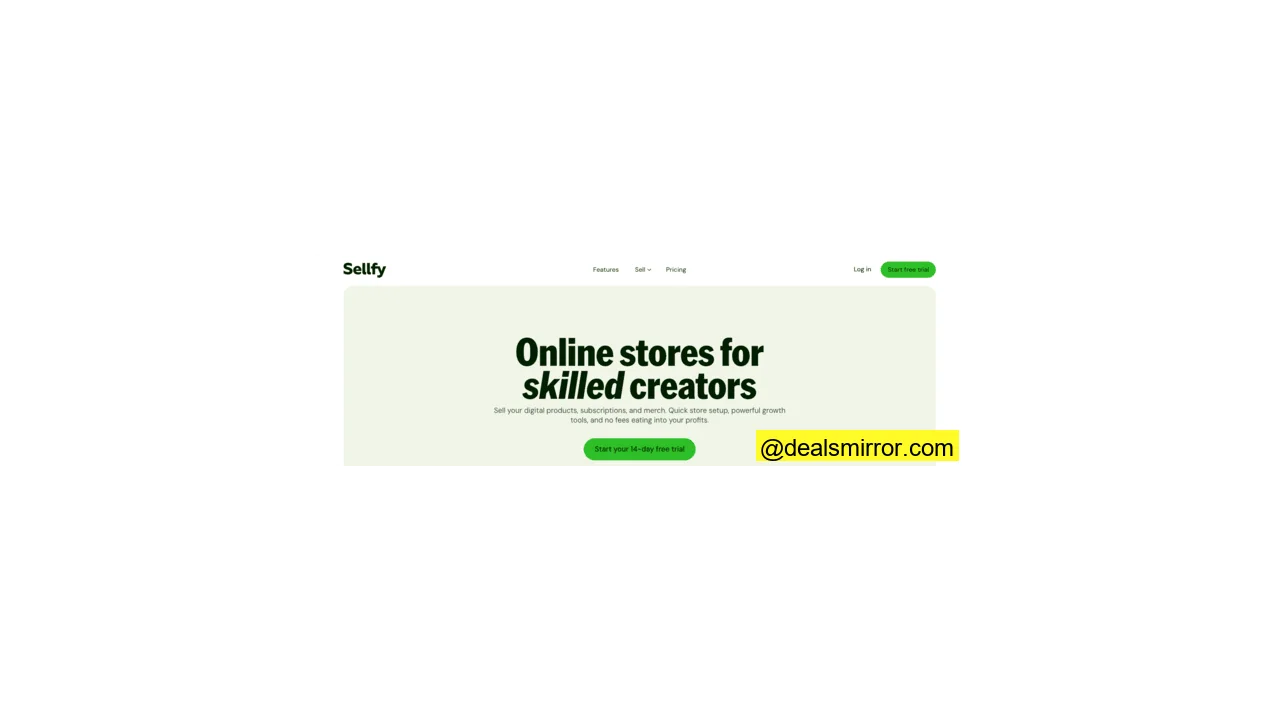
Sellfy is an intuitive eCommerce platform particularly favored by creators, yet highly effective for various small businesses. It offers a 14-day free trial for its paid plans and a reassuring 30-day money-back guarantee.
Setting up your store with Sellfy is a remarkably quick process, thanks to its straightforward store builder interface. While it provides 5 themes, there are ample design and customization options to help you craft a unique and engaging storefront.
With Sellfy, you can effortlessly sell physical products, digital goods, or even subscriptions. The platform includes built-in marketing applications, website embedding capabilities, and effective upselling options to boost your sales.
Sellfy supports 7 key integrations, including popular tools like Google Analytics, Zapier, and Facebook Live Chat. Payments can be securely processed via PayPal and Stripe. Customer support is available 24/7, though exclusively through email.
Here’s what makes Sellfy unique:
- Print-on-Demand: A convenient built-in feature specifically designed for selling custom-designed products effortlessly.
Sellfy Pros and Cons
Sellfy equips you with all the essentials to get your business online, encouraging new users with a free plan and a 30-day money-back guarantee for paid subscriptions.
However, Sellfy does have some limitations, including a restricted choice of 5 themes and only 7 integration options. Additionally, customer support is exclusively available via email.
Pros
- Easy to use interface
- Integrated print-on-demand services
- Freebie category for digital products
- Robust marketing features
- Free SSL certificate
- 14-day free trial for premium plans
- 30-day money-back guarantee for paid plans
Cons
- Limited to 5 themes
- Only 7 integration options
- 24/7 support exclusively via email
Sellfy Pricing
Sellfy offers a 14-day free trial and a 30-day money-back guarantee with its paid plans. The cheapest paid plan starts at $19/month with a 2-year plan. There’s also a free plan available or view all plans.
2. Shopify – Best for Non-Technical Users
Shopify is a globally recognized and highly popular eCommerce platform. It’s renowned for its user-friendly design, making it exceptionally easy to navigate. Setting up your online store on Shopify is an intuitive process, complemented by a wealth of helpful guides.
The Shopify Theme Store boasts over 100 professional template designs. Customizing these templates is simple and efficient, thanks to its modern drag-and-drop tools.
With access to over 7,000 integration options in the Shopify App Store, many of which are free or offer free plans, you can tailor your store to perfection. Whether you’re setting up for dropshipping or integrating specific shipping services for fulfillment, the options are vast. Shopify also offers more than 100 payment gateways, ensuring your customers feel secure and have diverse payment choices.
Should you encounter any challenges, Shopify provides 24/7 customer support via email and live chat.
Here’s what sets Shopify apart:
- User-Friendly Interface: Every aspect of Shopify is designed for ease of use, featuring an intuitive, clean, and highly navigable environment.
- Shopify App Store with 7000+ Apps: Discover an integration for virtually any business need, from marketing to inventory.
- Over 100 Payment Providers: Effortlessly accept payments from customers across the globe, enhancing your reach and convenience.
Shopify Pros and Cons
Shopify’s interface is a pleasure to use, enabling you to build and launch your store in minutes. It stands as one of the most popular eCommerce platforms for both beginners and experienced users.
But, if you’re more into getting your hands dirty, Shopify can be a bit limiting. It’s a hosted platform, meaning you build an entire site within Shopify. And their free trial could be longer.
Pros
- Extremely easy to use
- 100+ free and paid templates
- 7000+ integrations in the App Store
- Unlimited products, storage, and bandwidth
- PCI compliant transactions
- 100+ payment options
- Abundant setup guides available online
- 24/7 email and live chat support
Cons
- Hosted platform offers less freedom for advanced customizations
- A relatively short 3-day free trial
Shopify Pricing
Shopify offers a 3-day free trial, requiring no credit card. Paid plans start from $39/month for essential features like 1000 inventory locations, abandoned cart recovery, marketing automation, and segmentation. You can also explore all plans.
3. Squarespace – Best for Creators
Squarespace is renowned for offering some of the most aesthetically pleasing designs in the eCommerce landscape. This makes it an outstanding choice for businesses focused on building a strong brand identity and elegantly showcasing their products.
With over 140 professionally designed eCommerce templates, you can easily edit them using intuitive drag-and-drop tools. Every design is also automatically optimized for mobile devices, ensuring a seamless shopping experience on any screen.
Squarespace includes features such as product reviews, customer accounts, and a streamlined single-page checkout. However, some of these advanced features are exclusively available with higher-tier plans.
The Squarespace Extensions store provides access to over 30 integrations, allowing you to connect essential apps for shipping automation, accounting, and various marketing initiatives.
Squarespace’s customer support is available 24/7 via email, Twitter, and Facebook Messenger. Live chat support is offered during business days.
Here’s what’s unique about Squarespace:
- Professionally Designed Templates: Squarespace is celebrated for its stunning, high-quality template designs that elevate your brand.
- Video Studio App: Create and edit compelling marketing videos directly within the platform, with automatic branding integration.
Squarespace Pros and Cons
Squarespace empowers you to build a visually impressive store without needing any design expertise. It’s user-friendly and packed with all the necessary features for running a successful online shop. You can even manage your store efficiently on the go with its dedicated mobile app.
A notable drawback is the 3% transaction fee applied to sales on the cheapest plan. Additionally, its marketing features and integration options are somewhat limited compared to some competitors.
Pros
- 140+ high-quality eCommerce templates
- Built-in app for creating and editing videos
- Unlimited bandwidth, storage, and products
- Mobile app for convenient store management
- Free SSL certificate for security
- 14-day free trial period
- 24/7 support via email, Twitter, and Facebook Messenger
Cons
- 3% transaction fees with the cheapest plan
- Limited marketing features and integrations
Squarespace Pricing
Squarespace offers a free trial for 14 days. The cheapest eCommerce plan starts at $23/month, including a drag-and-drop editor, audience management, SSL, a video maker, unlimited bandwidth, 2 contributors, and 24/7 support.
4. Wix eCommerce – Best for Beginners
While widely recognized as a versatile website builder, Wix also offers a powerful online store creator. Wix eCommerce is celebrated for its ease of use, making it an excellent platform for beginners. You can quickly set up your store using intuitive drag-and-drop tools and choose from over 120 professional templates. The Wix App Market further expands functionality with over 250 free and paid integrations.
The platform comes packed with essential features, including robust marketing tools, a built-in product zoom, Artificial Design Intelligence (ADI) for design assistance, and strong encryption. Wix provides its own payment gateway – Wix Payments – but also allows you to select from over 50 other payment options.
Wix offers 24/7 technical assistance through chat and convenient callback requests.
Here’s what’s unique about Wix eCommerce:
- Wix App Market: Access over 250 applications specifically designed to integrate seamlessly with Wix.
- $75 in Ad Vouchers: Jumpstart your marketing efforts and generate leads from day one, a valuable perk included even in the cheapest plan.
- Artificial Design Intelligence (ADI): Leverage AI to assist with your store’s design, offering smart suggestions for layouts, images, text, and contact forms, among other elements.
Wix eCommerce Pros and Cons
Wix eCommerce is an excellent choice for beginners, allowing you to quickly get started and build a visually appealing eCommerce website. It offers hundreds of templates and over 250 integrations. Plus, Wix generously includes $75 worth of ad credits for free.
However, there are a few drawbacks: the cheapest plan comes with a 20GB storage limit, and while offering control, it might present too many design options that could be overwhelming for some.
Pros
- Specifically designed for beginners
- 120+ professional store templates
- AI-based design suggestions (ADI)
- 250+ integrations in the Wix App Market
- 50+ payment options, including Wix Payments
- Free ad vouchers to boost marketing
- Free SSL certificate for security
- 14-day money-back guarantee
- 24/7 support via chat and callback requests
Cons
- Cannot accept payments on the free plan
- Cheapest plan has a 20GB storage limit
Wix eCommerce Pricing
Wix pricing for eCommerce starts from $27/month, which includes a free domain for 1 year, unlimited products and bandwidth, abandoned cart emails, and a 14-day money-back guarantee.
5. Ecwid – Best for Existing Websites
Ecwid stands out as an eCommerce widget that can be easily embedded into your existing website. Beyond this, it also offers a standalone website builder for creating simple, single-page eCommerce sites, complete with over 70 themes.
Its app market provides access to over 200 integration options, allowing you to connect various third-party apps for shipping automation, payment processing, and more.
Ecwid includes basic marketing tools, enabling you to share products across social channels and popular online marketplaces. The platform also boasts a PCI DSS-validated Level 1 Service Provider payment system tier, ensuring high security for transactions.
Customer support options are plan-dependent. The free option provides access only to help documentation. Live chat becomes available with the cheapest paid plan, starting from $19/month, while phone support is included with mid-tier plans, starting from $39/month.
Here’s what’s unique about Ecwid:
- Designed as an Add-on: Seamlessly embed Ecwid into any existing site, turning it into a powerful online store.
- Ecwid Mobile: Create and manage your entire online business conveniently from your mobile device.
Ecwid Pros and Cons
Ecwid is an excellent eCommerce platform for integration with sites like WordPress. It allows for full store functionality manageable directly from a mobile device. The platform features over 200 integrations and 80+ payment gateways. Plus, it offers a free plan for selling up to 5 products.
However, it provides only a basic one-page eCommerce website builder. The free plan notably lacks inventory management and offers only self-service support.
Pros
- Easy to use interface
- Dedicated mobile application for management
- Robust cross-platform selling options
- 200+ integration choices
- 80+ payment gateways
- PCI DSS validated for secure transactions
- Free for up to 5 products
Cons
- Basic one-page website builder only
- Free plan lacks inventory management and offers only self-service help
Ecwid Pricing
Ecwid is available for free with up to 5 products. Paid plans start from $19/month, offering support for 100 products, Instagram & Facebook integration, automated tax calculations, discount coupons, and live chat support.
6. BigCommerce – Best for Cross-Channel eCommerce
BigCommerce is a comprehensive eCommerce platform ideal for small business owners seeking advanced capabilities. It provides everything necessary to establish a powerful online store, including access to over 300 customizable templates.
While offering extensive customization options, designing your shop on BigCommerce can involve a steeper learning curve compared to some competitors. However, the effort yields significant flexibility and control.
A standout feature is the ability to create and manage multiple storefronts and several brands concurrently. BigCommerce also facilitates seamless connections with popular online marketplaces and various social channels, expanding your reach dramatically.
With over 1000 integrations, BigCommerce incorporates numerous built-in features such as mobile-responsive site designs and a streamlined single-page checkout. You also benefit from free SSL and HTTPS security features, ensuring a secure environment for both you and your customers.
Customer support for BigCommerce is available 24/7 via phone, chat, or support tickets.
Here’s what’s unique about BigCommerce:
- Cross-Channel Selling: Expand your sales by reaching customers on popular marketplaces and social channels, and build multiple storefronts tailored for different international markets.
- BigCommerce Mobile App: Conveniently monitor and manage your store operations from anywhere, directly from your mobile device.
BigCommerce Pros and Cons
BigCommerce offers a complete package for building a sophisticated eCommerce site, providing extensive customization options and a vast array of integrations.
However, the cheapest plan has some notable omissions, such as abandoned cart emails and advanced product filtering, which are key features for optimizing sales.
Pros
- 300+ flexible templates
- Unlimited products, storage, and bandwidth
- 1000+ integrations for extended functionality
- 55+ payment providers with no transaction fees
- Free HTTPS and SSL for enhanced security
- 15-day free trial to explore features
- 24/7 chat, phone, and ticket support
Cons
- Steeper learning curve for initial setup
- Cheapest plan lacks key features like abandoned cart emails and product filtering
BigCommerce Pricing
BigCommerce offers a 15-day free trial. Pricing plans start from $29.95/month, featuring 0% additional transaction fees, POS integration, blogging capabilities, unlimited products, file storage, and staff accounts.
7. Zyro – Cheapest Monthly Cost
Zyro stands out as an exceptionally affordable eCommerce platform tailored for small business owners. Its design emphasizes simplicity, making its tools remarkably easy to use.
Building your online store with Zyro is a straightforward and swift process, largely because its focused design prevents endless customization choices from hindering progress. It offers over 140 appealing templates to get you started.
One of Zyro’s most impressive features is its AI content creation tool, which automatically generates page copy – though some minor edits may be necessary. Other valuable features include mobile-optimized sites, a built-in image editor, and a flexible grid layout editor.
Zyro offers 5 key integrations, including Facebook Pixel, Google Analytics, and Hotjar. It consistently ranks as one of the most cost-effective eCommerce platforms on this list.
Zyro’s customer support is available 24/7 via email or live chat (when logged in).
Here’s what’s unique about Zyro:
- AI Content Creation Tool: Effortlessly generates content for your site, significantly speeding up the webshop setup process.
- Built-in Image Editor: Edit images directly after uploading them, optimizing them perfectly for search engine optimization (SEO) and improved rankings.
- Exceptional Value: Provides all the essential tools needed to create a functional store at one of the lowest monthly fees in the market.
Zyro Pros and Cons
Zyro offers a simple yet effective platform to quickly bring your store online. While it may not be feature-rich, it provides enough core functionalities to get the job done. You receive a complete starter package, from web hosting to integrated payment gateways.
Despite its cheap monthly fee, the total cost increases with a 1% transaction fee on sales. Additionally, Zyro’s integration options are limited compared to larger platforms.
Pros
- Simple interface and user-friendly tools
- 140+ modern templates
- Highly affordable monthly cost
- Unlimited bandwidth and storage
- 20+ payment options
- Free SSL certificate for security
- 24/7 email and live chat support
Cons
- Limited customization options
- Only 5 key integrations
- 1% transaction fee on sales
Zyro Pricing
Zyro offers a 30-day money-back guarantee with every plan. The cheapest tier starts from $3.99/month with a 2-year plan.
8. Square – Best for eCommerce Personalization
Square provides a comprehensive suite of tools essential for running a successful eCommerce site, including a robust store builder, flexible shipping options, and secure payment gateways. It offers pricing plans designed to accommodate almost every budget, ranging from a free plan to tiers at $69/month and custom solutions.
The interface of Square is easy to navigate. It features over 10 professionally designed templates that, while visually appealing, come with limited editing options compared to more extensive builders.
Square includes powerful built-in marketing features, from email marketing campaigns to integrated paid ads. A highlight is its personalization tools for logged-in users, offering conveniences like 3-tap reordering, loyalty and reward status displays, and smart item recommendations. Additionally, you gain access to over 100 add-ons and third-party integrations to further expand your store’s capabilities.
Square’s customer service is accessible only over the phone during business hours. It’s worth noting that Square owns both Square and Weebly, with Weebly typically geared towards more basic online stores.
Here’s what’s unique about Square:
- Personalized Ordering: Enhance customer experience with features like 3-tap reordering, loyalty and reward status tracking, tailored item recommendations, and exclusive offers and discounts for logged-in customers. These features are conveniently included even in the cheapest plan.
Square Pros and Cons
Square offers more than 10 templates and over 100 integrations for essential functions like shipping, analytics, and marketing. Its personalization tools, including 3-tap reordering, automated emails, and a rewards program, significantly aid in marketing and customer retention.
However, compared to other providers, Square offers fewer customization options for your store’s design.
Pros
- 10+ customizable templates
- 100+ integrations for extensive functionality
- Robust built-in marketing tools
- Advanced personalization tools for customers
- Unlimited products, bandwidth, and storage
- Free custom domain for one year
Cons
- Limited customization options for design
- 2.9% + $0.30 transaction fees with the free and cheapest plans
- Phone support only during business hours
Square Pricing
Square offers a free version with essential basic features. The cheapest paid plan for retail starts at $60/month, which includes a 2.9% + $0.30 transaction fee for every sale.
9. Shift4Shop – Best for Dropshipping
Shift4Shop is a powerful eCommerce software specifically designed for online retailers and dropshipping businesses. It boasts an easy-to-use interface, and all stores are mobile-optimized by default. Please note, this eCommerce platform is currently available exclusively to US merchants.
The platform’s interface and functionality align with modern store builder expectations, featuring over 100 customizable templates and an intuitive drag-and-drop page builder.
Shift4Shop provides a comprehensive package for running your store, including tools for inventory management, marketing, and analytics. Notable features include a streamlined single-page checkout, a built-in Customer Relationship Management (CRM) system, and robust fraud protection. It also offers more than 100 integrations to extend functionality.
For dropshipping businesses, Shift4Shop is particularly well-equipped, offering detailed shipping rates, integrations with international carriers, pre-filled label printing, custom shipping types, and more. You can also easily set up automated tax calculations for any country, simplifying global operations.
Customer support for the platform is available 24/7 via phone and chat.
Shift4Shop offers a free plan, but it requires you to use their payment processor, Shift4 Payments. This incurs an additional charge of 2.9% plus $0.30 for every transaction.
Here’s what’s unique about Shift4Shop:
- Payment Model: Enjoy a free plan when you exclusively use their integrated payment processor, Shift4 Payments.
- AI-Driven Fraud Protection: Benefit from an additional layer of security beyond standard features, powered by artificial intelligence.
- Abundant Freebies: Take advantage of no fees for domain name registration and renewals, and receive free migration for an existing store.
Shift4Shop Pros and Cons
You can effortlessly create your store with Shift4Shop, choosing from over 100 templates and leveraging 100+ integrations. It also includes built-in marketing features, a CRM, and essential security features to help manage your store effectively.
On the downside, their integrated payment gateway incurs a transaction fee. If you opt for an alternative payment processor, you will need to subscribe to a paid plan.
Pros
- 100+ customizable templates
- Built-in marketing tools and CRM
- Over 100 integrations for expanded functionality
- Strong security features, including AI-driven fraud protection
- Free domain name with renewals
- Free store migration assistance
- 24/7 phone and chat support
Cons
- Transaction fee applies when using Shift4 Payments on the free plan
- Only available for US merchants
Shift4Shop Pricing
Shift4Shop is free when you utilize the Shift4 Payments payment processor. Paid plans begin at $29/month if you prefer to integrate PayPal or other payment solutions.
10. Weebly – Best for Basic Online Stores
Weebly was acquired by Square in 2018 and is widely recognized as a straightforward website builder. While simpler, it also provides robust capabilities for creating an eCommerce site.
Building your store with Weebly is a direct process. Its interface is basic, featuring user-friendly drag-and-drop tools and a selection of 15 online store templates.
Weebly includes fundamental email marketing, SEO, and analytics tools. Its App Center offers a wide array of over 350 integrations. You have the flexibility to set up payments using Square or other preferred payment processors.
Weebly’s customer support is available 24/7 via email and chat. Phone support is provided during business hours.
Here’s what’s unique about Weebly:
- Custom Templates: Tech-savvy users can go beyond standard editing by adding custom templates, providing greater design freedom.
- Custom Fonts: Upload your own fonts to give your site a unique and distinctive visual identity.
Weebly Pros and Cons
Weebly offers a foundational toolkit for establishing an online store. It features some useful built-in capabilities and an extensive App Center with over 350 integrations.
However, due to its basic nature, customization possibilities are somewhat limited. Crucially, the cheapest plan lacks essential features such as an inventory management system and a shipping calculator, which are vital even for dropshipping or businesses with fulfillment centers.
Pros
- 15 user-friendly templates
- 350+ integrations in the App Center
- Built-in email marketing and SEO tools
- $100 in Google Ads credits
- Free SSL certificate for security
- 24/7 email and chat support
Cons
- Limited selection of 15 online store templates
- Basic customization options
- Key features like inventory management and shipping calculator missing from the cheapest plan
Weebly Pricing
Unlike its website builder, Weebly does not offer a free trial for online stores. Paid plans begin at $12/month with a yearly subscription, including a free domain, $100 Google Ads credits, SSL, unlimited storage, site search, forms, and analytics.
How to Choose the Best eCommerce Platform for Your Small Business
An eCommerce platform offers a cost-effective and powerful way to bring your business online and cultivate a thriving online store. However, its effectiveness hinges on selecting a platform that perfectly aligns with your specific business needs. Here’s what you should carefully consider when making your choice:
- Ease of Use: Your primary goal is to launch your online business swiftly and efficiently. Getting bogged down by complex or confusing tools will only hinder your progress. Opt for a platform with an intuitive interface and a smooth user experience.
- Budget: Every dollar spent directly impacts your bottom line. Carefully evaluate your budget and select a platform that fits within it. Remember that most eCommerce tools offer free trials or limited free plans, allowing you to test them before committing.
- Customization Possibilities: To stand out in a crowded online marketplace, your eCommerce website needs a unique identity. Ensure the platform provides sufficient design and customization options to create a distinct and memorable storefront, rather than a generic one.
- Integration Options: While default tools for shipping, marketing, and analytics are useful, third-party integrations can unlock vast opportunities. Look for platforms that allow you to connect with a wide range of apps to enhance marketing efforts, streamline operations, and expand your reach across more channels.
- Payment Processors: It’s crucial that your chosen eCommerce provider supports your customers’ preferred payment gateways. Offering diverse, secure payment options can significantly improve conversion rates and customer satisfaction.
- Security: Just as you wouldn’t spend your money at an insecure physical store, your customers expect a secure online shopping experience. Prioritize platforms with robust security features, particularly around transactions and the protection of personal data (e.g., SSL certificates, PCI compliance).
- Customer Support: Issues can arise at any time. Look for a service with reliable and accessible customer support (e.g., 24/7, live chat, phone, email) to ensure you can quickly resolve any problems and keep your store running smoothly.
For more in-depth analysis, you can also explore our comprehensive guide on best online store builders, where we delve deeper into testing available options.
Conclusion: Finding Your Ideal eCommerce Partner
The vast array of eCommerce platforms available can be overwhelming, but this guide has illuminated the distinct strengths of various software options. Whether you prioritize ease of use, affordability, or specific features, you now have a clearer understanding of which platform might best suit your small business.
Always keep your potential customers at the forefront of your decision-making. Factors like efficient shipping options, robust security features, and a wide selection of payment gateways are crucial for a positive shopping experience and can significantly impact your store’s success. Leverage tools for eCommerce personalization to create unique customer journeys, and implement effective email marketing strategies to cultivate loyal, recurring customers. For Shopify users, remember to explore their extensive list of essential apps for marketing, sales, and service tools.
To recap, here’s a quick overview of the best eCommerce website builders we covered in this article:
| eCommerce Platform | Best For | Free Plan/Trial | Starting Price |
| Sellfy | Small stores | 14 days | Free plan available |
| Shopify | Non-technical users | 3 days | $39/mo |
| Squarespace | Creators | 14 days | $23/mo |
| Wix eCommerce | Starters | Free without payments | $27/mo |
| Ecwid | Existing websites | Free for 5 products | $19/mo |
| BigCommerce | Cross-channel eCommerce | 15 days | $29.95/mo |
| Zyro | Cheapest monthly cost | NA | $11.99/mo |
| Square | eCommerce personalization | Free plan | $60/mo |
| Shift4Shop | Dropshipping | Free w/ Shift4 Payments in US | Free or $29/mo |
| Weebly | Basic online stores | NA | $12/mo |
Frequently Asked Questions (FAQ)
Which is the best eCommerce platform?
There are over 100 customizable templates available, and the Shopify App Store boasts over 7,000 integrations. Moreover, it’s an affordable solution, with plans starting at $39/month (billed yearly).
Which is the cheapest eCommerce website builder?
Despite the low price, you still gain access to essential tools for inventory management, shipping, payments, and more. Its builder is simple to use and comes with over 140 templates. Additionally, you can get in touch with Zyro customer support 24/7 over email and chat.
Which platform is the best option for beginners?
Wix also incorporates its Artificial Design Intelligence (ADI) feature to assist with design decisions. For technical help, both provide 24/7 support via chat and callback requests (Wix) or live chat and email (Shopify).
Which eCommerce platform is best for small businesses?
You get robust tools for inventory management, shipping, payment processing, and more. The App Store includes over 7,000 integrations to extend functionality. Shopify also accommodates limited budgets with its affordable pricing plans.
Which is the best platform for eCommerce?
The platform features essential tools for inventory management, shipping, payment processing, and more. There’s an extensive App Store with over 7,000 integrations for additional options and advanced capabilities. Shopify also provides great value with competitive pricing plans.
Is eCommerce good for small businesses?
eCommerce software enables your business to transcend geographical limitations, allowing you to generate online sales worldwide. Most platforms are affordable, and some providers, like Sellfy and Ecwid, even offer feature-rich free plans to get you started.
What is the cheapest eCommerce platform?
It features an online store builder with over 140 templates and intuitive drag-and-drop tools. Zyro’s integrations include Facebook Pixel, Google Analytics, Hotjar, and more. Plus, customer support is reachable 24/7 over email and chat.
How do I start a successful eCommerce business?
Once your plan is solid, select an eCommerce platform that is a good fit for your needs. Shopify is one of the most popular and user-friendly options available. For the lowest starting price, consider Zyro.
What sells the most online?
You can sell various extras for power drills, impact drivers, circular saws, and more. Common accessories include drill bits, saw blades, batteries, and chargers, catering to a wide customer base.
Is Shopify still profitable in 2026?
It offers comprehensive tools for inventory management, shipping, payment processing, and more. Shopify also provides access to over 7,000 integrations. With plans starting at $39/month, it remains a cost-effective choice for sustained profitability.
What is the easiest eCommerce platform?
This platform includes an integrated online store builder and essential tools for inventory management, shipping, payment processing, and more. For additional functionality, over 7,000 integrations are available in its App Store.
What are the 3 types of eCommerce?
B2C online stores primarily sell products like jewelry, apparel, music, and household items directly to individual end customers. A B2B online shop typically sells products such as heavy machinery, car parts, and packing materials to other businesses. The B2B2C model often operates as a marketplace, like Amazon, Google Play, and Steam, which facilitates the sale of products from various businesses directly to consumers.