
Newsletters are fundamental to a successful email marketing strategy, offering a straightforward yet powerful way to build long-term engagement with your audience. Creating a newsletter is easier than you might think, especially for beginners. The key is to leverage user-friendly email marketing software equipped with a drag-and-drop editor and a wide selection of newsletter templates, simplifying the design process considerably.
This comprehensive guide will walk you through the essential steps to create an effective newsletter and showcase excellent newsletter templates to help you get started.
What is an Email Newsletter?
An email newsletter is a broadcast email sent regularly to a list of subscribers. Its one-to-many nature allows you to reach a large audience consistently.
Newsletters can feature diverse content, from company news, articles, and announcements to product showcases and special promotions.
Most email newsletters share these core characteristics:
- Regular, scheduled distribution: Sent out consistently, for example, weekly or monthly.
- Clear company branding: Ensures the audience instantly recognizes the sender.
- Varied content: Designed to pique interest and encourage engagement.
- An audience of newsletter subscribers: Individuals must opt-in to receive the newsletter, preventing unsolicited communication.
5 Benefits of Creating a Newsletter
Email marketing isn’t solely about direct sales; newsletters offer a softer, ‘pull’ marketing approach, establishing your presence and value to an audience.
Here are some key benefits email newsletters can bring to your business:
- Nurturing engagement: Regular newsletters foster familiarity. Audiences are more likely to engage with brands they recognize and feel a connection to.
- Building brand loyalty: Familiarity leads to trust. The more subscribers ‘know’ your brand through consistent, valuable content, the more they trust you. Deliver useful or entertaining content, and subscribers will eagerly anticipate your newsletters.
- Increasing conversions: While not every subscriber will respond to every call to action (CTA) immediately, regular newsletters provide repeated opportunities. Over time, consistent exposure to your CTAs will lead to higher conversion rates.
- Driving traffic to other channels: Newsletters excel at generating interest, engagement, and traffic. Include links to your blog, product pages, event registrations, and social media profiles to direct subscribers to other valuable content.
- Cost-effective marketing: Email newsletters are remarkably cost-effective. Many email marketing software options start from as low as $9/month, and several even offer robust free plans for beginners.
How to Create a Newsletter in 8 Steps
Now, let’s dive into the practical steps for creating a newsletter that delivers these benefits. This guide assumes you already have a list of contacts.
1. Define Your Goals, Audience, and Email Marketing Strategy
Successful newsletters don’t happen by chance; they require clear goals, a defined strategy, and an understanding of your target audience.
Consider both business goals and email marketing goals:
- Business goals: These align with the benefits discussed earlier, representing what you want the newsletter to achieve for your business.
- Email marketing goals: These are measurable metrics that track progress toward your business goals. For instance, if your business goal is to drive more website traffic, an email marketing goal could be achieving a specific click-through rate on newsletter links.
Newsletter Strategy
With your goals established, you can plan a strategy to achieve them. Content is central to your strategy and should always align with your objectives. For example:
- Promote products to increase conversions.
- Share thought-provoking or entertaining content to expand your audience.
Your strategy should also outline the frequency of your newsletters and the types of links and CTAs you’ll include. For example, if driving traffic is a goal, ensure your newsletters feature relevant links. A robust digital marketing strategy for newsletters ensures content, audience, and desired outcomes are in sync.
2. Select an Email Newsletter Software
With a clear plan, the next step is to choose an email marketing software. These services provide drag-and-drop editors for designing HTML emails and allow you to send campaigns to many contacts simultaneously.
No-code HTML email builders make it easy to create visually appealing newsletters. Beyond content quality, a strong visual design captures attention and improves readability. There are many excellent email marketing services available. We’ve highlighted four popular options below. For this guide, we’ll primarily use Brevo, but the steps are generally similar across platforms.
Brevo
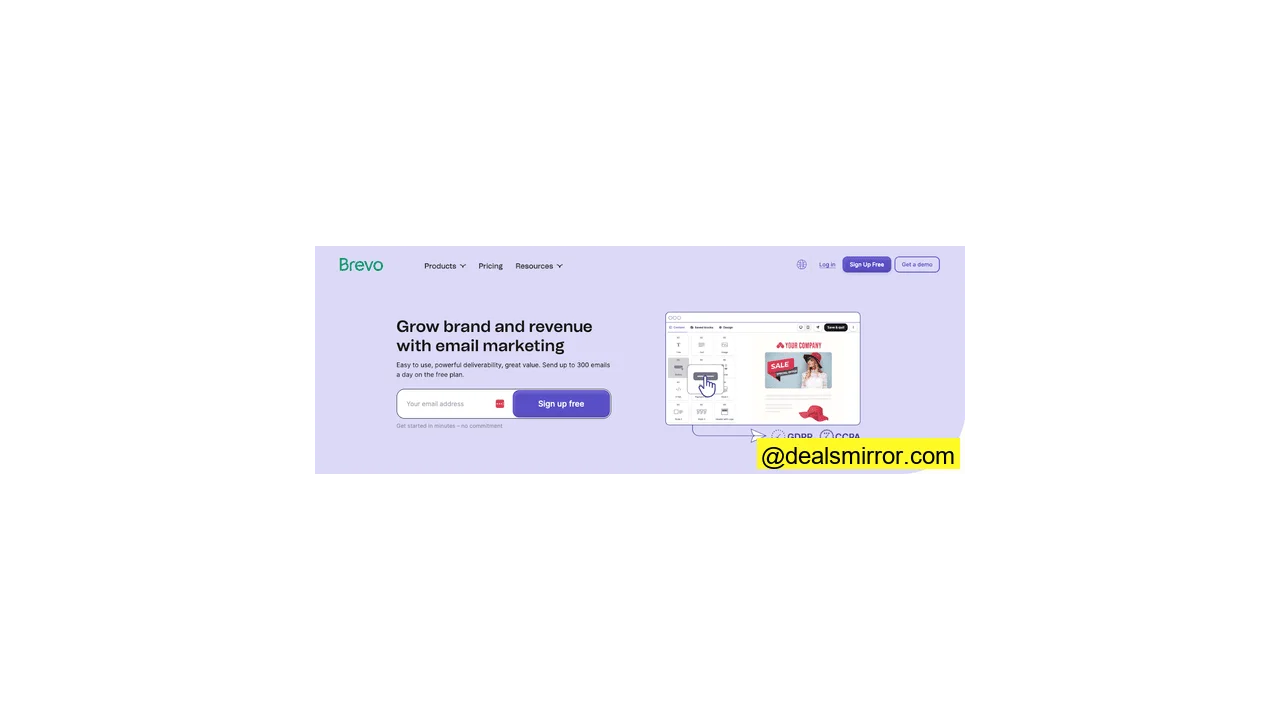
Brevo is an excellent choice for beginners, offering a generous free plan that supports up to 100,000 contacts and 300 emails daily, along with access to most email marketing tools. Its intuitive drag-and-drop editor simplifies newsletter creation, allowing easy customization of brand styles and layouts by dragging content blocks into place. Brevo provides around 50 templates to start with and supports email automation.
Paid plans for Brevo start at $25 a month for 5,000 emails.
Moosend
Moosend offers great value, standing out as one of the most affordable email marketing platforms. Despite its low cost, it’s packed with features and incredibly user-friendly. It boasts a drag-and-drop email builder and over 75 templates to jumpstart your design. Moosend is particularly strong for automation, with pre-made ‘recipes,’ newsletter scheduling, and double opt-in capabilities. Its robust ecommerce integrations also simplify importing product listings directly into newsletters.
Paid plans for Moosend start at $9 a month for 500 contacts, with a 30-day free trial available.
MailerLite
MailerLite is a beginner-friendly email service provider known for its simplicity and value. Similar to Brevo, it offers a feature-rich free plan, allowing you to send 12,000 emails per month to 1,000 contacts. It includes a drag-and-drop editor and over 90 templates. A standout feature is its pre-formatted content blocks, such as those for article summaries, images, and link buttons, enabling rapid newsletter layout creation in just 5-10 minutes. MailerLite also offers an RSS feed option to convert blog posts into newsletter content automatically and an AI writing assistant to help fill in content gaps.
Paid plans for MailerLite start at $10 for 500 contacts and unlimited emails.
ActiveCampaign
ActiveCampaign is an excellent choice for those looking to advance their newsletter strategy. While still user-friendly with essential email-building tools, its strength lies in advanced automation and contact management. Beyond basic newsletters, it supports complex campaigns, offering sales and customer relationship management (CRM) tools. ActiveCampaign excels at segmenting audiences, allowing you to send highly personalized newsletters to different groups with detailed yet easy-to-use options.
Paid plans for ActiveCampaign start at $29 for 1000 contacts and 10,000 email sends, with a 14-day free trial available.
3. Choose a Template and Email Layout
All leading email marketing software provides pre-formatted templates, offering a foundational layout and design. You can easily populate a template with your content and customize colors and fonts to match your brand.
Here are some example newsletter templates from Stripo:
For an even wider selection, consider using dedicated email design tools like Stripo. Stripo offers over 1,000 templates, with hundreds specifically for newsletters.
An email design tool like Stripo creates the design but doesn’t send your newsletters. However, it’s straightforward to import these templates into your chosen email marketing software.
4. Add Your Content and Customize Your Design
This template, chosen for its clear and simple structure, effectively demonstrates how minimal edits can transform a design. Its four main sections – a header, a prominent image, an introduction with a title, and three columns for story snippets – are versatile for any newsletter. Although initially a thank-you email template, it serves as an excellent example of quick customization.
Here’s the template within the Brevo editor after adding custom text and an image, highlighting the impact of basic modifications. Templates significantly speed up newsletter creation. The highlighted boxes at the bottom illustrate the editing options; clicking a content box in Brevo (and most no-code HTML editors) opens an editing menu. Different content blocks offer distinct customization options. For instance, to remove background images, simply click delete, revealing the box’s background color instead. The cross-shaped icon allows you to reposition content blocks on the page.
After adjusting background colors, the design begins to take shape. The highlighted text box demonstrates personalization options. Basic personalization involves inserting the subscriber’s name, but you can extend this using any saved contact data. Clicking the small person icon in the text editing menu reveals options (in the red box); selecting “FIRSTNAME” inserts the first name of each recipient. More advanced personalization, known as dynamic content, alters newsletter content based on specific attributes, such as displaying prices in different currencies for various countries.
5. Decide on a Subject Line
The subject line is a critical component of your email newsletter. While not part of the main body, it’s the first element recipients see in their inbox and significantly influences whether they open your email.
An effective subject line grabs attention while clearly indicating the email’s content – a delicate balance to strike quickly. Some valuable subject line tips include:
- Keep it under 50 characters: Most mobile email clients truncate longer subject lines, and readers tend to skim quickly.
- Personalize it: Subscribers are more likely to engage with subject lines tailored to them.
- Create curiosity: Give recipients a compelling reason to click ‘open.’
Don’t hesitate to be creative. A/B testing is a powerful tool here; send variations of your subject line to small segments of your contact list, then use the best-performing one for your main send. This method is most effective with a large contact list, ideally 1,000 or more.
Brevo and other email marketing platforms offer AI subject line generators. Simply describe your topic or add keywords, and the AI will suggest subject lines.
This shows what Brevo‘s AI generated for the example newsletter, along with options to refine the suggestions. Experiment with different AI-generated subject lines and consider A/B testing your favorites.
6. Test Your Newsletter
This step is crucial for checking how your newsletter renders across various inboxes and devices, distinct from A/B testing.
Different email clients interpret HTML differently, making testing essential to ensure your design appears as intended. Mobile compatibility is particularly important since emails are typically designed on larger desktop screens. Most email editors offer mobile previews, but sending a test email to your own phone allows for a real-world check of how it looks on a smaller screen.
7. Send Your Newsletter (or Export HTML)
One of the primary advantages of using email marketing software is the ability to both create and send your newsletter from a single platform, streamlining the entire process.
In Brevo, once your newsletter is ready, sending involves two steps. First, add recipients on the email campaign page.
You can send to an entire list or to a specific segment, allowing you to target your audience precisely.
Next, schedule the send. Most email marketing software lets you schedule for a future time or send immediately. Brevo also features a ‘send at the best time’ option, using tracking data to dispatch emails when recipients are most active in their inboxes, increasing the likelihood of opens.
If you use a dedicated email editor like Stripo, you’ll need to send your newsletter via a separate email marketing platform. Stripo and similar editors offer export options to copy the HTML code or integrate directly with email marketing software.
8. Track Newsletter Performance
The final step brings us back to your initial goals. Having established a strategy, business objectives, and email marketing targets, it’s time to measure your success.
All email marketing software provides reports on these fundamental metrics:
- Open rate: The percentage of recipients who open your newsletters. Aim for a high open rate; if it’s low, review your subject lines, sender name, consider A/B testing, or re-evaluate your audience targeting.
- Click-through rate (CTR): The percentage of readers who click on links within your newsletter. Detailed metrics often break down which links perform best, allowing you to optimize future content.
- Unsubscribe rate: The number of people opting out of your newsletters. A high unsubscribe rate suggests a need to re-evaluate engagement strategies and targeting.
- Bounce rate: Indicates how many emails failed to reach the inbox. There are two types: ‘hard’ bounces (permanent issues, like a fake or non-existent account) require immediate removal of the contact from your list; ‘soft’ bounces (temporary issues, like a full inbox) may resolve on their own. Regularly cleaning your email list can help reduce bounce rates.
- Conversion and revenue tracking: Beyond clicks, track conversions (e.g., subscribing to an ebook after clicking a link) and revenue (e.g., a purchase made after clicking a product link). Some advanced email marketing platforms offer this directly, or you can use UTM parameters to track email traffic and conversions in your analytics.
The 7 Best Email Templates for Newsletters
Templates are an invaluable starting point for your first newsletter, saving even experienced designers significant time.
When choosing a template, prioritize professional quality and a clean layout. For newsletters, simplicity often works best; overly complex designs can appear cluttered once customized. Select a template that aligns with your newsletter’s purpose. While the standard format is summarizing multiple stories, newsletters can serve many other functions.
Here are 7 excellent examples from Stripo:
This template offers a classic, business-friendly layout that is simple, clear, and highly customizable. Its uncluttered header provides visual interest without distraction, with ample space below for text and links to articles.
Featuring an image-led design, this template projects a professional aesthetic with a straightforward layout. Though set up for a seasonal event like Happiness Day, it easily adapts to product or brand-focused newsletters.
This template effectively uses color, creating visual contrast between bright sections and a white background. Its layout is ideal for newsletters, with boxes easily customizable for story snippets.
Stripo provides numerous seasonal newsletter templates, such as this back-to-school theme, which are great for adding a topical twist to your communications. It also serves as a robust event email template, clearly showcasing key details like time and place in a well-organized, customizable format.
This example of a long-form newsletter template demonstrates how to effectively include substantial content without overwhelming the reader. It cleverly breaks down information into digestible chunks for easier scrolling and maintains a balanced mix of text and images, crucial for mobile viewing.
Another longer template, this one focuses on promoting webinars and conferences. Its layouts are exceptionally clean, clear, and professional, making it easy to present event details effectively.
Education newsletters don’t always require multiple stories; they can effectively focus on a single topic. This template is excellent for that purpose, though it can also be adapted to feature a main story at the top and three additional articles in the ‘student highlights’ section below.
Conclusion: Master Your Email Newsletter Strategy
Email newsletters are a powerful, cost-effective tool for maintaining consistent contact with a broad audience, fostering engagement, and building long-term loyalty. They are highly effective for driving traffic to other channels and incrementally boosting conversions.
Creating and sending newsletters is remarkably straightforward, even for beginners, thanks to intuitive email marketing software like Brevo, Moosend, and MailerLite. Their drag-and-drop editors and extensive template libraries simplify the design process, allowing you to quickly customize professional-looking newsletters with your content and branding.
While design is key, success also hinges on having an engaged audience of email subscribers, a clear strategy, and a plan for measuring performance. By following these fundamental steps, you’ll be well on your way to launching impactful newsletters in no time.
FAQs about Creating an Email Newsletter
Can I create a newsletter for free?
How do I start a newsletter from zero?
The easiest way to create the newsletter itself is by using an HTML email template. With a drag-and-drop editor, you can customize templates without any coding. Email marketing software like Brevo, Moosend, MailerLite, and ActiveCampaign provide both templates and an editor, and also handle the sending process.
How do you format a newsletter?
HTML is used for formatting web pages and emails, but coding it manually requires skill. Drag-and-drop email builders simplify this by providing pre-built layouts and content elements, or ‘blocks.’ You simply drag and drop these into position and use intuitive editing tools to customize their appearance. All reputable email marketing platforms include drag-and-drop email editors with newsletter templates. You can also utilize dedicated design tools like Stripo, which offers a vast library of templates.
How do you structure a good newsletter?
Common newsletter structures often include:
- A header with your branding, often including navigation links to your main website.
- A compelling heading or title summarizing the newsletter’s main theme or primary story.
- A main image to grab attention.
- A primary text box for an introduction or to cover the main topic.
- Further images and text boxes to break content into digestible chunks. For newsletters covering multiple topics, dedicated boxes for each story work well.
- Links and CTAs. Links provide additional information, keeping your newsletter concise. CTAs should align with your email marketing strategy, guiding readers to actions that benefit your business.
How long should a newsletter be?
The key is to decide what information you want to convey and then plan a structure that keeps it snappy and scannable. If you have extensive content, use snippets to summarize information and include links to more detailed resources, allowing readers to delve deeper if they choose.