
Does your business require a transactional email service with exceptional deliverability? Finding the right platform is crucial for ensuring critical communications like order confirmations, password resets, and shipping notifications reach your customers’ inboxes reliably.
This comprehensive guide explores 12 of the best transactional email services available today. We’ll delve into their key features, what makes each stand out, and their pricing structures, along with essential factors to consider when making your selection.
The Best Transactional Email Services at a Glance
Transactional email services integrate with your site or app through SMTP relay or an API. They send emails automatically when a user takes action, like filling out a form. This automation saves time and allows businesses to scale sending volumes efficiently. Some services also include template builders or marketing tools, while others focus solely on fast, reliable delivery. The best platforms combine ease of use, integration, and high deliverability.
Here’s a snapshot of 7 top transactional email services:
| Best For | Free Plan | Starting Price | |
| Brevo | Transactional email & email marketing | Yes | $15/mo for 20K emails |
| SMTP.com | High volume sending | No | $25/mo for 50K emails |
| SMTP2GO | Deliverability | Yes | $15/mo for 10K emails |
| Mailtrap | Testing emails | Yes | $15/mo for 10K emails |
| MailerSend | Ease of use | Yes | $7/mo for 5K emails |
| Mailgun | Developers | Yes | $15/mo for 10K emails |
| Postmark | Speed | Yes | $15/mo for 10K emails |
What is a Transactional Email Service?
A transactional email service is a platform dedicated to sending customer-specific emails automatically. These are event-triggered communications such as receipts, order confirmations, password resets, and shipping updates.
Transactional email tools integrate with your website or application in two primary ways:
- SMTP relays connect your app to a mail server. They are widely supported and generally simple to implement.
- APIs (Application Programming Interfaces) are faster and offer more robust handling of personalization, attachments, and error management. They are ideal for developers seeking precision and performance.
What to Look for in a Transactional Email Service
Choosing the right transactional email service goes beyond just finding the cheapest option. It’s about identifying a platform that aligns with your specific business needs and budget. Since no single platform offers everything, understanding which features are most critical for you is key.
Here are the essential features to consider:
- High Deliverability Rates. Excellent deliverability is paramount. If your emails don’t reach the inbox, their content is irrelevant. Aim for services with 98%+ deliverability. Look for mandatory SPF, DKIM, and DMARC authentication. Features like email validation and inbox placement testing should also be high on your priority list.
- Automation Tools. Evaluate the level of control and flexibility offered for setting up triggers. Visual workflow builders are a significant bonus.
- Easy Integration. Whether you use an SMTP relay or a RESTful API, integration should be seamless. Look for platforms that provide official SDKs in your preferred programming language or, even better, direct integrations for the specific platforms you use.
- Templates and Email Editor. Pre-built email templates can save considerable time, especially if you send various transactional emails. A drag-and-drop editor allows for quick creation of HTML emails and helps ensure your transactional communications maintain brand consistency.
- Responsive Customer Support. Failed emails can lead to dissatisfied customers. If email sending issues arise, prompt access to fast, knowledgeable support is essential. Prioritize services offering live chat, phone support, and comprehensive documentation.
- Value for Money. Providers often charge per email or based on volume tiers. Compare the cost per email against the included features and your anticipated sending volume. Consider your future needs, as a seemingly cheap option now might become more expensive as your email list and sending requirements grow.
12 Best Transactional Email Services
Now that you understand what transactional email services do and what to look for, let’s explore our top picks for the best transactional email platforms.
Brevo SMTP – Transactional Email and Email Marketing
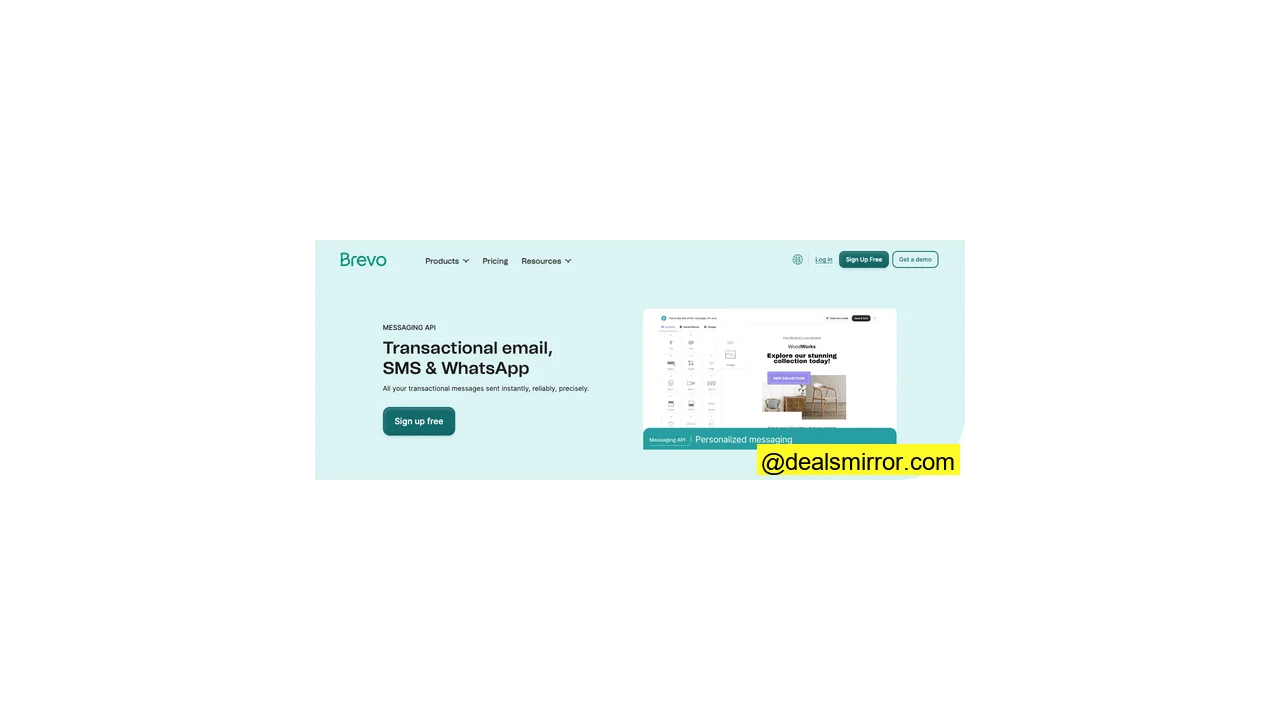
Brevo SMTP is a comprehensive transactional email tool, also known for its email marketing software. This dual functionality makes it particularly appealing for small businesses seeking easy SMTP or API integration.
Brevo features a cloud-based SMTP server and a RESTful email API. The API is well-documented and supports multiple programming languages, including PHP, Python, Ruby, Node.js, Java, and Go, via official libraries. Brevo also integrates directly with major CMS and e-commerce platforms like WordPress, Shopify, and Magento.
The inclusion of email marketing functionality is a significant benefit, providing a drag-and-drop email editor and pre-built HTML templates. A visual automation builder further simplifies the creation of email flows. The platform is user-friendly, offering excellent control over trigger setup and easy message personalization in customizable templates using dynamic content.
Brevo Pros
- Combines marketing and transactional email tools in one platform
- Easy to use with no-code automations and template editor
- RESTful API with code libraries in multiple languages
- Generous free plan with 300 free emails per day.
Brevo Cons
- Support is only available via email
Brevo’s free plan includes 300 emails a day, with full access to automation, templates, and analytics, and unlimited contacts. The paid plans start at $15 a month for 20,000 emails. Marketing plans begin at $25 a month for the same volume, though lower sending volumes can start as cheap as $8.08 a month.
SMTP.com – Best for High Volume Sending
SMTP.com is an email delivery platform built for sending massive volumes of email with speed and precision. It focuses purely on delivery infrastructure, meaning it doesn’t include tools for creating emails like drag-and-drop builders, templates, or campaign management.
What you do get is a robust SMTP relay service and RESTful email API, both designed for seamless integration with your existing tech stack. The API comes with official libraries for Python, PHP, Java, C#, Node.js, and Perl. Setup is straightforward with extensive documentation.
SMTP.com excels in two key areas: handling immense bulk sending volumes, with custom plans starting at 250 million emails a month, and achieving exceptional deliverability rates. It reports 98%+ inbox placement even at the highest volumes, making it suitable for large organizations with significant transactional email needs. Dedicated IP addresses are included with most plans, protecting your sender reputation from other users. For enhanced protection, the Reputation Defender add-on proactively cleans your email lists, reducing bounces by flagging problematic addresses before sending.
SMTP.com Pros
- Designed for high-volume sending
- Simple SMTP or API set up with broad integration support
- Excellent deliverability and dedicated IPs
- List hygiene tools via Reputation Defender
SMTP.com Cons
- No email building tools
SMTP.com pricing starts at $25/month for 50,000 emails. Plans scale quickly, with custom tiers available for over 250 million emails/month. There is no free plan or trial.
SMTP2GO – Best for Deliverability
SMTP2GO is a transactional email specialist renowned for its strong focus on deliverability. While it doesn’t offer tools for building transactional emails, its extensive suite of deliverability features ensures high inbox placement rates.
The platform performs real-time blacklist checks, handles all aspects of SPF, DKIM, and DMARC authentication, and automatically scrubs your email list of problematic addresses. Every email sent generates a detailed delivery report, crucial for identifying and resolving deliverability issues promptly. Visual reports provide easy insights into email performance. SMTP2GO also includes visual email previews across 40+ email clients, allowing you to catch formatting problems before emails reach the inbox.
For developers, SMTP2GO provides both an SMTP relay and a RESTful email API, with official code libraries available for C#, Java, PHP, Python, Node.js, and Ruby. Integration is quick, supported by clean and clear documentation.
SMTP2GO Pros
- Excellent inbox placement, even at high volumes
- Blacklist monitoring and email validation
- Inbox previews
- Free plan available
SMTP2GO Cons
- No email creation tools or template editor
SMTP2GO starts at $15 a month for 10,000 emails, with prices scaling based on volume. A free plan is also available, including 1,000 emails per month.
Mailtrap – Best for Testing Email Performance
Mailtrap originated as an email sandbox for debugging and catching malicious inbound emails. Today, it also offers outbound email services, including a sending API and email marketing tools, leveraging its testing expertise for inbox placement analysis.
For transactional emails, you get access to both an email API and an SMTP relay. Mailtrap’s Email API comes with official SDKs for Node.js, Ruby, PHP, Python, Elixir, and Java. By bundling transactional and marketing email services, the email API includes access to templates and a template builder, enabling email creation wherever the API is connected.
Mailtrap offers separate sending streams for transactional and marketing emails, which is beneficial for maintaining higher deliverability rates by keeping critical transactional emails distinct from bulk sends.
A standout deliverability feature is Mailtrap’s ‘fake SMTP,’ part of its sandbox product. This allows you to run emails through Mailtrap’s rigorous tests, acting as a fully functional SMTP server with various inboxes for testing, all without sending any actual emails.
Mailtrap Pros
- Email building tools are included in the API
- Separate sending streams for transactional and bulk emails
- Sandbox testing environment for outbound emails
- Advanced protection for inbound emails
Mailtrap Cons
- Doesn’t have pre-designed transactional email templates (though a builder is included)
Mailtrap starts at $15 a month for 10,000 emails and 5,000 contacts. A free plan offers 1,000 emails a month. The email sandbox starts at $14.99 a month, allowing you to test 5,000 emails, with a free tier to test 100 emails a month.
MailerSend – Best for Ease of Use
MailerSend is an SME-friendly transactional email service, affordably priced for small teams. It offers extensive support for straightforward API integration and allows you to create emails within the platform using an excellent email builder and transactional templates.
MailerSend comes with two APIs: one for email sending and another for email validation, both supported by comprehensive documentation. It provides libraries in PHP, Node.js, Golang, Python, Ruby, Java, and Laravel. You can send attachments, manage bulk sends, personalize emails, and use an inbound routing option for multiple inboxes. The verification API allows for real-time email address checks for new subscribers and offers a bulk verification option.
MailerSend distinguishes itself by offering three ways to create emails: a standard drag-and-drop editor for HTML emails, fully customizable templates for nearly every type of transactional email (all supporting dynamic content for personalization), and a Rich Text editor for simple text-only emails. For those who prefer coding, a dedicated HTML editor provides a live preview as you build your templates.
MailerSend Pros
- Extensive API code library
- Multiple options for creating emails
- Email verification API
- Free plan
MailerSend Cons
- No phone support; limited to 24/7 live chat.
MailerSend starts at $7 a month for 5,000 emails, including 100 email verifications. A free plan allows you to send 500 emails a month.
Mailgun – Best for Developers
Mailgun is purpose-built for developers, offering five distinct APIs for unparalleled flexibility in building, sending, and tracking emails. This allows for deep integration of transactional email capabilities into virtually any software, provided you have the technical expertise.
These five APIs cover sending, email validation, templates, event tracking, and analytics. As expected for a developer-focused platform, its code library is extensive, with official support for Python, Ruby, Perl, Java, Go, C#, PHP, Node.js, and Luvit. For other languages, Mailgun’s documentation guides you to reliable community-maintained SDKs. The documentation itself is among the best in the industry: clear, thorough, and developer-friendly.
The advantage of separate APIs for different functions is enhanced control. You can precisely choose which email capabilities to integrate and configure them individually. Mailgun is more than just a sending engine; it includes a drag-and-drop editor for creating emails, and its Templates API lets you store templates directly in your codebase, enabling their use and email creation from any desired location.
Mailgun also boasts exceptional deliverability, with an average bounce rate of just 0.42%. Its Optimize suite features inbox testing, blocklist monitoring, and real-time reputation insights. Detailed reporting is available through the Events API.
Mailgun Pros
- Modular API system for flexible integration
- Outstanding deliverability and reliability
- Deep performance analytics and optimization tools
- Store and send templates from any platform
Mailgun Cons
- More technically demanding than many rival services
Mailgun starts at $15 a month for 10,000 emails via SMTP or API. The Optimize suite, offering additional insights, starts at $49/month and includes 2,500 email validations and 25 inbox placement tests. The Send plan has a free tier that includes 100 emails a day.
Postmark – Best for Speed
Postmark is an email delivery service owned by ActiveCampaign, known for its exceptional sending speeds for transactional emails, largely due to its unique sending infrastructure.
Unlike most email providers that route marketing and transactional emails through the same servers, Postmark maintains separate infrastructures. This means distinct sets of servers, IP addresses, and authentications for marketing and transactional emails. This separation ensures transactional emails remain fast because bulk-sent emails often experience throttling by ISPs, which limits bandwidth. Postmark keeps all transactional emails isolated from such delays, consistently outperforming nearly all competitors in time-to-box statistics across major email clients.
Postmark’s RESTful email API includes official libraries for Ruby, .NET, Java, PHP, and Node.js. It also supports community SDKs for over 20 languages, plus integrations with platforms like WordPress, Craft CMS, and Grunt. Developer onboarding is streamlined with detailed guides and client libraries, ensuring painless integration.
Postmark offers responsive, ready-made transactional templates editable in both HTML and plain text, or you can build your own via an in-app HTML builder with live previewing. Another key strength is Postmark’s detailed performance and bounce tracking analytics, alongside support for webhooks for delivery notifications.
Note that Postmark does not include email validation. If you choose Postmark and manage a large email list, consider exploring dedicated email validation tools.
Postmark Pros
- Lightning-fast delivery with real-time speed stats
- Separate infrastructure for transactional and marketing emails
- Official and community libraries for 20+ programming languages
- Customizable, responsive email templates
Postmark Cons
- Support is email ticket only, no live chat or phone.
Postmark’s pricing starts at $15 a month for 10,000 emails and 4 users. A free tier for testing includes 100 emails per month.
SendGrid – Best All-In-One Email Service for Large Businesses
SendGrid, a Twilio SendGrid product, is a transactional email powerhouse designed for large businesses. Its primary advantage is a developer-friendly sending infrastructure built for massive scale. However, its free plan is less generous compared to some competitors like Brevo.
SendGrid’s email API comes with official libraries for PHP, Python, Node.js, Java, C#, Go, and Ruby. Step-by-step integration guides ensure simple and fast onboarding, with many users reporting setup in under 10 minutes. The API connects to SendGrid’s purpose-built cloud infrastructure, engineered to handle over 100 billion emails per month. With a hybrid cloud setup, SendGrid delivers impressive global performance, boasting a median delivery speed of just 1.9 seconds.
SendGrid also excels in deliverability. Beyond standard authentication, it offers email validation and active suppression list management. Advanced features like throttle threat detection proactively prevent bottlenecks and bounce issues. For building emails, SendGrid includes a drag-and-drop editor and customizable templates, available with both its marketing platform and email API, providing ample flexibility for designing transactional emails.
SendGrid Pros
- Fast delivery even at the highest sending volumes
- Deliverability optimization
- Email builder and marketing automation tools
- Easy onboarding with strong API docs and multi-language libraries
SendGrid Cons
- Phone support is limited to callback requests on higher-tier plans.
SendGrid’s Email API starts at $19.95 a month for 50,000 emails. Marketing plans are priced separately, beginning at $15 a month for 15,000 emails and 5,000 contacts. Both offer a 60-day free trial with 100 emails a day.
Elastic Email – Best for Value
Elastic Email is another all-in-one email platform, combining an email API and transactional email features with robust email marketing tools. Its Message Transfer Agent (MTA) supports high-volume sending, but its primary differentiator is offering some of the lowest per-email costs in the industry.
Elastic Email’s RESTful API comes with official SDKs in 12 programming languages, including Ruby, Java, Go, PHP, Python, C#, and JavaScript. Developers can also generate multiple API keys for granular access control. Despite its advanced capabilities, integration is straightforward, and the learning curve is surprisingly low thanks to extensive documentation.
The MTA supports traffic management, and deliverability features include domain authentication (SPF, DKIM, DMARC), IP warm-up, and send throttling. These controls help safeguard sender reputation and improve inbox placement, particularly at high send volumes. All plans also include email verification.
Non-developers are well catered for too, as Elastic Email provides over 20 direct plugins for popular platforms like WordPress, Joomla, WooCommerce, and Drupal. The API also grants access to an HTML email builder and transactional templates, allowing you to create transactional emails without needing a separate email marketing plan.
Elastic Email Pros
- Low per-email cost
- Advanced IP warm-up, throttling, and authentication tools
- API code libraries for 12 programming languages
- HTML email editor and templates included
Elastic Email Cons
- Limited customer support options
Elastic Email starts at $19 a month for 50,000 emails. A free plan is available, allowing you to send 100 emails a day.
SendPulse – Best for Free Transactional Emails
SendPulse is a multi-channel marketing platform that includes a fully functional email API, alongside SMS, web push messaging, chatbot building tools, a sales CRM, and an online course builder.
This makes SendPulse a strong contender for businesses looking to integrate transactional emails with other marketing channels. Its affordability and ease of use appeal to SMEs, and it offers an excellent free tier, allowing you to send 12,000 emails a month at no cost.
SendPulse’s RESTful email API comes with solid developer support. Official code libraries include PHP, Python, Ruby, Java, Node.js, and C#. Documentation also provides links to vetted third-party SDKs hosted on GitHub, ensuring a beginner-friendly setup.
All transactional email plans include a drag-and-drop email builder and over 130 transactional templates. The Pro tier features a dedicated IP address for every account, a benefit often offered as a paid extra by competitors, providing enhanced protection for your sender reputation. However, compared to other services, SendPulse is somewhat lighter on advanced deliverability features, though it does offer email verification as an add-on.
SendPulse Pros
- 12,000 free emails a month
- RESTful API with libraries in 6 major languages
- Flexible pricing (subscription or pay-as-you-go)
- Email marketing, transactional emails, SMS, web push, chatbots, sales CRM, and an online course builder in one platform.
SendPulse Cons
- Has hourly send limits and attachment size limits for pay-as-you-go users
SendPulse subscriptions for transactional emails start at $8 a month for 25,000 emails with limited features. Pay-as-you-go pricing for transactional emails begins at $12 for 10,000 emails. The free tier allows you to send 12,000 emails a month.
Amazon SES – Best for Flexibility
Amazon SES (Simple Email Service) is Amazon’s transactional and bulk email platform, built on AWS, the formidable cloud infrastructure powering major digital platforms like Amazon and Netflix. SES sends over a trillion emails annually with no upper sending limit per customer, and its pay-as-you-go pricing allows for easy scaling up or down as needed.
SES functions primarily as a sending (and receiving) engine. You will need to create your transactional emails elsewhere, such as with a service like Mailgun, or by coding your own templates.
Amazon SES offers flexible deployment options. For existing AWS users, it integrates seamlessly into your architecture. For others, a RESTful API is available. While Amazon doesn’t provide standalone HTTPS libraries, you can utilize AWS SDKs for Python, Java, PHP, Node.js, Ruby, Go, C++, and more. The AWS Command Line Interface (CLI) facilitates advanced configuration, scripting, and automation.
Users can choose from shared, dedicated, or bring-your-own IPs. Managed IP pools automate warm-up and tuning processes. SES’s Virtual Deliverability Manager (VDM) uses AI-powered insights to enhance inbox placement. The Reputation Dashboard meticulously tracks bounces, complaints, and success metrics, and the Mailbox Simulator allows for safe email performance testing. These features make SES an excellent choice for high-compliance industries like finance and healthcare.
Amazon SES Pros
- No upper sending limit
- Integrates easily with AWS services
- Powerful deliverability features and flexible IP options
- Low pay-as-you-go pricing
Amazon SES Cons
- Limited support via self-service and AWS support tickets.
Amazon SES uses pay-as-you-go pricing, starting at just $0.10 per 1,000 emails sent for basic sending, with extra services accessed as paid add-ons. Attachments cost $0.12 per GB. A free tier includes 3,000 emails a month.
Mailchimp Transactional Email
Mailchimp is a widely popular email marketing service, and its capability for transactional emails is often overlooked.
Mailchimp offers two approaches to transactional emails. One involves leveraging its marketing automation tools to support transactional functions. You can build automations with behavior-based triggers and create transactional templates to send appropriate emails. However, this is common to many email marketing services and does not equate to a dedicated transactional email service in terms of scalability and reliability.
Mailchimp’s Developer product suite includes a Transactional Email API, which provides a dedicated sending infrastructure. However, it supports fewer code libraries compared to many rival services, with official libraries only for Ruby, Python, and Node.js. It is also relatively expensive, with prices starting at $20 a month for 10,000 emails.
If you are an existing Mailchimp user, its transactional email API might be convenient. For businesses not already within the Mailchimp ecosystem, other services on this list may offer more suitable features or value. For a deeper dive into its email marketing features, you can read a full Mailchimp review.
Conclusion: What Are The Best Transactional Email Services?
Transactional email services are critical for seamless customer experiences, acting as the silent workhorses that ensure vital communications reach their intended recipients. A well-chosen transactional email platform can make the difference between critical emails landing in the inbox or getting lost in the spam folder.
Ultimately, the best choice for your business depends on your specific needs, volume, and technical expertise. Here’s a summary of our top recommendations:
- For SMBs, we recommend Brevo and MailerSend. Their transactional email features are user-friendly and affordable. Brevo is ideal for integrating transactional emails with email marketing and CRM functionalities.
- For larger businesses, SMTP.com, SMTP2GO, and Postmark are excellent for high volumes, offering scale, control, and reliability without sacrificing speed or inbox placement. SendGrid is great if you need to run high-volume transactional and marketing emails side by side.
- For developers, you can’t go wrong with Mailgun or Mailtrap. They offer exceptional flexibility in integrating email capabilities into other platforms, are feature-rich, and deliver elite-level performance.
| Best For | Free Plan | Starting Price | |
| Brevo | Transactional email + email marketing | Yes | $15/mo for 20K emails |
| SMTP.com | High volume sending | No | $25/mo for 50K emails |
| SMTP2GO | Deliverability | Yes | $15/mo for 10K emails |
| Mailtrap | Testing emails | Yes | $15/mo for 10K emails |
| MailerSend | Ease of use | Yes | $7/mo for 5K emails |
| Mailgun | Developers | Yes | $15/mo for 10K emails |
| Postmark | Speed | Yes | $15/mo for 10K emails |
| SendGrid | All-in-one email for large businesses | 60 days trial | $19.95/mo for 50K emails |
| Elastic Email | Value | Yes | $19/mo for 50K |
| SendPulse | Free Transactional Emails | Yes | $8/mo for 25K emails |
| Amazon SES | Flexibility | Yes (3K emails/mo) | $0.10/1K emails |
| Mailchimp Transactional Email | Existing Mailchimp Users | No | $20/mo for 10K emails |
FAQs about Transactional Email Services
What is an example of a transactional email?
What is the difference between transactional and commercial emails?
Transactional emails are sent to a single person. They contain information specific to that person and are triggered by a specific event, such as someone completing a purchase or requesting a new password.
Commercial or marketing emails are often sent in bulk to lots of people at once. They might promote products or share information about the business. They can be personalized to contain information relevant to each individual, but they aren’t linked to a specific event or transaction.