
For years, ActiveCampaign has been a leading name in marketing automation. Renowned for its comprehensive features, it’s a popular choice for businesses seeking powerful email marketing and CRM solutions. This review delves into ActiveCampaign’s capabilities, covering its features, pricing, and overall value to help you determine if it’s the right fit for your business.
ActiveCampaign Review Summary:
- ActiveCampaign is an excellent software for both beginners and advanced marketers.
- Its marketing automation capabilities are exceptional, allowing for highly complex and customized workflows.
- The tool is relatively easy to set up and use once you’re familiar with its interface.
- It can be overly powerful if your needs are limited to sending simple newsletters.
- While not the cheapest, ActiveCampaign pricing starts at $15/month (billed annually), or $79/month with CRM and lead scoring features.
ActiveCampaign Review: The Core Features
ActiveCampaign is primarily known as email marketing automation software with an integrated sales CRM, but its functionalities extend far beyond these core offerings. Upon logging in, users are often impressed by the breadth of tools available on the dashboard.
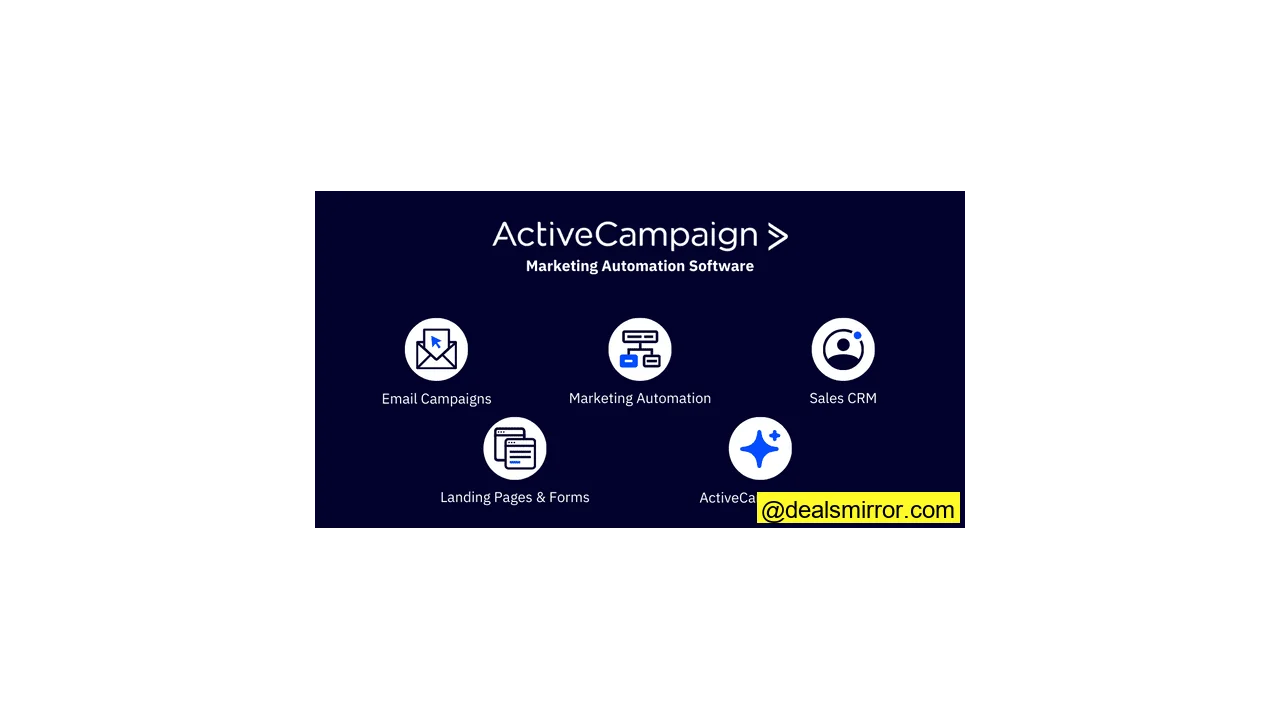
Here are the most notable ActiveCampaign features:
- Send email newsletters. ActiveCampaign provides over 240 professional-looking templates and an intuitive drag-and-drop email builder.
- Create automated campaigns. The true strength of ActiveCampaign lies in its marketing automation builder, making it simple to construct complex automated campaigns. Users can leverage over 900 templates as a starting point.
- Close sales with ActiveCampaign CRM. Automate sales follow-ups and significantly reduce manual tasks in closing deals and managing sales.
- Generate more leads using the ActiveCampaign landing page builder, designed to convert traffic into signups and customers.
- ActiveCampaign AI offers assistance in automation building, content generation, segmentation, reporting, and scheduling campaigns for enhanced efficiency.
ActiveCampaign stands out as a tool that integrates extensive functionality without overwhelming the user. While the core focuses on email marketing and automation, much more is available beyond its main features page.
ActiveCampaign Pros & Cons
Pros
- Excellent email deliverability from the start.
- Offers free migration assistance from your current email tool.
- Utilizes machine learning to continuously improve marketing results.
- The email builder is powerful, providing extensive flexibility and customization.
- The CRM includes sales automation to streamline sales processes.
- Fast and robust automation builder equipped with over 900 templates.
Cons
- The sales CRM is an add-on, which some users would prefer to see included in base plans.
- Advanced features may require a learning curve for those new to email marketing automation.
- It is not the cheapest solution on the market.
Is ActiveCampaign for You?
Recommended if:
- You’re starting simple but plan to automate parts of your emails. ActiveCampaign integrates with website tracking, making it easy to set up multiple email follow-ups and campaigns.
- You require advanced marketing automation. ActiveCampaign offers one of the best automation builders for creating custom flows, complete with goals, tags, and over 900 workflow templates.
- You need email marketing automation and a straightforward CRM in one platform. The integrated CRM simplifies managing and automating deals within your sales pipeline.
Not recommended if:
- You only intend to send simple newsletters. ActiveCampaign might be too powerful for basic newsletters and lighter automation, potentially leading to underutilization of its features. For simpler needs, consider Mailchimp or Brevo.
- You are seeking the absolute cheapest email marketing tool. ActiveCampaign does not offer a free tier, with prices starting at $15/month (billed annually). You can find more affordable email marketing tools if simplicity is your primary concern.
ActiveCampaign Review Rating Details
| Ease of Use | ActiveCampaign is user-friendly, supporting advanced features with an excellent interface design and helpful on-screen tips. |
| Value for Money | ActiveCampaign’s prices start at $15/month (billed annually). Large businesses will also find suitable features in Pro and Enterprise plans. The automation builder and marketing CRM provide significant overall value. |
| Email Editor and Templates | The email builder is intuitive and includes advanced campaign options like A/B testing, personalization, and conditional content. There are over 240 high-quality email templates. |
| Marketing Automation | The workflow builder is user-friendly, and more than 900 pre-built templates facilitate easy setup. It allows automation of anything from email sending to updating deals in your sales pipeline. |
| Segmentation and Contact Management | Users can create custom contact fields and tags to store detailed data about contacts. The segment manager allows for flexible use of segments across the platform. |
| Lead Generation | The form and landing page builders are straightforward and effective. While functional, more templates for forms and pages would be beneficial. |
| Reporting and Analytics | ActiveCampaign offers detailed performance analytics. Users can track website visits and generate custom reports to analyze campaign performance from multiple angles. |
| Functionalities | Few email marketing services in the SMB market offer more features than ActiveCampaign. |
| Customer Service | Support is available via live chat, email, and call-back for 20 hours a day (Mon-Thu) and 13.5 hours on Fridays. Contextual, on-page support is excellent, and the knowledge base is comprehensive with up-to-date guides and videos. |
Getting Started with ActiveCampaign
Signing up and getting started with ActiveCampaign is a quick process, typically taking about 5 minutes. During registration, ActiveCampaign inquires about your industry and existing tools, requiring you to fill in your details and activate your account via email. For testing purposes, we signed up as a Shopify e-commerce store.
Following registration, a personalized onboarding checklist is provided, guiding you through connecting your store, importing data, and setting up your initial cart abandonment automation. This step-by-step wizard helps users quickly derive value from the tool. You can try ActiveCampaign free for 14 days without a credit card.
ActiveCampaign Review: Marketing Automation and CRM Platform
ActiveCampaign boasts numerous features designed to make marketing easier, faster, and more effective. Let’s explore these functionalities in detail.
ActiveCampaign Email Marketing
While many users initially come for ActiveCampaign’s email marketing capabilities, they often stay for the comprehensive ecosystem. Email marketing options encompass both individual emails and campaigns, with six distinct types available:
- Standard
- Automated
- RSS triggered
- Split testing
- Date based
- Autoresponder
After selecting an email type, you choose the relevant contacts from your email lists. Beyond basic lists, ActiveCampaign’s site and event tracking offer an additional layer of targeting for individual campaigns.
For instance, you might want to send emails to a specific list only if contacts have visited certain pages or performed a particular action on your site. This is relatively straightforward with ActiveCampaign, and more details on this will be covered in the automations feature section.
Email Templates in ActiveCampaign
During campaign setup, you can select from over 240 professional email templates, categorized by use case. Additionally, over 30 layout templates are available, offering building blocks without pre-designed aesthetics.
The drag-and-drop editor for content blocks, while not the sleekest, is highly functional. It allows comprehensive customization of fonts, background colors, line height, padding, and more. Users can save custom emails as templates for future reuse.
One powerful feature within the ActiveCampaign email editor is conditional content. You can apply tags to subscribers based on their profile or actions (e.g., clicks, list sign-ups) and use this data to dynamically show or hide content within an email.
For example, using quizzes to segment individuals into lists and apply tags based on their answers enables granular targeting. This allows for creating a single email that adapts to different contacts on the same list, ensuring relevance for each specific situation.
Personalization further enhances emails by allowing the insertion of contact-specific data like names and company names.
The ActiveCampaign email editor also incorporates AI for content and image generation. Simply describe the desired image via a prompt, select a style, and generate the visual. Having an image generator directly in the editor expedites design iterations. To fully grasp the capabilities, the best option is to try out the ActiveCampaign email builder for yourself.
Crucially, the effectiveness of any email marketing service hinges on its deliverability. ActiveCampaign’s deliverability consistently scores high in independent tests, ensuring your emails reliably reach inboxes.
ActiveCampaign Marketing Automation
The marketing automation capabilities are a core reason for ActiveCampaign’s industry leadership. Within the platform, these are simply called “automations.”
When initiating a new automation, you can either build from scratch or select from over 900 ActiveCampaign automation templates designed for specific outcomes, such as:
- Interest follow-ups based on site tracking.
- Welcome workflows for new contacts.
The automation builder offers extensive customization. As shown in the image, you can include conditions to check for recent purchases. If a contact has bought something, they receive a follow-up email with accessory suggestions. Otherwise, the automation concludes.
To configure your automation, click the “+” icon to add emails or conditions. A menu categorizes options by sending an email, different conditions (split automation, end automation, goals, etc.), contact actions (subscribe to a list, unsubscribe, add a tag, etc.), CRM, Salesforce, and CX apps.
ActiveCampaign also features AI to assist in building automations. When tested, it presented five workflow goals, with “Convert leads into paying customers” offering three automation templates.
Testing “Convert Leads to Customers with Weekly Newsletters” revealed pre-drafted email copy and a brand-fitting template. Users can fine-tune the copy manually or use the AI content generator for edits and design modifications via the email editor.
The automation builder further allows AI prompts to generate sequences. A prompt like “Send 3 emails with a 2 day wait in between” successfully generated the desired drip campaign. The combination of workflow templates, AI, and the brand kit makes it very easy to set up your automations in minutes.
ActiveCampaign Automation Example
Let’s walk through a simple workflow to illustrate the possibilities with ActiveCampaign automations:
- A contact fills out a form and joins your mailing list. They complete the welcome sequence but don’t make a purchase. They then receive regular emails with industry updates, new features/products, and blog posts.
- They click on an email, visit a blog post, and then a product page. Because ActiveCampaign site tracking is enabled, this triggers an email sequence related to that specific product.
- If they don’t submit a contact form on the product page within one hour, an email is sent asking if they’d like to schedule a call. Depending on their actions, the automation either ends and initiates a different one (tagging them as “interested”) or continues by notifying a relevant team member to follow up.
All these automations operate behind the scenes and are set up using simple conditional logic. Advanced users can leverage advanced event tracking and tagging for highly refined customer experiences.
ActiveCampaign CRM
There’s also an integrated ActiveCampaign CRM. New contacts and deals can be added manually or automatically based on sales automation triggers, such as form submissions or reaching a high lead score.
Lead scoring is a standout feature of the ActiveCampaign CRM. You can apply scores (manually or automatically) to identify your most promising prospects. From there, ActiveCampaign AI can calculate win probability.
Scoring rules can be configured based on email opens, clicks, and form submissions. When a contact reaches a specific score, it can trigger a notification email to a sales representative, prompting them to call or follow up personally.
Naturally, you can add notes to individual contacts, integrate with third-party apps like Gmail, access sales reports, and assign tasks both manually and automatically. For a comprehensive overview of sales features, refer to the ActiveCampaign CRM page.
Landing Pages and Forms in ActiveCampaign
ActiveCampaign provides a drag-and-drop landing page editor with over 60 templates and a simple form editor. Both editors are similar to the email editor, ensuring a quick learning curve. Automations can be easily triggered based on form submissions on landing pages.
The landing page templates are high-quality designs. Creating a page based on a template can be done in approximately 10 minutes.
Dragging and dropping blocks from the right sidebar is straightforward, and the ability to change the entire theme of a template is a significant time-saver, eliminating the need to modify each element individually.
ActiveCampaign offers five types of forms: inline forms, floating bars, floating boxes, modals, and a preference center.
There are four actions you can trigger from a form: adding subscribers to a list, tagging them, adding them to a deal, or sending them an email. The ease of triggering automations from a simple page is a key benefit, and these forms can be embedded anywhere on your website.
A notable feature is ActiveCampaign’s ability to display your website in the background while designing a popup, allowing for real-time preview of its appearance on your site.
Site Messages, SMS and Chat
ActiveCampaign empowers you to create a comprehensive omnichannel messaging experience, enhancing both support and conversions. Omnichannel marketing is the broad term covering SMS, social media, and ad audiences. Let’s explore these in more detail.
1. Text messages and SMS
Text messages boast a high open rate and are a proven effective communication channel. With ActiveCampaign, contacts can subscribe to SMS by texting a keyword to your company number or by providing their phone number when submitting a form.
You can send SMS messages directly from automations. Simply add a “Send an SMS” action to your workflow, specify a name, select recipients, and compose your message. Personalization options and scheduled sending times are also available. SMS can be used for various purposes, including flash sales, coupon delivery, or appointment/event reminders.
2. Site Messages
Site Messages are notifications that can be added to your website to deliver calls-to-action or updates. These can be sent from automations and personalized using contact data. Conditions and goals allow for precise targeting of who receives a message and when. You can also customize their on-page placement and the specific pages they appear on, reaching contacts based on their brand interactions.
The potential for targeting users with site messages is extensive. Experiment with targeting, layouts, and themes to discover what best resonates with your audience.
3. Social Media Marketing & Ads
ActiveCampaign offers deep integration with Facebook and Google Ads, enabling the addition and removal of individuals from custom audiences within automations.
For example, if you’re running Facebook ads for a product, once a contact purchases it, an automation can remove them from that Facebook Custom Audience, preventing them from seeing irrelevant ads. This not only improves the customer experience but also optimizes ad spend. Furthermore, contacts from Facebook, Instagram, and LinkedIn ads can be added to your contact list.
ActiveCampaign AI – The Smart Features
The ActiveCampaign AI integrates across various parts of the tool. For email marketing campaigns, seven key features prove particularly useful:
- Text Generation assists in creating and refining subject lines and email copy based on your prompts.
- Image Generation allows you to add compelling images that complement your email template and copy. Generate visuals by writing prompts and choosing from 17 styles.
- Segment Suggestions help in grouping subscribers based on contact data and engagement, assisting you in identifying the right contacts and their preferences.
- AI Automation Builder constructs automations based on your prompts. It can be used to create a complete automation or add steps to an existing workflow.
- Predictive Sending analyzes how your contacts interact with your emails to determine the optimal sending time for maximum engagement.
- Predictive Content functions similarly to multivariate testing but with enhanced intelligence. You create multiple email versions, send them, and ActiveCampaign’s machine learning and natural language processing identify the best recipient for each version.
- AI Brand Kit generates email templates by pulling your logo, three brand colors, fonts, and social links from a provided URL.
Within the CRM, machine learning can provide insights into the types of deals most likely to close, allowing you to prioritize time and energy effectively.
ActiveCampaign Integrations
ActiveCampaign boasts over 950 integrations, with new ones added regularly. Utilizing Zapier or the open API, you can integrate virtually any software, including custom-built solutions.
Premium integrations are available for popular CRM and eCommerce platforms such as Shopify, BigCommerce, Magento, Salesforce, and Microsoft Dynamics. These integrations go beyond basic connections, pulling in additional contact data, applying tags, adding automation actions, and retrieving purchase history.
A few of the most popular integrations include:
- eCommerce platforms, like Shopify, Sellfy, BigCommerce, and WooCommerce.
- Email template editors, like Chamaileon.
- CRMs, like Salesforce and Pipedrive.
- Online course platforms, like Thinkific.
- Customer support tools, like Tawk.to.
- Scheduling tools, like Calendly.
- Social media and ad platforms, like Facebook and Google Ads.
- CMS software, like WordPress.
- Reporting tools, like Google Analytics.
ActiveCampaign Pricing & Discount
ActiveCampaign pricing starts at $15/month (billed annually). There are four core plans, with prices increasing based on the number of contacts and desired features. Let’s break down the pricing for each plan (based on 1,000 contacts, billed annually):
| Free | – 14-day trial with access to all Pro features |
| $15 (Lite) | – 1,000 contacts – Includes 10,000 email sends and 5 actions per automation |
| $49 (Plus) | – 2,500 contacts – Includes 25,000 email sends, unlimited actions per automation, landing pages, and AI writing. |
| $99 (Professional) | – 5,000 contacts – Includes 50,000 email sends, unlimited actions per automation, advanced features for professional marketers. |
| $189 (Enterprise) | – 10,000 contacts – Includes 100,000 email sends, unlimited actions per automation, and premium enterprise-grade features. |
| $489 (Custom Quote) | – 25,000 contacts (or more) – Fully customized plan with tailored features and support. |
ActiveCampaign offers Enhanced CRM, SMS, Custom Reporting, and Transactional Email as add-ons.
Transactional Email is available on any plan. The Enhanced CRM and SMS add-ons are available on Plus, Pro, and Enterprise plans. Custom reporting is included in the Enterprise plan and can be added to Plus and Pro plans. Check ActiveCampaign’s pricing page for detailed information about what each add-on includes. Here’s an overview of the add-on costs:
| Add-on | Price |
| SMS | $16.83 for 1000 credits |
| Pipelines enhanced CRM | $68/month |
| Sales engagement enhanced CRM | $111/month |
| Custom reporting | $159/month for 50 reports and 25 dashboards |
| Transactional emails | $15 for 10,000 emails |
Does ActiveCampaign offer a discount?
Yes, ActiveCampaign provides a significant discount on a yearly plan, making its costs highly competitive compared to other marketing automation platforms. They also offer 20% off all plans for non-profit organizations.
Customer Support
ActiveCampaign’s customer support has evolved significantly, offering robust assistance as the platform has grown. Previously, support was primarily email-based alongside a comprehensive knowledge base.
Today, users benefit from free onboarding and training webinars, live chat, and a wealth of clear, concise tutorial videos on YouTube. While phone support is not offered, the support representatives are knowledgeable and helpful. The contextual, on-page support further aids users in resolving issues independently.
ActiveCampaign Review: Conclusion
ActiveCampaign stands as a powerful email and marketing automation tool suitable for businesses across various industries, including B2C and B2B.
We recommend ActiveCampaign for:
- Companies with some experience in email marketing or those ready to elevate their email marketing strategy with advanced automation.
- Beginners who are willing to utilize the onboarding guides and videos to quickly get started with comprehensive features.
We don’t recommend ActiveCampaign for:
- Marketers who exclusively need to send simple newsletters. For such basic needs, the platform’s extensive features might be an overkill. Alternatives like Mailchimp or Brevo might be more suitable.
Starting at just $15/month (billed annually), ActiveCampaign is an affordable solution for small businesses, providing a rich suite of features to enhance email marketing and automation results. Given its comprehensive automation, email marketing, and CRM capabilities, ActiveCampaign offers exceptional value.
Frequently Asked Questions about ActiveCampaign
What is ActiveCampaign used for?
A simple example of marketing automation is a welcome email workflow. When a website visitor submits a form on your website, ActiveCampaign sends them a series of welcome emails thanking them and introducing your company and content. A simple example of sales automation is a workflow that updates the contact profile of a lead who replies “yes” to a sales email asking for a call. When the lead replies to the sales email, ActiveCampaign updates the contact profile and sends a notification to the sales rep to call the lead.
Is ActiveCampaign also a CRM?
The Pipelines enhanced CRM add-on includes ActiveCampaign’s sales CRM and automation. It unlocks sales automation triggers and actions to automate your pipeline. The Sales engagement enhanced CRM add-on costs $111/month. It includes everything in the Pipelines add-on, plus automated 1:1 emails, win probability, and sentiment analysis. You can get these CRM add-ons with a Plus, Professional, or Enterprise plan.
Does ActiveCampaign have landing pages?
Does ActiveCampaign have a mobile app?
Is ActiveCampaign legit?
Is ActiveCampaign GDPR-compliant? Where does it host your data?
7 Best ActiveCampaign Alternatives
Recognizing that ActiveCampaign may not be suitable for every business, here are seven strong alternatives that offer many key features essential for successful email marketing.
ClickFunnels vs ActiveCampaign
As a marketing automation platform, ActiveCampaign is generally the superior choice, outperforming ClickFunnels in key aspects. ClickFunnels excels if your primary goal is to build high-converting lead capture pages or other sales funnel software. For building, automating, and tracking complex campaigns, ActiveCampaign is the preferred option due to its intuitive visual automation builder, which is robust enough for advanced users yet accessible for beginners.
Brevo vs ActiveCampaign
Brevo (formerly Sendinblue) is an excellent choice if your main interest is sending email newsletters and you don’t require the advanced automation capabilities of ActiveCampaign. Brevo’s automation, while functional, is not as elaborate as ActiveCampaign’s. Brevo truly shines for newsletters and transactional emails.
The best Brevo features are:
- User-friendly email newsletter builder.
- Includes a basic CRM.
- Excellent tool for transactional emails.
- Offers SMS marketing functionality.
Find out more about its cost in Brevo pricing.
GetResponse vs ActiveCampaign
GetResponse began as a simple autoresponder and newsletter tool but has evolved into a comprehensive marketing platform. It now includes sales funnels with webinars, landing pages, Facebook Ads integrations, Stripe integration, and an online storefront.
The best features of GetResponse are:
- Ability to control all your digital marketing from one centralized platform.
- Offers a free plan.
- Comes with prebuilt templates for most features.
- Includes tools to create Facebook ads.
- Provides clear reporting across the entire marketing funnel.
Kit Vs ActiveCampaign
Kit is primarily designed for creators, and its automation features may not be ideal for e-commerce companies. However, it compensates by offering additional features, training, and content to assist creators in getting started.
The best features of Kit are:
- Includes landing pages.
- Offers a free plan.
- Features a decent form builder.
- Provides clear and useful reporting.
Mailchimp Vs ActiveCampaign
Mailchimp is a well-known name in the email marketing space. While simpler and offering a free tier for very small lists (under 500 contacts), it is generally less sophisticated compared to ActiveCampaign and can become quite expensive quickly for larger lists.
The best Mailchimp features are:
- Free plan for less than 500 contacts (though costs escalate significantly thereafter).
- Includes landing pages.
- Offers Facebook Ads management.
- Provides postcard options to engage customers.
Keap vs ActiveCampaign
Keap is an email marketing and CRM platform that includes features like landing pages, checkout functionalities, and even affiliate marketing. Despite its robust capabilities, Keap is often considered quite complex and requires a considerable amount of time to master.
The best features of Keap are:
- Offers invoices and payments capabilities.
- Includes a comprehensive sales CRM.
- Features appointment booking tools.
- Provides robust marketing automation.
- Offers a business line and text messaging services.
HubSpot vs ActiveCampaign
Comparing HubSpot to ActiveCampaign reveals that HubSpot extends beyond ActiveCampaign in its inbound marketing offerings, providing tools for optimizing organic traffic and conversions. While ActiveCampaign is a superior email marketing and automation tool, HubSpot is a larger platform with more functionalities, and consequently, significantly more expensive.
The best HubSpot features are:
- Offers a free CRM.
- Includes live chat functionality.
- Provides tools to build websites (CMS).
- Features comprehensive marketing automation.
- Includes landing page builders.