
With an average of 106 billion spam messages and an additional 188 billion legitimate emails sent daily, getting your messages delivered to the inbox has become increasingly challenging. Internet Service Providers (ISPs) like Hotmail and Gmail are constantly refining their spam filters, meaning we can no longer simply *send* email; we must focus on *delivering* email. This responsibility is shared between you and your Email Service Provider (ESP).
How Your ESP Can Enhance Deliverability Through Authentication
Email authentication is crucial for verifying that the domain used in your ‘from’ address is legitimately under your control. Major ISPs such as AOL, Hotmail, Yahoo!, and Gmail rely on email authentication as a vital layer in their spam-fighting strategies.
The Power of Authentication
By establishing your system as an authenticated sender, you can instantly bypass certain spam filters, significantly increasing the likelihood of your campaigns reaching your customers’ inboxes. Furthermore, many ISPs will visibly flag your emails as authenticated, fostering trust with your subscribers and ultimately boosting your email open rates.
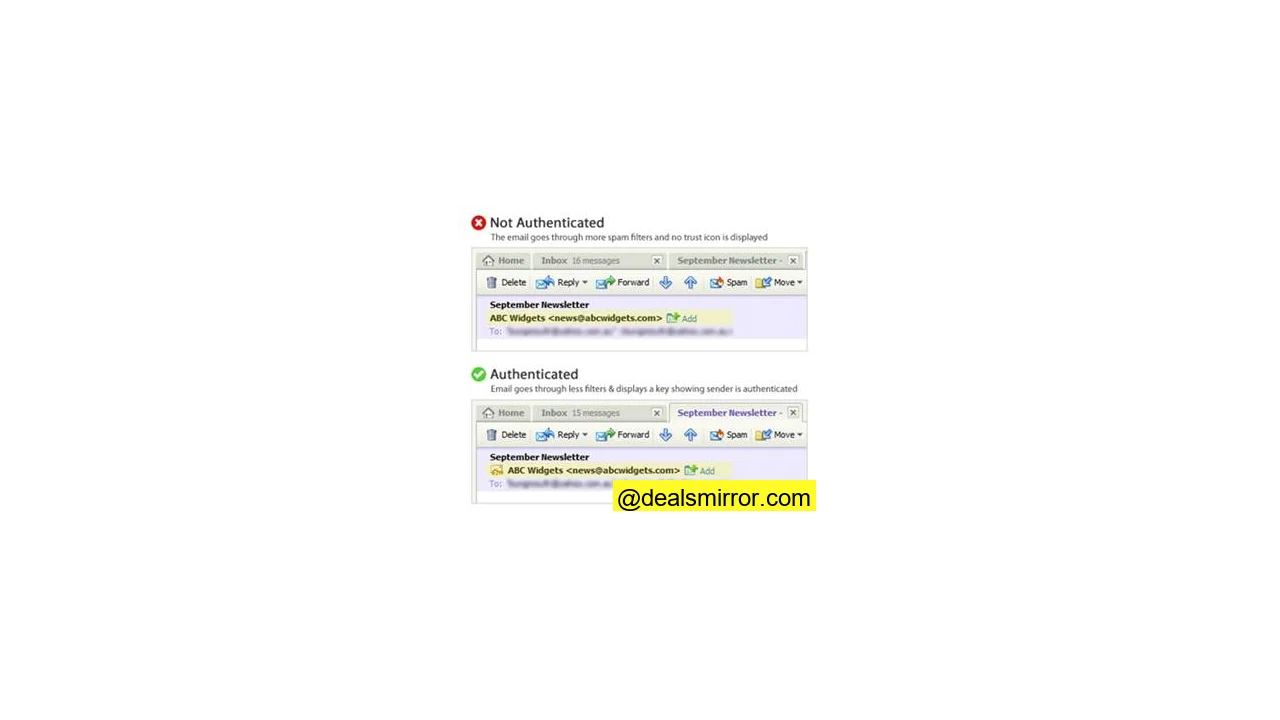
Ensuring Your Email Service Provider Implements Authentication
ISPs utilize specific methods to authenticate a sender: SPF and DKIM. Without these vital authentication methods, your messages risk being perceived as phishing scams. This makes email authentication an indispensable tool directly impacting your email deliverability.
To fully understand email authentication, here are three essential terms that directly affect your deliverability if not configured correctly:
Key Email Authentication Protocols for Deliverability
- SPF – Sender Policy Framework: This protocol allows you to specify which IP addresses or domains are authorized to send email on your behalf. It is crucial for preventing ‘from’ address spoofing, where malicious actors attempt to send emails appearing to be from your domain.
- DKIM – DomainKeys Identified Mail: DKIM provides a method to digitally sign an email message, associating a domain name with it. This cryptographic signature assures recipients and ISPs that the email was sent by a known sender and has not been altered during transit, building trust and credibility.
- DMARC – Domain-based Message Authentication, Reporting and Conformance: A DMARC policy enables a sender to indicate that their emails are protected by SPF and/or DKIM. It also instructs a receiver on how to handle messages that fail these authentication checks, such as sending them to junk or rejecting them entirely.
All three of these records are managed by adding DNS (Domain Name Server) records on your email sending servers. Collaborate with your IT department and ESP to ensure these records are set up accurately for optimal performance.
Defining Roles: Who Does What?
Sender (Your Organization)
- The domain used in the ‘from’ address is typically managed by your internal IT department or an outsourced IT company. The request and task to add SPF, DKIM, and DMARC records is an internal responsibility, usually handled by your IT team.
Email Service Provider (ESP)
- Your ESP is responsible for signing outgoing emails with the relevant DKIM key. This is a fundamental feature that any reputable ESP should provide. Your ESP should also have similar entries for the dedicated IP address or domain from which your emails are sent.
3 Common Stumbling Blocks in Email Authentication Setup
You might encounter some challenges when implementing email authentication:
- ESP Knowledge Gaps: If your ESP lacks expertise in email authentication techniques or does not possess the technology to support signing emails with DKIM, this should raise significant concerns. It might be time to evaluate other ESP options that prioritize deliverability.
- Internal Resistance / Pushback: Often, there can be internal resistance to making necessary DNS updates within an organization. However, “It’s not possible” is an unacceptable answer. Your ESP should be able to provide all the required information to your IT department, helping them feel comfortable and confident with the proposed changes.
- Approval Processes: The actual DNS changes are typically not time-consuming once approved. The real challenge can be navigating your internal processes to gain the necessary approvals. Being well-prepared with all the correct details and requirements will help you cut through the bureaucratic red tape efficiently.
It’s In Place – How Do I Verify?
You don’t have to take anyone’s word for it. Many free testing tools are available to help you confirm that your emails are being properly authenticated:
- For SPF, DKIM & DMARC:
- Send a message to
check-auth@verifier.port25.com. This service provides a comprehensive report on the authentication status of your email.
- Send a message to
- For SPF & DKIM Tests:
- Visit www.brandonchecketts.com/emailtest.php. This tool also offers insights into your SPF and DKIM setup.
Are Your Emails Authenticated?
It has become imperative that these authentication records are properly set up for your email campaigns. Take the proactive step to ensure your ESP and IT department correctly apply these authentication methods, giving your emails the best possible chance of reaching the inbox.
While many factors can influence your email deliverability, authentication should not be one of them. By mastering these foundational elements, you lay a strong groundwork for successful email marketing.