
Mailtrap stands out as an email sending platform engineered for both developers and marketers. It facilitates transactional email delivery from any software via API and SMTP, alongside robust campaign building and email testing functionalities. This comprehensive review delves into Mailtrap’s features, outlines its advantages and disadvantages, details pricing structures, and clarifies its ideal user base.
Mailtrap Review Overview
Here’s a quick overview of Mailtrap:
- Mailtrap is an email platform offering transactional emails, email marketing, and testing capabilities.
- It provides fast and secure transactional email delivery through an API or SMTP relay.
- Setup is developer-friendly, featuring clear API documentation, prebuilt SDKs, and straightforward domain configuration.
- Users can design templates using a simple drag-and-drop editor or integrate their own HTML templates.
- Mailtrap offers detailed tracking for every email, including logs, breakdowns by mailbox provider, and performance alerts.
- Deliverability is a key strength, supported by automatic authentication, bounce and unsubscribe blocking, and dedicated transactional streams.
- The Email Sandbox facilitates safe inbox placement and spam scoring tests without sending to real inboxes.
- Support resources include comprehensive technical documentation, 24/5 chat assistance, and helpful knowledge-base guides.
Mailtrap’s Core Features
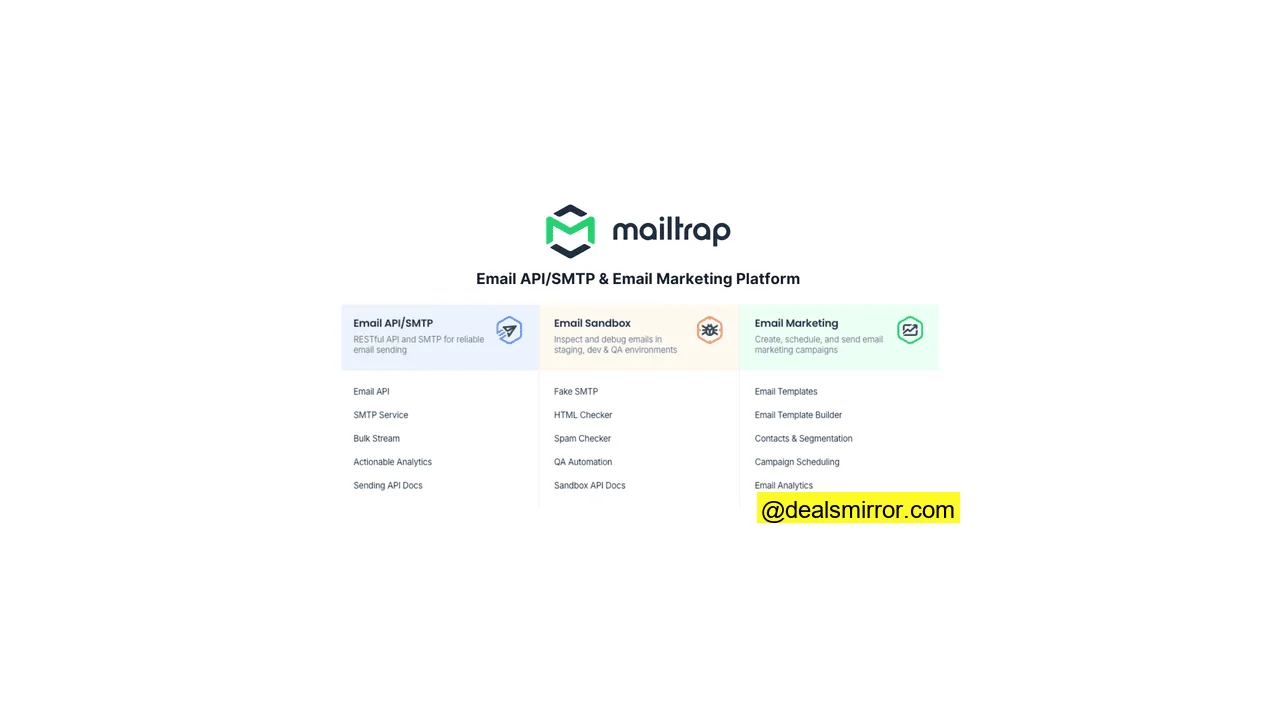
- Email API and SMTP: Mailtrap integrates email sending into digital platforms via its email API and SMTP relay.
- Email Marketing: Users can create campaigns with the drag-and-drop email template builder, utilizing segmentation and personalization for targeted and customized emails.
- Marketing Automation: Sending and contact management can be automated using a simple workflow wizard. Events on your platform can trigger automations via API calls.
- Deliverability: Mailtrap automatically authenticates every email, monitors IP and domain reputation, and blocks addresses that bounce, unsubscribe, or generate spam complaints. It also maintains separate sending streams for transactional and bulk emails.
- Inbox Placement Testing: Inbox placement can be thoroughly tested within Mailtrap’s unique ‘fake SMTP’ sandbox environment.
Mailtrap Pros and Cons
Mailtrap Pros
- Developer-friendly: Mailtrap’s APIs come with extensive SDKs and code libraries in 12 programming languages. A drag-and-drop template builder and automation editor contribute to time and effort savings.
- Excellent deliverability: Mailtrap automatically blocks sending to unsubscribed and bounced emails to safeguard sender reputation. It features separate sending streams for transactional and bulk emails, ensuring transactional emails always arrive as quickly as possible.
- Email campaign tools included: A separate email marketing tool is not required to create and manage email campaigns. Mailtrap integrates a drag-and-drop email builder, automation, contact management tools, and the email API within its offering.
- Standalone testing environment: Mailtrap’s email sandbox enables users to conduct inbox placement and spam tests without actually sending an email.
Mailtrap Cons
- The email marketing features are still a work in progress: Mailtrap continues to develop its email marketing features. Currently, some campaign building and automation tools may appear basic, though improvements are anticipated.
- No built-in landing page builder: Users will need to leverage specialist landing page builders and lead generation tools for creating pages and forms.
Is Mailtrap for you?
Recommended if:
- You’re a digital business that wants to integrate email sending into your platform. Mailtrap is recognized as one of the most user-friendly and flexible email APIs available. With a wide range of SDKs, it likely supports various coding languages and infrastructures.
- You want the convenience of a single platform for transactional and marketing emails. Unlike rival email APIs such as SendGrid and Mailgun, which often offer email marketing tools as separate products, Mailtrap includes them with its email API as standard.
Not recommended if:
- You need advanced email marketing automation features. While Mailtrap’s campaign tools complement its API, for advanced marketing automation, a platform like HubSpot might be more suitable.
- You have an ecommerce store. Mailtrap can add email sending to any platform, including ecommerce sites. However, specialist ecommerce platforms like Shopify or Klaviyo offer specific ecommerce features that may be crucial for online retailers, such as easy drag-and-drop product blocks in the email editor and ecommerce automations based on site behavior.
Mailtrap Review Rating Details
| Email API and SMTP | Mailtrap is a great value email sending service for small businesses. It’s easy to use and suitable for transactional and marketing emails. |
| Ease of Use | Mailtrap designs tools to save time, and its UI is very user-friendly. |
| Email Editor | The email editor is minimalistic and simple to use. It’s a handy time-saving device for developers to quickly build a basic design, which can then be polished using HTML. |
| Email Templates | Mailtrap does not provide pre-made email templates. However, developers can build their own template library by coding, using the email editor, or importing from other sources. Templates can be flexibly used for both transactional and marketing emails. |
| Email Types | Mailtrap supports transactional and bulk/marketing emails. It does not currently offer A/B testing, auto-resend, or RSS emails. |
| Marketing Automation | Automation tools are basic but effective. Users can automate emails, segmentation, and list management, and set simple yes/no conditions to split workflows. API calls trigger workflows from any action on your website. |
| List Management | Users can create unlimited lists and segments, and automate contact and list updates. However, there are no built-in lead capture features. |
| Personalisation | Mailtrap supports dynamic content through coding. The email builder allows for personalization using merge tags. |
| Reporting & Analytics | Reporting tools display open, click, and bounce data broken down by different mailboxes. In-depth spam and performance analysis is available for every email sent. |
| Customer Service | 24/5 live chat and email support are included with all paid plans. Extensive technical support and documentation are provided for developers. |
| Deliverability | Mailtrap automatically authenticates every email sent and monitors IP and domain reputation. It blocks sending to addresses associated with bounces, unsubscribes, and spam complaints. |
| Spam and Design Check ✔️ | The sandbox’s Spam Analysis tool provides a technical breakdown of factors that trigger different spam filters. |
| AI Writing & Image Generation ✔️ | Unique non-photorealistic images can be generated. The generative text AI tools offer responses that could benefit from further refinement. |
| Integrations & API ✔️ | Mailtrap features 10 official SDKs and supports integrations in many more languages and frameworks with code snippets and guides. It offers 16 pre-built integrations, including AI and low-code development platforms, email template builders like Stripo and Tabular, and platform connector Zapier. |
| User Permissions ✔️ | Various permission statuses can be configured to define roles and manage access for other users. |
| GDPR & Legal Compliance ✔️ | Mailtrap is ISO-27001 certified, which encompasses approval of GDPR and CCPA compliance, along with other SaaS safeguards on data. Unsubscribe options are mandatory on all emails, and sending to all unsubscribed addresses is blocked. |
| Interface Languages ✔️ |
Mailtrap is available in 9 languages: English, Portuguese, Spanish, Polish, Italian, Ukrainian, French, German, and Japanese. |
| Customer Satisfaction | Mailtrap receives excellent user review scores on G2 and Capterra. Users trust Mailtrap for its deliverability, ease of use, and strong customer and technical support. |
Overall Score
Mailtrap is an excellent sending service for developers and high-volume senders. With numerous SDKs available, its email API can integrate email capabilities into virtually any platform or website. It boasts great deliverability for transactional emails, complemented by user-friendly, time-saving, and straightforward email marketing tools.
Getting Started with Mailtrap
Getting started with Mailtrap takes under a minute. Developers can sign up with a GitHub account. The primary requirement is to provide an email domain.
Mailtrap automatically signs users up for its free plan, allowing exploration at one’s own pace, a welcome approach compared to services that immediately push paid subscriptions. Each product includes a ‘get started’ wizard to guide users.
The configuration process is notably user-friendly, despite email APIs, SMTP relays, and sandbox testing environments being technically sophisticated. Mailtrap simplifies the initial setup by automatically creating API key permissions and tokens for your domain.
The only part of the setup requiring technical know-how is domain verification. Fortunately, clear instructions are provided for adding DNS records across all major domain providers.
Mailtrap Review: Email Marketing and Delivery Platform
Mailtrap SMTP and Email API
Mailtrap offers two primary methods to connect its sending infrastructure to your chosen platform: via an SMTP relay or Mailtrap’s Email API. SMTP connections are generally easier to set up and troubleshoot without coding, while email APIs offer faster, more secure connections and support additional features.
Both options are found under Sending Domains, with separate Transactional Stream and Bulk Stream options. Transactional emails are sent using different infrastructure to mass promotional email broadcasts.
Mailtrap provides official SDKs for Node.js, Ruby, Python, PHP, Elixir, .NET, and Java. Full repositories are available for NodeMailer, Laravel & Symfony (PHP), and ActionMailer (Ruby) frameworks. Additionally, it supports integrations in C#, Go, and cURL, complete with ready-to-use code snippets.
Mailtrap Deliverability
Mailtrap is a trusted platform for deliverability. Both its team and tools meticulously handle technical aspects affecting deliverability. It monitors IP and domain reputation and checks blocklists by default, in addition to authenticating DKIM, SPF, and DMARC records.
Crucially, Mailtrap actively assists in managing email deliverability. For senders exceeding 500 emails per week, a deliverability report is provided, detailing email health, opens, clicks, bounces, unsubscribes, and spam complaints. Mailtrap also provides immediate notifications if bounce rates become too high or if there’s a sudden increase in spam complaints.
Another excellent deliverability feature is Mailtrap’s separate transactional and bulk email streams. Transactional emails, such as password resets and order confirmations, require rapid delivery, which could be hindered by large promotional campaigns. A dedicated transactional stream ensures priority sending. Mailtrap can also whitelist your IP on the Business plan.
Testing in the Email Sandbox
A unique deliverability feature is Mailtrap’s Email Sandbox. This secure testing environment simulates spam filters within an isolated SMTP server, running inbox placement tests and spam checks without sending to actual inboxes.
The sandbox can be connected to your platform via API or SMTP relay, or you can simply send test emails to Mailtrap addresses for testing.
The list of simulated mailboxes includes Gmail, Outlook, Apple, and Yahoo!, allowing for analysis of email performance across various clients. Tests can be narrowed down to desktop clients, mobile devices, and web browsers.
The level of detail in Mailtrap’s sandbox testing is highly impressive. For example, it deeply analyzes an email’s HTML. Broken or incorrect code can cause significant delivery issues. Mailtrap’s HTML checker goes further by highlighting problematic code in the HTML source, providing clear indications for necessary fixes, especially since different mailbox providers handle HTML code in varying ways.
Under the Tech Info tab, users can perform checks on the technical setup of their emails and preview how their emails appear in different inboxes.
To balance this detail, Mailtrap offers two convenient summaries. The HTML Check tab provides an overall score for ‘market support’ and how your email will display across devices and mailboxes.
Following this is the Spam Analysis overview, where all technical spam filter tests are displayed with an overall score. A score under 5 generally indicates successful evasion of most spam filters, while a score of 5 or higher suggests areas for improvement. Blacklist reports are also available on this page.
Creating and Sending Email Campaigns with Mailtrap
Mailtrap continues to develop its campaign tools. Currently, they are focused on creating and sending simple, functional marketing emails. This is a valuable addition to the sending infrastructure, with many more features anticipated in the future.
For instance, Mailtrap currently offers a limited selection of email templates, with just two basic outline templates for welcome and promotional emails. However, for developers proficient in HTML, this still serves as a useful shortcut, as even a simple template saves time compared to coding an email from scratch.
The same applies to Mailtrap’s drag-and-drop email editor. Developers don’t necessarily *need* a no-code option for creating HTML emails, but it significantly speeds up the process. Mailtrap’s editor is simple to use, with a minimal learning curve, allowing users to quickly assemble a basic design and then transition to the code builder for final polish. For more professional template inspiration, users can leverage Mailtrap’s integrations with Stripo and Tabular to find and customize designs.
The image options in Mailtrap’s email editor are a notable feature. Partnerships with Unsplash, Pixabay, and Pexels provide millions of license-free stock images. Users can also upload their own images, and a generative AI tool is available to create images from scratch.
In the drag-and-drop editor, personalization is achieved using merge tags, which display contact details like first name, last name, and email address, along with company specifics such as company name, address, and city. Users can also employ {{handlebars}} to incorporate content from any other field in their contact database. While there is no direct support for dynamic content within the editor, users can code to alter content displayed to different recipients.
Email Automation in Mailtrap
Mailtrap’s automation tools are relatively straightforward. The setup wizard guides users through choosing a trigger, actions, and rules/conditions in sequence. Mailtrap has indicated that its marketing automation editor and features are still under development.
Currently, most triggers revolve around contact actions, such as creating a contact or adding someone to a list. While this set could expand, the ‘API event received’ trigger is particularly powerful, allowing any event within your platform to initiate a workflow, provided API events are properly configured.
There are five available actions: sending an email, automatically adding and removing contacts from email lists, unsubscribing a contact, and changing a contact’s data field. Since changes in data fields can also serve as triggers, this enables linking workflows. For example, a workflow could be set up so a purchase changes a contact’s status from prospect to customer, which then triggers a list or segment change, or sends an email offering special first-purchase benefits. This demonstrates how even simple automation tools can have a significant impact.
Two options are available for adding rules to control how (or when) an automated action occurs: a time delay or a yes/no conditional split. This allows for different actions on different paths, depending on whether a specific condition was met.
Managing contacts in Mailtrap
Mailtrap’s contact management features are basic yet functional. Building forms and lead capture typically occurs on the user’s own site, app, or through integrations and the API.
When importing a list from a file, Mailtrap initially provides three data fields: email, first name, and last name. Users can create additional fields within Mailtrap (Contacts > Fields > Create Fields) to enable personalized emails using merge tags and expand options for triggering automations.
Users can create an unlimited number of lists for various email marketing projects and build segments for targeted sending. Filtering can be applied based on any contact data field, as well as basic recipient behavior, such as opening or not opening an email. While there is no specific tagging feature, a workaround involves adding a custom “tag” field to include personalized information for contact segmentation.
Another important contact management feature is Mailtrap’s Suppression list, which functions as an automatic list hygiene tool. It blocks sending to unsubscribers, spam complainers, and bounced emails.
Analytics in Mailtrap
To utilize analytics in Mailtrap, email tracking needs to be activated under Sending Domains > Tracking Settings by toggling Track Opened Emails and Track Clicks to On. This also provides the flexibility to switch tracking off, a choice not always available on other platforms. Users can implement HTTPS link branding so that all tracking links originate from their own (sub)domain.
Mailtrap’s analytics include delivery, bounce, and spam complaint rates. A particularly useful aspect is how it breaks down these metrics by mailbox provider and email category. The traffic light coding system is intuitive, allowing users to quickly see if, for example, bounce rates have ‘gone red’ with a specific mailbox provider.
The Email Log page itemizes every email sent. Email body retention (storage) period varies by plan, up to a maximum of 30 days. The log provides in-depth technical performance analysis for each email, including content-free logging, a spam check score, and details about every link clicked.
Mailtrap Integrations
As an API-based platform, Mailtrap can integrate into any chosen platform. It offers SDKs and extensive code libraries across 12 programming languages.
There are 16 pre-built integrations, including those with AI IDEs and low-code development tools like Bolt AI, Cursor, and Vercel. The recently released Mailtrap MCP server extends this capability to any IDE and allows sending emails directly from Claude’s chat interface. For email templates, Mailtrap offers plug-ins for Stripo and Tabular. Zapier, Make, and n8n further open the door to over 5,000 additional apps and numerous automation possibilities.
How Much Does Mailtrap Cost? Pricing and Plans
Mailtrap pricing offers four tiers: Free, Basic, Business, and Enterprise. All four tiers include the full suite of sending features. Within each paid tier, pricing scales with email volume, with upgrades to the next tier at certain email limits. A 30-day money-back guarantee is provided.
| Free | – 150 emails per day – 3,500 emails per month – 100 contacts – 1 domain – 1 user |
| $15 | – Basic Plan – 10,000 emails per month – 50,000 contacts – 5 domains – 3 users |
| $85 | – Business Plan – 100,000 emails per month – 750,000 contacts – 3,000 domains – 1,000 users – Dedicated IP with auto warm-up and optional IP whitelisting. |
The email sandbox is a separate product, starting at $17 per month for 500 test emails. It also offers a free tier with 50 free tests per month.
Mailtrap Discount 💎
Ready to try Mailtrap? Email Vendor Selection readers get a 30% discount for 1 year if you sign up here and add the coupon code EVS30.
Mailtrap Customer Support
Mailtrap provides customer support through live chat, email, and a self-service knowledge base. Live chat is available 24/5, Monday to Friday, which is beneficial for resolving urgent technical issues. During tests, support team members responded within a minute.
Mailtrap offers excellent technical documentation for its API to assist developers, linking to full code repositories for its 10 official SDKs on GitHub. It also provides guides on all allowed requests and common responses, breaking down requests into headers, path parameters, and body, with code examples. For core actions like integrating a sending domain, Mailtrap supplies ready-to-copy code snippets.
The knowledge base contains over 100 articles, categorized into 13 helpful sections on the main Help Center page. The documentation is robust, with many guides and resources conveniently linking directly to API documentation, offering clear explanations and step-by-step instructions.
Final Conclusion: Is Mailtrap the right email delivery platform for you?
Key takeaways from this Mailtrap review highlight its niche in bridging the gap between email API/SMTP and email marketing. Its appeal lies in offering comprehensive functionality—transactional emails, bulk emails, and marketing campaigns—all within a single platform. The extensive choice of SDKs makes Mailtrap suitable for most platforms and projects, supported by excellent technical assistance and affordability.
So, who is Mailtrap best suited for? It is fundamentally a developer-focused service ideal for product companies. Users should have a solid understanding of APIs and coding to maximize its benefits. It is perfect if the main objective is integrating transactional emails into a SaaS platform or digital service application, with the added advantage of enabling marketing teams to send campaigns independently of the development team.
The roadmap for Mailtrap’s email marketing tools indicates a continued focus on ease of use and a lightweight approach, with planned enhancements to usability and core functionality that users rely on most.
Mailtrap Frequently Asked Questions (FAQ)
Is Mailtrap legit?
Is Mailtrap secure?
Is Mailtrap only for testing?
How do you use Mailtrap for free?
Does Mailtrap have good documentation?
Mailtrap Alternatives
Mailtrap vs. Sendgrid
The primary distinction between Mailtrap and Sendgrid lies in their target audiences. Both are email sending platforms with email marketing tools. Mailtrap primarily targets smaller, growing companies, whereas Sendgrid employs its own purpose-built message transfer agent (MTA) for enterprise-level sending. This MTA can handle over 100 billion emails per month, offering exceptional delivery speeds and deliverability even at the highest volumes.
Sendgrid offers more advanced marketing tools than Mailtrap. However, its campaign features are provided as a separate product from its email API, while Mailtrap bundles them together, making Mailtrap generally more affordable.
Check out our review of the best email sending platforms for more similar tools.
Mailtrap vs. Mailgun
The main difference between Mailtrap and Mailgun is the number of developer tools. Mailtrap is a user-friendly email API and SMTP relay, with a separate API for its standalone email testing environment. Mailgun, in contrast, offers five APIs for sending, email validation, templates, event tracking, and analytics. This provides extensive control to configure your email environment. However, Mailgun separates different functions into distinct products; for example, its email marketing automation tools are an add-on to its sending API, whereas Mailtrap includes features like authentication and reputation monitoring within its core API.
Read our full Mailgun review to compare these tools.
Mailtrap vs. Amazon SES
Like Mailtrap, Amazon SES is a developer-focused email sending platform, allowing integration of email sending capabilities into any software. However, SES focuses purely on providing sending infrastructure, without options for creating emails, for example. Mailtrap not only facilitates email and mail template creation but also enables campaign automation and targeted sending through segmentation. Amazon SES’s primary advantage is scalability, leveraging Amazon’s AWS cloud infrastructure with no send limits. Its pay-as-you-go pricing model ensures users only pay for exactly what they need.
Find similar services in our review of the best transactional email providers.