
EmailOctopus, founded in 2014, is a streamlined yet potent email marketing service dedicated to making email campaigns straightforward and intuitive. Serving over 50,000 customers, it facilitates the sending of more than 19 billion emails annually.
While various small businesses leverage EmailOctopus, discerning if it’s the optimal email marketing solution for your specific needs is crucial. This review delves into its functionalities, from initial setup to advanced features.
EmailOctopus Review: Quick Summary
EmailOctopus proves to be an excellent fit for small businesses seeking straightforward, low-cost email marketing without unnecessary complexities.
- EmailOctopus prioritizes affordable and rapid email delivery.
- It features a simple, modern drag-and-drop email editor complemented by high-quality email templates.
- A robust Free plan is available, supporting up to 2,500 contacts and 10,000 emails per month.
- Beginners will appreciate its intuitive navigation and ease of use.
- It provides basic automation capabilities, including welcome campaigns and drip email sequences.
EmailOctopus’ Most Important Features
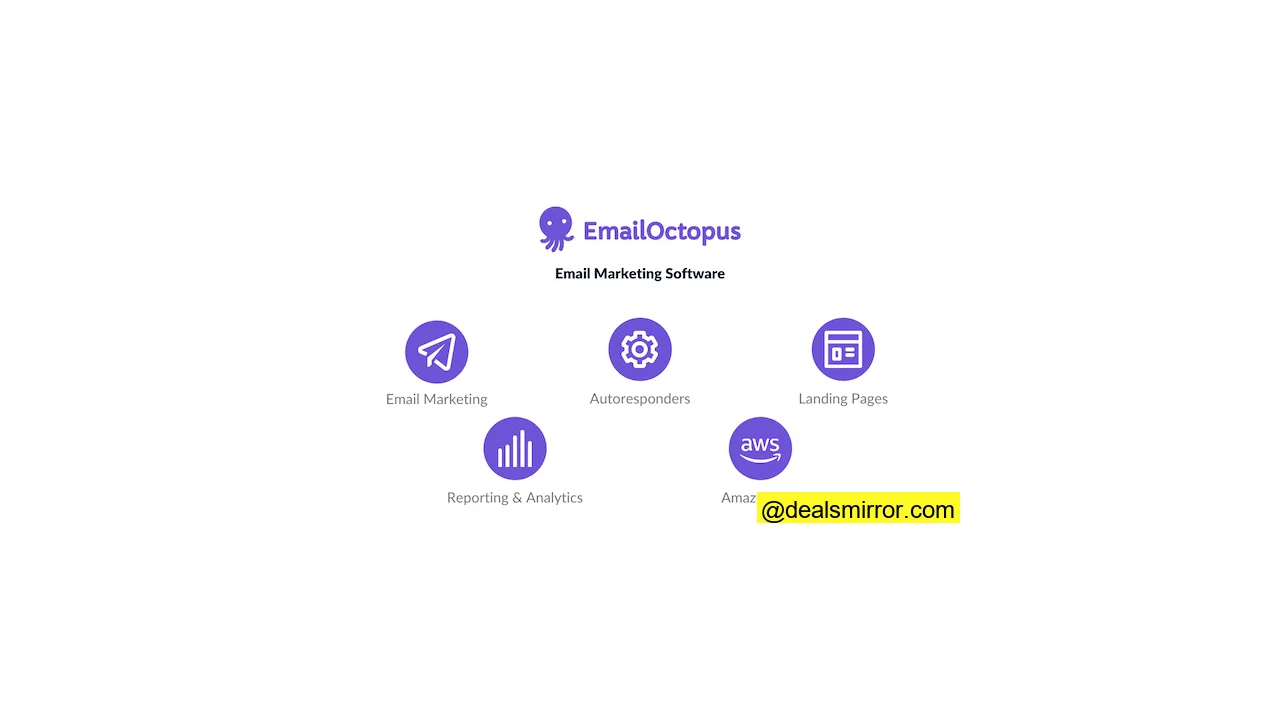
- Drag-and-Drop Editor: This feature simplifies email creation with a fresh, user-friendly interface.
- Email Templates: Users can choose from 34 modern, high-quality pre-built templates for quick email design.
- Autoresponders: Basic automations can be set up for welcome emails and drip campaigns.
- Landing Page Builder: An easy-to-use drag-and-drop landing page builder includes 5 starter templates.
- EmailOctopus Connect: Offers the option to send emails via Amazon SES for significantly reduced pricing.
- Customer Support: Provides near 24/7 live chat and email support for both free and paid plans, along with a comprehensive knowledge base featuring articles and videos.
- Integrations: EmailOctopus directly integrates with 47 applications and offers support for Zapier, expanding its connectivity to thousands of other apps.
EmailOctopus Review: Sending Emails
EmailOctopus streamlines email setup, allowing users to configure email names, sender names, subject lines, preview texts, and select email lists all on a single page.
On this same page, you can conveniently choose to track clicks, opens, and enable Google Analytics tracking. Consolidating these options on one screen saves considerable time and provides a comprehensive overview of your email settings.
Once settings are finalized, the next step is to select an email template.
Email Templates in EmailOctopus
EmailOctopus provides 34 email templates. While this number might be lower compared to some other email marketing platforms, all templates are notably modern and of high quality. Unlike tools that offer hundreds of outdated templates, EmailOctopus maintains a consistent standard of design.
The templates cater to various formats and goals. For instance, format-specific emails are available for blogs, newsletters, and products, alongside goal-oriented templates for launches, engagement, and reviews. EmailOctopus aims to simplify email marketing, and these templates, while particularly relevant for artists and creators, are versatile enough for other industries.
EmailOctopus Email Editor
After selecting an email template, the next stage involves editing using EmailOctopus’s intuitive drag-and-drop editor.
The drag-and-drop editor prioritizes simplicity. It offers 8 primary elements that can be easily dragged and dropped into your email design:
- Titles
- Text
- Images
- Videos
- Buttons
- Social buttons
- Dividers
- Custom code
Editing text and title elements directly within the preview pane in EmailOctopus provides immediate visual feedback on copy and layout changes.
Personalization is quick and efficient. Accessing “Merge tags” above the editor reveals a popup with common merge tags, which can be easily copied for use.
A “customisation cheat sheet” links to a helpful article detailing merge tag formatting and, significantly, explains how to implement dynamic content in emails using conditional statements.
Here’s an example of a conditional statement:
{% if Age < 25 %}
    Content 1
{% elseif Age < 50 %}
    Content 2
{% else %}
    Content 3
{% endif %}
This code will display Content 1 to subscribers under 25, Content 2 to those under 50, and Content 3 to all other subscribers. It’s crucial to thoroughly test your email before sending if using conditional statements.
EmailOctopus does not feature built-in A/B testing. A workaround involves splitting your list and creating separate emails for each segment, which requires significant manual effort for simple A/B tests. For users who frequently conduct campaign tests, an alternative service might be more suitable.
The ‘Rows’ tab allows for selecting multi-column layouts. The ‘Settings’ tab is valuable for establishing a consistent look and feel across your emails by defining colors for text, titles, and headers, ensuring cohesive branding.
Once your content is finalized, the editor facilitates a review of all content and settings, including scheduling options. Overall, the email editor offers a smooth user experience, making the tool accessible even for those new to email marketing. It’s possible to create a first email rapidly.
EmailOctopus Autoresponders: Automating Drip Campaigns
EmailOctopus provides two fundamental automation features: the creation of welcome email campaigns and drip email sequences triggered when a subscriber joins your list. The process for setting up these automated campaigns mirrors that of regular emails, which shortens the learning curve. Users avoid the complexity often associated with advanced automation builders found in more sophisticated email marketing platforms.
Users create emails for a specific workflow list and define the timing for their delivery. Automated emails can be set to send immediately, or at specified hours or days after a subscriber signs up.
The EmailOctopus team has indicated that advanced automation workflows, which will incorporate action-based conditions for more dynamic campaigns, are planned for future development.
EmailOctopus Landing Pages & Forms
Landing Pages
Creating a landing page is straightforward: choose a subscriber list and begin building your page. Currently, EmailOctopus offers 5 landing page templates.
These templates, while simple in design, provide an excellent foundation for constructing a landing page.
The drag-and-drop editor allows for the addition of titles, images, videos, dividers, social buttons, and more. Within the settings tab, you can customize your URL.
When a visitor subscribes via your landing page, you have the option to display a thank-you message or redirect them to a different page on your website.
Another valuable landing page feature is the ‘SEO and analytics’ section in the settings tab. Here, you can define how your landing page appears in search results and social media. Adding a Google Analytics tracking code or Facebook Pixel ID allows for tracking visitor interactions.
Opt-in Forms
EmailOctopus facilitates the creation of both in-line forms and popups, offering 5 templates for each type. Form creation is notably easier compared to some other email marketing platforms, as it utilizes the same intuitive drag-and-drop editor.
Simply drag and drop the required elements, such as text, titles, images, dividers, and social icons, into the editor to build your forms.
In the Settings tab of the pop-up editor, you’ll find display options. These allow you to control when your form appears based on visitor behavior, including time spent on page, scroll depth, exit intent, and link clicks.
EmailOctopus List Management
EmailOctopus provides valuable features for organizing your contacts. You can add up to 20 data fields for each contact, a process that is quite straightforward. Simply navigate to your lists and select “add fields” to customize your data points.
For European companies or those with customers in Europe, EmailOctopus is GDPR compliant. Enabling double opt-in is also easy: go to your lists, select “Double opt-in settings,” and activate it. A confirmation email can be designed within seconds directly in the settings tab.
Creating and managing segments is also simple, allowing segmentation based on email activity or custom data fields.
Precise segments can be created by utilizing filter groups. A filter group can be set to match all, any, or none of its internal filters. Conditions such as ‘belongs to’ or ‘doesn’t belong to’ can be applied to fields like names, emails, and sources. These robust segmentation options enable the delivery of highly targeted email marketing campaigns.
Reporting and Analytics
This straightforward email marketing tool includes useful reporting features. Users gain access to real-time email campaign reports that display a line graph illustrating subscriber activity.
For each email, you can monitor opens, clicks, bounces, and unsubscribes. Further details can be explored by examining how individual subscribers interact with your emails, providing a historical overview of their activity. These insights are valuable for creating segments and refining content.
Integrations: Connect EmailOctopus to Your Favorite Tools
An email marketing platform’s effectiveness is often measured by its ability to connect and share data with other applications. EmailOctopus excels in making integrations both easy and accessible. The tool offers direct integrations with 47 applications, including Poptin, Carrd, OptinMonster, Payhip, and Ninja Forms.
Additionally, EmailOctopus integrates with Zapier, Make, and Integrately, opening connectivity to over 4,000 other applications, such as Leadpages, Airtable, and Webflow.
To add an integration, users can navigate to their account and select ‘Integrations and API’ from the drop-down menu. Native integrations are simple to configure, with most setups taking approximately 5-10 minutes without requiring any coding.
EmailOctopus Connect: Sending Emails via Your Own Amazon SES
EmailOctopus offers an option to link with your personal Amazon SES account, which substantially reduces prices, especially for higher-tier plans. This integration further enhances EmailOctopus’s already competitive pricing by passing on the cost savings from using Amazon SES.
A significant benefit is that Amazon does not charge for the first 62,000 emails sent per month. Beyond this threshold, the cost is only $0.10 for every additional 1,000 emails.
For users with some technical expertise or access to technical assistance, this represents a highly cost-effective solution.
EmailOctopus Customer Support
Customers can contact EmailOctopus’ customer support via chat or email. The EmailOctopus team confirms their support is available near 24/7. An ‘instant answers’ section helps users find solutions to frequently asked questions. Their comprehensive knowledge base covers the entire software and includes helpful video tutorials.
Positive reviews on Capterra (4.6 rating) and G2 (4.1 rating) highlight users’ satisfaction with the platform’s ease of use, simple interface, and responsive support.
EmailOctopus Pricing and Plans
EmailOctopus stands out for offering some of the most competitive pricing among email marketing software providers. The Free plan is particularly generous, allowing up to 2,500 contacts and 10,000 emails per month, though emails and landing pages on this plan will feature an EmailOctopus logo.
The Pro plan begins at $24 per month, accommodating 5,000 contacts and 50,000 emails. Pricing scales with subscriber count, with the email limit consistently set at 10 times the subscriber count.
For EmailOctopus Connect users, it’s important to factor in the cost of Amazon SES. Amazon does not charge for the initial 62,000 emails sent in a month, and subsequent emails are billed at a low rate of $0.10 per 1,000.
| Number of subscribers | EmailOctopus | EmailOctopus Connect |
| 2500 | Free | Free |
| 5000 | $24 | $20 |
| 10000 | $36 | $26 |
| 25000 | $70 | $44 |
| 50000 | $130 | $74 |
| 100000 | $250 | $134 |
| 250000 | $550 | $254 |
Compared to other platforms, EmailOctopus offers highly competitive pricing. They even feature a comparison tool on their website, allowing users to input subscriber counts and campaign frequencies to see how their pricing stacks up against alternatives like ActiveCampaign, MailerLite, AWeber, GetResponse, Constant Contact, and Kit.
EmailOctopus Pros and Cons
What’s Great About EmailOctopus
- One of the simplest-to-use email marketing platforms available.
- Offers high-quality and modern email templates.
- Provides an excellent and generous Free plan.
- Features easy and intuitive list management.
- Includes near 24/7 customer support on both free and paid plans.
Areas for Improvement
- Automation features are currently limited, though advanced automation is reportedly underway.
- Could benefit from a wider selection of email and landing page templates.
- Lacks a built-in A/B testing option, requiring manual workarounds for tests.
EmailOctopus Review Wrap-up: Is It the Right Newsletter Service for You?
EmailOctopus is an excellent choice for individuals or small businesses seeking their first email marketing platform, or for creative professionals who prefer to focus more on content creation and less on the technical intricacies of email marketing. Here’s how this tool scores:
- Ease of Use: 4.5 / 5
- Value for Money: 5 / 5
- Email editor and templates: 4 / 5
- Functionalities: 3.5 / 5
- Email Autoresponders: 3.5 / 5
- Customer service: 4 / 5
Total score: 4.1 / 5
EmailOctopus earns a total score of 4.1, primarily due to its remarkable ease of use, competitive pricing, modern email templates, and reliable customer support.
Frequently Asked Questions (FAQ)
How does EmailOctopus work?
EmailOctopus is user-friendly, featuring a minimalist dashboard and easy access to email templates. After selecting a template, content is edited using the drag-and-drop builder. Emails can then be scheduled for delivery at any desired time. EmailOctopus also supports the creation of landing pages and forms.
Is EmailOctopus good?
It offers excellent value for money with its Free plan, modern email templates, and strong customer service.
Does EmailOctopus accept marketing affiliate links?
Does EmailOctopus accept cryptocurrency businesses?
Does EmailOctopus have training materials?
EmailOctopus Alternatives
This EmailOctopus review also includes a comparison with some key competitors. If you’re looking for alternative email marketing software or wish to see how EmailOctopus stacks up, consider these options:
GetResponse
GetResponse, like EmailOctopus, offers a free plan, though it covers only 500 contacts compared to EmailOctopus’s more generous allowance. GetResponse distinguishes itself with advanced automated campaigns, extending beyond drip and welcome emails to include features like birthday emails, split automation, contact tagging, and scoring. GetResponse also integrates a website builder into its suite.
However, GetResponse is generally more expensive than EmailOctopus. While EmailOctopus’s paid plans start at $24, GetResponse’s Plus plan begins at $36 per month. The choice ultimately depends on the breadth of features you require.
MailerLite
MailerLite is an email marketing platform that provides a free plan for up to 500 contacts. Unlike EmailOctopus, MailerLite offers built-in A/B testing for email marketing campaigns. They also provide dedicated templates for eCommerce and a more comprehensive package of features.
MailerLite’s pricing scales with list size, starting from $17 for 2,500 contacts and going up significantly for larger lists. If you need an all-around email marketing platform with robust automation and eCommerce features that remains more affordable than many industry giants, MailerLite is a strong contender. However, for simple email marketing campaigns and a more budget-friendly option, EmailOctopus is the preferable and cheaper choice.
Brevo
Brevo (formerly Sendinblue) is a powerful email marketing platform. It boasts a much larger selection of email campaign templates compared to EmailOctopus, though some templates may vary in quality. While building landing pages, pop-up forms, web forms, and automated campaigns is relatively easy, it may not be as straightforward as with EmailOctopus. Brevo extends its offerings to include SMS marketing and Facebook Ads support, which can result in higher costs than EmailOctopus.
Brevo offers a free plan supporting 300 emails per day. Paid plans start at $9/month for the Starter plan or $18/month for the Business plan, with pricing increasing based on monthly email volume.
If an all-in-one marketing platform with diverse features is your priority, Brevo is a good option. However, for the most user-friendly and simple interface focused purely on email marketing, EmailOctopus remains the ideal choice.