
Email marketing, CRM, and automation go hand-in-hand. Marketers who leverage automation to streamline tasks often see their productivity soar and ROI skyrocket.
**Email marketing with CRM** offers numerous advantages, but having the right CRM platform is crucial.
That’s why today, we’re diving into CRM tools that come equipped with robust email marketing functionality.
There are countless CRM platforms featuring built-in email marketing. Sifting through all of them can lead to information overload. To simplify your search, we’ve compiled a list of the best tools. But before we explore the list, let’s briefly define email automation and CRM email marketing.
What is Email Automation?
**Email automation** refers to the sending of timed or action-triggered emails. Whether your email campaign’s goal is to inform leads, post blog updates, or send personalized birthday messages, email automation ensures your campaign is relevant and efficient.
It’s important to note that email automation differs from manual email blasts or broadcasts. **An automated email is triggered by a specific subscriber action.** Email automation helps you stay connected with your recipients and boost engagement by responding promptly.
Examples of email automation include welcome emails or abandoned shopping cart reminders. Email automation frees up repetitive tasks from your to-do list. The beauty of email automation is that once set up, it requires minimal effort to keep running.
**6 Statistics Demonstrating the Effectiveness of Email Automation:**
* Automated emails boast 70.5% higher open rates than standard emails.
* Companies using email automation software are twice as effective in lead generation compared to those relying solely on email blast software.
* Automated outreach and follow-up emails can increase reply rates by 250%.
* Lead nurturing with automated emails boosts revenue by 10% or more.
* Personalized automated emails have a 46% higher open rate compared to traditional marketing messages.
* 55% of e-commerce marketers utilize email marketing automation software. (Emailmonday)
Email automation is undeniably effective, but how does CRM fit into this picture?
What is CRM Email Marketing?
Customer Relationship Management (CRM) is a strategy for managing a company’s interactions with leads and customers. It uses CRM software to organize, automate, and synchronize sales and marketing processes.
With CRM email marketing, you combine customer relationship management software with email marketing. This enhances personalization and direct communication with both current and prospective customers. **CRM email marketing focuses on the individual receiving the email, not a general audience.**
CRM email marketing allows you to personalize every message, understand customer buying behavior, and even anticipate their next purchases. Pretty cool, right?
What is the Best Email Marketing Service with CRM?
Here is our curated list of the best CRMs with integrated email marketing:
1. Brevo – *Most affordable email software with CRM*
2. ActiveCampaign – *Best CRM for marketing automation for small businesses*
3. Benchmark Email – *Simplest email marketing tool with built-in CRM*
4. Keap – *Best email CRM for advanced automation*
5. Engagebay – *Best email CRM for tracking and analytics*
6. HubSpot – *Best CRM software with a complete app platform*
7. Freshworks – *Best CRM for managing the buyer’s journey*
8. Pipedrive – *Best user-friendly CRM with email marketing*
9. Zoho CRM – *Best CRM for SMBs*
The 9 Best Email Marketing Software with Built-in CRM
1. Brevo
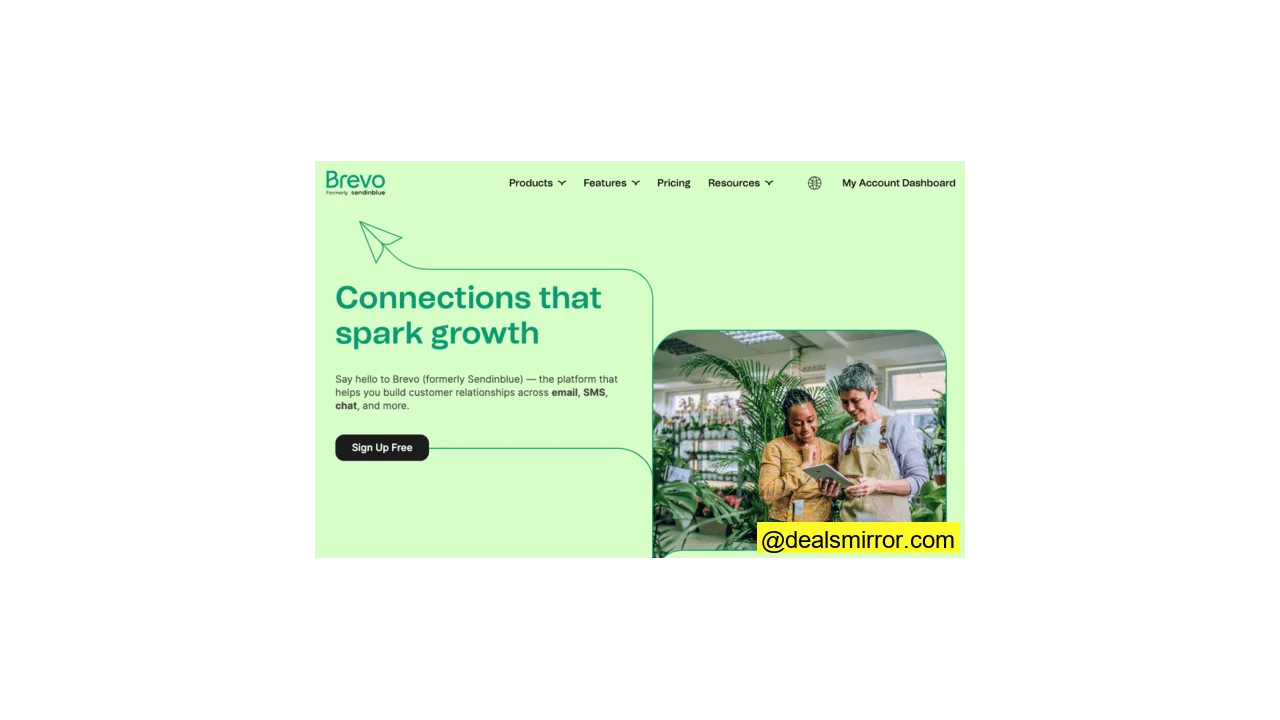
With Brevo, you can build and nurture relationships using email campaigns, transactional emails, and advanced email automation.
The software comes with email automation to personalize workflows, accurately manage your contact list, and send emails based on page visits.
Brevo allows you to automatically resend campaigns to contacts who didn’t open them the first time. It also offers advanced email marketing features, such as send-time optimization, which uses an algorithm to determine the best sending moment. This is useful for increasing your email open rates.
Brevo also includes over 40 email templates and 8 automation blueprints to optimize your workflow. Furthermore, you can easily connect Brevo with CMS platforms, eCommerce tools, and other business apps.
**Brevo Pricing**
The free plan is generous, offering 300 emails per day and unlimited contacts. Pricing starts at $25/month for 20,000 emails, A/B tests, and advanced statistics.
2. ActiveCampaign
ActiveCampaign is an all-in-one marketing automation platform with a built-in CRM. It helps automate email marketing campaigns, contact management, and optimize your after-sales processes. The ActiveCampaign platform is used by over 150,000 businesses worldwide.
What sets ActiveCampaign apart from its competitors is its combination of intelligent features. Email and messaging are linked to the CRM, a centralized database.
The platform also tracks activities across multiple touchpoints by monitoring various marketing channels. This enables you to create multichannel marketing workflows and automate follow-ups.
ActiveCampaign integrates with over 870 apps, ranging from analytics and ecommerce to accounting apps, including Salesforce, WordPress, Shopify, Jotform, Pipedrive, and many more.
In ActiveCampaign, you can personalize email content for each contact using conditional content. For example, depending on the pages a contact views on your website, you can display different images or text blocks.
If you’re running a sales promotion, conditional content allows you to show only products your customer has interacted with in the past.
The biggest issue most users face with marketing automation platforms is the visual campaign builder. Some tools lack a visual builder, and in some cases, they are overly complex. ActiveCampaign doesn’t have this problem. Its drag-and-drop flowchart tool for creating automation workflows is intuitive and easy to learn.
ActiveCampaign also features a split-test function to test subject lines and content, helping you determine what works best.
**ActiveCampaign Pricing**
They offer a 14-day free trial. ActiveCampaign has 4 different plans to help your business grow. The Pro plan starts from $79/month for 1000 contacts, 3 users, email marketing, CRM, site tracking, and reports.
3. Benchmark Email
Benchmark Email is a straightforward email marketing platform with a lightweight CRM. It offers a drag-and-drop email editor, email templates, forms, landing pages, and automation tools. The main advantage of Benchmark Email is its ease of use and excellent customer service.
You can integrate Benchmark Email with over 1500 business tools like LiveChat, Stripo, Shopify, and WooCommerce. Its WordPress plugin allows you to easily add forms to your site without copying and pasting code.
Benchmark Email uses triggers to send automated email series. For example, when a customer signs up for your email list, a welcome email is automatically sent. The app also offers various templates to convert subscribers into customers.
The tool also features a lightweight CRM system with contact profiles, including data on email engagement.
Other key features include A/B testing, contact list management, real-time reports, polls, surveys, and social media integration.
**Benchmark Email Pricing**
The free plan includes 500 contacts and 3500 emails per month, allowing you to design emails, create signup forms, and track performance. Prices start at $9.99/month for 500 contacts and 3500 emails for the Lite plan, which offers email scheduling, landing pages, and unlimited asset storage.
4. Keap (Infusionsoft)
Keap is an all-in-one CRM platform with strong automation capabilities. You can use it for SMS, email, landing pages, and payments. Keap has been around for over 20 years and serves more than 200,000 customers. The tool is particularly popular for its ease in keeping customer data organized.
Capture and convert leads by designing funnels, creating segments, and automating marketing campaigns. Keap is also effective for bottom-of-the-funnel activities. Choose Keap to create follow-ups and get paid faster. The best part about Keap is that you can consolidate all your customer data into one dashboard.
Keap’s sales and marketing automation comes with a robust set of features. This saves you time and automates routine tasks. Send reminders, create drip email campaigns, and automate your post-purchase follow-ups.
The great thing is that you can personalize all these messages using segmentation and automation conditions.
Keap also provides a reporting and analytics dashboard. You’ll find various reports for sales, marketing, contact management, and revenue. You can visualize these datasets to gain valuable insights and closely monitor your activities.
**Keap Pricing**
You can start with a 14-day free trial to test the system. All paid plans include 24/7 support, unlimited emails, and access to 1:1 coaching. The price increases as your contact list grows.
5. Engagebay
Engagebay is an all-in-one software platform offering 4 core applications: CRM, marketing automation, helpdesk software, and live chat software. You can opt for the complete suite or choose only the features you need. For this review, we’ll focus on CRM and marketing automation.
Engagebay launched in 2018 and has over 12,000 customers. By combining multiple features into one, it eliminates the need for various software packages for marketing, sales, and support. It has a short learning curve, and migration from other tools is smooth.
Engagebay offers a free CRM with features like workflow automation, targeted marketing, email templates, pipeline visualization, and automated data entry. The paid plan unlocks more capabilities such as multi-currency support, sales automation, contact management, and custom reports. It’s very easy to collect, organize, and respond to contact data.
With their marketing automation tool, you can automate tasks, emails, workflows, lead generation, and lead nurturing. Automation workflows are easy to design with the drag-and-drop builder. Simply select and move elements in the builder to quickly set up powerful workflows. Engagebay also features predictive lead scoring and smart customer segmentation.
**Engagebay Pricing**
Engagebay has a free plan with 500 contacts and 1000 emails. Pricing starts at $11.99 per month for 1000 contacts and 3000 emails. All plans include email and chat support.
6. HubSpot
HubSpot is an all-in-one CRM platform that combines marketing automation, CMS, and sales. It largely eliminates the need for third-party software. However, it can become quite pricey as your email list and needs grow. At that point, many users look for HubSpot alternatives. Keep this in mind when making your choice.
With HubSpot’s marketing automation, it’s easy to create integrated workflows. It offers email drip campaign automation to guide prospects through the marketing and sales funnel.
The great thing about HubSpot is its ability to automate a wide range of tasks. Use the available workflow templates to easily manage bulk data, send emails, create tasks, score leads, and much more.
HubSpot also provides in-depth analytics to help you with detailed reports on each of your marketing channels and customer segments.
**HubSpot Pricing**
The free HubSpot plan allows you to store 1,000,000 contacts and send 2000 emails per month. Pricing starts at $50/month for 1000 contacts with marketing, CRM, CMS, service, and operational tools.
7. Freshworks
Freshworks is cloud-based software designed for multiple business functions. Their CRM platform is called Freshsales. Freshworks started in 2010 and now serves over 50,000 customers worldwide.
Freshsales is a sales team automation platform tailored for mid-sized companies. Its key value propositions are ease of use and competitive pricing.
The CRM can be customized to your business and your customers’ buyer’s journey. Set up custom journeys and build email automations for automated lead nurturing. Freshsales is a great choice for international sales teams as it supports 10 languages and over 150 currencies.
Automation features include workflows, sales campaigns, task management, and automatic assignment rules. This ensures your leads automatically reach the right salesperson, you receive reminders for tasks and appointments, and you close deals faster.
**Freshsales Pricing**
Freshsales is free for 100 contacts. Pricing starts at $15 per month for 750 emails per day.
8. Pipedrive
Pipedrive is a user-friendly, powerful CRM tool specifically for sales. It helps businesses plan their sales campaigns, build customer relationships with email marketing, monitor sales performance, forecast sales, and generate reports. Automate common tasks with workflows to reduce manual effort.
Campaigns by Pipedrive is their email marketing software. It’s as simple and intuitive as their CRM. Create templates with the drag-and-drop editor and send campaigns with ease. Over 40 professionally designed templates are available. Campaigns by Pipedrive also offers segmentation and analytics and integrates seamlessly with the CRM.
They boast over 250 integrations for landing page builders, marketing platforms, email marketing tools, scheduling apps, and lead generation software. The user-friendly interface makes it easy to get started. They recently won an award for top CRM for small businesses, bravo!
The app is available in 19 languages. Mobile apps are available on iOS and Android for salespeople on the go. The app features caller ID, call tracking, search functionality, and an organizing tool.
**Pipedrive Pricing:**
New users can try the app for free for 14 days to test all features. The Starter plan costs $14/month for 3000 active deals, customizable pipelines, 30 custom fields, 5 reports, and contact management. Campaigns by Pipedrive is an add-on feature that costs $16 per month for 1000 contacts.
9. Zoho CRM
Zoho CRM is an email marketing CRM designed for SMBs. It excels in lead management, workflow automation, and marketing automation. Zoho serves 250,000 customers in 180 countries and supports 28 languages.
With Zoho’s sales automation features, it’s easy to track and score deals. Start at the top of the funnel and use Zoho to attract leads. Then, set up automation to send lead-nurturing emails and track lead engagement with analytics. Deal management features allow you to monitor which stage of the buyer’s journey customers are in and enable your sales reps to follow up.
Zoho also offers useful features like customer segmentation to target customers with precise and targeted campaigns. A major plus is its Google Ads integration, which lets you compare sales across your campaigns to see what works and what needs improvement.
**Zoho CRM Pricing**
Zoho CRM offers a free plan and 15-day free trials for paid plans. Prices start at €14/month for 100 emails per user.
9 Key Factors When Choosing a CRM Email Marketing Platform
Thorough research is essential before selecting a CRM with email marketing. When choosing email automation software, consider these crucial factors:
1. Email Marketing Features
These are basic functionalities that every email marketing tool needs. Here’s a list of features to look for in a CRM tool for email marketing:
* Drag-and-drop email builder, mobile-responsive
* Advanced list management
* Customer service via chat or email
* Segmentation and personalization
* CAN-SPAM / GDPR-compliant web forms
* Easy integrations with other tools
* A/B testing
If your focus is primarily on email marketing features, consider tools like Brevo or ActiveCampaign. These specialized tools offer the most customizable email templates, the simplest workflows, and excellent builders for email automation.
2. Cost of the Tool
When you start with email automation, most tools appear affordable, especially with only a handful of subscribers. However, when choosing an email marketing tool, think long-term and consider the price as your email lists grow.
Some tools offer a deceptively cheap marketing automation platform when you start, only to exponentially increase the price when you need to upgrade. You don’t want to invest in a tool that eats into your profits as you scale!
If cost is a major consideration for you, I recommend using a tool like Brevo. It’s not only one of the most affordable on the list but also offers a free plan with unlimited contacts and up to 300 emails per day.
3. CRM and Email Automation Features
CRM platforms and email automation go hand in hand. Deliver value to your customers and foster long-lasting customer relationships. With CRM and email marketing, you can personalize content for each contact, understand their names, needs, and situations, and easily anticipate their interests.
If you’re looking for software with the strongest CRM and email automation tools, you’ll be pleased with HubSpot. HubSpot offers a complete suite of CRM tools that ensure you don’t have to rely on other software. Combine this with marketing automation features like drip campaigns, custom workflows, and smart segmentation, and you can’t go wrong with HubSpot.
4. Ease of Use
It’s important that the email automation tool you choose is user-friendly. An intuitive CRM with email marketing shouldn’t take you more than 2-3 hours to master. If a tool has too steep a learning curve or requires you to hire a consultant to use it, it’s likely not the best CRM software for you.
All marketing tools advertise a user-friendly interface, great email editors, and fantastic visual automation builders. The reality is that some tools lag far behind, while others offer features miles ahead. Look beyond their self-proclaimed USPs!
If you’re looking for software with a low learning curve, I recommend trying Benchmark Email. They have a simple, no-frills interface. You’re guided through campaign creation, and the next step is always clear. If that’s not enough, you’ll even find videos on your dashboard to help you out. If it still doesn’t work, Benchmark Email also offers phone support. You call an account manager, and you’ll be helped in no time.
5. Email Tracking and Analytics
To ensure you’re on the right track, you need to constantly analyze your marketing campaigns. How do you know what to optimize without the right data? Most marketing tools fall short when it comes to in-depth analytics and reporting.
Before choosing a tool, verify if it offers all the metrics you need. And don’t forget how the data is presented. Are the reports easy to understand?
If you want detailed reports that are actionable and easy to grasp, go for Engagebay. Their reports are highly customizable, with visual components and simple filters. All these features make it the best email marketing CRM for tracking and analysis.
6. Deliverability
It’s essential that your marketing automation tool delivers your messages to the inbox, not the spam folder. Without good email deliverability, your sales emails, no matter how well-crafted, would end up unseen in spam.
7. Integrations with Other Tools
CRM email marketing tools are often used in conjunction with other platforms. There isn’t one tool for everything you need. To avoid the stress of manual copying between different tools, you want an email marketing tool that easily integrates with your other business apps.
Easily connect CMS platforms, e-commerce platforms, and other business apps like Drupal, WordPress, WooCommerce, Shopify, and many more.
Note the difference between native integrations and connections with Zapier. Native integrations are easier to set up, go deeper, and usually don’t cost extra. Connections with Zapier are more difficult to set up and are often more expensive.
Consider HubSpot if you want to easily connect with the rest of your martech stack. The HubSpot App Marketplace boasts over 1000 integrations to connect directly with a thousand other apps.
8. Security & Compliance
Chances are you’re collecting sensitive customer data from your subscribers. It’s essential that companies have top-tier security protocols to protect you and your subscribers from hackers and scammers.
Your email marketing and marketing automation tool should also comply with compliance standards like GDPR, HIPAA, and ISO.
9. Customer Service
If your marketing system meets all the above factors, that’s a huge step in the right direction. But when you need help, you need a tool that offers efficient customer service with fast response times.
If customer service is a key factor in choosing a CRM, consider Keap. You get 24/7 unlimited support and a migration expert to help you transfer all your data. To get you started, they also offer 1:1 coaching. If that’s not enough, you get access to a coach who helps you build your funnels and pipelines.
5 Reasons Why You Need a CRM with Email Marketing
This list is compiled for you to convince your boss to invest in a CRM tool with email marketing.
1. Email is an Integral Part of Lead Nurturing
Email marketing is one of the most effective ways for lead nurturing. Emails are targeted and highly suitable for building a strong relationship with your subscribers. If you want to deliver the right emails at the right time, drip campaigns are the way to go.
Email automation takes the stress out of the lead generation and nurturing process. It works best when messages are tailored to the stages of the buyer’s journey.
Automation ensures your leads receive relevant information, making your lead nurturing more effective.
2. Tailored Personalization, with a Twist
Email automation works well because you can personalize messages to custom specifications.
It’s almost impossible to manually send emails to thousands of contacts with personalized articles and product recommendations. But with email marketing automation, it’s very easy. Create custom fields and tags and send dynamic content. Or simply use old-fashioned personalization like [first name] or [company name] that are loaded before the email is sent.
Personalized emails lead to higher open rates. Research shows that personalizing the subject line increases open rates by 22%.
3. Increases Efficiency and Planning
CRM tools for email marketing boost the efficiency of sales and marketing teams. Scheduling emails is essential if you have customers in different time zones. If you want to reach your subscribers at the right time and maximize your ROI, you need to be at the top of their inbox.
Beyond time zone issues, it’s important to send your emails at the optimal time. Messages sent at an unfavorable time might be ignored, so to be more effective, you’ll need to send emails when recipients are most likely to open and read them.
Some automation platforms can even advise you on the best time to send emails, the ideal sending frequency, and the best type of content, based on the buyer persona.
4. Save Costs and Increase ROI
With a CRM tool for email marketing, you don’t need huge sales and marketing teams to run successful campaigns. By automating email sending, segmentation, and task assignment, you free up time.
Instead of a 30-person marketing team, an automation tool operated by 5 people can get the job done in less time. An automated process saves you a lot of money you would spend on labor, thereby increasing the ROI of your email marketing.
5. Improved Analytics and Reporting
A CRM with email marketing offers reporting tools to comprehensively analyze your email campaigns. Without these analytics, you’re left in the dark when looking for ways to improve your results.
Compared to simple email marketing tools, automation platforms often delve deeper into data, tracking goals, custom events, and conversion reports. These provide a better understanding of your entire email marketing program.
In Summary: CRM with Email Marketing
This review aims to support you and shorten your research process in the search for your first marketing automation, CRM, and email marketing tool.
FAQs
What is CRM in email?
With CRM in email, you use CRM tools together with email marketing. This increases personalization and improves direct communication with customers and potential customers. CRM email marketing focuses on the individual receiving the email, not a general audience.
Which CRM is best for email marketing?
1. Brevo – most affordable email software with CRM
2. ActiveCampaign – best CRM for marketing automation for small businesses
3. Benchmark Email – simplest email marketing tool to get started with
4. Keap – best CRM for customer service
5. Engagebay – best for tracking and analytics
6. HubSpot – best overall email software with CRM
7. Freshworks – best CRM for managing the buyer’s journey
8. Pipedrive – best user-friendly CRM with email marketing
9. Zoho CRM – best CRM for SMBs
What is a CRM in marketing?
Can a CRM send emails?
What are examples of CRM?
– Collaborative CRMs like SugarCRM
– Analytical CRMs like ActiveCampaign
– Operational CRMs like HubSpot or Salesforce
– Strategic CRMs like Pipedrive
Is Mailchimp a CRM?
If you’re looking for email marketing with basic contact management, then Mailchimp can be considered CRM-like. However, there are many alternatives to Mailchimp that better fit the description of a comprehensive CRM.