

Every company needs a website, whether built by professional web designers and developers or created by individuals using HTML editors. With countless options available for all skill levels, choosing the right tool is essential.
This article will explore what an HTML editor is, when to use one, and compare features and pricing across various top editors. This guide aims to help you select the best HTML editor to suit your specific development needs.
What is an HTML Editor?
An HTML editor is software designed to create and/or modify HTML, CSS, and JavaScript code. These tools often include features for syntax checking and code translation, providing a significantly faster and more efficient way to write and edit code compared to a basic text editor.
What is an HTML Email Editor?
Email HTML differs from standard web HTML due to specific rendering requirements across various email clients. To code visually appealing HTML emails effectively, understanding these distinctions is crucial.
Alternatively, you can explore specialized HTML email editors that offer drag-and-drop functionality, allowing you to design and customize all elements without needing to write code. Some advanced email builders also offer options to export your finished HTML email code.
When Should You Use an HTML Editor?
An HTML editor is beneficial anytime you need to write or edit HTML or CSS code, regardless of your experience level. Developers frequently use them to build web pages from scratch. These editors make it much easier to write clean code and prevent common mistakes by highlighting errors in real-time, thereby streamlining the development process for both beginners and advanced coders.
WYSIWYG Editors vs. HTML Text Editors
The two primary categories of HTML editors are WYSIWYG editors and HTML text editors:
WYSIWYG, an acronym for “What You See Is What You Get,” displays the final visual result of your user interface or document as you build it. This type of editor is ideal for beginners as it doesn’t require deep HTML knowledge.
HTML text editors are designed for editing plain text and assembling code directly. To effectively use these tools, you should have at least a basic understanding of HTML. While a significant drawback of text editors is the lack of an immediate visual preview, they offer advantages like the ability to apply changes promptly and a faster learning curve for HTML through direct coding.
The 10 Best HTML Editors
We’ve reviewed popular HTML editors to bring you the top 10 choices. Our assessment considers main features, unique differentiators, pricing, and user feedback.
1. CoffeeCup
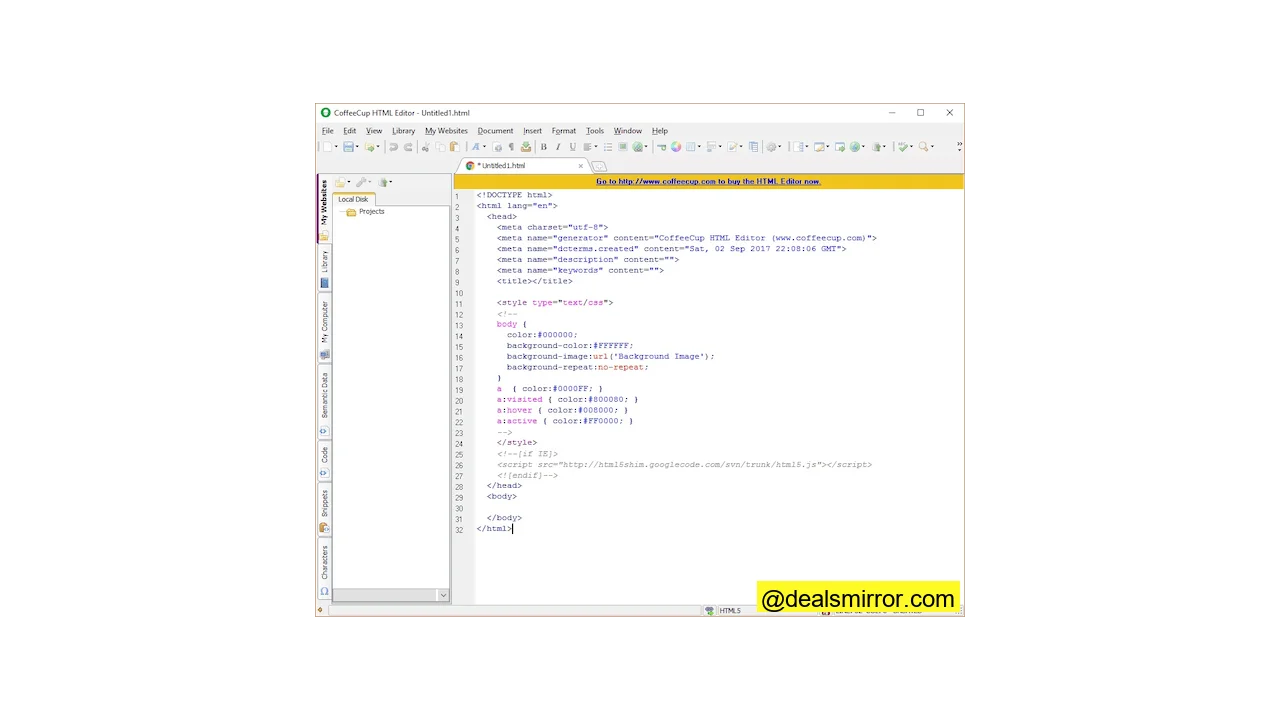
CoffeeCup is a feature-rich WYSIWYG HTML editor offering multiple ways to preview your code. It’s built for the semantic web, simplifying how search engines understand your content without extensive manual coding.
Main Features:
- Import design templates for efficient development.
- Extensive library of components for reusable elements across pages.
- Advanced preview options, including split-screen and external display.
- Integrated error identification to ensure code accuracy.
Pricing:
CoffeeCup offers a 30-day free trial to test premium features. A perpetual license is available for $29 after the trial.
User Feedback & Strengths:
Users praise CoffeeCup as a beginner-friendly solution with numerous templates, code completion tools, and powerful site management. However, some advanced features may have limited operating times, and manual coding is still required for certain aspects.
Star rating: 4/5
2. Notepad++
Notepad++ is a lightweight text editor with a straightforward user interface, exclusively available for Windows (Linux users can run it via Wine). It supports multi-document editing through a split interface and is generally recommended for more advanced developers.
Main Features:
- FTP connection for direct server file editing.
- Support for additional plugins to extend functionality.
- Easy navigation with zooming and higher-level document views.
Pricing:
Notepad++ is a free and open-source HTML code editor.
User Feedback & Strengths:
Users appreciate its small program size and fast processing speed. It supports multiple programming languages and has a portable version. However, its interface might be challenging for newcomers.
Star rating: 3.5/5
3. BlueGriffon
BlueGriffon is a user-friendly HTML editor powered by Gecko, offering essential features and cross-platform compatibility for all operating systems.
Main Features:
- Black and light themes with responsive web design capabilities.
- User interface available in 20 languages.
- Option to reopen last session tabs.
- Integrated font manager.
Pricing:
A free version is available with limited functionality. Paid licenses start at €75 for a basic license or €195 for an EPUB license (EU VAT included).
User Feedback & Strengths:
Described by the CEO of W3C as an “intuitive, modern and robust application,” users frequently highlight its extensive features and responsive design capabilities.
Star rating: 4/5
4. Visual Studio Code
Developed by Microsoft, Visual Studio Code is a powerful, multi-language editor that allows developers to easily customize colors, themes, and layouts. It’s available on Mac, Windows, and Linux.
Main Features:
- Integrated code debugging directly within the editor.
- Highly customizable user interface.
- Seamless integration with Git and other SCM providers.
- Extensions that enhance functionality without compromising performance.
Pricing:
Visual Studio Code is completely free and easy to get started with.
User Feedback & Strengths:
VS Code is celebrated for its customization options and extensive functional extensions. It supports nearly all popular coding languages, features a robust plugin manager, and serves as an excellent debugger. Users consistently praise its speed and ease of use.
Star rating: 5/5
5. Adobe Dreamweaver CC
Developed by Adobe, Dreamweaver integrates seamlessly within the Adobe suite of products. It can function as both an advanced text editor and a WYSIWYG editor.
Main Features:
- Dynamic display that adapts to any screen size and supports multiple monitors.
- Code editing with or without a visual guide.
- Extensive workspace customization options.
Pricing:
While there is no free version, a 7-day trial period is available. Subscription plans start from $20.99 per month with an annual commitment.
User Feedback & Strengths:
This editor supports both front-end and back-end development, allowing users to quickly switch between code and design views. It comes with web design tools as part of Adobe Creative Cloud, making it easy for designers to update files. Its visual editor features drag-and-drop functionality, catering to non-technical users.
Star rating: 5/5
6. UltraEdit
Trusted by over 4 million users, UltraEdit is an HTML code editor packed with features that might initially seem overwhelming for new users. It offers full customization and robust support for cloud services across multiple languages and various coding scenarios.
Main Features:
- Supports files larger than 4 GB.
- Integrated spelling checker.
- Provides scripts for automating editing tasks.
- Syntax formatting for numerous programming languages.
- Advanced file comparison utilities.
Pricing:
The cheapest version costs $79.95 per year, covering up to five installations. UltraEdit also offers a 30-day free trial.
User Feedback & Strengths:
Considered an excellent HTML editor for advanced users, UltraEdit is highly useful for system administrators, data analysts, and programmers due to its vast capabilities.
Star rating: 5/5
7. Bare Bones Edit (BBEdit)
BBEdit is another HTML editor specifically for Mac users. Its intuitive interface makes it easy to use, especially for those with basic HTML knowledge.
Main Features:
- Syntax highlighting and code autocompletion.
- User-friendly interface for making quick changes across multiple files.
- Powerful features for searching and editing text.
Pricing:
Individual licenses start from $49.99. Subscriptions are also available via the App Store for $3.99 per month or $39.99 per year. A 30-day free trial allows users to explore all editor features.
User Feedback & Strengths:
BBEdit effectively covers all basic needs for HTML coding, editing, and searching. It is trusted by software developers, writers, and web authors for its simple interface. However, users seeking more advanced options may need to consider other tools on this list.
Star rating: 5/5
8. Froala
Froala is an exceptionally fast HTML WYSIWYG editor, claiming to load within 0.04 seconds. It offers mobile apps for Android and iOS and can be embedded into custom applications as an alternative to other popular editors like TinyMCE and CKeditor.
Main Features:
- Compatible with the latest versions of HTML and CSS.
- Ability to embed the HTML editor into your own applications.
- Support for additional plugins to extend functionality.
- Multiple languages available.
Pricing:
Froala offers several subscription plans ranging from $239 to $2000 per year. A 30-day free trial with technical support is available. You can also try their free online HTML editor to test its capabilities.
User Feedback & Strengths:
This HTML code editor is highly optimized for various devices and users. Froala is recognized for being exceptionally lightweight and fast. Software companies benefit from its embeddable nature, significantly cutting development times.
Star rating: 4/5
9. Wix
Wix is a user-friendly website builder and HTML editor perfect for beginners looking to create a website. It’s an excellent choice for personal blogs or portfolios, offering a wide selection of templates.
Main Features:
- Over 500 templates and themes to choose from.
- Intuitive drag-and-drop editor for easy website creation.
- Includes free hosting services.
Pricing:
Wix offers paid packages ranging from $4.50 to $24.50 per month. You can also explore the platform with a free plan.
User Feedback & Strengths:
Wix provides free hosting and enables users to design websites without coding skills, thanks to its drag-and-drop editor. Users generally consider it good value for its comprehensive offerings.
Star rating: 4.5/5
10. Atom (Sunsetting)
Atom is a free HTML editor developed and maintained by the GitHub community. Although primarily a text editor, it offers a visual preview and is suitable for both beginners and professional developers. Atom is available for Windows, macOS, and Linux.
Main Features:
- Highly customizable interface, allowing users to choose or create themes and modify code functionality.
- Built-in error checking and auto-suggestion for faster coding and language differentiation.
- Split interfaces for efficient multi-window and file comparisons.
Pricing:
Atom is a free, open-source HTML editor.
User Feedback & Strengths:
Atom is praised as an effective HTML editor for teamwork, enabling real-time collaborative editing. It features an integrated package manager and a separate palette for frequently used commands.
Star rating: 5/5
Note: GitHub is archiving Atom with the official sunset date of December 15, 2022.
Summing Up the Best HTML Editors
Regardless of whether you’re a novice or an experienced coder, mistakes can happen. The HTML editors discussed above are designed to help you avoid errors and accelerate your coding process.
While coding may initially seem challenging, the right HTML editor can significantly ease the learning curve. For beginners, a WYSIWYG editor is often an ideal starting point. We encourage you to try a few of these editors to determine which one best suits your workflow and preferences. Once your site is ready, remember to consider adding opt-in forms for user engagement.