
Testing your email newsletters is a critical part of any successful email marketing campaign. You need to ensure your emails render perfectly, contain valid HTML, are error-free, and achieve the highest possible deliverability. This comprehensive guide outlines the best email testing tools to use before you hit send.
These essential email testing tools will help you:
- Preview your email design and layout across various clients.
- Validate your email’s HTML structure.
- Check and improve your email sender reputation.
- Significantly enhance email deliverability.
Why Email Testing Tools Are Essential
Marketing teams juggle numerous responsibilities: planning campaigns, crafting compelling content, and tracking the performance of all promotional activities, including email marketing. Beyond creative content, technical aspects like email rendering and deliverability significantly impact the success of your newsletters and automated campaigns. To maximize the impact of every email, thorough testing is just as vital as design and performance tracking.
This article introduces easy-to-master email testing tools that will save you considerable time and ensure your readers always receive the best version of your newsletters.
Key Categories of Email Testing Tools
HTML Validation & Basic Email Testing Tools
Missing a closing tag or a table cell might seem minor when writing email code, but even a small mistake can severely disrupt your subscribers’ reading experience. To ensure your emails are perfectly rendered in every inbox and error-free, utilize these tools for HTML validation and basic testing:
1. Litmus – Comprehensive Email Previews and Testing
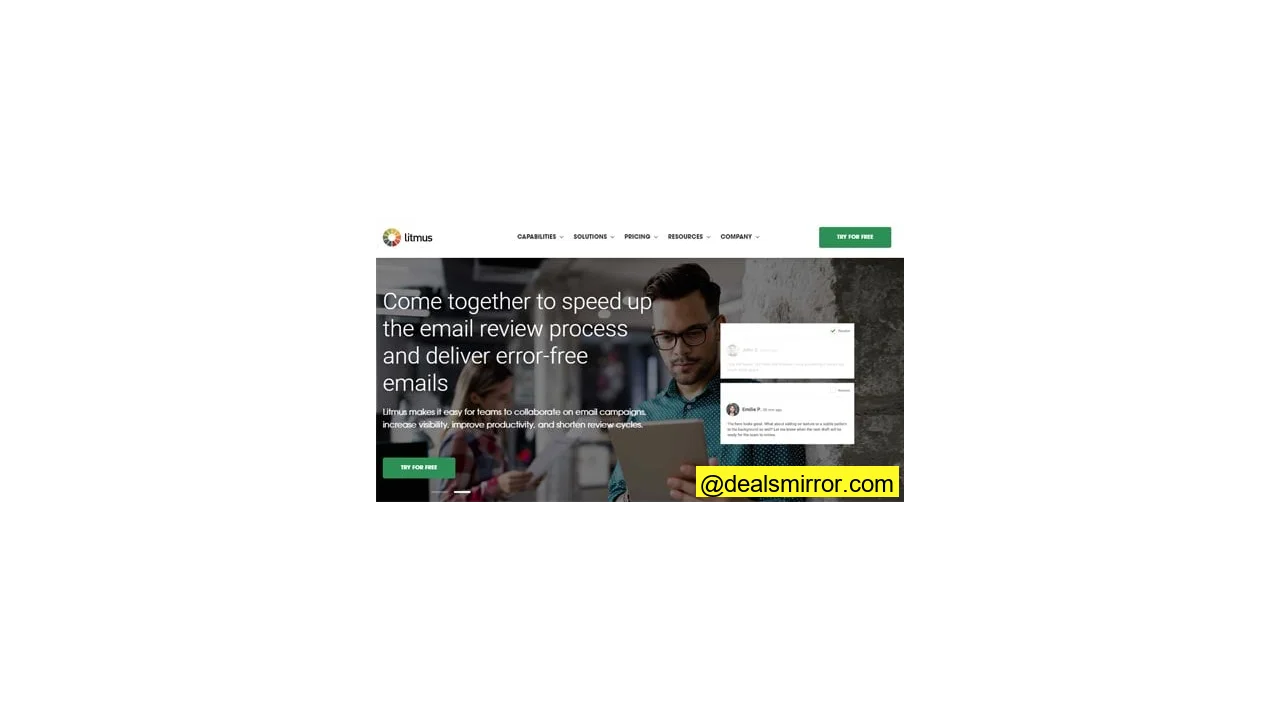
Litmus provides marketers with a wide array of testing and campaign management tools, including a campaign tracker, a built-in email editor, and many other convenient features. It’s most renowned for its email testing preview capabilities, covering over 90 email clients, browser clients, and screen dimensions.
Main features:
- Email testing before send
- Collaboration options for teams
- Campaign monitoring
- Comprehensive campaign checklist
Pricing: A monthly subscription costs $99 after a free trial.
2. Mailtrap – HTML Validation and Spam Tester
Mailtrap is an email delivery platform featuring an email sandbox that functions as a fake SMTP server. It emulates sending and gathering emails during development stages, scanning the entire email to ensure there are no missing or redundant tags, effectively checking the HTML email campaign.
Beyond HTML validation, developers and marketers frequently use Mailtrap as an email spam tester. The Mailtrap system mimics real email inboxes, allowing users to view how emails are rendered in specific virtual inboxes managed by the platform.
Main email testing features:
- Shared virtual inboxes
- Checks for spam and HTML validity
Pricing: A free version supports individual accounts. Professional Mailtrap subscription plans start at $9.99.
3. Accessible Email – Email Accessibility Evaluation
Accessible Email is a free accessibility evaluation tool specifically designed for email. It’s primarily used by email marketing professionals and industry developers, providing an overview of current email accessibility levels and suggesting possible improvements.
- Validates the HTML of your email.
- Checks for accessibility features.
- Offers advice for improvement and best practices.
Pricing: 100% Free
4. Putsmail – Quick Email Test Sends
Created by the developers of Litmus, Putsmail is a tool dedicated to HTML validation and quick test sends. It enables marketing teams to send multiple emails to team members or different mailboxes for testing. Since it doesn’t use virtual inboxes, you’ll still need to check each inbox or coordinate with colleagues individually. It features a straightforward email-sending interface.
Main features:
- Sends test emails to multiple teammates at once.
- Available as a Google Chrome extension.
- Includes a CSS inliner and testing history.
Pricing: The platform is free.
Email Client Preview & Send Testing Tools
Email marketers must remember that different devices, screen dimensions, and email clients can alter your design, making it look different from what you envisioned. To ensure your email is equally appealing regardless of the device or email client it’s opened on, conduct email preview testing using these tools.
1. Email on Acid – Comprehensive Validation and Preview Tool
Email on Acid is a full-featured email testing tool that gives marketing teams confidence in how their message is displayed across various browsers and email clients. The platform offers a complete set of features, covering HTML validation and previews on over 90 clients and devices, including common email browser clients, ISPs (like Gmail), and operating systems.
Email on Acid’s email preview feature is particularly efficient for self-coded HTML and custom designs.
Main features:
- Unlimited email previews.
- Email analytics dashboard.
- Pre-check email campaigns.
- Spell-check & email process checklist.
- Validates in-message URLs.
Pricing: A free trial offers unlimited access to explore the platform. After the trial, marketing teams pay $73.00/month.
2. Stripo – Email Template Builder with Testing
Stripo is primarily known as an email template builder and editor. However, it also allows you to preview emails on more than 70 different platforms (powered by Email on Acid). Every paid plan includes a number of free email tests, letting you check how custom fonts, buttons, and images will appear to your customers.
Main features:
- Email editor with responsive email newsletter templates.
- Plugin for various applications.
Price: It is free to try out the editor. The paid plan costs $20 per month.
3. Preview My Email – Simple Preview and Spam Testing
This email testing tool offers an interesting alternative for inbox previews. Like other preview tools, Preview My Email allows you to check email designs on various apps and platforms, but also to examine your messages more thoroughly. You can use it with copy-pasted email content, integrate it with an API, upload email HTML code, and preview messages in a virtual inbox. It is less sophisticated than tools like Litmus and Email on Acid.
Main features:
- Simple email editor included.
- Spam testing.
- Copy-paste email content testing.
Pricing: Free 7-day trial; a standard plan starts from $25 per month.
Sender Reputation & Deliverability Tools
Sender reputation directly impacts deliverability. Email service providers calculate a score based on your campaign’s open rates, the number of spam complaints, and how eagerly readers interact with your email content (clicks, forwards, etc.). Fortunately, many handy tools track sender reputation and help with deliverability.
1. Sender Score (by Validity) – Reputation Monitoring
You might recall Sender Score from before it became part of the email company Validity. Sender Score helps marketing managers determine their account’s sender reputation. To use it, you’ll need to register and enter your IP address, allowing the platform to run a scan. The result is a score from 0 to 100, indicating your sender reputation (a higher score signifies better reputation).
Main features:
- Provides an indication of your send reputation.
- Fast Sender Score scanning.
- Detailed breakdown of your score.
Pricing: Sender Score is free.
2. Postmark – Spam Check with SpamAssassin
Postmark offers a free Spam Score check. By pasting your entire email text, the score will be displayed on the page. Your message is verified using SpamAssassin, providing your SpamAssassin score without any installation required. SpamAssassin remains a widely used spam filter.
Additionally, Postmark offers a free JSON API to provide a SpamAssassin score, which works for any incoming or outgoing email.
3. dmarcian – Domain and DMARC Tester
Dmarcian assists companies in monitoring and successfully deploying DMARC (Domain-based Message Authentication Reporting and Conformance) to authenticate emails. DMARC is a free and open technical specification used to authenticate emails by aligning SPF and DKIM mechanisms. Dmarcian offers several email authentication checking tools and wizards.
4. GlockApps – Email Deliverability and Spam Score Improvement
GlockApps offers a robust solution for improving email deliverability and spam scores. It helps address deliverability issues at multiple stages of your email campaign, from ongoing inbox testing and email list management to bounce and reply tracking. With their bot, Gappie, you can run tests from your smartphone and receive alerts in Telegram or Slack.
Main features:
- Ongoing inbox tests.
- DMARC policies analytics.
- IP reputation monitor.
- Bounce tracker.
Price: 3 free spam tests and a 14-day free DMARC Analytics trial. Paid plans start from $39/month.
5. Send Forensics – Advanced Deliverability Test
Promoting itself as “the most advanced deliverability toolset,” Send Forensics is designed for ESPs and Enterprise brands. It provides content analysis, performance insights, pre-send spam checks, and display testing. Send Forensics offers a free email deliverability test that you can use after registration.
Main features:
- Blacklist tracking.
- Low deliverability alerts.
- AI-driven optimization.
Pricing: The email deliverability test is free to use.
6. Mail-tester – Quick Spamminess Check
Mail-tester is a simple, fast deliverability testing tool. To get your grade, send an email to the address provided on the platform’s homepage. Mail-tester will analyze your message, mail server, and sending IP, then present a report detailing what’s configured properly and what’s not.
Main features:
- Utilizes SpamAssassin.
- Fast deliverability scan.
- Built-in DKIM and SPF records checker.
Pricing: Mail-tester is free.
Troubleshooting Email Deliverability: When Emails Go to Spam
Few things are more frustrating to marketers than realizing that the email they worked so hard to write and design ended up in spam rather than a reader’s inbox. If, after testing your emails, you find a low score, it’s easy to get confused about what went wrong. Here are some common issues marketers face in getting their emails to readers’ inboxes:
Common Issues Leading to Spam
- A high number of spam complaints – This is the most obvious issue. It occurs when too many readers report your email as spam.
- Technical problems with content or configuration – This happens when your email HTML is invalid, or authentication (like SPF, DKIM, DMARC) is incorrect or not set up at all.
- High bounce rates – Emails don’t reach the inbox because too many bounce. This can be caused by sending to old email addresses that haven’t been used in a while, or to many fake/unconfirmed email addresses. A bounce means the email inbox is either temporarily unavailable or the address doesn’t exist.
- Low engagement – Despite receiving your emails, readers aren’t interested enough to open, engage, or click on links. Some ESPs track audience behavior and will eventually stop delivering a brand’s messages if they are consistently not interacted with.
- Changing to a new ESP or failure to warm up IPs and domains – This behavior is considered suspicious by ESPs as it’s typical for spammers eager to hide their traces. It’s always good to communicate with your new ESP and follow their warming-up guidelines.
4 Steps to Improve Email Deliverability
There is no single, universally accepted rule to fix all deliverability difficulties at once. However, you should be aware of these four pieces of advice and try to implement them:
- Clean your email lists. To avoid sending to low-engaged or bad email addresses, clean your list thoroughly. This protects your campaign from bouncing and prevents deliverability damage. You can use email validation tools before sending and/or engagement statistics from your ESP to identify subscribers with low engagement.
- Warm up before the game. Warm up your IP and email address gradually before starting a large campaign. Begin by sending letters in small batches to subscribers known to engage with your emails, and slowly increase sending volumes as you build credibility with receiving inbox providers like Gmail, Hotmail, and Yahoo.
- Respect subscribers. Always obtain subscribers’ consent before sending emails. Avoid buying lists or adding addresses to your database without a recipient’s explicit permission. This practice is unethical and inefficient, often leading to many spam complaints. If you are unsure whether correct permissions are in place, consider running a well-planned re-permission campaign.
- Correct your HTML and add email Responsiveness. We use different devices, so sites and emails need responsive tables and text. Dedicate time to ensure your emails are responsive or use a responsive email template builder. Don’t forget about testing mobile emails. Test your email content to make sure it’s mobile-friendly, scalable, and readable. This approach will significantly increase your campaign’s engagement rates.
Choosing the Best Email Testing Tool
By now, you understand that email testing is a crucial component of any successful campaign. It provides insights into how well your emails will reach readers’ inboxes. It’s virtually impossible to ensure email quality assurance without automated email campaign testing tools.
We will add more interesting projects in the future. In the meantime, you can give the ones reviewed above a try and share your personal favorites in the comments.