
Mailchimp remains one of the most recognized names in email marketing, and its widespread use is undeniable. However, a closer look reveals that many businesses initially using Mailchimp are now exploring other solutions.
For a long time, Mailchimp attracted a vast number of small senders with its early free plan and intuitive no-code email builder. The free plan famously included a banner at the bottom of emails, and its quirky chimp brand fostered a loyal following.
But the email marketing landscape evolves rapidly. While Mailchimp still serves a purpose for some, it faces stiff competition. With numerous advanced and more cost-effective alternatives available, Mailchimp is no longer the undisputed best choice for every business.
Strengths of Mailchimp
Mailchimp pioneered the no-code HTML email builder for bulk email sending services. Today, it offers an expanded suite of tools including social media management, website building, and advertising features, which can be beneficial for users who leverage these integrated services.
Recent Changes to Mailchimp
The acquisition of Mailchimp by accounting software giant Intuit in 2021 brought significant changes, particularly impacting pricing and features:
- Multiple Price Increases: The most notable change has been a steady rise in prices since the Intuit takeover, especially for larger contact lists. For instance, 5,000 contacts now cost approximately $100/month on the Standard plan.
- Paying Double for Contacts: Mailchimp’s pricing model can lead to users paying double, or even more, for contacts. If the same email address is included in multiple lists, each instance is counted as a separate contact.
- Charging for Inactive Contacts: While Mailchimp performs some list cleaning by removing bounced emails, it continues to charge for “cleaned” contacts that users cannot send to.
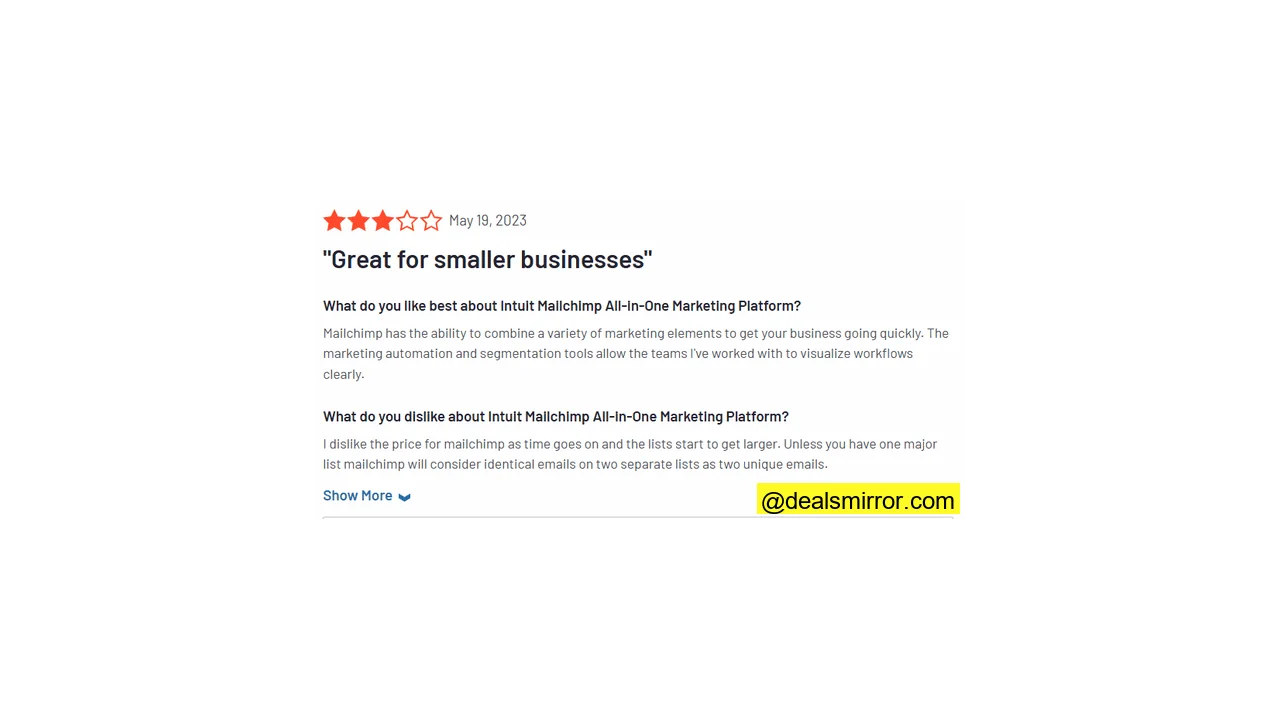
- Limited Free Plan: The free plan has been significantly scaled back. It previously supported 2,000 contacts but is now limited to just 500. Essential features like automations, A/B testing, custom template uploads, and even email scheduling are no longer available on the free tier.
- Frustrating List Uploads: Mailchimp has implemented stricter protocols for importing existing contact lists, ostensibly to protect sender reputation and prevent spam. However, legitimate senders often find their lists rejected, requiring them to send a ‘re-engagement’ campaign, which can be irrelevant for long-term contacts and creates additional work.
Mailchimp Pricing and Plans: How Much Does It Cost?
| Contacts | Mailchimp Standard | Brevo Starter* | MailerLite Growing Business |
| 500 | $20 | $9 | $10 |
| 1,500 | $45 | $17 | $25 |
| 2,500 | $60 | $29 | $25 |
| 5,000 | $100 | $29 | $39 |
| 10,000 | $135 | $39 | $73 |
| 25,000 | $310 | $69 | $159 |
| 50,000 | $450 | – | $289 |
* Brevo has unlimited contacts. The price shown is based on 4 emails per contact month.
Mailchimp’s pricing is primarily based on the number of contacts, and it imposes sending limits. On the Standard plan, users can send up to 12 times their contact limit per month (10x for Essentials) before incurring extra charges.
In contrast, services like MailerLite offer unlimited sending across all plans. Mailchimp’s costs escalate rapidly with larger contact lists. Another differentiating factor is user access; Mailchimp’s Standard plan includes 5 user seats, whereas platforms like Brevo often provide unlimited users.
Some email marketing services, such as Moosend and Brevo, charge by emails sent, often with unlimited contacts. For large lists, this can represent significant savings compared to Mailchimp’s contact-based, double-charging model.
Feature-wise, Mailchimp’s Standard plan covers basic email marketing, aligning with offerings like Brevo Starter and MailerLite Growing Business. The Essentials plan is more basic, lacking advanced automation, reporting, segmentation, and Mailchimp’s AI Creative Assistant and Campaign Manager.
ActiveCampaign offers dynamic content for personalization and e-commerce selling. Brevo includes transactional emails, which are typically paid add-ons in Mailchimp.
Mailchimp’s free plan includes 500 contacts and 1,000 emails monthly. Compare this to Brevo, which offers unlimited contacts and 9,000 emails per month (300 daily), or MailerLite, which allows 1,000 contacts and 12,000 emails a month for free.
For a complete breakdown, refer to detailed comparisons of Mailchimp’s pricing against other tools.
Mailchimp Core Features
- Drag and drop email editor: Mailchimp recently introduced a new email builder, retaining the familiar drag-and-drop interface while updating various tools.
- Email Templates: The new email builder offers over 260 templates, which are generally an aesthetic upgrade from the older designs.
- Automation: Mailchimp’s Customer Journey Builder provides an intuitive visual interface, though it comes with a limited selection of workflow templates.
- Contact Management: Beyond basic audience tracking and tagging, Mailchimp includes predictive and behavioral targeting tools, allowing users to measure engagement across channels and calculate conversion likelihood.
- Other channels: Email marketing plans often include social media posting and Google Ads retargeting, with SMS campaigns available as a paid add-on.
- AI Creative Assistant: Mailchimp’s AI assistant aids in custom template creation and recommends content by analyzing audience engagement patterns.
Mailchimp Pros and Cons
Pros:
- AI tools: Mailchimp has quickly adopted generative AI, offering tools for email writing and design, along with content recommendations.
- Contact Management: The platform excels in advanced targeting and segmentation, utilizing behavioral data for precise email campaigns.
- Integrations: With over 300 third-party integrations, Mailchimp offers extensive connectivity with a wide range of applications.
Cons:
- High Cost: Mailchimp is increasingly expensive, particularly for larger lists, exacerbated by its policy of double-counting contacts.
- Navigation: The platform’s interface can be complex and confusing, with tools often hidden or illogically placed, making it challenging for new users.
- Customer Support: A recurring criticism of Mailchimp is its poor customer support, characterized by frustrating chatbot interactions and difficulty reaching human assistance.
Mailchimp Review Rating Details
| Ease of Use | Mailchimp’s tools are generally user-friendly, but navigating between them can be confusing, making it difficult to locate specific functions. |
| Creating & Sending Newsletters | The drag-and-drop email builder is effective and beginner-friendly. The AI Creative Assistant assists with design and content writing, offering performance recommendations. |
| Email Templates | Paid plans include over 260 pre-made email templates with the new builder, though the co-existence of old and new editors can be confusing. |
| Marketing Automation | The Customer Journey Builder offers a visual interface for automated workflows, but workflow templates are very basic, and navigation is inconsistent. |
| List Management | Mailchimp Audiences operate as separate lists, which frustratingly counts the same email address multiple times if it appears in different lists. List cleaning is automatic, but users still pay for “cleaned” contacts that cannot receive emails. Segmentation, however, is a strength, offering advanced behavioral targeting. |
| Personalization | Mailchimp supports dynamic content and personalization, but these options are often hard to find within the interface. |
| Landing Pages & Forms | Options for landing pages and forms are difficult to locate. Mailchimp offers several form-building tools, which are not always intuitive to use, and landing page templates are few and basic. |
| Reporting & Analytics | Analytics are detailed and accessible, providing numerous ways to refine data based on standard email metrics. |
| Customer Service | Mailchimp advertises 24/7 email and chat support for all paid plans, but user complaints frequently cite difficulties in reaching support and obtaining resolutions, a finding consistent with expert testing. |
| Deliverability | Standard authentication tools (SPF, DKIM, DMARC) are provided. However, a lack of deliverability reporting and list validation during contact import is noted. Dedicated IPs for transactional emails are an additional cost ($29.95/month). |
| Integrations & API✔️ | Mailchimp boasts an excellent selection of over 300 app integrations, including many major platforms. |
| Interface Languages | Mailchimp is available in 6 languages: English, Spanish, French, Portuguese, German, and Italian. |
| Customer Satisfaction | Mailchimp receives mixed customer reviews. While still popular, many users express dissatisfaction, particularly regarding cost, navigation complexity, and customer service. |
Overall Score
Mailchimp built its reputation as a leading email marketing platform for small and midsize businesses. While it remains a decent service, it falls short in several areas. It no longer offers strong value, especially for larger lists, and its pricing model is frustrating, with double-charging for contacts and charging for ‘cleaned’ contacts. Its navigation is inconsistent, and obtaining human support is exceptionally difficult unless on a premium plan.
Is Mailchimp for You?
Recommended if:
- You already know the platform. Users with prior experience on Mailchimp may find value in continuing with a familiar platform, as its core functions largely remain consistent despite added features and navigation quirks.
- You have a small list. Mailchimp remains a viable option for beginners with smaller lists. Its value decreases significantly as contact numbers grow, with prices increasing sharply beyond a few thousand contacts.
Not recommended if:
- You want good value and fair pricing as you grow. Mailchimp’s contact counting policy, which includes duplicates and “cleaned” contacts, becomes increasingly problematic for growing audiences. Alternatives like Brevo or MailerLite offer better value and scalability.
- You want to automate your emails. While Mailchimp provides a visual workflow builder for complex automations, it offers minimal template support. Users must largely build workflows from scratch, unlike other platforms that provide extensive guidance. For advanced automation, consider ActiveCampaign.
- You are an ecommerce business. Despite integrations with major e-commerce platforms, Mailchimp offers limited seller-specific features. Specialized e-commerce marketing services like Omnisend are better equipped for the unique needs of online stores.
- You are a creator/blogger. Creators, bloggers, and influencers seeking simple content-to-newsletter conversion and extensive automation will find Mailchimp’s navigation cumbersome, automation support lacking, and costs prohibitive as they scale. MailerLite is a recommended alternative. For a deeper dive, explore a full MailerLite review.
If Mailchimp isn’t the right fit, consider exploring other top-rated email marketing platforms.
Mailchimp Alternatives
MailerLite
MailerLite has surpassed Mailchimp in terms of simplicity and affordability. It is one of the most cost-effective and beginner-friendly services, ideal for basic email marketing tasks like sending regular newsletters. It offers unlimited emails on all plans and an excellent free-forever plan that allows up to 12,000 emails per month. MailerLite is highly recommended for beginners, SMBs, creatives, and solopreneurs. For a detailed review, including features and pricing, refer to the MailerLite review.
Visit MailerLite or Read our MailerLite Review
Moosend
Moosend is another highly affordable email marketing platform with a straightforward pricing structure. Its main paid plan is cheaper than Mailchimp’s Essentials plan and includes unlimited emails. Moosend also offers excellent automation, segmentation, and A/B testing capabilities, making it a strong choice for general small business email marketing.
Visit Moosend or Read our Moosend Review
Brevo
Brevo (formerly Sendinblue) is a cost-effective and user-friendly platform featuring an excellent free plan that allows up to 300 emails per day. Its unique pricing model includes unlimited contacts across all plans, making it ideal for businesses with very large lists or ambitious growth plans. Brevo also offers a comprehensive suite of tools, including CRM, transactional email, SMS marketing, and live chat.
Visit Brevo or Read our Brevo Review
ActiveCampaign
ActiveCampaign is a more premium, yet still reasonably affordable, option compared to the previously mentioned alternatives, though it does not offer a free plan. It stands out as the top choice for businesses prioritizing advanced marketing automation. Its automation tools are highly flexible and supported by hundreds of workflow templates, a significant advantage over Mailchimp. ActiveCampaign seamlessly integrates sales and email marketing, making it the best pick for growing businesses aiming to automate extensive operations.
Visit ActiveCampaign or Read our ActiveCampaign Review
Omnisend
Omnisend is specifically recommended for e-commerce stores, as it is built from the ground up for e-commerce email marketing. It integrates with all major web store platforms, offering specialized segmentation, behavior tracking, and customer lifecycle mapping for precise campaign targeting. Omnisend provides better value compared to other specialist e-commerce marketing services like Klaviyo.
Visit Omnisend or Read our Omnisend Review
For detailed comparisons, explore this resource.
Mailchimp Review: Email Marketing Platform Deep Dive
To provide a fresh perspective, this review initiated a new Mailchimp account to evaluate its key features from a new user’s standpoint. Here’s a detailed breakdown of the findings:
Email Templates in Mailchimp
The template options are unexpectedly located under Content > Email Templates > Create Template, rather than the more intuitive Campaigns menu where emails are built. This navigation change can be a point of confusion for users.
Adding to the complexity, Mailchimp has been operating with both new and old email builders simultaneously. Users are prompted to select one before building a template, and each builder offers different template selections. The legacy builder is slated for retirement.
The new builder boasts over 260 templates, including more than 220 ‘fully designed’ options that are notably more professional and modern than classic templates. These are conveniently categorized by email type, style, and industry. Additionally, there are over 40 basic layout templates with no pre-styling, offering a good range of choices.
The Code Your Own template option is a valuable feature, allowing users to import HTML code either by uploading a zip file or by pasting the code directly.
Further template customization is available within the Creative Assistant, which allows users to set brand-specific styling for all templates, automatically by importing a website URL. These options are also redundantly listed under the Brand Kit tab, contributing to navigation inconsistency.
Creating and sending newsletters with Mailchimp
Mailchimp’s campaign creation tools are intuitively located under the Campaigns tab. Clicking this presents a range of options, including automations, landing pages, forms, social posts, and email.
The Design Email button leads to the campaign setup page, which offers standard settings: audience selection (segment), sender details, and scheduling. Mailchimp provides send time optimization, which uses engagement data to recommend optimal sending times. Users can also generate a URL for their email to share on other platforms, such as social media, and embed social posts directly into emails.
While subject line personalization is a standard expectation, it’s not immediately apparent. Mailchimp does support personalization via merge tags, but this functionality is not obvious to a first-time user.
After campaign setup, selecting a template opens the editor. The new Mailchimp email editor aims to be more ‘contextual,’ with tools appearing based on the clicked area. It also includes new features like suggestions for improving email performance. However, navigation within the editor can be clunky. Returning to core content block options, such as adding images, text, or headings, lacks consistency, sometimes requiring a click outside the design, other times a ‘done’ or ‘add’ button.
A notable feature in the new editor is the Creative Assistant content block, offering AI-guided assistance for creating unique content blocks. The mobile and desktop preview options are also well-implemented, allowing for distinct layouts and styles across devices. Despite these positives, the overall number of layout options can be somewhat underwhelming.
Similar to subject line personalization, the use of dynamic content—which displays different content to different recipients—requires specific knowledge. In the new Mailchimp editor, clicking a content block reveals a Visibility tab, where users can build segments and set conditions for each block’s display.
Mailchimp Marketing Automation
Mailchimp’s automation tools are accessible via both the Campaigns tab and a dedicated Automations tab, a duplication that contributes to navigation confusion. Like many email marketing services, Mailchimp offers pre-built automations, or ‘journeys,’ designed to save time and assist new users with common workflows like welcome emails and abandoned cart sequences.
However, Mailchimp’s workflow templates are often too basic to be genuinely helpful. A welcome sequence, for instance, is so simple that a beginner could replicate it quickly without a template. While an automatically generated email is provided for each journey, the option to edit the workflow itself is not immediately obvious. Users may need to activate the sequence and then use a ‘Pause & Edit’ function to access the workflow editor.
Compounding the inconsistency, attempting an abandoned cart workflow might allow direct access to the workflow editor, unlike other journeys. This variability in navigation can be baffling.
Once accessed, Mailchimp’s workflow editor is quite effective and user-friendly. It offers a good selection of automatable actions beyond just sending emails or SMS, including tagging and updating contacts. These can be easily dragged and dropped into the visual builder, along with rules for time delays and if/else conditions.
While the automation builder has improved to facilitate more complex workflows, its pre-built journeys offer minimal utility, and the pathways to the workflow editor are confusing. Given that automation is crucial for scalable email marketing, Mailchimp’s limited support for workflow creation is a strong reason to consider alternatives. For those new to marketing automation, MailerLite and Moosend provide excellent budget-friendly tools. For advanced automation, ActiveCampaign remains an industry leader.
Reporting and Analytics in Mailchimp
Mailchimp’s campaign performance analytics are comprehensive rather than advanced. The main Analytics dashboard displays standard metrics such as sends, open rate, click rate, and unsubscribe rate.
Data can be segmented in various ways, including comparisons over time, by campaign or message, conversions, and delivery statistics. The Reports tab allows users to view individual metrics for each campaign and build custom reports tailored to specific needs.
While detailed, these options primarily offer different views of the same fundamental data. Conversions, for example, are calculated solely based on clicks. This means users get multiple perspectives on core analytics common to most email marketing services.
The Audience tab provides a separate dataset, useful for tracking list growth over time. Its primary utility within Mailchimp is often for monitoring the number of “cleaned” contacts, allowing users to see how many non-deliverable contacts they are still paying for.
Mailchimp Integrations
Mailchimp’s extensive integration library is a significant strength, offering over 300 options across various categories for user convenience. Key integrations include popular platforms like Shopify, WooCommerce, Magento, and Wix for e-commerce, enabling promotional campaigns and triggered automations based on website activity.
Other notable integrations encompass social advertising platforms like Facebook, Instagram, X (formerly Twitter), and LinkedIn; payment processing with Stripe; accounting with Intuit QuickBooks; and graphic design with Canva.
Mailchimp Customer Support
Mailchimp’s customer support is a frequent source of frustration for many users. Despite claims of ‘Live expert help’ on every page, clicking this often leads to a search bar for the online knowledge base. A button further down only activates a chatbot, which primarily directs users to articles. Direct phone support is exclusively available on the Premium plan, which starts at a high price point of $350 per month.
Limiting human support to only the highest-paying users is a significant drawback and a major reason why many alternatives are often recommended over Mailchimp.
Final Conclusion: Is Mailchimp the Right Email Tool for You?
Mailchimp established itself as a go-to email marketing platform for small and midsize businesses. It still possesses strengths, such as effective AI tools for email design and content, a vast integration library for connecting with existing tech stacks, and reliable deliverability.
However, the overall assessment is that Mailchimp has fallen behind its competitors. It offers poor value, particularly for larger lists, and its pricing model is problematic due to double-charging for contacts and including ‘cleaned’ contacts in the billing. Its navigation is often clunky and inconsistent, and customer support is virtually non-existent for users not on the costly Premium plan.
For most users, superior options exist, especially for those prioritizing value for money, helpful automation, and genuinely responsive customer service.
Here are recommended Mailchimp alternatives:
- Best for advanced marketing and sales automation: ActiveCampaign
- Best for ecommerce marketing: Omnisend
- Best for beginners and simple emailing: MailerLite
- Best for small businesses: Moosend
- Best free email marketing: Brevo and MailerLite
- Best for newsletters: MailerLite
- Best for email marketing, CRM, transactional email combo: Brevo
Mailchimp Frequently Asked Questions (FAQ)
What are the disadvantages of Mailchimp?
Is Mailchimp worth using?
However, for those seeking a new email marketing service, numerous alternatives offer better features, more generous growth potential at lower costs, superior ease of use, and more reliable customer support.
Does anyone use Mailchimp anymore?
Is there a better option than Mailchimp?
For simplicity and low cost, MailerLite, Brevo, and Moosend are excellent choices. MailerLite is ideal for straightforward newsletter sending and, along with Brevo, offers a significantly more generous free tier than Mailchimp for getting started without cost. Moosend and Brevo are great services for small businesses, with Brevo providing access to CRM and transactional email tools, and Moosend including small business-friendly automation and e-commerce features.
If advanced marketing automation is a priority, ActiveCampaign is unparalleled. It offers some of the most powerful and flexible automation tools available while remaining reasonably affordable and user-friendly. For specialized e-commerce services, Omnisend is highly recommended. It’s designed for e-commerce campaigns, offers great value, and includes specific features for platforms like Shopify, such as user reviews.