
MailerLite is a popular and affordable email marketing software. Founded in 2005, the company has grown to serve over 800,000 businesses monthly. This extensive review delves into its features, advantages, disadvantages, and pricing to help you determine if MailerLite is the best email marketing service for your needs.
We’ve thoroughly tested the tool and its functionalities to provide a complete and honest assessment.
Our MailerLite Review Summary:
- MailerLite is a simple, effective, and free email newsletter software that efficiently gets the job done.
- It offers an excellent free plan, and its paid options are generally more affordable than competitors like Mailchimp.
- While its automation features may not be as elaborate as tools such as ActiveCampaign, they remain highly effective.
- We found the email tool to be remarkably easy to use and set up, making it accessible for all skill levels.
- With a comprehensive set of expected features, MailerLite undeniably provides great value.
In-Depth Review of MailerLite Email Marketing Software
MailerLite empowers you to send professional emails, promotions, and newsletters to your subscribers. Beyond basic email capabilities, it also allows you to host web pages and automate email sequences. Let’s explore these capabilities in detail.
1. Most Important MailerLite Features
You might be wondering, “What exactly does MailerLite email marketing do?” For a straightforward email marketing service, it offers an impressive array of functions. Here are MailerLite’s most notable features:
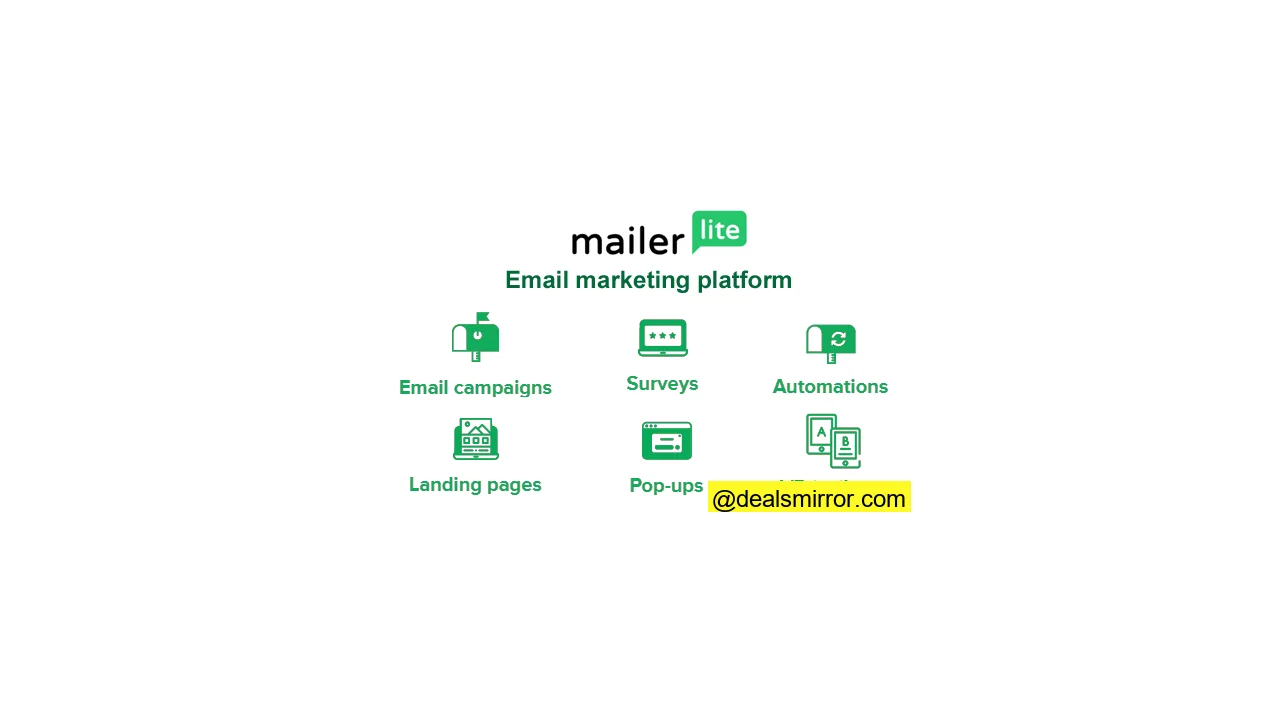
- Send Email Campaigns: Create engaging email newsletters, send targeted promotions, or use RSS to automatically share summaries of your blog content with your subscribers.
- A/B Split Testing: Optimize your email campaigns by performing A/B tests on subject lines, email content, sender names, and more to improve engagement and conversion rates.
- Grow Your Audience: Utilize MailerLite’s integrated tools to create powerful forms and pop-ups for your website, effectively building your subscriber list.
- Segment Your Subscribers: Group your audience based on various characteristics (e.g., age, gender, country) or activities (e.g., clicked emails, opened emails) to deliver highly relevant messages.
- Build Your Website and Landing Pages: Beyond email creation, MailerLite provides the ability to design and host professional landing pages, subscription forms, and even mini-websites directly within the platform.
- Marketing Automation: Implement simple automated welcome email flows or construct complex, multi-stage onboarding processes for new customers – a powerful tool for nurturing leads.
- Excellent Price and Value: MailerLite stands out for its affordability compared to competitors, offering a rich feature set at a very competitive price point.
- Solid Support: All paid plans include 24/7 live chat support, ensuring you get prompt assistance for any issues you might encounter.
2. MailerLite Review: Sending Your Email Campaigns
While MailerLite capably handles standard email campaigns, it also offers advanced functionalities. Let’s explore the four types of email campaigns you can send:
- Standard Email Campaigns: Your regular email send. Give the campaign a name, target a specific subscriber group, and craft your email for immediate or scheduled delivery.
- A/B Split Campaigns: Optimize your emails by testing different versions of your subject lines, content, or sender names. This is crucial for refining your email strategy.
- Auto-Resend Campaigns: A clever feature that automatically resends your campaign to subscribers who didn’t open or click the first email, helping to boost overall engagement.
- RSS Campaigns: Ideal for bloggers and low-maintenance newsletters. Automate the launch of new campaigns whenever you publish new content on your website.
MailerLite Email Editor, Free Email Templates, and Email Flows
To kickstart your campaigns quickly, MailerLite offers over 60 free email newsletter templates within its Pro plan. These templates boast modern, mobile-responsive designs, making it easy to create visually appealing emails. You’ll find a wide variety to suit different needs.
If you prefer to design from scratch, creating your own unique template is straightforward. While most users will start with the intuitive drag-and-drop email editor, you also have the option to import custom HTML. Once created, you can easily reuse previous emails as templates for future campaigns.
The MailerLite drag-and-drop editor is your primary creative workspace, featuring more than 20 pre-designed modules that you can simply drag from the left panel onto your canvas.
Dynamic Content Blocks
Beyond static content, MailerLite allows for dynamic content. You can display a specific block to only a certain group of subscribers for instant personalization. While you’ll need to duplicate blocks for variations (e.g., one for men, one for women), this is a minor limitation given the overall flexibility.
Special drag-and-drop blocks include:
- Video blocks featuring animated GIFs
- Product feature blocks
- Social media post blocks
- Countdown timers
- Survey blocks
Your email header and footer can be standardized across all emails, eliminating the need to update them individually for each new campaign.
YouTube Email Embeds
Video in email is a growing trend, and MailerLite makes it incredibly easy to embed YouTube videos. Simply paste the URL, and the email editor will automatically convert the video into an animated GIF, enhancing engagement without technical hassle.
Send Previews
Before sending, share a preview of your email with colleagues for review. You can also share a link or download a PDF. Previews are available for both desktop and mobile views, though personalization isn’t reflected in these previews.
Schedule Sending
Once your email is ready, MailerLite provides advanced logic for targeting the right subscriber segments. You can schedule sends at a static time or based on the subscriber’s time zone, ensuring everyone receives the email at their local optimal time.
MailerLite Review: Our Thoughts on Email Campaigns
Email creation consumes a significant portion of time in email marketing software, so it needs to be excellent. MailerLite does not disappoint:
- It’s a solid email marketing platform equipped with a wide range of features.
- The robust email editor comes with over 60 modern, customizable email templates.
- It’s user-friendly, yet offers powerful advanced functionalities, such as the effortless YouTube embed feature.
Overall, we are impressed with the value offered. The email editor provides extensive features, and the templates give you a head start in crafting beautiful campaigns. It’s very intuitive, making Mailchimp users feel right at home, while still allowing for advanced operations. Many large companies don’t even utilize half of these functionalities, meaning MailerLite offers ample room for growth in your email editing and campaign implementation.
3. MailerLite Form and Pop-up Builder
MailerLite Forms enables you to design crucial conversion tools: newsletter subscription forms for website visitors and pop-up windows to announce sales or special offers.
There are two primary types of forms: pop-up forms and embedded forms for websites. Although their templates differ, the creation process in MailerLite is consistent for both.
The Form and Pop-up Editor
When creating a website pop-up, starting with templates is often preferred, but you can also jump directly into the editor to build your design from scratch. Creating a form or pop-up is quite straightforward.
You can customize fonts, text, colors, and add images. The editor allows you to add various form fields beyond just an email address, letting you gather customer preferences, names, addresses, or any other data you require.
Embedded forms are simpler than the newsletter builder. You choose a format (default, horizontal, or card with image), and that dictates the layout.
Forms and Pop-up Automation
After creating your subscription form, you can set up a follow-up flow. For instance, you might require new subscribers to confirm their subscription, and then send a series of automated follow-up emails using MailerLite’s marketing automation.
The flexibility to choose the confirmed subscription option per form is a great advantage. You don’t have to apply it globally. This allows for adaptability, such as creating one form for European users to comply with GDPR and another for U.S. users, where email laws might be less stringent.
You can also configure when your pop-up appears, based on factors like time spent on a page, scroll depth, or specific page views. Exit-intent pop-ups, which appear when a visitor indicates they’re about to leave the page, are particularly effective.
MailerLite offers WordPress plugins and a Shopify integration, facilitating automatic integration of form and pop-up code onto these platforms.
Forms and Pop-ups in MailerLite: Quite Advanced
The forms in MailerLite are included in all plans and are quite advanced, eliminating the need for separate pop-up software. Pop-up forms come with various triggers, and you can automate almost anything after a form is completed.
A marketer can leverage this functionality to create sophisticated campaigns where a user completes a form and then proceeds through a series of emails designed to convert them into a customer for a particular product. For the price, this functionality is unmatched.
4. MailerLite Landing Page and Website Builder
MailerLite provides an easy-to-use website and landing page builder. But do MailerLite’s landing page features truly compete with a CMS like WordPress?
You can host MailerLite landing pages and websites on a MailerLite domain (e.g., mailerpage.com) or display them on your existing site. If you already have a website, you might use the MailerLite landing page builder to add supplementary landing pages for specific campaigns.
Alternatively, if you don’t have a website yet, you can use the website builder to create your own mini-site. Quickly get a page up and running with MailerLite’s hosting, with the option to migrate to another platform in the future.
Let’s examine the functionality.
MailerLite Landing Page Editor
You can create a landing page from scratch or choose from one of MailerLite’s 30 pre-built landing page templates (available in paid plans).
The page editor boasts the same intuitive drag-and-drop interface as the email editor, allowing you to add modular “content blocks” with ease.
On the final page, you can edit various landing page settings, including:
- Page title
- The page URL
- SEO settings such as page metadata, descriptions
- Descriptions and metadata for social media sharing
- Google Analytics tracking codes
MailerLite Website Builder
MailerLite’s website builder allows you to create simple websites with multiple pages.
One unique aspect is that when you create a MailerLite site, you must connect it to a subscriber group. While this doesn’t negatively impact functionality, it can be a bit confusing initially. Forms can, however, be connected to multiple groups.
Website templates are categorized by industry and use case. For testing, we explored a real estate website template: a five-page site featuring properties on the homepage, individual listing pages, and a “meet the team” page. The editor is identical to the landing page editor, and the templates are generally well-designed, requiring minimal changes.
MailerLite Site Builder Reviews: Our Thoughts
The website and landing page builder functionality here is truly impressive. It’s possible to create quite an elegant website using a feature included within your email marketing software. The best parts are:
- A full-featured website builder.
- The upcoming ability to accept payments via Stripe.
- Ease of use, complemented by a variety of helpful templates.
While MailerLite’s email marketing functionality competes with its rivals, its landing page and website builder functionality truly sets it apart. This offers a compelling incentive for users to leverage it for more than just email marketing, potentially using MailerLite as their CMS and hosting solution. Not everyone will use it, but for those who do, it can result in significant cost savings.
5. Segmentation and Personalization: Subscriber Management in MailerLite
Let’s delve into the “Subscribers” section in MailerLite, where you’ll manage your email list, create segmentation groups, add new fields, and generate list reports.
Starting in the All Subscribers Section
This is where you’ll find all your subscribers. Filters help you drill down into subgroups. You can filter by any database field or behavioral filters, such as campaign membership, the number of emails already sent, and many others.
Filters can be combined for even more precise selections. Once you’ve refined your selection, you can save the segment for use throughout MailerLite.
New subscribers are added as they sign up. Other options include uploading a CSV/TXT file, copying and pasting from Excel, or importing from a linked Mailchimp database – a very useful feature if you’re migrating from Mailchimp.
Segmenting Your Subscribers in MailerLite
Segments and groups are powerful in MailerLite. Here, you create dynamic or static automated groups of your subscribers. For Mailchimp users, MailerLite groups are similar to Mailchimp lists, and MailerLite segments are akin to Mailchimp segments.
So, how would you use segments? You have excellent opportunities to create segmentation or groups based on:
- Existing group membership (static lists)
- Any database field
- Any other segment
- Email campaign membership
- Automation membership (refer to email automation)
- Behavior (number of emails sent, opened, or clicked)
- Purchases (with integration to your online store)
The beauty of this is that you can combine all the above segmentation criteria, handling virtually any complex segmentation scheme you can envision.
Email Analytics in MailerLite
The statistics section provides reports on your list. You can run statistics for “all subscribers” or a specific group. MailerLite compiles all relevant data for that group, offering a detailed breakdown.
Available email statistics include list growth, average open rate, click-through rate, unsubscribe metrics, and insights into top domains and email clients.
A Very Useful Feature: Automatic Removal of Unengaged Subscribers
The final tab features an interesting function called “Clean up inactive.” This tool quickly identifies and unsubscribes individuals from your list who haven’t opened an email in six months. This helps maintain a clean and engaged list, improving deliverability and reducing the likelihood of being flagged as spam. Ensuring high email deliverability and reaching the inbox is beneficial for everyone.
MailerLite Review: Subscriber Management
The subscriber and list management features in MailerLite are robust without being overwhelming:
- Group subscribers dynamically (via segments) or statically (via groups).
- Create your own custom fields to capture specific data.
- Generate comprehensive reports on email subscribers.
These MailerLite segmentation features empower more sophisticated email marketing. Compared to Mailchimp, MailerLite’s capabilities are strong. We would appreciate seeing tag-based segmentation, similar to what you’d find in ActiveCampaign, in the near future.
6. Email Automation in MailerLite
MailerLite Automation provides automated email flows to your subscribers. For example, you can set up a series of welcome emails using MailerLite’s autoresponders. You’ll initially start from the MailerLite Automations dashboard.
Here, you’ll create a workflow and build your automated flows in the automation editor. Each workflow begins with a trigger. What action will initiate this flow?
Available automation triggers in MailerLite:
- When a subscriber joins a group
- When a link is clicked
- When a subscriber completes a form
- When a subscriber’s field is updated
- The anniversary of a specific date
- An exact match of a particular date from your database
This flexibility means you can trigger workflows based on obvious actions like form fills and subscriptions, but also for events like the end of a free trial (based on a date) or when subscribers join specific groups. Currently, there isn’t a trigger for website page visits.
Additionally, you use modules to guide people through the flow. There are four options for a module:
- Email (send an email)
- Delay (wait for a specified period)
- Condition (create branching paths based on subscriber data or behavior)
- Action (perform an action, e.g., move to another group)
An example could be a sign-up flow where Canadian and German subscribers go through a subscription confirmation step, while all others bypass that email. You can configure all these settings. By adding decision steps in MailerLite, you can create quite advanced automation. It’s more than sufficient for those without super complex needs. For those new to MailerLite automation, tutorial videos are available to help you get started.
MailerLite Automation Feature: General Thoughts
The email automation side of MailerLite offers excellent value, included in all plans. You can use automation to power fairly sophisticated setups. In a Mailchimp vs MailerLite comparison, MailerLite wins on automation, though it’s not as advanced as comprehensive marketing automation tools like ActiveCampaign.
If you’re looking to implement more autoresponders and triggered email marketing, MailerLite offers substantial value.
7. MailerLite Integrations
MailerLite offers dozens of native connections for popular platforms and CMS. Examples include MailerLite’s integration with Shopify, WooCommerce, and the WordPress plugin. Beyond these, you can integrate with virtually any tool via Zapier, a middleware application that connects software without requiring coding. Alternatively, you can utilize MailerLite’s API for custom integrations.
These integrations are significant time-savers, allowing you to avoid manual subscriber imports, trigger abandoned cart emails, pull your products from Shopify directly into the email editor, and much more.
It’s worth noting that MailerLite itself provides many functionalities typically found in external tools. For instance, MailerLite offers advanced pop-up builders, similar to dedicated solutions. The advantage is that you can choose the tool that best fits your specific requirements.
8. MailerLite Pricing: How Much Does MailerLite Cost?
MailerLite’s pricing is based on the number of subscribers you have, offering unlimited emails and access to all platform features.
If you’re looking for a free email marketing service, MailerLite is free for up to 500 subscribers and 12,000 emails per month. You’ll have access to most features even on the free plan.
Once you upgrade to a paid plan, you also gain access to 24/7 live chat support, a wider range of email templates, and auto-resend email campaigns. You can find complete pricing information on their website.
MailerLite’s pricing and packages are incredibly affordable for the extensive features you receive. It’s highly recommended to explore their email marketing tools, forms, site builder, and marketing automation capabilities.
Curious how it stacks up against the competition? Compare the costs between MailerLite and similar software:
Standard
MailerLite Discount
If you’re ready to try MailerLite email marketing software, there’s an additional discount available. You can typically start with your preferred plan, effectively getting a full month free. Additionally, you may receive another 10% discount if you opt to pay for a full year upfront.
Detailed MailerLite pricing tiers:
- 0-1,000 subscribers: Free or $10 per month for unlimited emails.
- 1,000-2,500 subscribers: $25 per month for unlimited emails.
- 2,501-5,000 subscribers: $39 per month for unlimited emails.
- 5,001-10,000 subscribers: $73 per month for unlimited emails.
- 10,001-15,000 subscribers: $109 per month for unlimited emails.
- 15,001-20,000 subscribers: $139 per month for unlimited emails.
- 20,001-25,000 subscribers: $159 per month for unlimited emails.
- 25,001-30,000 subscribers: $189 per month for unlimited emails.
- 30,001-35,000 subscribers: $219 per month for unlimited emails.
- 35,001-40,000 subscribers: $149 per month for unlimited emails.
- 40,001-45,000 subscribers: $269 per month for unlimited emails.
- 45,001-50,000 subscribers: $289 per month for unlimited emails.
MailerLite: Pros and Cons
MailerLite has a lot to offer, with its impressive cost-effectiveness standing out. It’s more affordable than almost any other tool offering a similar feature set, and it can readily compete with market leaders like Mailchimp.
What We Liked Most:
- It is an exceptionally affordable email marketing software.
- Offers a robust landing page and website builder, exceeding expectations for the price.
- Includes powerful and effective automation tools.
- Features a simple, clean, and intuitive user interface.
- The strong email editor comes with excellent, ready-to-use modules.
Could Be Better:
- Automation triggers are not directly linked to website visits, unlike more advanced platforms such as ActiveCampaign.
- Currently, the platform interface is primarily available only in English, which might be a barrier for some international users.
MailerLite vs Mailchimp – Email Services Compared
Many users seeking an email service like Mailchimp will inevitably look for a Mailchimp vs MailerLite comparison. Here are the key differences:
- Email Editor: Our experience shows that email editing in MailerLite vs Mailchimp is quite similar, with both being very user-friendly.
- Price: MailerLite is significantly more affordable, approximately 50% cheaper for 5,000 contacts and 43% cheaper for 10,000 contacts compared to Mailchimp. The exact savings vary by subscriber count.
- Send Postcards: Mailchimp offers the unique ability to send physical postcards to 27 countries, a feature not available in MailerLite.
- Web Building Functionality: MailerLite’s website builder is more robust and provides a greater variety of templates to get started.
- Automation Functionality: MailerLite offers much more advanced automation capabilities compared to Mailchimp.
- Advertising Functionality: Mailchimp allows you to create Google Adwords and Facebook / Instagram ads directly within its platform. With MailerLite, you would manage advertising directly on the respective ad platforms.
The remaining differences likely come down to personal preference. Both email marketing platforms are highly competent and offer an impressive range of features at a reasonable price.
MailerLite Review: Conclusion and Scoring
MailerLite is an email marketing service with far more impact than a typical bulk email sending software. For as little as $10/month, you can create engaging email campaigns, automate new subscriber onboarding processes, and build and host your own landing pages. It’s hard to find a better value at this price point.
- MailerLite is simple and effective, a newsletter software that truly delivers on its promises.
- The MailerLite email editor is easy to use, and the entire system is straightforward to set up.
- They offer an excellent free plan, and their paid plans are more economical than those of competitors like Mailchimp.
- While its automation is effective, it may not be as elaborate as full-fledged marketing automation tools.
- With all the features you expect and more, MailerLite is certainly worth using.
And if you’re just starting out, they offer a generous free plan for up to 500 subscribers and 12,000 emails per month.
Unlike some other MailerLite reviews, we can confidently say it’s one of the best options for bloggers, small businesses, and senders who appreciate a clean email interface. In particular, Mailchimp users will find MailerLite an easy and comfortable transition.