
MailerLite is renowned as an affordable and highly effective email marketing software. Since its founding in 2005, it has experienced impressive growth, now serving over 1,000,000 companies monthly. This popularity raises a key question: is MailerLite the best email marketing service for you?
To provide an in-depth perspective, the features of MailerLite were thoroughly tested from a new user’s perspective. This review offers a comprehensive run-through of all its features, pros, cons, and MailerLite pricing, leveraging a detailed review methodology and scoring system.
MailerLite Review Summary:
- MailerLite is a simple, effective, and free email newsletter software that efficiently gets the job done.
- It offers an excellent free plan, and its paid plans are more affordable than competitors like Mailchimp.
- While its automation features are not as elaborate as those in ActiveCampaign, they are highly effective.
- This email tool stands out for its ease of use and straightforward setup process.
- Equipped with all the essential features, MailerLite undeniably proves its value.
MailerLite’s Core Features
Many wonder: “What exactly does MailerLite email marketing offer?”
For an easy-to-use email marketing service, MailerLite delivers a surprising amount of functionality. Here are its most notable features:
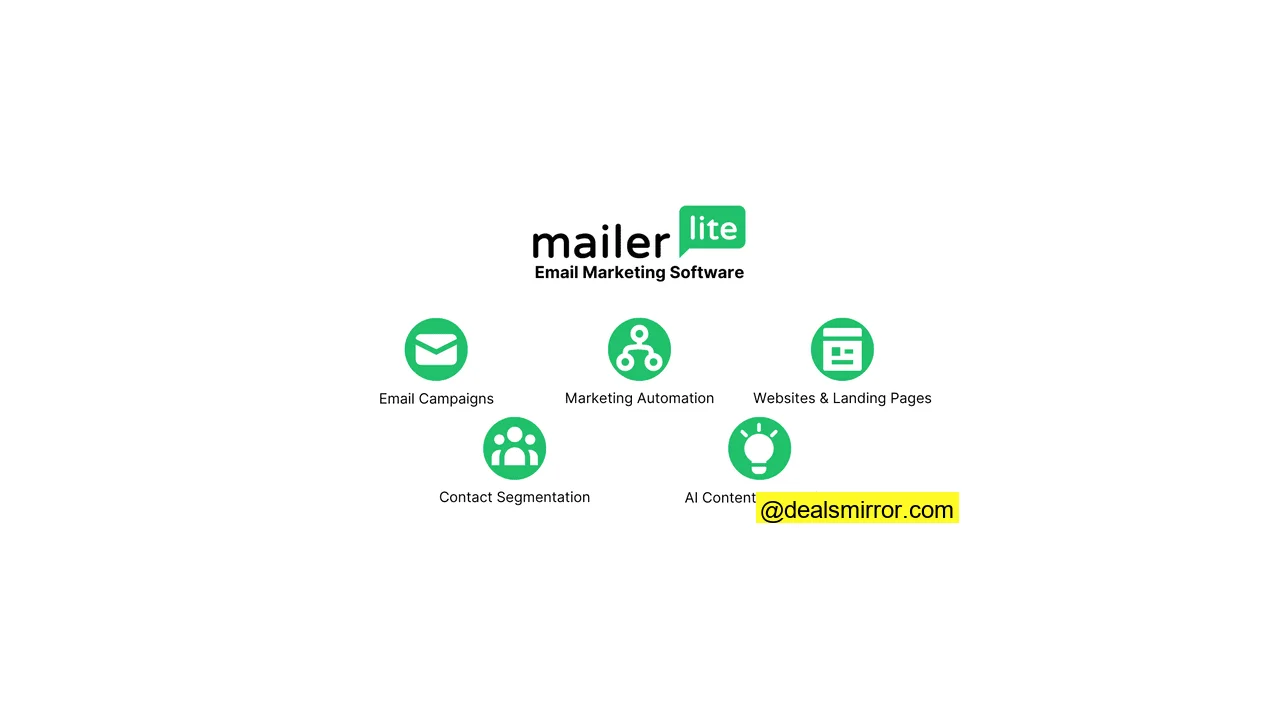
- Send email campaigns. Create engaging email newsletters, launch compelling email promotions, or use RSS feeds to automatically send digests from your blog content.
- A/B split testing. Optimize your email campaigns by A/B testing subject lines, email content, sender names, and more to boost performance.
- Grow your audience. Design attractive forms and targeted pop-ups for your website to effectively build your email list and acquire new subscribers.
- Segment your subscribers. Organize your subscribers like a pro to deliver the most relevant messages. You can group them by characteristics (e.g., age, gender, country) or activities (e.g., emails clicked, opened) to create highly targeted lists.
- Build your website and landing pages. Beyond emails, MailerLite enables you to build professional landing pages, opt-in forms, and even mini-sites, all with integrated hosting.
- Marketing automation. Implement everything from a simple automatic welcome email flow to a sophisticated ten-stage, multi-step onboarding process for new customers. The automation capabilities are powerful.
- AI Writing. MailerLite’s AI assistant can generate headlines, product descriptions, and even full newsletters. It also suggests ideas to enhance content engagement.
- Great pricing and value for money. MailerLite offers highly competitive pricing, often being significantly cheaper than its rivals while providing exceptional value.
- Solid support. Benefit from 24/7 live chat support to quickly resolve any issues on all paid plans. Testing showed MailerLite’s support team to be quick and responsive.
MailerLite Pros & Cons
Pros:
- An affordable email marketing tool. MailerLite is notably cheaper than almost all competitors offering a similar feature set. It compares very favorably against market leader Mailchimp, being up to 76% more affordable.
- Solid landing page and website builder. This is a standout strength for MailerLite. Few other email marketing platforms include such a capable website builder.
- No-nonsense automation editor. MailerLite provides intuitive triggers like subscribers joining a group, filling out a form, or clicking a link. Workflow steps include emails, delays, conditions, and actions to guide subscribers through their journey effectively.
- Simple, clean interface. MailerLite maintains an easy-to-navigate interface without compromising the ability to execute sophisticated email marketing strategies.
- Strong email editor with great pre-made modules. The abundance of predesigned layouts significantly speeds up the creation and customization of email templates.
Cons:
- Lacks website tracking. Unlike platforms such as ActiveCampaign, MailerLite doesn’t offer automation triggers based directly on website visits.
- The free version doesn’t have any templates. While the free plan is generous, the absence of pre-built templates is a minor drawback. However, users can quickly create their own using the provided predesigned layouts.
- Missing some advanced features. MailerLite does not include a built-in CRM, more detailed reporting functionalities, or advanced spam testing tools. Some similarly priced alternatives, like Brevo, do offer an integrated CRM.
Is MailerLite for You?
Recommended if:
- You’re a small business, solopreneur, or freelancer. MailerLite is user-friendly and offers ample features to manage newsletters, automations, landing pages, and forms without a steep learning curve.
- You’re looking for a budget email marketing tool with premium features. MailerLite is up to 76% cheaper compared to Mailchimp. Paid plans start from $9/month, offering similar features and more email sends.
- You’re a smaller ecommerce store. MailerLite integrates seamlessly with Shopify and WooCommerce, allowing you to add products to emails, automate ecommerce campaigns, and track purchases.
- You’re looking for a free tool to get started with email marketing. MailerLite is one of the best free email marketing services available, offering most features, up to 500 subscribers, and 12,000 emails per month.
Not recommended if:
- You’re looking for advanced marketing automation. While MailerLite’s automation builder supports sophisticated workflows, it is not as advanced as platforms like ActiveCampaign.
- You’re looking for an integrated sales CRM. If you need marketing and sales tools combined in one platform, MailerLite might not be the right fit. Consider exploring an overview of the best sales CRMs.
MailerLite Review Rating Details
| Ease of Use | MailerLite is remarkably easy to use, enabling both basic and quite advanced marketing activities. |
| Email Editor | MailerLite simplifies email campaign creation with its drag-and-drop editor or custom HTML import. The editor features 12 modules, including video blocks, product features, countdown timers, and surveys. An AI assistant aids in writing and translating content. |
| Email Templates | Access to 90+ modern, mobile-responsive email templates provides extensive variety. The only wish is for some templates to be included in the free plan. |
| Email Types | MailerLite offers 5 distinct email types: newsletters, A/B testing, auto-resend, RSS triggered, and automated. |
| Marketing Automation | MailerLite’s automation capabilities support sophisticated workflows, surpassing Mailchimp’s but not as advanced as ActiveCampaign’s. Workflows are easily built using triggers like group joins, form fills, or link clicks, with steps for emails, delays, conditions, and actions. Multiple triggers are available in the Advanced plan. |
| List Management | Subscriber and list management features are robust yet user-friendly. Segments can be built based on fields, behavior, and purchases, and saved for campaign use. Subscribers can be imported via file uploads or directly from Mailchimp, ensuring an organized list. |
| Personalisation | Personalize content using any contact field and dynamic blocks. A minor caveat is that displaying variations of the same block (e.g., for different genders) requires duplicating blocks, rather than having internal variations. |
| Landing Pages & Forms | A powerful landing page and website builder allows for creating smaller sites and processing payments. It includes 30+ landing page templates, inline forms, and pop-ups. Pop-up forms feature various triggers for advanced post-submission automation. Pages can be hosted on MailerLite or a custom domain. |
| Reporting & Analytics | Email statistics include list growth, open rate, click rate, and unsubscribe rate. Users can also analyze top domains and email clients. |
| Customer Service | 24/7 live chat support is available on the Advanced plan, with 24/7 email support on the Growing Business plan. A well-organized knowledge base with articles and videos makes finding answers easy. |
| Deliverability | MailerLite fully supports SPF, DKIM, and DMARC authentication. Domain verification is mandatory to ensure properly authenticated emails. It automatically includes List-Unsubscribe headers to facilitate opt-outs, minimizing spam complaints. Custom tracking or return-path domains are not supported, preventing full domain alignment. Throttling controls are managed effectively by MailerLite’s internal systems. |
| Spam and Design Check ❌ | MailerLite’s spam and design checks are basic, offering desktop and mobile previews and test email sends. It doesn’t show email rendering across various clients or detect broken links/HTML formatting issues. |
| AI Writing ✔️ | MailerLite’s AI can generate headlines, product descriptions, full newsletters, and translate email content. It also suggests ideas for more engaging content, with AI writing available in the email and landing page builders, including subject line suggestions. |
| Integrations & API ✔️ | Offers 130+ native integrations for ecommerce, email verification, landing page builders, and CRM platforms. For other connections, Zapier integrates with 5000+ apps, or custom integrations can be built via the MailerLite API. |
| User Permissions ✔️ | Custom user permissions can be assigned for campaigns, subscribers, forms, landing pages, websites, automation, billing, settings, and templates. Four default user roles are available: administrator, manager, viewer, and accountant. |
| GDRP & Legal Compliance ✔️ | MailerLite ensures subscriber data protection, with data stored on EU servers in compliance with GDPR. Consent collection is clear, with GDPR fields for forms, automatic logging of consent timestamps, IPs, and sources. Subscriber data exports or deletions are simple. |
| Interface Languages | The MailerLite interface is available in English, Spanish, and Polish. |
| Customer Satisfaction | MailerLite receives overwhelmingly positive customer reviews, holding 4.7 stars on Capterra and 4.6 stars on G2 during research. |
Overall Score
MailerLite is a strong pick for small and mid-size businesses seeking an easy-to-use email marketing tool with growth potential. Its drag-and-drop editor, robust automation, and 90 email templates simplify campaign building. With its website builder, helpful AI tools, and reliable support, MailerLite stands out as a well-rounded, budget-friendly choice for most email marketers.
Getting Started with MailerLite
Starting a MailerLite account is quick, taking about 1 minute to fill in company, name, email, and password. After signing up, verify your email and complete your profile, both taking approximately 5 minutes. Then, you can begin exploring the platform.
Creating your first email list and adding contacts is remarkably easy, often completed in about 5 minutes. MailerLite automatically removes duplicate and role-based emails during import.
MailerLite features a smart authentication setup that streamlines the process. It detects your DNS provider, allowing you to log in and configure settings in just 2 minutes.
The entire setup, including authentication and initial configuration, can be completed in less than 30 minutes, allowing users to quickly start creating campaigns and pages.
MailerLite Review: Email Marketing Software Capabilities
MailerLite extends beyond sending emails, promotions, and newsletters; it also hosts web pages and automates emails, among other functions. Let’s explore the details.
This MailerLite review focused on testing the following core capabilities:
- Sending email campaigns
- Building sign-up forms
- Creating websites and landing pages
- Segmenting email lists
- Automating emails
Continue reading for a full platform walkthrough to understand MailerLite’s performance across these areas.
MailerLite Review: Sending Email Campaigns
Beyond standard email campaigns, MailerLite offers more advanced functionality. Here are the four types of email campaigns you can send:
- Email campaigns: Your standard email broadcast. Name your campaign, target a specific group of subscribers, and craft your email for delivery.
- A/B split campaigns: Optimize your emails by testing different versions—whether it’s subject lines, content, or the “From” name—to enhance campaign performance.
- Auto resend campaigns: Similar to a regular campaign, but automatically re-sent to subscribers who didn’t engage with the initial send, helping to boost opens and clicks.
- RSS campaign: Perfect for bloggers, this feature automates new campaigns to go out whenever you publish new content on your website, ideal for low-maintenance email newsletters.
Email Templates in MailerLite
To quickly launch your campaign, MailerLite provides access to **more than 90 free email newsletter templates** on paid plans. These templates offer extensive variety with modern, mobile-responsive designs, making it easy to create beautiful emails quickly.
For those preferring a custom approach, you can create your own template. Most users start with the drag-and-drop email editor, but you also have the option to import HTML and edit it using the custom HTML editor. Once created, previous emails can be reused as templates for future campaigns.
MailerLite Email Editor
The MailerLite email editor serves as the primary workspace, featuring over 20 pre-built modules that can be easily dragged and dropped onto the canvas.
Dynamic content blocks
Beyond basic templates, MailerLite allows for dynamic content. You can personalize emails by showing a specific block only to a particular group. A point to note is that to display variations of a block (e.g., one for men, one for women), you need to use two separate blocks rather than variations within a single block. This is a minor consideration, not a deal-breaker.
Special drag-and-drop blocks include:
- Video blocks with animated GIFs
- Product feature blocks
- Social media posts
- Countdown timers
- RSS templates
- Survey blocks
Headers, footers, and global styles can be standardized across all emails, eliminating the need for individual changes with every update.
AI writing assistant
A notable feature within MailerLite’s drag-and-drop email editor is its AI writing assistant. This tool can generate headlines, product descriptions, and even full newsletters. It also assists with translating email content and provides suggestions for more engaging material when you encounter writer’s block.
YouTube email embeds
Incorporating video into emails is a popular strategy, and MailerLite makes it effortless to embed YouTube videos. Simply enter the URL, and the email editor will convert the video into an animated GIF, enhancing engagement.
Send preview
Once your email is complete, you can share it with colleagues for review via a preview send, a shareable link, or by downloading a PDF. Email previews are available in desktop and mobile modes, though personalization is not shown in these previews.
Schedule sending
After content creation, select your email subscribers. MailerLite offers advanced logic for precise email targeting based on segments. You can schedule sends at a fixed time or optimize delivery based on each subscriber’s local time zone.
MailerLite Review: Email Campaigns – Our Assessment
Given that much time in email marketing software is spent on email creation, the quality of the editor is crucial, and MailerLite does not disappoint.
- A solid email marketing platform with many features.
- A strong email editor boasting 90+ modern email templates.
- Easy to use, with several advanced features like YouTube embeds.
Overall, the value offered at MailerLite’s price point is impressive. The email editor is feature-rich, and the provided templates give a significant head start in creating visually appealing email campaigns. It’s very user-friendly (especially for Mailchimp users) while still enabling sophisticated marketing efforts.
Many large companies could benefit from the extensive functionality, suggesting that users will find plenty of room to grow within the platform for email editing and campaign deployment.
MailerLite Form Builder and Pop-ups
The MailerLite Forms feature allows you to design newsletter subscription forms for website visitors and promotional pop-ups for sales. There are two primary types of forms: pop-up forms and embedded forms.
The Form and Pop-up Editor
When creating a website pop-up, starting with templates is often preferred, but you can also jump directly into the editor for a fully custom build. The process of creating a form or pop-up is straightforward.
You can customize fonts, text, colors, and add images. Additional form fields can be added to collect more than just an email address, such as customer preferences, names, or addresses.
Forms are simpler than the email newsletter builder; you select a format (default, horizontal, or card with image), and that defines the layout.
Form and Pop-up Automation
After building the opt-in form, you configure the follow-up flow. This might include requiring new subscribers to confirm their subscription, followed by multiple automated follow-up emails using MailerLite marketing automation.
The flexibility to choose double opt-in on a form-by-form basis is a valuable feature, rather than a system-wide setting. This allows for tailored compliance, for instance, creating a form for GDPR legislation in Europe and another for regions with different email laws.
You can define when your pop-up appears based on time, scroll depth, or specific pages. Exit-intent pop-ups, which display when a user is about to leave a webpage, are particularly effective.
MailerLite offers WordPress plugins and a Shopify integration, allowing form and pop-up snippets to be automatically added to these platforms.
Forms and Pop-ups in MailerLite: Advanced Capabilities
MailerLite’s forms are included in all plans and offer quite advanced functionality, often eliminating the need for separate pop-up software. The pop-up forms boast numerous triggers, enabling virtually any automation after a form is completed.
Marketers can leverage this to construct sophisticated campaigns where a user fills out a form and then progresses through a series of emails designed to convert them on a specific product—a powerful offering at this price point.
MailerLite Website and Landing Page Builder
MailerLite includes a website and landing page builder. But can MailerLite’s landing page features truly compete with a CMS like WordPress?
You can host MailerLite’s landing pages and websites either on their subdomain (.mailerpage.com) or on your custom domain. If you already have a website, you might use MailerLite’s landing page creator to add extra pages.
Alternatively, if you don’t have a website, the website builder allows you to quickly create a mini-site, hosted by MailerLite, with the option to migrate later.
Let’s examine the functionality.
MailerLite’s Landing Page Editor
You can create a landing page from scratch or choose from one of the 30 premade MailerLite landing page templates (available on paid plans).
The page editor maintains a consistent look and feel with the email editor, allowing you to add modular “content blocks” using the drag-and-drop builder.
On the final page, you can configure landing page settings, which include:
- Page title
- The URL of the page
- SEO settings such as page metadata
- Social sharing descriptions and metadata
- Google Analytics tracking codes
MailerLite’s Website Builder
The MailerLite website builder enables the creation of simple websites with multiple pages.
A unique aspect is that when creating a MailerLite site, you must connect it to a subscriber group. While this doesn’t negatively impact functionality, it can be initially confusing. Forms, however, can be connected to multiple groups.
Site templates are categorized by industry and use case. For testing, a real estate website template was used, featuring a five-page layout with properties on the homepage, individual listing pages, and a team page. The editor is identical to the landing page editor, and the templates are generally well-designed, requiring minimal changes.
MailerLite Reviews: Site Builder Assessment
The site builder functionality here is truly impressive. You can construct a polished website using a feature included within your email marketing software. The best aspects include:
- A full-featured website builder.
- The ability to sell digital products and process payments directly within MailerLite.
- A user-friendly interface with a useful range of templates.
While its email marketing capabilities are on par with MailerLite competitors, its **landing page and website functionality stands out as superior**. This provides a compelling reason for users to choose MailerLite for more than just email marketing, potentially even using it as their CMS and hosting solution, similar to WordPress. Not every user will utilize this, but for those who do, it offers significant cost savings.
Segmentation and Personalization: Subscriber Management in MailerLite
Let’s delve into the “Subscribers” section within MailerLite. This area is dedicated to managing your email list, creating segmentation groups, defining new fields, and generating list reports. We’ll focus on the email list management features.
Starting with the All Subscribers Section
This section provides a comprehensive view of all your subscribers. Filters allow you to drill down into specific subsets, based on any database field or behavioral criteria such as campaign membership, number of emails sent, and similar actions.
Filters can be combined for more advanced targeting. Once your selection is refined, you can save the segment for use across other parts of MailerLite.
New subscribers can be added as they sign up, or imported via CSV/TXT files, by copying and pasting from Excel, or directly from a linked Mailchimp database, which is particularly useful for migrations.
Segmenting Your Subscribers in MailerLite
Segments and groups are powerful tools in MailerLite. Here, you can build automated dynamic or static groups of your subscribers. For Mailchimp users, MailerLite groups are akin to Mailchimp Lists, while MailerLite segmentations are similar to Mailchimp segments.
Segments can be created based on:
- Existing group membership (static lists)
- Any database field
- Any other segment
- Email campaign membership
- Automation membership (refer to email automation)
- Behavioral data (number of emails sent, opened, or clicked)
- Purchases (with an integration to your online store)
All these segmentation criteria can be combined, accommodating virtually any complex segmentation strategy you might devise.
Email Analytics in MailerLite
The stats section provides reporting on your list. You can run statistics for “all subscribers” or a specific group, and MailerLite will compile detailed data for that selection.
Available email statistics include: list growth, average open and click rates, and unsubscribe metrics. Additionally, you can view top domains and email clients.
Cool feature: Automatically remove non-engaged subscribers
A valuable feature is the “Clean up inactive” tab, which quickly identifies and unsubscribes individuals who haven’t opened an email in six months. This helps maintain a clean and engaged list, improving deliverability and reducing the likelihood of emails landing in the spam folder. High email deliverability is a shared goal for all users.
MailerLite Reviews: Subscriber Management
The subscriber and list management features in MailerLite are robust without being overwhelming.
- Group subscribers dynamically (via segments) or statically (via groups).
- Create your own custom fields.
- Generate reports on email subscribers.
Its segmentation features enable more sophisticated email marketing. Compared to Mailchimp, MailerLite’s segmentation and reporting are solid. Adding tag-based segmentation, similar to ActiveCampaign, would be a welcome enhancement.
Email Marketing Automation in MailerLite
MailerLite Automation empowers users to create automated email flows for subscribers, such as setting up a welcome email series using MailerLite autoresponders. The process begins on the MailerLite Automations dashboard, where you’ll create workflows using the automation editor. Each workflow starts with a trigger.
Available automation triggers in MailerLite:
- When a subscriber joins a group
- A link gets clicked
- When a subscriber completes a form
- When a subscriber’s field is updated
- The anniversary of a date
- The exact match of a particular date from your database
This allows for triggering workflows based on common actions like form fills and subscriptions, but also for events such as the end of a free trial (based on a date) or when subscribers join specific groups. However, triggering based on web page visits is currently not supported.
Modules guide people through the flow, with four available options: Email, Delay, Condition, and Action.
By incorporating conditions, users can build quite advanced automation sequences, which are more than sufficient for those without highly complex needs. MailerLite also provides tutorial videos to assist users in getting started.
MailerLite’s Automation Feature: Overall Thoughts
The email automation aspect of MailerLite offers excellent value for money, included in every plan.
- It provides great value for money.
- Users can leverage automation to power quite sophisticated setups.
In the Mailchimp vs. MailerLite comparison, MailerLite leads in automation, though it isn’t as advanced as platforms like ActiveCampaign.
If you’re looking to implement more triggered email marketing and autoresponders, you will gain significant value from MailerLite’s automation.
MailerLite Integrations
MailerLite boasts over 130 native integrations, including connections for eCommerce and CMS systems such as Shopify, WooCommerce, and WordPress. Additionally, you can integrate with 5000+ tools through Zapier, or utilize the MailerLite API for custom integrations.
These integrations are time-savers, eliminating manual subscriber imports, triggering abandoned cart emails, and pulling products from Shopify directly into the email editor. Furthermore, MailerLite already includes much of the functionality found in external tools, such as list growth pop-ups (similar to NinjaPopups). This flexibility allows you to choose the tools that best suit your needs.
MailerLite Pricing: How Much Does MailerLite Cost?
MailerLite pricing is based on the number of subscribers, offering unlimited monthly emails and full access to all platform functions.
To try out MailerLite, a generous free plan is available for up to 500 subscribers and 12,000 emails per month, including most of the platform’s features.
Once you transition to a paid plan, you gain access to 24/7 live chat support, email templates, auto-resend emails, and support for up to three users.
| Free | – 500 contacts – 12,000 email sends |
| $10 | – 500 contacts – Growing Business plan with unlimited email sends. |
| $15 | – 1,000 contacts – Growing Business plan with unlimited email sends. |
| $25 | – 2,500 contacts – Growing Business plan with unlimited email sends. |
| $39 | – 5,000 contacts – Growing Business plan with unlimited email sends. |
| $73 | – 10,000 contacts – Growing Business plan with unlimited email sends. |
MailerLite’s pricing and packages are exceptionally affordable for the features provided. It’s highly recommended to explore their email marketing, forms, site builder, and marketing automation tools. The value proposition is compelling.
MailerLite Discount
If you’re ready to try MailerLite, there’s an exclusive discount available. By registering for a new account and starting your MailerLite free trial, you get:
- A full free plan with all features.
- An additional 10% discount if you opt to pay for the year.
MailerLite vs Mailchimp – Email Services Compared
For many, the comparison between Mailchimp and MailerLite is crucial when seeking an email service. Here’s a quick breakdown:
- Email editor: The email editing experience for both MailerLite and Mailchimp is very similar, with both being easy to use.
- Pricing: MailerLite is significantly more affordable, being almost 50% cheaper for 5K contacts and 26% cheaper for 10K contacts compared to Mailchimp, though exact savings depend on subscriber count.
- Send postcards: Mailchimp allows sending postcards to 27 countries, a feature not offered by MailerLite.
- Web building functionality: MailerLite’s webpage builder is more robust, offering more templates to get started.
- Automation functionality: MailerLite’s automation capabilities are considerably more advanced than those of Mailchimp.
- Ad functionality: Mailchimp facilitates the creation of Google Ads and Facebook/Instagram ads directly within its platform. With MailerLite, you would manage ads directly in the respective ad platforms.
Ultimately, other factors likely come down to personal preference. Both platforms excel at their core functions and provide an impressive array of features at a reasonable price. For more detailed insights, consider exploring in-depth reviews of Mailchimp and MailerLite.
MailerLite Review: Conclusion and Scoring
MailerLite is an email marketing service that offers significantly more punch than just basic email blast software. For as little as $10/month, you can create email campaigns, automate new subscriber onboarding, and build and host your landing page—an unbeatable value.
- MailerLite is simple and effective, serving as reliable newsletter software that gets the job done.
- The MailerLite email editor is user-friendly, and the entire system is easy to set up.
- It features an excellent free plan, and its paid plans are more affordable than competitors like Mailchimp.
- While automation is effective, it may not be as elaborate as that offered by full marketing automation tools.
- With all the expected features, MailerLite truly proves its worth.
For those just starting, MailerLite offers a generous free plan for up to 500 subscribers and 12,000 emails.
MailerLite is one of the best choices for bloggers, small businesses, and users who appreciate a clean email interface. Furthermore, anyone considering Mailchimp will find a great alternative in MailerLite.
Expert Reviewed Status and Recognitions
MailerLite is recognized as expert-reviewed and holds status in the following categories:
- Expert reviewed
- Best small business
- Top Mailchimp alternative
- Best Value