
Mailjet is a well-regarded email marketing software known for its affordability and ease of use, making it a popular choice for SMEs and marketing teams. It offers a compelling suite of features for growing businesses, especially those with developer expertise who can leverage its powerful API.
Users benefit from unlimited contacts, a generous free-forever plan, and built-in email validation. This comprehensive review delves into Mailjet’s capabilities to help businesses determine if it’s the right email marketing platform for their needs.
Mailjet Review Overview
Mailjet is a global email marketing service serving 40,000 customers across 150 countries. Founded in France in 2010, it is now part of Sinch, a company that also owns Mailgun, SimpleTexting, and Email on Acid.
This affiliation brings unique strengths to Mailjet. It utilizes Mailgun‘s robust email infrastructure for superior deliverability and its email API for efficient transactional emails. The inclusion of email validation and email testing further distinguishes Mailjet from many other email marketing services.
Mailjet caters to both marketers and developers. Marketers find it a straightforward, user-friendly, and attractively priced tool, while developers can access advanced functionalities directly through its API.
Mailjet’s Core Features
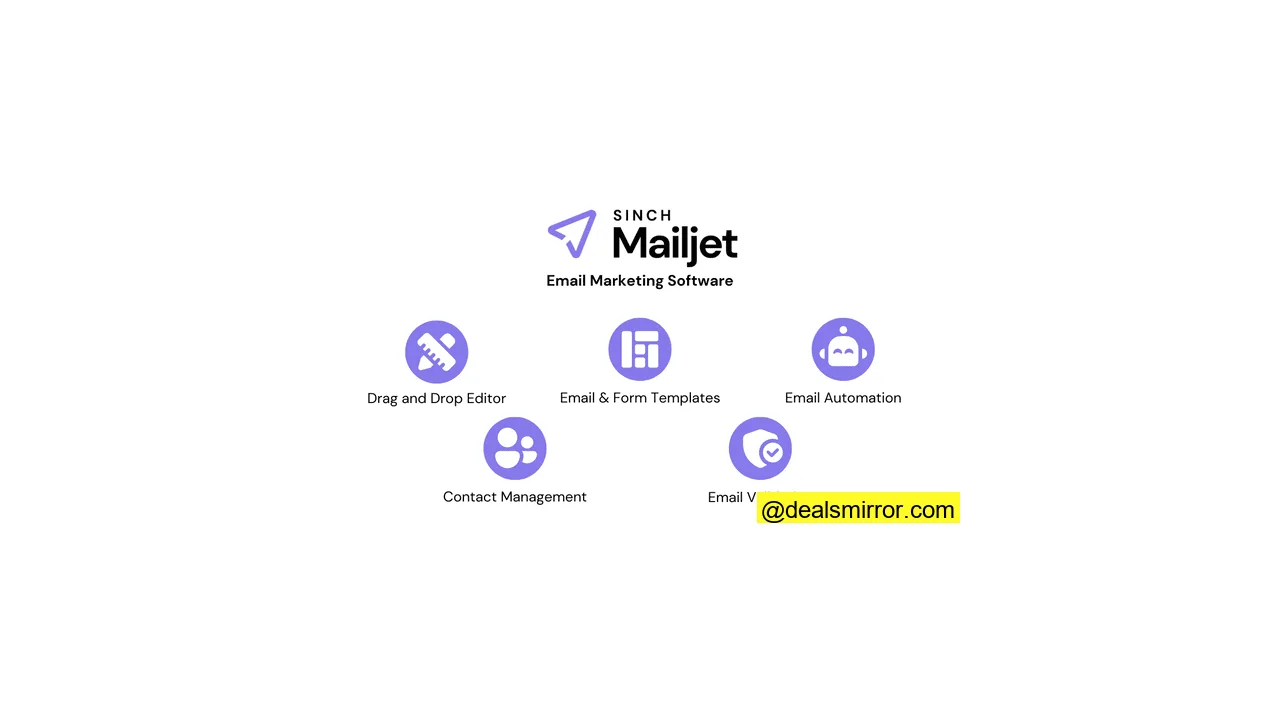
Key features that define Mailjet’s offering include:
- Drag-and-drop email editor: Mailjet’s email builder is designed for simplicity with an intuitive, easy-to-learn interface.
- Templates: Users can choose from over 70 email templates. These designs are generally simple and highly customizable.
- Automation: Automation tools are basic, limited to email sequences triggered by time or specific events. There are no workflow templates, only four foundational ‘scenarios’.
- Contact Management: The platform allows for the creation of an unlimited number of contact properties, enabling highly flexible and precise segmentation.
- Email validation: Mailjet’s built-in email validation is a significant unique selling proposition (USP) compared to many other email marketing services.
- Other channels: APIs are available for integrating transactional emails and SMS messages.
Mailjet Pros and Cons
Pros
- Deliverability: Excellent deliverability rates are achieved through a combination of email validation, visual email checks, and robust domain authentication.
- In-depth analytics: Mailjet tracks a wide array of metrics, offering detailed breakdowns for deep insights into campaign performance.
- Unlimited contacts: Mailjet’s affordable pricing includes unlimited contacts on all plans, removing any ceiling on list growth.
- Integrations: Mailjet offers direct connections to popular business software and over 100 platforms in total.
- Collaboration: Featuring user management and collaborative editing, Mailjet allows for setting granular permissions on who can edit templates, automations, contacts, transactional emails, and statistics.
Cons
- Automations: Marketing automation capabilities are less elaborate. Mailjet provides autoresponders and simple email sequences but lacks workflow templates.
- Navigation: While generally good, some tools and features, such as transactional emails and form building, can be challenging to locate initially.
Is Mailjet for you?
Mailjet is recommended if:
- You seek an affordable way to scale your email marketing. Mailjet is priced competitively for SMEs. Its Premium plan, unlocking all features, costs just $27/month for 15,000 emails, with unlimited contacts allowing limitless list expansion.
- Your team has developer expertise. Mailjet targets both marketers and developers. It’s an accessible tool for marketing teams, but its API allows developers to unlock extensive advanced functionalities.
- High deliverability is a top priority. Backed by a strong sending infrastructure, Mailjet boasts excellent deliverability. It’s one of the few platforms offering integrated email validation, and detailed analytics help pinpoint and resolve any issues.
Mailjet is not recommended if:
- You require extensive marketing automation. While Mailjet enables automated campaign sending, it’s limited to simple sequences with very few automation triggers and cannot automate actions beyond email sending.
Mailjet Rating at a glance: how does it perform?
| Ease of Use | Mailjet is very easy to use, featuring a simple, clear interface and consistent editors. However, some features could be more discoverable. | |
| Value for Money | Mailjet is competitively priced. The Premium plan, at $27/month, unlocks all features. Unlimited contacts and multiple users per account offer great value. A free plan is available to start. | |
| Email Editor and Template | The email builder is user-friendly, though indicating the active section could be clearer. There are over 70 simple, reasonably qualitative email templates, requiring creative input for eye-catching designs. | |
| Email Automation | Mailjet’s automation tools are basic, supporting simple automated email sequences and autoresponders, but lacking a visual workflow editor and templates. | |
| Segmentation and Contact Management | Users can build custom contact properties for flexible segmentation. However, this process is largely manual. | |
| Lead Generation | The consistent editor across forms, landing pages, and emails streamlines work. Mailjet sign-up forms use double opt-in. More form/page templates and reCAPTCHA would enhance this area. | |
| Reporting and Analytics | Mailjet offers in-depth performance analytics, tracking 10 email/campaign metrics per email and providing detailed data breakdowns. | |
| Functionalities | While some competitors offer more features, Mailjet’s unique strengths include in-platform email validation, which is a significant advantage. | |
| Customer Service | Mailjet provides user guides and email support tickets for lower-tier plans, along with a virtual assistant. Phone and live chat support are exclusively available for users sending 50,000+ emails. |
Getting Started with Mailjet
Mailjet serves both marketers and developers. A key strength highlighted is its simplicity, evident from the quick sign-up process. Users simply provide details and activate their account via email.
Upon registration, a Welcome Guide assists with initial setup and introduces core tools, guiding users through creating and sending a test campaign and importing a contact list.
Domain authentication is also required, which, while more technical, is crucial for Mailjet’s platform quality control and for optional SPF/DKIM authentication that boosts sender reputation and deliverability.
For sending transactional emails, users must configure Mailjet’s Send API or SMTP Relay, a topic explored further below.
Mailjet Review: Email Marketing Platform
Creating email marketing campaigns in Mailjet is straightforward, with intuitive navigation. From the Campaigns menu, users simply click the Create a campaign button, select a contact list, and begin building.
Email templates in Mailjet
The initial step in campaign creation involves selecting a template.
Mailjet offers over 70 email templates, a number on par with many competitors. The designs are generally simple but of reasonable quality and highly editable. There’s a good selection of newsletter templates, with others categorized for promotional themes like seasonal events and travel.
Developers have the flexibility to code and save their own templates using HTML.
Setting up email campaigns
After template selection, users proceed to finalize campaign settings. A critical step is adding a subject line, which is the first impression recipients receive. Mailjet assists with two key features:
- Ask AI: Mailjet’s generative AI tool can suggest subject lines based on campaign descriptions.
- Personalize: The Insert variable option allows for adding contact details, such as the recipient’s name, to subject lines.
This stage also facilitates A/B testing. The Version A box in the top left allows users to create up to 10 versions of the same email, modifying subject lines, images, or text content. Mailjet is recognized for its flexibility in split testing, enabling comprehensive variations.
A crucial final step is adding a sender address, which requires prior authentication of the email domain. This process is prompted the first time a user clicks on Sender address.
Creating and sending newsletters with Mailjet
With the setup complete, it’s time to design the campaign email using the drag-and-drop editor. All templates are fully customizable, and the editor is launched immediately after setup.
Mailjet’s email builder is highly intuitive, featuring a simple, uncluttered layout that makes tools easily accessible.
Editing tools are organized into three menus on the far left: Elements, Layouts, and Settings.
The ability to customize email layouts is a strong point. Standard layout containers offer blank, column-divided boxes, while Pre-built blocks elevate design flexibility. These are mini-templates—including logos, hero content boxes, text-image combinations, and product listings—that combine elements, positioning, and styling for quick customization.
Once layouts are arranged, users add Elements, which are content types like text, images, and link buttons. While the selection isn’t vast, Mailjet covers essential components.
The Mailjet editor offers both advantages and areas for improvement in content editing. Creating designs quickly is certainly possible. Clicking a content block reveals a contextual editing menu, as seen with the text editing menu. Here, Ask AI and Variables are again available, allowing for AI-assisted content writing and personalization similar to subject lines.
However, some navigation can be clunky, with difficulty in clearly identifying the active element or container block, and highlighted sections sometimes displaying menus for other elements.
A powerful feature, dynamic content, allows for advanced personalization by setting conditions for when specific content sections appear. This enables tailored content for different audiences. However, this feature is not prominently displayed, requiring users to click outside main content blocks to discover it.
Finally, Settings tools apply design styles across the entire template. Users can select from 21 languages, adjust background colors, default container sizes, and edit pre-set text styles. Page design locking is beneficial for team collaboration, enabling permissions for template editing.
Managing contacts in Mailjet
The Contacts tab in Mailjet offers extensive functionality, with the Form Builder and Validations discussed later. Initial steps focus on adding and managing contact data.
Creating contact lists and importing existing contacts is straightforward, supporting .csv or .txt files. A notable point is that Mailjet only automatically matches email addresses; all other contact field data, such as First Name, Last Name, or Location, must be manually matched by creating corresponding fields. While this requires initial effort for common data, it ensures precise control.
This manual control leads to significant benefits in contact data management. The Contact Properties page allows for creating custom data fields, providing immense flexibility to store any desired contact information.
This comprehensive data storage directly enhances campaign targeting. More detailed contact data enables more precise segmentation. Mailjet not only allows segmentation by an unlimited number of contact properties but also by activity, such as email opens or link clicks within a specified timeframe.
Users can stack multiple AND/OR conditions, making Mailjet’s segmentation capabilities as flexible as any available.
The Exclusion List is vital: contacts added here are automatically blocked from receiving emails. This is crucial for compliance when contacts unsubscribe or report spam. While some email marketing software automatically adds unsubscribed contacts to an exclusion list, Mailjet requires manual addition after removing them from the primary list.
Save time with Email Automation
Email automation in Mailjet facilitates the automatic sending of campaigns. Unlike many platforms that offer extensive templates to simplify marketing automation, Mailjet’s offerings are more foundational, with four basic ‘scenarios’ serving as starting points.
Welcome campaigns are a common automated sequence, triggered by actions like newsletter sign-ups. These can be single emails or a series.
Mailjet’s welcome scenario is basic, allowing for adding emails and setting delays between them. The workflow editor is also very simple, primarily focused on scheduling email sends. A unique aspect is the requirement to build emails specifically using an ‘automation email template’ for inclusion in a workflow.
The other scenarios function similarly with different triggers: Dates and Anniversaries send emails at a specified time, with anniversaries relying on individual contact data.
The most versatile automation scenario is Contact Property Updates. While the workflow remains basic—triggering an email when a specified property changes—it leverages Mailjet’s flexible custom contact properties. This allows for diverse triggers, as users can create any property they need.
However, contact properties cannot be updated automatically. Most advanced marketing automation tools automate various actions like updating contact data, adding to segments, and creating tags. Mailjet is limited to automated email sending, which simplifies the process for beginners but offers less extensive time and effort savings.
Setting up transactional emails with Mailjet Email API
Mailjet shares infrastructure and features with its sister platform, Mailgun, notably in deliverability and transactional emails.
Transactional emails in Mailjet involve two main aspects: creation and sending. Creating a transactional email is similar to a marketing campaign, though the tools are somewhat nested; access requires navigating through Templates > Email Templates to find the Transactional option.
Like marketing emails, building starts with templates. There are 20 transactional templates covering common use cases such as confirmations, receipts, account updates, and support ticket acknowledgments, with designs being mostly simple.
The rest of the building process, including the editor and tools, is identical to campaign emails. However, sending transactional emails is distinct from bulk campaign sends.
Transactional emails are sent individually, triggered by specific events, and cannot be set up using Mailjet’s automation workflows. Instead, they require the use of its Send API or SMTP relay.
These tools are derived directly from Mailgun. The Send API is highly regarded for its exceptional deliverability rates, ensuring most transactional emails reach their destination. Mailjet complements this with detailed performance analytics, providing precise reasons if an email fails to deliver. For a deeper dive into features, pros, cons, and pricing, explore the Mailgun review.
It’s important to note that the Send API is a developer-centric tool. Mailjet provides comprehensive documentation for API setup and use, including libraries for various coding languages, but it requires coding knowledge.
Validating Emails with Mailjet
Mailjet’s Validations tool is located within the Contacts menu. Email validation, the process of verifying email address functionality in a list, is a significant advantage of Mailjet. Inactive accounts and fake addresses lead to bounces and negatively impact deliverability, making the ability to identify and remove them a key strength. Many email marketing platforms do not offer any form of email validation.
Mailjet’s email validation is user-friendly. Checks can be performed on existing lists or new addresses, uploaded individually or in bulk. The results are clear, indicating how many addresses in a list are deliverable, undeliverable, disposable, or unknown. Disposable accounts are temporary email addresses that will expire and bounce.
However, the tool does not provide a breakdown of *why* addresses are undeliverable. Obtaining an address-by-address breakdown requires downloading a CSV file, adding an extra step to remove unwanted addresses.
Getting new leads with Mailjet
The Form Builder, while housed in the Contacts menu, is a crucial email marketing tool for lead generation.
Form design begins with template selection. Mailjet offers 8 form templates, a modest selection but with tasteful designs ranging from basic newsletter sign-ups to forms for discounts and digital products like ebooks.
A significant benefit is that the form builder shares an identical interface with the email builder. This consistency across editors for emails, forms, and landing pages accelerates user familiarity and workflow.
The form builder excels in ease of use, allowing users to simply drag and drop desired elements. Mailjet provides 8 different field types, including pre-formatted options for phone numbers, dates, and web URLs. For each field, users are prompted to add a contact property to ensure correct data mapping into their contact list.
Mailjet also features a standalone Pages section for its landing page tools. These are relatively basic, offering only 3 layout templates, suggesting room for more fully designed options.
The landing page builder maintains the familiar Mailjet interface, with the same layout and drag-and-drop tools as the email and form builders. Despite basic templates, users can quickly create professional-looking pages. Although landing pages and forms are managed separately, a built form can be easily integrated into any landing page.
Reporting and Analytics in Mailjet
Mailjet’s analytics capabilities are comprehensive, thoroughly tracking core email campaign performance metrics. These are broadly categorized into two main sections:
- Engagement statistics: Includes metrics such as Open, click, unsubscribe, and marked as spam.
- Deliverability statistics: Mailjet reports whether emails are delivered, blocked, and categorizes hard and soft bounces. It also logs emails that are queued for sending and records re-attempted sending as retrying.
This robust range of 10 metrics is presented effectively in various formats. The main dashboard provides a 24-hour activity overview, allowing users to select specific metrics and filter lists to see which addresses have bounced, opened, etc.
The Stats page enables viewing these statistics by day, week, month, or up to a year.
The My Campaigns page summarizes open and click rates for each campaign. Opening a sent campaign reveals a detailed performance breakdown, showing which links received the most clicks and campaign performance by email provider. Up to 10 campaigns can be compared simultaneously.
For all these analytics to function, email tracking must be activated in Account settings > Email tracking settings.
Mailjet Integrations & API
Mailjet offers over 29 direct integrations with various third-party software. Key integration highlights include:
- CMS and website builders: Such as WordPress, Drupal, and Joomla.
- eCommerce platforms: Including WooCommerce, Prestashop, and BigCommerce.
- Marketing automation tools: Like Vero, Ongage, and Leadliaison.
- Lead capture solutions: Such as ManyContacts, Optimonk, and Poptin.
- SMS services: Including MessageMedia.
- Connectors: Such as Zapier, Cloud Elements, and Skyvia.
The WordPress integration allows connecting WordPress form builders to Mailjet. This provides extensive choice in form plugins while ensuring captured leads are synced into Mailjet contact lists for campaign use.
Developers can also utilize the API to integrate any platform of their choice, offering extensive customization possibilities.
How Much Does Mailjet Cost? Pricing and Plans
Mailjet offers strong value for money with flexible pricing plans:
- The **Basic plan** (referred to in the input as “Mailjet pricing” with a specific price point) starts at $15 a month for 15,000 emails and unlimited contacts. This plan provides fundamental campaign creation tools but excludes automation and landing pages. It includes 500 email validations per month.
- The **Premium plan** starts at $27 a month for 15,000 emails. This tier unlocks all advanced features, including dynamic content, A/B testing, and comprehensive analytics. It also supports up to 20 users per account, offering excellent value for teams.
- A **free plan** is available, supporting 1,500 contacts and 6,000 emails per month, with a daily sending limit of 200 emails. This plan includes the drag-and-drop email editor, form builder, and basic statistics.
Mailjet Customer Support
Mailjet’s standard customer support model focuses on self-service through an online knowledge base, which includes User Guides. For direct assistance, users can submit email tickets.
An AI Customer Assistant Chatbot is accessible on every page, helping users find relevant resources or guiding them to submit a ticket if answers aren’t found in the knowledge base.
However, phone and live chat support, while available on the Premium plan, are restricted to users sending 50,000 or more emails per month.
Final Conclusion: Is Mailjet the right email tool for you?
Mailjet is a simple, affordable email marketing platform ideal for SMEs. Its key benefits include unlimited contacts on all plans and integrated email validation. The platform’s strong analytics, high deliverability rates, and flexible A/B testing features also contribute to its significant value, allowing users to achieve premium email marketing performance at competitive prices.
Mailjet is highly recommended for small businesses aiming to expand their email marketing efforts while managing costs. It is particularly powerful for teams with developers who can leverage its API. The primary limitation lies in its automation capabilities; businesses prioritizing extensive marketing automation may need to explore alternative solutions.
Here’s a short recap:
| Ease of Use | |
| Value for Money | |
| Email Editor and Template | |
| Email Automation | |
| Segmentation and Contact Management | |
| Lead Generation | |
| Reporting and Analytics | |
| Functionalities | |
| Customer Service |
Mailjet Frequently Asked Questions (FAQ)
Is Mailjet free to use?
How reliable is Mailjet?
Is Mailjet better than Mailchimp?
Mailchimp’s pricing tends to increase with more contacts and tools, whereas Mailjet offers all premium features and unlimited contacts for a fixed price of just $27 a month.
What are the benefits of Mailjet?
Can you send SMS with Mailjet?
Mailjet Alternatives
Mailjet vs. MailerLite
MailerLite is often considered a direct competitor to Mailjet, with both prioritizing affordability and ease of use. MailerLite holds an edge in pricing, with paid plans starting at $9 a month compared to Mailjet’s $15. However, MailerLite offers unlimited emails, while Mailjet provides unlimited contacts, requiring users to determine which offers better value for their specific needs. MailerLite’s free plan is also more generous, providing double the number of free emails. For a detailed comparison, refer to the MailerLite review and Mailjet review, or the dedicated MailerLite vs Mailjet comparison.
MailerLite generally offers superior email marketing automation and a broader range of integrations. Conversely, Mailjet provides built-in email validation for sender reputation protection and more advanced analytics.
Mailjet vs. GetResponse
Mailjet is an excellent choice for affordable email marketing growth. In contrast, GetResponse is better suited for businesses looking to expand beyond email marketing. GetResponse offers three pricing plans: a basic tier for email marketing fundamentals, a middle tier for marketing automation, and a top tier focused on advanced e-commerce marketing, heavily supporting sales and revenue generation.
GetResponse’s cheapest tier is most comparable to Mailjet, combining campaign building with straightforward lead generation and basic automation. GetResponse is more affordable to start, but Mailjet offers unlimited contacts. GetResponse boasts more integrations and 24/7 live chat support, while Mailjet excels in analytics, email validation, and transactional emails, with the latter only available on GetResponse’s most expensive plan. Learn more in the GetResponse review and Mailjet review, or the Mailjet vs GetResponse comparison.
Mailjet vs. ActiveCampaign
One of Mailjet’s primary weaknesses is its basic automation. For businesses prioritizing email campaign automation, ActiveCampaign presents a compelling alternative, widely considered one of the best marketing automation platforms for SMEs. Its workflow editor combines intuitive design with sophisticated features and offers over 900 automation templates to get started. Discover more in the ActiveCampaign review and Mailjet review, or the Mailjet vs ActiveCampaign comparison.
Like Mailjet, ActiveCampaign’s pricing starts at $15 a month, but costs increase with contact list size, and premium automation features are tiered. Mailjet offers better value for fundamental email campaign creation and sending, and unlike ActiveCampaign, it provides a free tier.