
Teachery is rapidly gaining prominence in the booming online course industry. Established in 2013, it has emerged as an attractive solution for course creators seeking to launch courses quickly without a hefty budget. But is it the right platform for your unique needs?
This comprehensive Teachery review delves into every aspect of the platform, offering a detailed look at its features, advantages, disadvantages, pricing, and more. For those eager for a quick overview, here’s a summary:
Teachery Review: Quick Summary
This review focuses on what Teachery is, the features it offers, and what makes it stand out. Here are Teachery’s highlights:
- Create your own courses quickly and efficiently.
- Teachery plans are simple, with no hidden or extra costs once you subscribe.
- Create as many courses as you want for an unlimited number of students.
- No drag and drop editing, but the intuitive interface still gets the job done effectively.
- Market your courses using integrated landing pages, automated emails, and drip lessons.
Now, let’s dive deeper into this Teachery review.
What is Teachery?
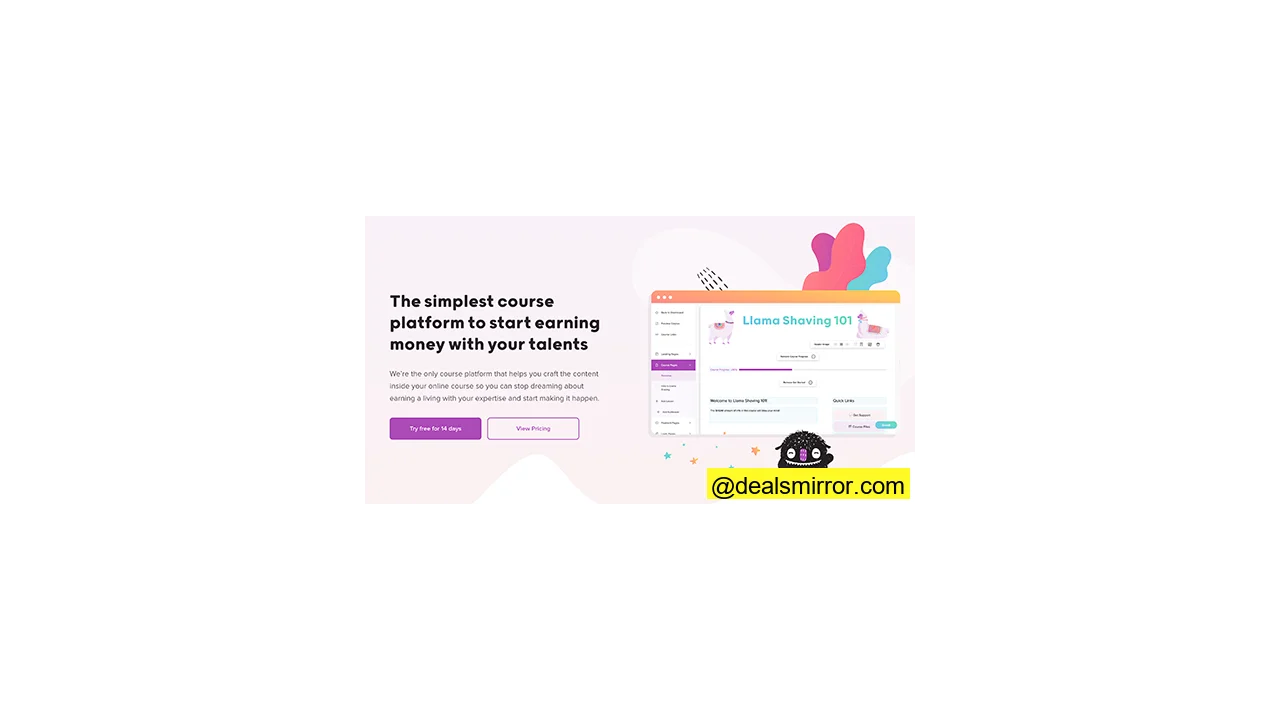
Teachery was built by course creators, for course creators. The platform’s core philosophy revolves around simplicity, making it incredibly easy to set up an online course and seamlessly integrate it with your existing website.
With Teachery, you gain access to all the essential tools and functionalities required to smoothly launch your first course. You don’t need any technical skills, nor will you encounter the complexities of WordPress plugins or intricate coding. You can start selling your courses on Teachery right away.
The interface is remarkably user-friendly, ensuring that editing and course management are quick and straightforward.
Teachery is an excellent choice for anyone looking to share their expertise and monetize it through online courses, especially if they prefer a streamlined experience without unnecessary frills.
Teachery Online Course Platform Review: Key Features
Launching your first course is a significant milestone. Let’s explore how Teachery supports you through its robust course editor and features.
Build Your First Online Course
Upon signing up, Teachery immediately guides you through the course creation process. Its intuitive online course wizard prompts you to:
- Give your course a compelling title.
- Choose your first three main topics.
- Add clear descriptions for each topic.
Within approximately five minutes, you’ll have the fundamental structure of your course in place. From there, you can delve into the finer details.
After establishing the basic structure, you can add more content to your course. Alternatively, you have the flexibility to bypass this step temporarily and configure payment options, landing pages, or student login pages first.
All the necessary options to launch a successful online course are conveniently accessible from the left-hand panel.
Editing course content is based on versatile content blocks. Within these blocks, you can add headlines, body text, and embed video or audio content.
A particularly useful feature is the ‘Lesson Resources’ content block, which allows you to enhance your lessons:
You can add diverse elements, including:
- Images directly hosted on Teachery for seamless integration.
- Video files hosted on external sites, including your own content or supplementary materials.
- Tables to create interactive worksheets or organize information for students.
- Lists to effectively summarize key lesson points and improve readability.
You have full control over styling, allowing you to change all colors for text, titles, and buttons to maintain consistency across your entire course. These settings are easily managed in the “Style Your Course” menu, where you can set them once and apply them universally.
Does Teachery Offer Drag and Drop Editing?
No, Teachery does not feature a drag and drop editor. However, this is not necessarily a drawback. The absence of drag and drop functionality is a deliberate design choice, trading some visual customization for unparalleled ease of use. As Jason, one of Teachery‘s co-founders, explained:
“Hello Rukham 👋 We don’t have drag and drop functionality within our course editor. We’ve been developing our two-course templates and various course pages for years and have found that our simple editor removes all the extra thinking based on our testing 😊 .”
This approach simplifies the course creation process. Even if you’re accustomed to drag and drop editors, giving Teachery‘s builder a try often reveals how quickly and intuitively you can create courses, validating its design philosophy.
Online Course Templates
To accelerate your course creation, Teachery provides two foundational core layouts:
- The Minimal Look: This template offers a modern, sleek, and exceptionally simple aesthetic.
- The Sidebar Template: This layout includes more options for adding content and presents a more ‘blocky’ or structured appearance.
Minimal template (left) vs Sidebar (right)
Functionally, both templates are quite similar. The primary distinction lies in how your course content is visually presented to students.
Create Drip Lessons
Every instructor aims for high student completion rates, but challenges like students skimming, skipping lessons, or abandoning a course midway are common. Teachery‘s drip lesson options are designed to address these issues effectively.
By utilizing drip lessons, you can guide students through the entire curriculum. You can choose to:
- Lock chapters, requiring students to complete preceding lessons before accessing new content.
- Unlock lessons automatically after a specific time period has elapsed.
The control over the delivery schedule is entirely yours.
This feature is further enhanced by two valuable additions:
- Generate automated emails for your students each time a new lesson is unlocked, keeping them informed and engaged.
These tools are instrumental in incentivizing students and maintaining their engagement with your Teachery course.
Add More People to Your Course with Landing Pages
Experienced course creators understand that a seamless and persuasive sign-up process is crucial for selling courses. This is often achieved through well-designed, convincing, and easily shareable landing pages.
With Teachery, you can build effective landing pages to invite and convert prospective students.
The landing page editing options mirror those for online course pages, with the main difference being the layout optimized for conversion.
The primary sections of the landing page are pre-populated with placeholders for headlines, subheadings, images, columns, advantages sections, and calls-to-action (CTAs). You can easily add, remove, or customize these elements to suit your specific needs.
For advanced styling and branding, you can even add custom CSS code to your landing pages.
This landing page feature also includes a payment pages template, allowing you to seamlessly integrate payment options for students and apply promo codes for your course.
Send Emails and Integrate with Your Email Software
Teachery empowers you to create three types of automated emails:
- Welcome email: Sent when someone signs up for your course.
- Course completed email: Delivered when a student finishes the entire course.
- Lesson unlocked email: Sent each time a new lesson becomes available through drip content.
Once you set up these automated emails, they run effortlessly, ensuring your students receive timely communications without ongoing manual effort. The emails are designed to be simple and text-based, with easy customization for text, background, and link colors. These three core course emails are generally sufficient for effective student communication.
Should you wish to expand your email marketing strategy and create more advanced funnels or intricate designs, you can integrate your preferred email service provider (ESP) with Teachery.
Simply navigate to “Accounts > Integrations” and select your ESP of choice.
Currently, native integrations are available for Mailchimp and Kit. Other key integrations include Stripe for secure payments and Zapier for connecting with a vast ecosystem of other applications.
What Does Teachery Cost?
Upon signing up, Teachery graciously provides a free trial, allowing you to explore all its features and test the platform thoroughly before committing. When you’re ready to subscribe, simply go to your Account or Payments page, select a plan, and add your credit card details.
Teachery distinguishes itself by offering a single, straightforward paid plan with two flexible payment options:
The monthly plan is priced at $49 per month, while the yearly plan is a one-time annual payment of $470. Opting for the yearly plan provides a significant saving, effectively giving you a 20% discount.
Both plans include a comprehensive suite of features:
- Unlimited courses: Create as many courses as your expertise allows.
- Unlimited students: Scale your reach without worrying about student caps.
- Landing pages: Build high-converting pages to attract new enrollments.
- Custom domains: Brand your courses with your unique domain name.
- ESP integrations: Connect with popular email service providers for advanced marketing.
- Analytics: Gain insights into your course performance.
- Payment pages: Securely process transactions for your courses.
- Affiliate program: Recruit partners to help promote your courses.
- Custom HTML support: For those who desire more advanced customization.
- Customer support: Access assistance whenever you need it.
In an industry often characterized by complex and confusing pricing tiers, Teachery‘s simple, two-option plan is a refreshing approach. Compared to platforms like Teachable, Teachery is not only more affordable but also allows for unlimited courses and students, making it a highly scalable solution.
How’s the Support for Teachery?
One of Teachery‘s unique strengths lies in its direct customer support. Both co-founders are actively involved in the chat, meaning you can often expect a response directly from them on the same day. This direct access to the creators is a significant advantage.
Additionally, Teachery maintains a comprehensive repository of support articles, known as ‘Help Docs.’ These resources cover a wide range of topics, including course setup, customization, payment settings, advanced features, integrations, and more. If you still have questions, you can reach out via email or through their social media channels. For users in the UK and US, phone support is also available.
Teachery vs. Teachable and Other Alternatives
To determine if Teachery is the ideal platform for you, it’s helpful to compare it with alternative online course platforms.
Teachable, for instance, offers a broader range of features, including more in-depth course analytics, a greater number of integrations, and options for one-on-one live student sessions. Teachable also provides four distinct payment options:
- Free plan (limited features)
- Basic ($29/month)
- Pro ($99/month)
- Business ($249/month)
Teachable is generally a better option for experienced course builders who require advanced functionalities and detailed analytics. In contrast, Teachery excels as a great choice for beginners and individuals who prioritize simplicity and do not require extensive advanced features. For a deeper dive into how these tools stack up, check out our full Teachable review.
Other notable alternatives worth considering include Thinkific and Kajabi. Both platforms offer a more powerful set of features but often come with restrictions on the number of students and courses, meaning your costs typically increase as your course business grows. Learn more about their pricing and features in our Thinkific vs Kajabi review.
Regardless of your choice, it’s always recommended to sign up for a free trial before committing to a paid plan, allowing you to experience the platform firsthand.
Teachery Review: Conclusion and Recommendations
Teachery stands out as a refreshing and straightforward technology for course building. It exemplifies one of those rare brands that consistently delivers on its promises of simplicity and ease of use across every interaction point.
Throughout this Teachery review, we’ve examined its core features, support system, and pricing structure. Teachery distinguishes itself with its comparatively low prices and the invaluable offering of unlimited courses and students, making it an incredibly scalable option for educators.
Looking ahead, Teachery could further enhance its platform by integrating more interactive features for course creators, such as:
- Quizzes to assess student comprehension and engagement.
- Live chat functionalities for real-time student support and interaction.
- Interactive sessions to foster a more dynamic learning environment.
- Direct video hosting or webinar capabilities to streamline content delivery.
These additions would empower course creators to sell online courses even more effectively while making the learning experience more engaging and enjoyable for students.
The online learning sector continues to grow at an unprecedented pace, and Teachery serves as an excellent online course platform for individuals to enter and establish their presence in this dynamic market. It is perfectly suited for beginning educators, price-conscious online course builders, and anyone who values a simple, uncomplicated, and direct approach to creating and selling online courses.
If you’re interested in learning more about broader strategies for selling online (courses or products), explore our comprehensive guide.