
Textmagic is a robust yet intuitive SMS marketing software, established in 2001. It has since grown to serve over 25,000 business customers, facilitating the dispatch of 200 million texts annually. Many businesses trust Textmagic as their go-to SMS platform, but is it the right tool for your specific needs?
This review will evaluate Textmagic based on several key areas:
- Ease of Use
- Value for Money
- Bulk Messaging
- Functionalities
- SMS Automation
- Customer Service
Textmagic Review Summary
Textmagic serves as a comprehensive business text messaging service, designed for companies seeking efficient communication with their customers and staff.
- Getting started is straightforward. Users can sign up for a free account and only pay for the texts sent. For example, a thousand texts typically cost around $40.
- It boasts a simple interface, clean navigation, and a wealth of features, including custom fields for personalized bulk campaigns, API integration, and SMS scheduling.
- Automation capabilities simplify the personalization and management of large-scale campaigns.
- Users can monitor the costs of their SMS campaigns in real-time.
- Support is accessible via email and phone for users in the USA, UK, Australia, and Estonia.
Textmagic streamlines the process of sending personalized bulk SMS, automating SMS workflows, and acquiring new contacts.
Reasons to Choose Textmagic
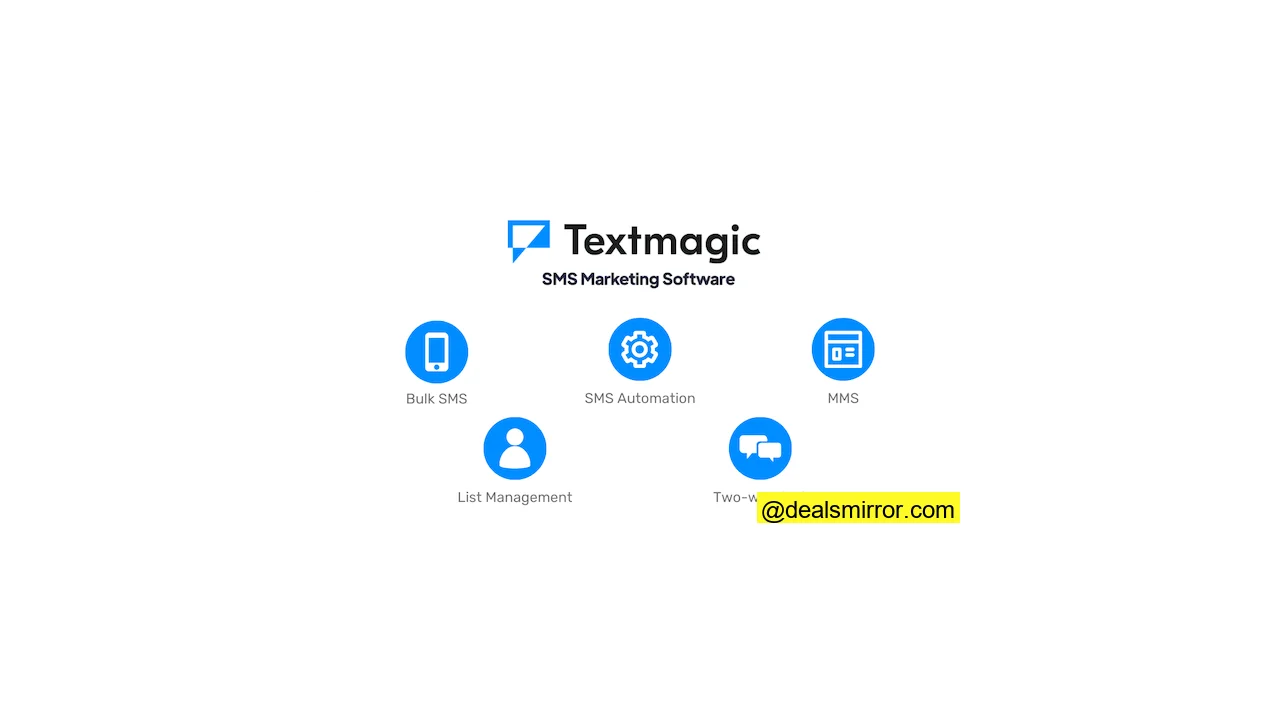
Textmagic provides all the essential tools for creating effective SMS campaigns within a single, user-friendly platform. It is a preferred choice for small and medium businesses looking for simple yet powerful SMS marketing solutions.
Let’s explore Textmagic’s key features:
1. Bulk Messaging: Send bulk SMS messages effortlessly to staff, leads, and customers. Textmagic ensures quick and affordable bulk SMS sending and delivery.
2. Two-way SMS Conversations: Foster genuine connections with your audience through two-way SMS conversations. Leads and customers can text and engage directly, with Textmagic offering SMS templates to initiate these interactions.
3. Images, Files & MMS: Enhance your texts with memorable visuals and documents. You can send pictures, videos, PDFs, and even Microsoft Office attachments (up to 10MB, with loading dependent on the device). True MMS functionality is available for the USA and Canada (up to 525kb, sent exclusively from toll-free numbers).
4. Keywords: Easily create and edit keywords within Textmagic. Use keywords to add contacts to lists, trigger autoresponders, or remove them from campaigns.
5. Automation: Leverage automations for list building, surveys, and keyword autoresponders. These allow you to send triggered messages and manage contacts by adding or removing them from lists.
6. List Management/Segmentation: Import CSVs, tag users, and create segmented lists to run highly targeted campaigns. The platform supports adding custom fields and automating list management processes.
Textmagic Review: SMS Marketing Platform Capabilities
Whether your goal is to send mass texts about promotions, distribute product information, or automate reminders, Textmagic simplifies the process. It empowers users to execute complete text message marketing campaigns. Let’s start with bulk SMS.
How to Send Bulk SMS with Textmagic
Textmagic enables bulk message sending both online and via its mobile app. To send bulk texts, users navigate to the Compose panel. The simplicity of sending bulk text messages is a notable advantage.
The process involves selecting your contact list and the desired sending phone number, composing your message, and then clicking Send.
Creating reusable SMS templates is straightforward. With Textmagic’s MMS capability, you can also include images.
To personalize a text message, click on Insert tag. From the drop-down menu, you can select which customer information field to add to the message. Personalization begins with standard tags such as name, company information, phone, email, and appointment time. Any custom fields created for contacts also become available as tags.
Text-to-speech and voice broadcast represent another distinctive feature in SMS bulk sending. Your text message can be converted into voice, or you can pre-record audio and send it as a phone call.
Schedule SMS sends and recurring campaigns with Textmagic. This eliminates the need to compose your SMS precisely at the moment of dispatch.
You can choose a specific date and time to schedule bulk SMS messages. Campaigns can also be set to repeat, for instance, sending a daily update.
Textmagic offers global text messaging support in over 200 countries, with coverage spanning from Afghanistan to the US Virgin Islands, and includes support for text-enabled landlines. Users can purchase a dedicated (local) number from 30 countries. This extensive international reach is a significant benefit, as many SMS marketing platforms primarily focus on the US, Canada, and Europe.
Free SMS Templates in Textmagic
Textmagic includes 9 pre-made SMS message templates.
These templates cover common scenarios such as appointments, booking confirmations, and deliveries. Each template can be edited to incorporate tags for personalized messages.
On the Textmagic template library, you’ll discover 62 additional message templates with ideas for sales campaigns, event invitations, and more. To utilize these, you can copy-paste the text from the website into Textmagic or download the templates as CSV files.
Two-way SMS Conversations in Textmagic
Textmagic’s two-way SMS chat panel is ideal for engaging customers and answering questions directly. Responding to texts in real-time helps to assist customers promptly and make them feel valued.
The two-way chat menu is designed for easy navigation. On the left, a list of actively chatting subscribers is displayed, while the right panel shows their text history, providing context for every interaction.
Team members can be added, and chats can be delegated to dedicated inboxes. This ensures that the correct person is assigned to a conversation, saving time spent sorting through messages.
Similar to bulk texts, media files can be sent in two-way chats. Textmagic supports .jpg, .gif, .png, .pdf, .txt, .csv, .doc, .docx, .xls, .xlsx, .ppt, .pptx & .vcf file formats.
For those familiar with customer support, recurring questions and similar responses are common. Textmagic addresses this with pre-made templates for canned responses. These canned responses can be personalized by adding customer information tags.
To send a canned response, simply click on templates, choose one, and click ‘insert template’.
As your text marketing campaigns grow, the volume of SMS chat requests will increase. Textmagic helps manage this volume with chat filtering options.
You can toggle to view only unread messages, enabling quick responses to customers. Chats can be manually marked as ‘read’ or deleted entirely. Closing all read texts allows for efficient sifting through incoming chat lists.
Two-way chat features help users stay organized and on top of text conversations through:
- All conversations presented in one window
- Comprehensive chat filtering features
- Easy template implementation for quick responses
- Inbox delegation to team members for collaborative support
Automate SMS Sending with Textmagic
Within Textmagic, SMS automation can be achieved using keywords, autoresponders, list rules, and surveys. SMS autoresponders offer flexibility for building various automated campaigns, involving group selection, keyword assignment, message crafting, and list management.
The platform utilizes rule-based logic, which is effective for managing most SMS autoresponder campaigns. Here is a list of potential **Autoresponder campaigns:**
- Automated SMS coupon messages
- Delivery or status updates
- SMS surveys to gather more information about contacts
- Lead magnet follow-up sequences
- Scheduling meetings with automatic texts
The automation wizard is user-friendly, allowing for quick campaign setup. The autoresponder screens are well-designed, with each step clearly outlined.
Users can create branched, dynamic, and personalized campaigns. However, it’s important to note that SMS autoresponders in Textmagic are not intended to replace a full marketing automation tool. For more complex rules, queries, and intricate triggers, integration with a dedicated marketing automation tool would be more suitable.
The autoresponders feature receives a score of 4.5 / 5, recognizing its robust capabilities and smooth user experience for many automation tasks directly within Textmagic.
3 Examples of Automated SMS Sending with Textmagic
In Textmagic, SMS automation is possible using keywords, autoresponders, list rules, and surveys. Creating automations is quite straightforward. Let’s set up three example SMS automations to illustrate how this works.
1. Subscribe People Who Download Your Lead Magnet
SMS automations can be used to sign up individuals who download your lead magnets. This method allows you to keep them informed with the latest news, product updates, or exclusive discounts and offers.
To subscribe people to your SMS list, go to Automation Rules under the Services menu.
Select Create a new rule and assign it a name. For instance, it can be named “Lead magnet giveaway”.
Next, add a keyword. For this example, the word CHEATSHEET is chosen. Whenever someone replies to a text using this word, they will receive an autoresponder.
Users can select which countries this campaign applies to. Leaving the field empty includes all countries.
Proceed to Continue to compose the body of your autoresponder text.
A name tag can be added to the message body for a personalized touch. Then, a concise explanation of the value of signing up for this SMS newsletter is provided.
It’s important to select the option to trigger this automation only once, rather than every time the keyword is used. Since subscribers will be added to a new list after joining, the corresponding box should be ticked.
Those who reply to texts with ‘Subscribe’ can be automatically added to a ‘newsletter subscribers’ list, ensuring the list updates continuously.
This method creates an automatically updating list of opt-in subscribers ready for newsletters.
2. Send Customer Satisfaction SMS Surveys
To create a survey, go to Services and click on SMS surveys.
Click on Create a new survey. You can start with a template or build one from scratch.
For demonstration, the Customer feedback survey template is chosen for its efficiency.
Next, select your list of survey recipients. For example, to gather product feedback from customers.
Now, design the first question, labeling it ‘Qualifying Question’. Here, a recipient can indicate if they wish to participate in the survey.
Then, create two branches: one for the keyword YES, and a second for any other responses. By using keywords like ‘YES’ and ‘NO’, subsequent questions can be branched based on their response, allowing for dynamic automation flows and surveys.
Those who reply with YES will receive a follow-up question, while for others, the survey concludes.
The next step is ‘Question 2’ for participants who expressed interest. Users can then be asked for a rating from 0 to 10. After their response, they will automatically receive the next question about satisfaction. This allows for adding as many questions as needed. Finally, a thank you SMS is added, and the survey is concluded with the ‘End Survey’ trigger.
The entire sequence can be tested with a survey preview to ensure perfect functionality. Replies will be stored in Textmagic, and responses and analytics can be reviewed on a dedicated results page, with individual responses visible on contact profile pages.
3. Status Updates
For e-commerce stores, notifications about delivery status or new promotional campaigns can be sent to customers via text, as illustrated in the following example:
To create a status update automation, navigate to the automation rules section and initiate a new automation. Name it, for example, ‘delivery status updates’, and use the keyword delivery as your trigger.
It’s crucial to select ‘anywhere in the text’ where the keyword appears. This ensures that your customer receives an automated response even if the keyword is not the first word in their text.
Next, use tags to compose your text message. It’s important to have custom fields already populated with information like customer delivery numbers and dates.
If no contact list modifications are needed for this automation, additional settings can remain default. Click continue, and the automation is ready. An automated response will be sent whenever someone includes ‘delivery’ in their text. Here’s an example using the automation built:
These three examples demonstrate text automations for customer communication. Users can achieve much more to streamline communication with CTAs, triggers, and dedicated phone numbers, all within Textmagic.
Textmagic List Building and Contact Management
Textmagic offers three primary options for list building: utilizing keywords, web forms, or manual imports.
To import contacts, navigate to the Contacts menu, click New Contact, and choose whether to add contacts manually or import CSVs. When lists are imported, all data is validated, and duplicate entries are removed.
Contact management can be automated using keywords. When text recipients reply with specific keywords, actions can be predefined, such as adding them to a new list, removing them from a previous list, or assigning a new tag.
Managing unsubscribers is also straightforward. When someone replies with STOP, STOPP, STOPALL, UNSUBSCRIBE, END, or QUIT, they will be automatically removed from the campaigns to which they replied.
Textmagic web forms are basic but functional. Users can customize header text, descriptions, and a few color choices. The fields are limited to name and mobile phone number.
Once satisfied with the design, you can select which lists your subscribers will be added to. Subscribers can also be filtered by country, ensuring only individuals with phone numbers from that country are added to a specific list. Alternatively, users could leverage a tool like Formstack and integrate it with Textmagic.
Textmagic Email to SMS
Textmagic’s Email to SMS gateway converts emails into SMS messages and delivers them, with all replies then being received back as emails. Users simply need to add a valid email address and send an email from that account to phone_number@textmagic.com. This feature is particularly useful for sending SMS directly from an email client.
There are three SMS conversion options available: including both subject + body text, only the body text, or just the subject line.
Users can add custom cut phrases from the settings to instruct Textmagic where to stop converting an email to text. This serves as a cutoff point, useful for adhering to SMS character limits or excluding footer information from emails.
Textmagic Integrations
Connecting Textmagic with other applications enhances its functionality. For example:
- Integration with Calendly or Google Calendar for scheduling appointments.
- Synchronization with CRM systems to import and manage subscribers.
- Connection with communication tools like Zoom, Slack, or similar platforms to improve internal company processes and reach staff.
- Utilization of the API to send a welcome SMS text message to any new customer.
Here are 7 of the most common Textmagic integration types:
- CRMs, like Salesforce or Microsoft Dynamics 365
- Marketing Automation, like HubSpot and Pipedrive
- Email Marketing, like Mailchimp or ActiveCampaign
- Spreadsheets, like Google Sheets and Microsoft Excel
- E-commerce, like Shopify and WooCommerce
- Surveys, like SurveyMonkey and Typeform
- And more, for diverse business needs.
All integrations are facilitated through Zapier, Email to SMS API, or REST API. Zapier allows Textmagic to connect with over 5000+ apps without requiring any coding.
To connect with an application, visit the API menu in Services. Click on integrations and choose the app you wish to connect with.
Further details for integration setup can be found within Zapier.
Textmagic Customer Support
The Textmagic support team is known for its prompt responses, typically within 24 hours, though often much quicker during testing. Both email and phone support are available. The Textmagic website provides extensive how-to articles, an FAQ section, and video tutorials. Links to these video tutorials are also integrated into relevant sections within the application for easy access.
Textmagic Pricing and Plans
Textmagic offers a 30-day free trial, which is excellent for testing the full platform. Following the trial, users can opt for a pay-as-you-go plan. SMS prices are dependent on the country the messages are sent to, a standard practice for SMS services.
A significant advantage of Textmagic is its pay-as-you-go model. There are no account fees, and purchased credits never expire.
A pricing calculator is available on their Textmagic pricing page to estimate the cost of sending texts.
For example, 1000 texts sent to the US will cost approximately $40. This figure does not include the price of a virtual phone number, which typically costs between $4-6 per month.
Businesses planning to send more than 10,000 texts monthly can contact sales for custom pricing solutions.
Textmagic Pros and Cons
Key Advantages:
- Utilize the Email to SMS feature for seamless multi-channel communication.
- Benefit from a pay-as-you-go model, only paying for SMS sent.
- Create sub-accounts for teams to collaborate effectively on campaigns.
- Save time with instantly populating text message templates.
Areas for Improvement:
- The user interface may appear somewhat outdated, though this does not detract from functionality.
Pros and Cons from Textmagic User Reviews
For a comprehensive review, user feedback for Textmagic was also considered. Here’s what was gathered from customer experiences:
The Positives:
- Users appreciate the sub-account collaboration feature.
- Many users value the accessibility of the application on mobile devices.
- The ease of setup is frequently highlighted by customers.
The Negatives:
- Some customers reported occasional delays in text delivery.
- While customer support experience during our review was positive, user feedback suggests occasional delays in problem resolution.
Textmagic: Is it the SMS Marketing Platform for You?
Textmagic is a robust SMS marketing platform that provides bulk texting, two-way conversations, automated messaging, and efficient list management. It serves as an excellent tool for expanding marketing channels through SMS and MMS.
Here is how Textmagic scores in key areas:
- Ease of Use: 4.5 / 5
- Value for Money: 4 / 5
- Bulk Messaging: 5 / 5
- Functionalities: 4.5 / 5
- SMS Autoresponder: 4.5 / 5
- Customer Service: 4 / 5
Total score: 4.5 / 5
Textmagic earns a strong 4.5 rating for its exceptional strength in bulk SMS sending, user-friendliness, and effective SMS autoresponders. Composing and dispatching bulk messages is simple and quick. The automation features are highly beneficial, aiding significantly in customer list management.
Frequently Asked Questions (FAQ)
What is Textmagic used for?
Is Textmagic free?
Once the trial concludes, users can buy credits to send SMS marketing campaigns. For example, 1000 texts to the US will cost approximately $40.
Does Textmagic work?
The application is user-friendly and provides essential features such as mass texting, SMS automation, keywords, two-way chats, and contact management. Users can purchase credits on a pay-as-you-go basis for each text sent.
How do I get Textmagic?
Does Textmagic have a mobile app?
How do I create a Textmagic account?
Please note that there are some countries from which account creation is not possible. If you encounter difficulties signing up, it is recommended to contact support.
Textmagic Alternatives
No Textmagic review would be complete without comparing it to other SMS providers to assess its standing in the market. Let’s compare Textmagic with four popular SMS marketing services.
Textmagic vs. EZ Texting
The primary distinction between Textmagic and EZ Texting lies in their country support. Textmagic supports SMS in most countries globally, whereas EZ Texting offers support exclusively for the US and Canada. This can be a critical factor for online businesses with a global customer base.
EZ Texting compensates with a slightly cleaner UI and additional features such as the ability to create QR codes and shortened URLs directly within the app.
Textmagic vs. Textedly
A key difference between Textmagic and Textedly is their pricing models. While Textmagic operates on a credit-based system, Textedly offers 12 distinct payment plans.
This difference can be advantageous or disadvantageous depending on specific business needs. For some businesses, Textedly’s diverse plans allow for optimal pricing and cost savings as text volume increases, as high-volume texting can become expensive with a credit system. Others might prefer the simplicity of Textmagic’s plan, avoiding complex pricing considerations.
Textmagic provides text-to-landline support, a feature absent from Textedly. Conversely, Textedly includes other useful features like URL shortening and shortcodes, which are not available in Textmagic.
Textmagic vs. SimpleTexting
The main difference between Textmagic and SimpleTexting lies in their pricing structures: SimpleTexting starts from $29 per month, whereas Textmagic employs credits-based pricing. SimpleTexting also offers shortcodes, a feature not found in Textmagic. However, customers generally find Textmagic easier to set up and use compared to SimpleTexting.
Textmagic vs. Sakari
Compared to Textmagic, Sakari is slightly more affordable, with 1000 SMS costing approximately $30 compared to Textmagic’s $40. Similar to Textmagic, Sakari also allows unused credits to roll over.
Many online customer reviews for Sakari mention dissatisfaction with its app interface, often describing it as clunky and outdated. However, other users appreciate its direct integration with HubSpot and its seamless connectivity with existing workflows.