
CRM software is invaluable for managing customer relationships, but its potential often extends far beyond that. It’s increasingly common to find Customer Relationship Management (CRM) platforms integrating other critical business processes, with project management being one of the most popular and beneficial combinations.
This article explains why managing projects directly within your CRM makes perfect sense, details the essential features to look for in a combined solution, and highlights 8 of the best CRM project management software options available. We’ll break down their top features, costs, and ideal users.
The 8 Best CRM with Project Management Overview
Integrating CRM with project management tools offers numerous advantages. Combining processes on a single platform significantly boosts efficiency, as teams become accustomed to a consistent interface and can seamlessly switch between tasks. This integration also leads to cost savings by eliminating the need for separate software subscriptions.
Here’s a quick overview of the best CRM tools with project management capabilities, including information on free plans or trials and their monthly starting prices:
| Software | Free Plan/Trial | Monthly Starting Price |
| monday.com | Yes, 14 days | $8 |
| Pipedrive | Yes, 14 days | $14 |
| Wrike | Yes | $9.8 |
| Engagebay | Yes | $12.74 |
| ClickUp | Yes | $7 |
| Hubspot | Yes | $18 |
| Keap | Yes, 14 days | $149 |
| Zoho | Yes | $14 |
What is CRM Project Management?
CRM project management software elegantly merges two vital business functions. The names themselves are descriptive:
Customer Relationship Management (CRM) software is designed to capture and manage data about your customers, meticulously tracking every interaction you have with them. The primary goal is to empower businesses to deliver the best possible customer experiences. CRMs assist marketers in personalizing outreach and increasing engagement, help sales teams convert more leads, and enable customer service teams to provide superior support, ultimately boosting satisfaction.
Project management software, on the other hand, facilitates the organization and oversight of processes across a team. In this regard, it shares significant similarities with CRM functions for marketing, sales, and service—all revolve around tracking activities, sharing knowledge, and managing actions. Thus, CRM and project management software are a natural and powerful pairing.
Moreover, for many businesses, projects *are* their core product. Consider building a website: it’s not a simple off-the-shelf transaction. The deal is clinched, but the real work—the project—must be completed to fulfill the sale. CRM for project management provides essential support throughout this extended customer journey, ensuring seamless execution from sale to delivery.
What are the Most Important Features of Good CRM Project Management Software?
For a CRM with project management capabilities to be effective, it must excel in both areas. Here are the most crucial features to prioritize when choosing a solution:
- Ease of use: A key benefit of combining CRM and project management is streamlining operations. The platform itself should be intuitive and user-friendly, avoiding complexity or clunky interfaces that could hinder efficiency.
- Visual tracking: An intuitive visual interface is fundamental for ease of use. It allows you to effortlessly track tasks, deals, customer journeys, project milestones, and all necessary data at a glance.
- Integrated communication and collaboration tools: Seamless communication is vital. The software should allow your teams to easily discuss, share information, and collaborate directly within the platform, minimizing context switching.
- Process integration: For project-based businesses, a smooth transition from sales to delivery is critical. CRM and project integration prevents data duplication and makes it simpler to track project performance against contractual agreements.
- Customization: Every business operates uniquely. Your CRM and project management tool should be highly customizable to accurately reflect and support your specific processes and workflows.
- Project templates: Pre-built workflow templates significantly accelerate the setup process for new projects, allowing teams to hit the ground running without starting from scratch.
- Automation: To further enhance speed and efficiency, automation is a must-have in any robust CRM. It alleviates the burden of repetitive, low-value tasks from your teams, ensuring processes flow more smoothly and reliably.
What are the Differences Between CRM and Project Management Software?
The main distinction between CRM software and project management software lies in the primary processes they support. CRM is fundamentally focused on customer interactions and relationships, while project management is centered on operational delivery and task execution.
Despite these different focuses, they share many common features, such as shared visual workflows, automation capabilities, and collaboration tools. However, CRM software specifically prioritizes customer data capture and management, with workflows often structured as sales pipelines or marketing campaign automations.
Project management software, conversely, emphasizes tasks, resource allocation, and performance tracking. Tools like Kanban boards and Gantt charts are crucial for visualizing and sharing project schedules, deadlines, and milestones. While sales CRM tools track the financial value of prospective sales, project management software focuses on tracking costs and expenditures related to project delivery.
The 8 Best CRM with Project Management Solutions
The best CRM with project management software offers a comprehensive suite of features, is flexible enough to cater to diverse teams, and is user-friendly to maximize efficiency. Here are our top 8 picks.
1. monday.com
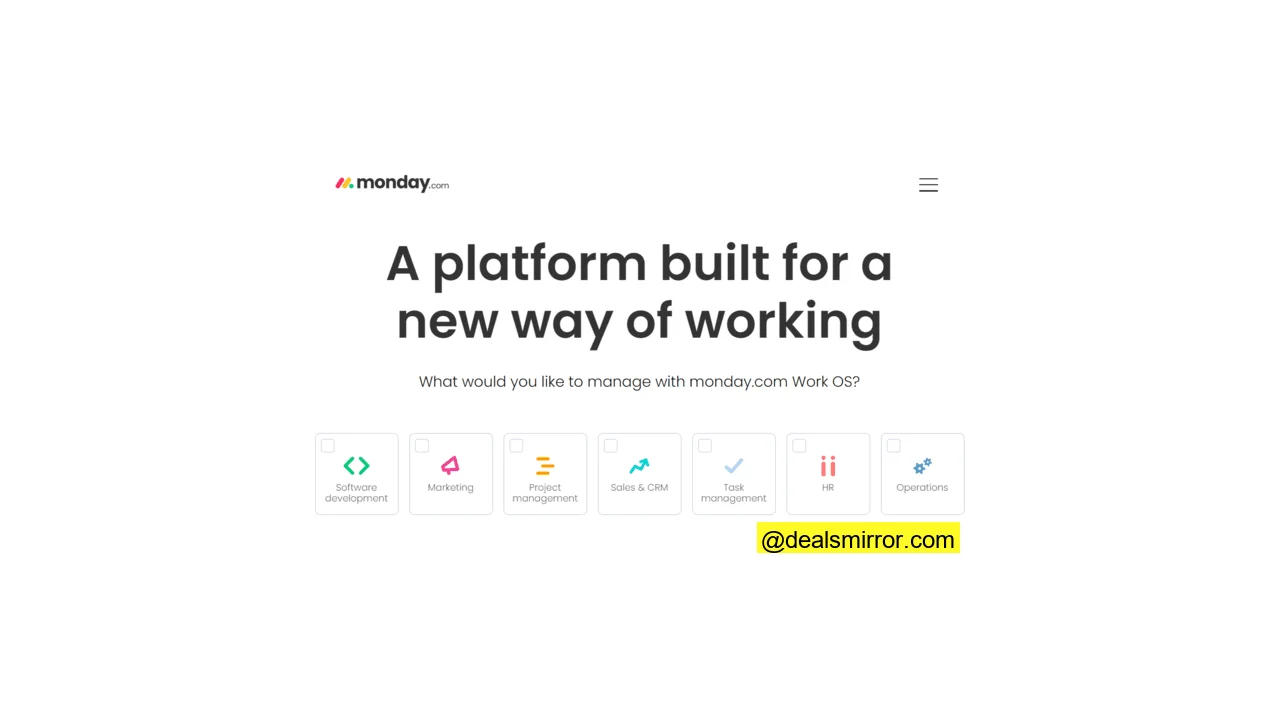
monday.com is far more than just a CRM with project management features. It defines itself as a complete ‘work operating system,’ providing visual workflows that span a multitude of business functions.
Workflows in monday.com are organized into ‘boards,’ which serve as shared spaces for teams to manage tasks, data, documentation, and more. These boards are highly customizable and exceptionally user-friendly. Furthermore, AI tools are available to help users quickly build the specific boards they need.
Boards are typically categorized into three main areas: a CRM suite that includes tools for sales and marketing, a Works Management package covering project management, unified task management, and portfolio management, and a specialized package for software developers that also heavily features project management capabilities.
Users can visualize workflows in various ways, easily switching between timelines, Kanban boards, and Gantt charts. Automations can be set up to manage the flow between different process stages, and quickly accessible analytics dashboards provide comprehensive performance monitoring.
monday.com Pros
- User-friendly graphic interface
- Fully customizable workflow templates with multiple views
- Covers a large range of work processes
- AI workflow builder
- Affordable pricing
monday.com Cons
- Some users report finding it tricky to track time and costs against individual tasks.
monday.com pricing starts at $8 per user a month. There’s a 14-day free trial. The Monday sales CRM starts from $10 per month for 3 users. Try monday.com today to test all the features.
2. Pipedrive
Pipedrive is a robust sales CRM platform, with core features centered around lead and deal management. Users can build sales pipelines, automate task allocation, deal updates, and much more to save valuable time. Pipedrive also offers a selection of email marketing and marketing automation tools.
A notable recent addition to the platform is Projects, a dedicated project management tool. Projects is built upon Pipedrive’s main CRM engine, specifically addressing the need for sales and marketing teams to run their own projects, such as a particular marketing campaign or managing B2B consultancy work where payment is contingent on project completion.
Like its CRM tools, Pipedrive Projects allows you to manage, track, and automate tasks. Instead of traditional pipelines, it utilizes Kanban boards that update task activity. Project board views and data fields are easily customizable to suit your specific requirements.
Projects includes the same collaboration features as the core CRM. You can share files directly on the platform and keep colleagues informed with shared notes. There’s also an option to consolidate all of a project team’s email communications within the platform for centralized record-keeping.
Pipedrive Pros
- Great sales CRM platform for small businesses
- Accessible project management add-on
- Unlimited pipelines and Kanban boards
- User-friendly automations
- 400+ third-party integrations
Pipedrive Cons
- Having Projects as a paid add-on on cheaper tiers poses a cost barrier to smaller businesses
Pipedrive pricing starts at $14 per user a month. Projects is a paid add-on that costs $8 a month, but it’s included in the price of the Power tier and upwards, starting at $64 a month. Pipedrive has a free 14-day trial.
Try Pipedrive today or read our Pipedrive review.
3. Wrike
Wrike is a specialized workflow and project management platform offering visual workflow templates for various functions, including marketing, content production, IT management, and software development. Users can effortlessly switch between different task-oriented views such as Kanban boards and Gantt charts, and all templates are fully customizable.
One of Wrike’s standout features is its ability to link projects and workstreams. Cross-tagging allows tasks to be added to multiple projects simultaneously, saving time and preventing duplication. You can create a task once and integrate it into several workflows, which is particularly useful when different teams contribute to the same task. This functionality helps break down silos, simplifies resource planning, and significantly improves overall efficiency.
While Wrike doesn’t include specific CRM tools, it provides a comprehensive suite of marketing features. These tools cover outbound campaign management alongside internal process management. By treating contacts and audiences as ‘tasks,’ Wrike effectively functions as a CRM for marketing activities. It offers real-time analytics for tracking engagement and outcomes, and allows for automated ‘next steps’ to assign subsequent tasks. Additionally, Wrike boasts over 400 integrations, making it easy to connect with a dedicated CRM platform if needed.
Wrike Pros
- Makes it easy to connect projects and tasks across departments and teams
- Customizable Kanban boards and Gantt charts
- Advanced automation tools, including for risk assessment and approvals
- Large suite of marketing features
- 400+ integrations
Wrike Cons
- No specific CRM tools
Wrike pricing starts at $9.8 per user per month, for a minimum of 3 users. There’s a free tier with basic task management and workflow views. Paid plans start with a 14-day free trial.
4. Engagebay
Engagebay is an all-in-one CRM specifically designed for small businesses, covering the core CRM functionalities of marketing, sales, and customer service.
While Engagebay may not boast the most extensive or sophisticated list of project management features, its straightforward approach to task management for customer-related processes is highly beneficial for smaller businesses. It provides an easy way to manage, for instance, marketing campaigns in a project-like manner or oversee complex deals such as contract bids.
A standout feature is its intuitive drag-and-drop task creator, enabling anyone to create tasks in seconds and seamlessly integrate them into a workflow. Tasks are automatically shared, assigned, and tracked. Filters allow users to prioritize and focus on the most urgent and relevant tasks.
Team members can add notes to tasks for easy information sharing. Engagebay also centralizes all outgoing communications, including live chat, in one place. Analytics dashboards provide valuable insights into task completion rates, churn, and overall outcomes.
Engagebay is exceptionally user-friendly. Free basic CRM tools are available for teams of up to 15 users, making it an excellent choice for startups or those new to CRM.
Engagebay Pros
- Beginner-friendly platform
- Free for small teams of 15
- All-in-one CRM for marketing, sales and customer service
- Simple, flexible task management
- Helps to prioritize tasks and monitor outcomes
Engagebay Cons
- Lacks more advanced project management features
Try Engagebay today for the full platform. You can also pick just marketing, sales or support options for a lower cost. With a free plan, you get 250 contacts.
Try Engagebay or read our full Engagebay review.
5. ClickUp
ClickUp is an exceptionally flexible and feature-rich work management platform. Its core strength lies in visualizing workflows for teams across any project. ClickUp enables you to create tasks within a customizable shared workspace and view them in a multitude of ways to suit your preferences.
ClickUp offers an impressive library of over 1000 workspace templates, including nearly 300 dedicated project management templates and more than 60 CRM templates. All these can be easily edited using a simple drag-and-drop interface.
One of ClickUp’s unique selling propositions is the sheer number of view options available within each workspace—16 in total for every template. These include Scrum/Agile boards and Gantt charts for planning and tracking tasks. Team leaders can readily see who is working on what and assess workload capacity, even when utilizing sales pipelines and other CRM templates.
Additional features include analytics dashboards that provide timely progress updates. There are over 100 pre-made automations to lighten the administrative load. Collaboration tools are robust, offering mind maps, virtual whiteboards, in-app chat, and document sharing to keep teams connected and productive.
ClickUp Pros
- 1000+ workspace templates, including 300 for projects and 60+ for CRM
- Easy-to-read visual interface with multiple view options
- Advanced project management tools covering planning, tracking, and resource allocation
- Extensive CRM and marketing options
- Great in-app collaboration tools for teams
ClickUp Cons
- Feature-rich is great. But ClickUp is so big, it can be time-consuming to set up.
ClickUp pricing starts at $7 per user per month. There is a free plan with limited storage.
6. Hubspot
Hubspot is one of the most recognized names in CRM software, self-described as a ‘customer platform’ boasting an extensive array of features.
These features are organized into six distinct ‘Hubs’: three covering the traditional CRM fields of marketing, sales, and support, plus content management, B2B commerce, and operations.
While there isn’t a dedicated ‘hub’ specifically for project management, the marketing hub includes comprehensive campaign management tools. Hubspot effectively treats campaigns as marketing projects, providing a shared space for running multiple campaigns. Tasks can be created and assigned across teams, with visual boards available for tracking progress and project status. Additionally, collaboration tools facilitate information sharing and co-working within the platform.
Hubspot is also renowned for its powerful marketing automation tool and robust analytics, which track performance and resource utilization. Known for its extensive list of free tools, Hubspot enables small businesses to get started with marketing, sales, and service CRM at no cost. However, advanced campaign management tools are typically included only in higher-tier plans.
Hubspot Pros
- Huge range of features
- Large suite of free CRM tools
- Advanced campaign management tools for professional marketing teams
- 800+ third-party integrations
Hubspot Cons
- Project management tools are very marketing-specific. And only available on higher plans that are out of the price range of smaller teams.
Hubspot pricing starts at $18 per month for a single user. However, campaign management features only become available on the Professional plan, starting at $890 a month. If that sounds out of your price range, read our guide with the best free CRM software for small business. Try Hubspot for free or get started with a paid plan.
7. Keap
Keap is an excellent CRM platform specifically designed for small and midsize B2B businesses. Its sales pipelines include comprehensive options for generating quotes, scheduling client appointments, and managing invoices. On the marketing side, it offers robust lead capture tools and capabilities for running effective email and SMS campaigns.
For many B2B businesses, the customer journey inherently involves project delivery. These journeys can often be complex and lengthy, with initial inquiries and discussions spanning both marketing and sales phases. Pricing and agreed deliverables are frequently bespoke, and payments are often contingent on project progress.
Keap allows businesses to manage these intricate customer interactions and project lifecycles within a single, unified platform. This integrated approach is exemplified by Keap’s Lifecycle Automation feature, which provides a structured framework for creating conversion-focused customer journeys.
Lifecycle Automation effectively acts as a CRM with powerful project management features. For instance, you can build goal tracking directly into pipelines, and client feedback and approvals can all be monitored in one centralized location. Similarly, the platform enables you to keep detailed tabs on when invoices are sent, what has been paid, and what amounts are still due.
Keap Pros
- B2B-specific sales and marketing tools
- All-in-one CRM platform for small and midsize businesses
- Lifecycle Automation unifies processes and helps drive growth
- Can handle complex customer journeys that include project planning and delivery
- Automated quotation and invoicing
Keap Cons
- Expensive compared to other small business CRMs
Keap pricing starts at $149 per month for 2 users. There’s no free plan, but you can get a 14-day free trial.
8. Zoho
Zoho is a highly popular platform, especially for larger businesses, offering a comprehensive suite of products spanning accounting, communication, HR, IT management, and analytics—alongside its robust project management capabilities.
As a CRM, Zoho CRM’s greatest strengths lie in the breadth and sophistication of its features. It supports multi-channel customer communications across marketing, sales, and support, allowing users to manage email, phone, social media, live chat, and much more, all from a single, integrated platform. It also provides in-depth analytics and powerful AI-powered automation.
Zoho Projects is equally feature-rich, utilizing Gantt charts for meticulous project planning and progress tracking. Projects can be broken down into tasks and milestones at a very granular level, with automations smoothing the flow from one step to the next.
Analytics and reporting are significant strengths, providing clear insights into project performance. Team collaboration tools are built around social media-like forums and discussion feeds, creating a familiar and user-friendly shared environment for teams. Zoho Projects also excels in managing timesheets, invoices, and budgets, offering a complete financial overview for projects.
Zoho Pros
- Comprehensive suite: CRM, project management, accounting, communication, HR, and IT management tools
- Advanced analytics and AI-powered automation
- Flexible and customizable Gantt charts for project planning and tracking
- Tools for managing project finances
Zoho Cons
- Zoho CRM and Zoho Projects are separate products. You pay for and run them individually
Zoho CRM starts at $14 per user per month. Zoho Projects starts at $5 per user per month. There is a 15-day free trial for Zoho CRM and a 10-day free trial for Zoho Projects. Free tiers are available for both with limited features.
Concluding CRM with Project Management
Combining CRM with project management software can significantly save your business time and money. This integration is particularly advantageous for B2B businesses that offer services on a project basis, where customer engagement and project delivery are intrinsically linked.
There are many shared characteristics between customer-focused operations and project-focused operations. Both involve managing tasks, sharing information, and fostering effective collaboration. They require tracking events in a controlled manner towards a desired outcome, all while meticulously managing crucial customer relationships.
Selecting the right CRM with project management solution ultimately depends on your budget and specific business needs. However, here’s a summary of our top picks:
- Best overall CRM with project management: monday.com and ClickUp
- Best CRM and project management software for small teams: Engagebay
- Best CRM project management software for sales teams: Pipedrive
- Best CRM with project management features for marketing: Hubspot
If you’re looking for one platform for CRM and email marketing, consider exploring reviews of tools like Constant Contact alternatives. Or, if you’re seeking the best CRM specifically tailored to your region, check out guides on the best CRM software in Canada and the UK.
FAQs about CRM with Project Management
Can you use CRM for project management?
You can effectively adapt a standard sales pipeline to run sales and marketing projects, gaining visibility into progress, allocating tasks, and enabling teams to share information seamlessly.
Which CRM is best for project management?
For the best all-around CRM and project management combinations, monday.com and ClickUp excel, specializing in visual workflow management with hundreds of flexible options across sales, marketing, CRM, and projects. For small businesses, Engagebay stands out as an easy-to-use option offering sales, marketing, service, and simple task management tools.
What are the benefits of CRM in project management?
For project-focused businesses, this integration creates a seamless connection between sales and delivery. Teams share consistent customer and project data, ensuring project teams maintain a complete view of the customer. If payments are tied to agreed project milestones, this process can often be automated. Top tools that effectively combine CRM and project management include monday.com, Pipedrive, Wrike, Engagebay, ClickUp, Hubspot, Keap, and Zoho.
What is CRM in project management?
This integration ensures that project teams always have full visibility of the customer’s history and needs, allowing them to tailor services effectively. They can also access all negotiations and quotations from the sales team, ensuring that project delivery aligns perfectly with customer expectations.
Is a project management tool the same as a CRM?
Project management applications, by contrast, do not necessarily require customer data. Their core function revolves around the process itself, utilizing workflow visualizations like Kanban boards and Gantt charts to assign tasks, allocate resources, and track performance against deadlines. The best CRM project management solutions, such as monday.com, Pipedrive, Wrike, Engagebay, ClickUp, Hubspot, Keap, and Zoho, effectively blend these two functionalities.