
Most email service providers today offer an email editor for crafting campaigns, but few truly deliver what an email marketing specialist needs. Choosing your email editing tool carefully is crucial. A drag-and-drop email editor is undoubtedly your best option, offering significant advantages over basic WYSIWYG editors or direct coding.
The success of online drag-and-drop editors, compared to older methods like ThemeForest, lies in their combination of numerous beautiful templates and an easy drag-and-drop editor to customize them instantly. You can select a template and modify it in seconds, streamlining your workflow and enhancing your campaign’s visual appeal.
12 Top Responsive Drag-and-Drop Email Editors Reviewed
Here’s a list of HTML email template builders and editors we’ve reviewed:
- Beefree: Free Responsive Email Editor to Create Beautiful Emails, Fast
- Stripo: Drag & Drop Email Template Builder with HTML Editor
- Chamaileon: Collaborative email builder and content management for businesses, agencies, and corporations.
- Moosend Email Editor: Free, user-friendly email editor that also lets you send emails
- Unlayer: Free email editor for responsive email templates
- MailChimp: Editor for the popular email marketing platform
- Mail Designer 365: Email marketing template and campaign creator for Mac
- Mail Styler 2: Email newsletter creation software for Windows
- Mosaico: Limited open-source email template creator
- Coffeecup: Responsive Email Designer Software downloadable for Desktop and Mac
- Postcards: Limited online email template maker, with free demo license
- Topol: Simple HTML email template maker with drag and drop
What Makes the Best Drag-and-Drop Email Editor?
When choosing the best email editor for designing responsive emails, price shouldn’t be your primary concern. Most email editors are either free or very affordable relative to the value they provide.
High-quality responsive email output and a convenient user interface are the most crucial requirements for drag-and-drop email editors today. In a modern email template builder, you can accomplish most of the work in one place, without writing any HTML code.
However, additional features can further enhance the overall email template creation process. Make a list of features that are vital to you and try out different email editors, as each has distinct strengths. Here are the main features your email editor should possess:
- Email template library
- High-quality responsive email output
- Convenient user interface
- Integrated image editing
- Quick preview/rendering option
- Collaboration features
- Compatibility with email clients
- Integration with email service providers
Reviews of Responsive Drag-and-Drop Email Editors
We’ve conducted our research and prepared an honest review of various HTML email template builders and software that can help you create responsive emails, with or without coding knowledge.
Here are our top picks for the best email template builders today:
1. Beefree
“Responsive email editor to create beautiful emails, fast.”
Beefree allows users to utilize pre-built free responsive email templates. You can design your own look using the integrated structural and content email blocks and elements.
The Beefree app allows users to choose the width of column structures from a specific selection, which is convenient and efficient. You cannot nest columns inside each other, which prevents you from making very complex layouts.
Using Beefree is entirely free. The email template editor saves the current project in the browser’s storage, so you can pick up editing directly or start a new one when you return. You can export to a ZIP file containing HTML + images and use it with your own email marketing software. Beefree also offers an easy way to send HTML emails in Gmail.
With Beefree, a Landing Page Creator is included for free, where you can add web-specific elements like forms, videos, and scripts, or integrate your own survey tools.
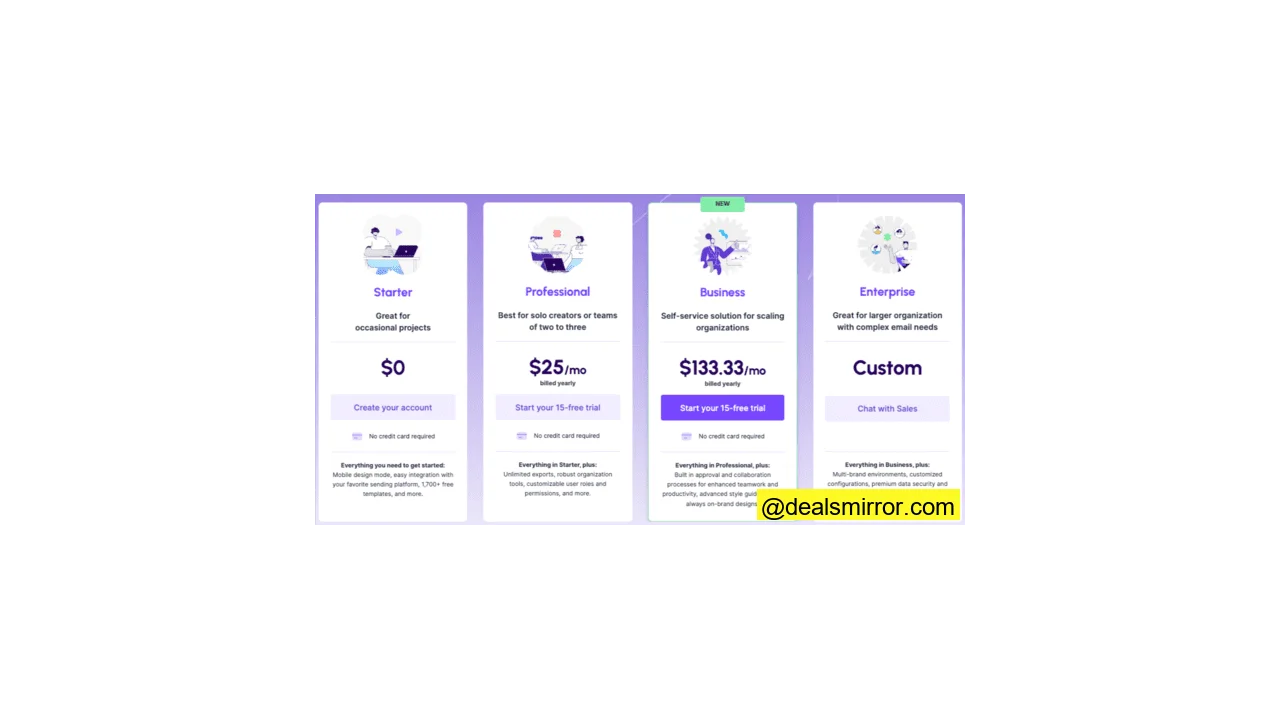
You can easily upgrade to their Professional plan, which provides multi-user support with permission controls, more export options, and unlimited emails, pages, and reusable content blocks.
You also get a login where you can save multiple email projects for later use, via Team. There are plugins that connect directly with email marketing software like MailChimp, SendGrid, HubSpot, and other alternatives, etc.
Beefree boasts a comprehensive catalog of free email templates, meaning professionally designed free templates for everyone. They are quite stylish, so it’s definitely worth checking out.
2. Stripo
“Creates responsive email templates quickly without any HTML skills.”
Stripo is a free email template creator with both drag-and-drop and HTML editing modes. Stripo offers its users a content module library to store frequently used email elements and components. It also provides an integrated photo editor for creating email banners.
With Stripo, you can create interactive email elements, such as image hover effects, animated CSS buttons, and countdown timers from within the editor. They have integrated interactive AMP functionality for emails.
There are over 600 free HTML email templates. Their selection of responsive email templates can be sorted by type, e-commerce, industry, or season, making it easy to choose a template.
In addition to its ready-to-use email templates, Stripo also offers custom email templates. Based on your information and requests, Stripo’s developers produce custom email templates for $145.
Stripo email templates can be exported to over 60 ESPs. You can also export the template design as HTML and use it to send your email campaign from any other email marketing tool of your choice.
The service is multilingual; you can switch from English to one of their 7 other languages (German, Spanish, French, etc.).
Before sending emails to recipients, you can download them as PDF to get client or colleague approval; then test the emails with its integrated email testing tool.
To summarize, Stripo is one of the best email template creators on the market.
3. Chamaileon
“Collaborative email builder and content management platform for businesses, agencies, and corporations.”
Chamaileon is a responsive email template builder and editor, created to help businesses design beautiful, responsive, and high-quality emails.
Chamaileon is a tool built for flexibility and customization. The online email editor offers a mix of structural and content elements. Thanks to advanced styling options, it’s possible to create most email designs.
You can find hundreds of pre-designed, ready-to-use responsive email templates.
Structural elements can be nested within each other, so you can add as many columns as you want in the editor, and you can individually adjust the size of each column in pixels.
In the email editor, you have the option to add borders, padding, margins, and each of these elements can be modified in pixels.
Chamaileon offers two main features that are not available in most other email creation platforms:
The “Show on Mobile / Show on Desktop” feature: Using a combination of these functions, you can create different versions of your email for mobile and desktop.
The block-saving feature: You can save your own drag-and-drop element groups, so you don’t have to recreate these blocks in future projects. For example, you can save specific headers, footers, or any product block in your workspace or in specific folders. This way, your teammates can reuse them at any time.
Chamaileon has created a responsive email builder so that any email template you create looks great in most email clients. It supports all Apple and Android devices and works on all versions of Outlook. This will significantly reduce the time spent testing and fixing emails.
Chamaileon also allows team members to share the same workspace when designing an email marketing campaign. Thanks to their collaborative features, each member of the marketing team can access the template being designed and modify it according to their personalized account.
4. Moosend Email Editor
“Free, user-friendly email editor with the option to send as part of their email and automation platform.”
Moosend Email Editor allows users to create beautiful email campaigns. You have the option to edit one of the pre-existing email templates from the template library or design your own email from scratch with drag-and-drop columns and structural elements. You can learn more about the editing experience in their detailed review.
Moosend has a very useful “Save” function that lets you keep your edited email template for later use. You only need to design your newsletter once and reuse it every month. Simply register and log in.
For the more tech-savvy, you can view the HTML code while editing your email template, thanks to Moosend’s split-view function: You can make style adjustments via inline CSS. You must press “Apply Changes” to see the updated HTML.
Moosend automatically makes email designs responsive and mobile-compatible.
Moosend’s email editing tool is free to try. Simply sign up for free.
5. Unlayer Studio Email Editor
“Free email creator for responsive email templates.”
Unlayer is a free email template creator from the same makers as the MailMunch form builder. Unlayer has many modern and professional pre-made email templates to choose from.
No coding skills are needed to create custom templates. It comes with a library of free stock photos and ready-to-use templates for creating emails with relevant content. Emails are grouped for easy discovery around themes like welcome emails, abandoned cart emails, holiday emails, etc. You can download your HTML template in a few clicks.
With user management, you can control what users can and cannot do, such as preventing modification of certain parts of a message or restricting access to specific clients.
The Unlayer studio interface is capable, but it’s still a small player compared to the email creator features of Beefree and Stripo.
The Unlayer studio email creator works with email service providers like ActiveCampaign, Constant Contact, MailChimp etc., and even has a plugin for Gmail. This means you can push the email directly into the ESP and insert dynamic merge tags, unsubscribe links, etc. Marketers can save a quick access list of these tags.
Unlayer is free to use. The Pro version costs only $15 and comes with more templates, allowing you to save templates and HTML blocks, resume editing, and offers team collaboration features.
6. Mailchimp’s Email Editor
Mailchimp is the world’s most famous email marketing automation platform. It was founded in 2001 by Ben Chestnut, Mark Armstrong, and Dan Kurzius. Today, there are many Mailchimp alternatives, due to their popularity.
Mailchimp is an ESP; however, they have an integrated email template creator.
While not highly flexible in terms of elements and blocks, Mailchimp allows users to create beautiful responsive emails.
Mailchimp primarily targets small and medium-sized businesses looking to grow. You can either select a pre-coded email template or create an email template from scratch. There are many cases where a custom email template is preferable, but in the free version of Mailchimp, importing your own HTML is no longer possible.
This is the best alternative if you have basic requirements and are looking for an easy and quick way to create a simple template, without overthinking integration and compatibility features.
There are many other email editors integrated into other email marketing tools, but in some cases, you cannot export the HTML code from them, or the email code is questionable – so you need to test each email to ensure compatibility.
The downside of using an ESP’s integrated email editor is that you are locked into that service. The advantage is that you don’t need to go through another provider for email design.
If you start with a “free” plan from an ESP and get used to its email creator and everything else, it’s unlikely you’ll switch to another provider. If you want to change for any reason, you’ll often have to rebuild your email templates.
7. Mail Designer 365
“Email marketing template and campaign creator for Mac.”
Mail Designer 365 is email creation software that can only be downloaded on Mac. The email editor is optimized for use on mobile devices, which can be convenient for some users.
The software is moderately easy to use. It’s a standard drag-and-drop email builder where you can customize and save your elements and blocks for later use.
Mail Designer 365 has an integrated gallery of free Unsplash photos that you can use to spice up your email design. The software also provides its users with a selection of ready-to-use GIFs.
You can download Mail Designer 365 if you have a Mac and try it for a free 7-day demo period. After that, you will need to choose one of their plans starting from €16/month. It’s worth noting that they only accept annual billing.
8. Mail Styler 2
“Email newsletter creation software for Windows.”
Mail Styler 2 is email creation software for Windows. The software allows you to create responsive email templates by modifying one of the pre-designed email templates or by designing one from scratch.
Once you have downloaded Mail Styler to your computer, you only have access to a limited number of free responsive email templates, while all other options (labeled new or PRO) are exclusive to paying users.
The software is relatively easy to use, though quite rigid. It doesn’t allow much room for creativity and customization. For example, you can only choose from a restricted number of fonts and a few predetermined color palettes.
However, Mail Styler has a nice feature that allows you to preview your email’s subject and preheader on desktop and mobile before sending it.
The HTML exported by Mail Styler works well with various email clients such as Outlook and Gmail.
9. Mosaico
“Limited open-source email template creator.”
Mosaico is an open-source email template builder. The online email platform is designed to help users create email newsletters quickly and efficiently, but it lacks extensive customization options.
Mosaico does not provide any pre-designed templates on its platform. Instead, you can choose between two layouts: versafix-1 and versafluid.
Once you’ve chosen between the two, you can add or remove blocks, export your own photos as they are (there’s no integrated photo editor), and edit your content.
You can then preview your email, send a test email, or simply save your template.
Mosaico is a basic free responsive email editing tool that works well for people who need a quick solution. However, there are more compelling options on this list if you are serious about email marketing.
10. Coffeecup Responsive Email Designer
“Responsive email designer software downloadable for Desktop and Mac.”
Coffeecup is email design software that can be downloaded on Mac and Windows.
Before paying the annual fee of $129, you can test the email creation software thanks to their free trial version, during which you can export 3 designs and test emails.
The software is not very intuitive. Even if you can select a pre-designed template and modify it to fit your needs, the actual process is not very fluid, and it takes a few minutes to truly understand how to navigate the email builder.
If you want to create your own email template from scratch, you will need some knowledge of email structure and layout, as there are no specific instructions to guide you.
11. Designmodo: Postcards
“Online email template maker, with free demo license.”
Postcards is one of the online products launched by Designmodo. It’s an easy-to-use email creation platform. You don’t even need to register to create your first email template.
With a free account, you get unlimited exports. The free email creation software operates on what’s called a “demo license.” You can use it to create responsive email templates for yourself. However, you can only use one free block for each email element (header, content, call to action, footer, etc.). This can be an obstacle for any marketer who wants to enhance their email design game.
The commercial license includes all unlocked blocks, allows you to choose from over 900 Google fonts, and export to any email software. A license costs $15/month. Designmodo’s Postcards works with pre-designed blocks and elements that have some customization options. Since you cannot create your own blocks, this offers less flexibility than other editors. The advantage is that working with Postcards is simpler this way.
12. Topol.io
“Beautiful emails, made easy.”
Topol is an email creation tool we chose to include in this list due to its ease of use. In Topol PRO, you can choose one of their free email templates to try, or design a brand new template from your own HTML or creations.
Key features of Topol include:
- Importing your custom HTML into the email editor
- Reusable custom blocks
- Collaboration with team editing features
- Drag-and-drop email and image template editor
Topol is just slightly less expensive than other email design tools like Beefree or Stripo. However, there’s a real price difference if you have a team of users. In Topol, up to three users are included in the $10 price. In fact, you can start with a free trial period and upgrade to their monthly plan for $10 per month.
How to Choose the Best Email Editor for Responsive Design
The best approach is to make a list of features that are vital for you and try out different email editors available. Price should not be the primary concern – as most email editors are either free or very affordable compared to the value they provide. HTML quality and features will make a real difference.
Each editor has different strengths. Here are the main features your email editor should possess:
1. Email Template Library
A good email editor will offer the ability to use default templates as a starting point. This is ideal if you are new to email marketing, have limited time to design a new email template from scratch, or are simply seeking inspiration.
You’ll be able to create your own responsive email template within the application and build upon your previous work. Naturally, you’ll have a user-friendly, cloud-based file manager to save your templates, images, and other assets.
2. High-Quality Responsive HTML Email Output
A responsive email is an optimized method to increase open and click-through rates by ensuring your email looks great on all devices. Your chosen email creation platform must allow you to send emails seamlessly and error-free. Otherwise, you risk leaving a poor impression on your subscribers.
3. Convenient User Interface
User experience is quite subjective. However, there are some basic UI design principles that every application should adhere to: a simple and clean interface, a structured layout, strategic use of colors, fonts, and typography to create hierarchy, consistent system communication with the user, etc. There’s no need to over-analyze; you’ll experience the user experience by trying out different email editors.
4. Integrated Image Editing
Integrated image editing is one of the features that can prove useful. Of course, we’re not talking about Photoshop-level capabilities, but basic image editing functions like resizing, cropping, and some image modifications are very convenient.
5. Quick Email Preview Option
A quick preview will show you what your email looks like on tablets, mobile, and desktop. If you want to go further, an email preview feature powered by Litmus or Email on Acid will save you a lot of time.
6. Collaboration Features
Designing email campaigns often requires a lot of back-and-forth between the design team, email copywriters, marketing team, and sometimes even partners/clients. To facilitate this process, some email builder platforms allow multiple users to collaborate on designing an email marketing campaign.
Users with different accounts can log into the common workspace and contribute their inputs, comments, and modifications.
7. Compatibility with Email Clients
Your email creation platform must produce responsive HTML email codes that work across most email clients (different versions of Outlook, Gmail, Yahoo!Mail, etc.).
8. Integration with Email Service Providers
Once you’ve created your email template, you need to be able to integrate it with your ESP. Before choosing the email creation platform you’ll work with, ensure it has built-in integration with your email service provider.
There are tons of advanced features in different email editors that some users will need, while others will never use. Personalization, automation, and dynamic content rules are generally available in advanced ESPs and marketing automation tools.
An additional advanced feature you can look for in an email editor is a switch that allows you to edit your email content based on your user’s device. This feature essentially lets you choose which content blocks to display or hide on mobile or desktop. This way, you can fine-tune the mobile responsive version of your email.
What is the Difference Between a Drag-and-Drop HTML Email Editor and WYSIWYG?
The term WYSIWYG – What You See Is What You Get – largely predates its common use in computing in the 70s and 80s. It is meant to convey that what you edit on screen will appear the same (or very similarly) in print or as the final digital product – email newsletters in this case.
WYSIWYG editors are typically MS Word-like text editors, created for general web content management. They primarily serve to write text and add a few basic visual elements.
Normal WYSIWYG editors are not optimized for emails, but you can create email templates with them if you code HTML or are a very advanced user and can easily integrate tables with these tools (however, this is a very difficult task to achieve).
In an email marketing platform, you might find a WYSIWYG editor like the one shown above to modify (some parts of) the email content. This is then placed into a template after you press Save. Or you might be able to edit the email on the spot, by clicking on elements.
Many Call Their Email Editor “Drag-and-Drop,” But Is It Really?
The meaning of “drag-and-drop” could hardly be simpler; it’s exactly what it implies. You can drag the elements you need from one part of the user interface to another and simply drop them where desired, much like moving icons on a desktop.
But that’s not entirely true today. Drag-and-drop has become synonymous with an easy-to-use interface. Many tools, including email editors, are marketed as drag-and-drop, but this doesn’t always mean you’ll get sophisticated drag-and-drop capability.
In most email editors, you are limited by pre-built content blocks (image + text, image group, social sharing buttons, etc.). You don’t have the option to create your own blocks from basic elements like text, image, box, and columns using only the drag-and-drop function.
These are still drag-and-drop email editors, but not all content elements can be truly “dragged-and-dropped.” In many cases, the building blocks are sufficient, but for sophisticated designs, you’ll need more flexibility.
What Shows You Are Using a True Responsive Email Editor?
Primarily, that you are not allowed to modify the HTML code at all, as the code itself is generated by the software. Although today there are email creators that allow users to modify HTML code and will still produce responsive HTML – unless you break it by modifying the code.
Otherwise, in most cases where you have the option to edit the HTML code, you are using a “souped-up” WYSIWYG, which will allow you to destroy the pre-built responsive HTML you are editing.
The downside of having an email generator engine is that you cannot simply copy-paste arbitrary HTML into an email editor like this. You must either build your template with the editor, use a specific email descriptive language, add certain HTML tags, or ask the software provider to make the email editable for you in their editor.
Email Creation Frameworks (Coding Knowledge Needed)
Developers know how challenging and time-consuming coding responsive emails can be. Here’s a list of online email frameworks that simplify the process of coding responsive emails.
Cerberus
“A few simple, yet solid, templates for responsive HTML emails. Even in Outlook and Gmail.”
Cerberus is a set of pre-coded responsive email templates. The patterns, or code blocks, can be mixed and combined to create a beautiful responsive HTML email template optimized for all client devices.
Foundation For Emails 2 by Zurb
“Quickly create responsive HTML emails that work. Even on Outlook.”
Foundation for Emails, formerly Ink by Zurb, is a collection of frameworks that provide developers with an easy CSS or Sass framework for creating responsive emails. Each template begins with an already provided grid that can be enhanced using different elements.
HEML
“Quickly create clean, responsive emails.”
HEML is an open-source markup language for creating responsive email that looks great on different client devices. Coders familiar with HTML and CSS will feel right at home using HEML.
MJML Email Builder
“A framework that makes responsive emails easy.”
MJML is a markup language. It is an open-source server that generates high-quality responsive HTML for emails.
You can write fully compliant HTML markup that can be used with different ESPs. You can try it online and see if it meets your needs.
Finding the Best HTML Email Creator
There are many online drag-and-drop email editors to choose from. But you don’t need to try them all now that you know what to look for: high-quality responsive email templates, compatibility, user-friendliness, and integration features.
If you’re completely new to email marketing, you can start with any software on this list to get a feel for what it’s like to use an email builder. And if you have HTML knowledge, don’t be afraid to test one of the email builders that supports HTML editing.
There’s always room for improvement, and of course, your email design and code quality are essential ingredients for your recipe for success.