
If you’re looking for the best landing page builder to boost your online marketing efforts, you’ve come to the right place. The market offers a wide array of landing page tools, ranging from straightforward HTML page builders to comprehensive all-in-one platforms packed with extensive customization options and features. But how do you choose the right one for your specific needs?
This guide dives into the top drag-and-drop landing page builders available today, helping you make an informed decision. The good news is that most of the tools reviewed here offer free trials or free plans, allowing you to test them out before committing.
Best Drag & Drop Landing Page Builders
Optimizing your landing pages for conversion is crucial, whether you’re launching your very first page or aiming to upgrade your existing platform. The right landing page builder should simplify this process. Here’s our curated list of the top 12 drag & drop landing page builders:
- Landingi Build unlimited landing pages quickly and easily.
- Swipe Pages Landing page builder to create high-converting, fast pages.
- Unbounce Great landing page designer with smart AI features.
- Leadpages Build landing pages, pop-ups, and alert bars for small businesses.
- ClickFunnels Complete sales funnel builder to convert leads to customers.
- Wishpond Intuitive landing page builder with over 300+ integrations.
- Instapage Collaborative landing page software with strong analytics tools.
- GetResponse Landing page tool for email marketing and marketing automation.
- HubSpot Full marketing platform with free landing page builder and CMS.
- Wix Cloud-based website builder with landing pages for small businesses.
- MailerLite Free landing page builder for A/B testing and email marketing.
- Mailmunch Landing page builder for lead capturing, conversion, and email marketing.
What Makes a Landing Page Builder the Best?
When selecting a landing page builder, it’s essential to consider features that directly contribute to high conversion rates. The best platforms empower you to create compelling pages efficiently and effectively. Here’s what to look for:
- Ease of Use: A drag-and-drop interface is paramount for quickly creating and modifying pages without coding knowledge.
- A/B Testing: The ability to test multiple versions of your landing pages is critical for continuous optimization and identifying the most effective elements.
- Templates: Access to a diverse library of pre-designed templates ensures you can find the right look and feel to match your brand and campaign goals.
- Integrations: Seamless connectivity with your existing marketing software, CRM, and other platforms is vital for a unified workflow.
- Analytics: Robust reporting and insights are necessary to track visitor behavior, measure performance, and make data-driven decisions.
- Automation: Tools that allow for automated follow-ups, funnel creation, and integrated marketing campaigns can significantly boost efficiency.
- Pricing: Look for transparent pricing models, including free versions, free trials, or affordable monthly fees that align with your budget and scaling needs.
Ultimately, the visual appeal and effective A/B testing capabilities are key factors when choosing your ideal landing page builder.
1. Landingi
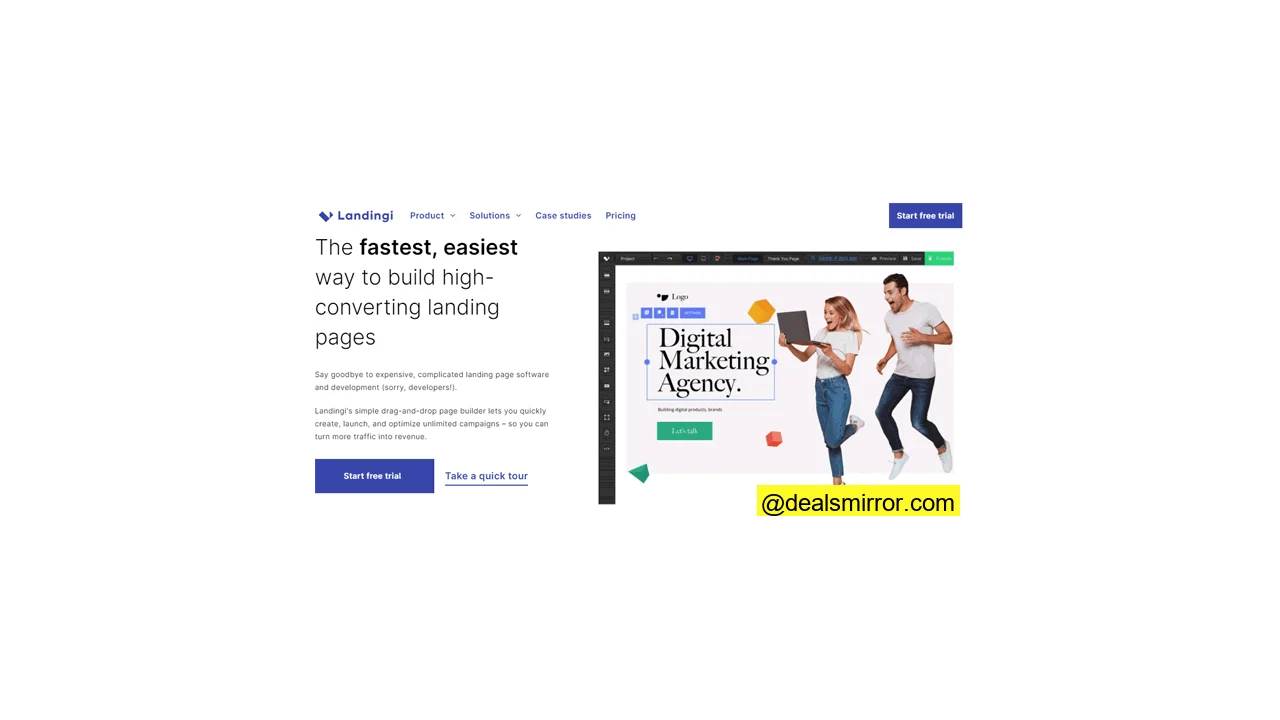
Landingi stands out as a strong choice for a landing page builder, quickly proving its capabilities to users. The platform begins with an extensive template gallery, offering over 300 professionally designed templates. For those needing greater flexibility, custom code can also be added.
The editor operates on a fully drag-and-drop basis, making content block editing simple and intuitive. Users can link landing pages together to create multi-page landing sites, sales funnels, and enhance overall conversion potential.
Landingi also includes a pop-up builder, ideal for creating effective email list-building pop-ups. These pop-ups can be configured to monitor and trigger based on visitor exit intent, element clicks, pages visited, and scroll depth.
The tool integrates with various CRM and payment gateways, allowing direct connection to your payment system for creating sales pages.
Landingi standout features:
- Reusable smart sections and over 400 robust templates
- Unlimited landing pages, conversions, and user accounts
- Free migration of up to 3 landing pages
- Integrated pop-up builder
- Highly responsive customer service
Longtime users note that while Landingi’s analytics capabilities are adequate, they are not as extensive as some specialized analytics platforms.
Landingi Pricing
Landingi operates on an all-you-can-eat unlimited pricing model. Users can try it for free to explore the platform. The paid version offers a 2-month discount when paying for 12 months, starting at $25 for the least expensive package.
Landingi is highly recommended for affiliates, resellers, marketers, and medium-sized businesses. It is versatile for creating sales pages, generating leads, designing pop-ups, and supporting PPC ad campaigns.
2. Swipe Pages
Swipe Pages delivers the functionality of a premium landing page builder at an accessible price point. This powerful tool excels by focusing on its core strengths: mobile-optimized swipe pages, incredibly fast page loads, and funnel-oriented templates.
The drag-and-drop builder is user-friendly and comes with over 80 pre-built blocks, making it suitable for both beginners and advanced users.
Swipe Pages offers more than 40 fast and modern-looking templates, which are ready for use with minimal customization.
If your primary goal is to easily build high-converting, fast pages, you should try Swipe Pages for free.
Swipe Pages’ unique features:
- Highly responsive and mobile-only landing pages: Their ‘Mobile Swipe’ landing pages provide an exceptional visitor experience, feeling akin to interacting with a native app. Standard landing pages are also fully responsive.
- Templates for all funnel stages: Find templates that maintain consistent themes and branding, tailored for different goals within a sales funnel. This includes pages for lead generation, comparison, and conversion, ideal for quickly setting up content-light websites and maintaining brand consistency.
- Excellent page-load speeds: Swipe Pages optimizes images by compressing and resizing them, eliminates render-blocking elements, and minifies code, among over 30 other optimization activities, ensuring lightning-fast landing page loads.
Swipe Pages’ main features:
- A/B testing: Setting up A/B tests is straightforward and comprehensive. Create as many landing page variants as needed and assign weights to variants to control traffic distribution.
- 25+ Module Elements: A wide range of drag-and-drop elements are available for creating beautiful landing pages, all with extensive customization options. Notable elements include the countdown timer, pricing table, image carousel, and icons gallery.
- Animations: Swipe Pages supports animations for all elements, offering 8 distinct animation styles to make landing pages engaging and captivating.
Swipe Pages is an excellent landing page builder for eCommerce, SaaS, Real Estate, and Marketing Agencies.
Swipe Pages pricing
Swipe Pages offers three pricing plans. The Startup plan, at $29 per month, includes smart pages, AMP pages, the drag-and-drop editor, and 1 custom domain. It also provides key elements like multi-step forms and hosting with SSL & CDN.
The Marketer plan, priced at $59 per month, is well-suited for SaaS businesses. It encompasses all features of the Startup plan, 5 custom domains, and direct integrations for various marketing tools.
The Agency plan, at $119 per month, includes all features from the other plans, along with priority support, 1:1 onboarding, and unlimited domains.
For an even better value, get 20% off all plans with the coupon code: EVS20 (apply at checkout).
3. Unbounce
Unbounce is renowned as one of the pioneering and most effective conversion-focused landing page builders available, serving over 150,000 customers. Its customization capabilities cater to all users, from beginners to highly advanced marketers. Beyond a typical drag-and-drop builder, Unbounce allows for extensive flexibility to resize, tweak, and edit nearly every element.
The builder features a design grid that intelligently snaps elements into place, ensuring alignment without distraction. Users can begin with a blank canvas or a template, then customize it with their copy, images, videos, forms, and other components.
Unbounce provides over 100 professional and modern landing page templates, incorporating advanced features like parallax scrolling and dynamic header text replacement to align page titles with search intent.
Unbounce’s impressive landing page features include:
- Mobile landing pages: Built-in functionality within Smart Builder automatically makes pages mobile-friendly. The landing page designer can easily toggle between mobile and desktop views for precise adjustments.
- AI-powered text and design suggestions: The Smart Builder leverages AI to provide improved, higher-converting suggestions for copy and design for every headline, text, and call-to-action (CTA).
- Smart Traffic: This intelligent feature automatically analyzes visitor attributes and directs them to the most suitable landing page variant, potentially increasing conversion rates by up to 30%.
- Ability to create pop-ups and sticky bars.
- Integrated lead form builder.
- Conversion intelligence insights.
Unbounce Review
The Unbounce landing page builder is remarkably powerful due to its exceptional ease of use. Marketers and business owners can efficiently monitor campaign performance and conduct A/B tests.
Unbounce Pros:
- Wide variety of templates to choose from.
- High flexibility with customization options.
- Synchronized marketing reports for comprehensive insights.
- Numerous advanced conversion features.
- 100% WYSIWYG (What You See Is What You Get) editor.
Unbounce offers an extensive knowledge base and customer support via email, chat, and phone, though phone support is limited to office hours.
Unbounce is the best landing page builder for: Small to enterprise businesses focused on increasing conversions, including SaaS, eCommerce, and agencies.
Unbounce provides a 14-day trial. Paid plans start at $99 per month, offering access to one of the best landing page services. Additionally, users can get 20% off monthly plans and 35% off annual plans if they sign up today.
4. Leadpages
Leadpages is a highly popular landing page software for small businesses, boasting over 40,000 users since its founding in 2012 by Clay Collins & Tracy Simmons. It functions as a complete web-based platform for creating various types of pages.
Users can design sales pages, contest pages, coming soon pages with countdowns, event sign-up pages, and download pages, all utilizing Leadpages’ diverse templates and styles. The platform includes a built-in cart checkout system for secure online payments via Gumroad, PayPal, and Stripe. With integrated chatbots, real-time communication with visitors is possible on any page created.
The Leadpages user interface is simple and intuitive, allowing even those new to page builder tools to quickly grasp its functionality.
Here are some unique features of Leadpages:
- Drag-and-drop editor for effortless design.
- Highly mobile-responsive page designs.
- Intuitive template design for quick setup.
- Integrated image library.
- SEO-friendly page architecture.
- Digital file hosting & delivery capabilities.
Leadpages Pros and Cons
The Leadpages builder is an excellent tool for lead generation, offering a straightforward experience with many useful features for marketers. Users can capture audience attention and boost conversions with integrated pop-ups and alert bars that can be added to any site or landing page.
Here are some pros and cons to help determine if Leadpages is the right fit for your business:
Pros:
- Very user-friendly and simple to operate.
- Good range of integrations with other tools.
- Easy implementation of alert bars and pop-ups.
While effective for branding and content placement, editing and customization options in Leadpages can be more limited compared to some other builders.
Leadpages offers a 14-day free trial, with paid versions starting at $37 per month.
5. ClickFunnels
ClickFunnels is a comprehensive all-in-one funnel-building platform, founded by Russell Brunson, and now serving over 500,000 users globally. This software streamlines the process of converting traffic into leads and comes with an internal email autoresponder, guiding users step-by-step through funnel creation.
The platform simplifies sales funnel construction and allows users to track the progress of each campaign and lead from inception to completion. With ClickFunnels, you can easily monitor conversion rates and analyze data to gain a deeper understanding of your audience. ClickFunnels is also known for its extensive (and often free) training resources, including numerous videos to help users master funnel building.
On their website, you can find free books and training videos:
Some of the best features for building landing pages with ClickFunnels include:
- Integrations with Salesforce, Mailchimp, and more.
- Robust email marketing automation.
- Tools for creating sales funnels, discount ladders, multi-step marketing funnels, etc.
- Video editing tools for embedding videos from YouTube or Vimeo.
- Built-in A/B split testing.
ClickFunnels Pros and Cons
ClickFunnels is widely recognized for enabling users to rapidly create dynamic landing pages, including opt-in pages and lead-generation forms. The platform allows for targeted customer follow-ups through email and desktop notifications directly from the sales page creator. It is frequently utilized to generate real estate leads, B2B lead generation, and affiliate marketing. For email tools specifically tailored for affiliate marketing, users can explore top email tools for affiliate marketing.
Pros:
- Easy to use with pre-built funnels and extensive training.
- Quickly set up a complete marketing funnel.
- Comprehensive sales dashboard for monitoring performance.
Cons:
- If only landing pages are needed, more affordable builders exist.
- Customization options are less extensive compared to some dedicated landing page builders.
6. Instapage
Instapage is a user-friendly landing page builder that has been a strong presence in the market since 2012. The platform offers access to over 500 landing page templates and layouts, emphasizing improved cost per acquisition (CPA) through specific ad targeting and advanced personalization features.
For those uncertain about landing page content, Instapage provides free content packs to spark inspiration.
Here are some notable features and benefits:
- Automatically mobile-responsive pages.
- Real-time collaborative editing with your team.
- Robust A/B testing capabilities.
- Improved page speed for better performance.
- Tools to personalize your ad campaigns effectively.
Instapage Pros and Cons
Instapage is recognized for its ease of use, integrated collaboration functions, AMP support, and an extensive library of over 500 layouts. The drag-and-drop editor is quick and responsive, effectively serving as a mobile landing page builder. Pages are SEO-optimized and fast-loading, with analytics offering cross-domain landing page monitoring. A/B testing and heat maps provide insights into which page elements visitors interact with.
Pros of Instapage:
- Easy to use interface.
- Fast-loading landing pages.
- Efficient user experience.
- Simple integration with other tools.
A common user observation is that Instapage pages are built for conversion rather than easy migration; therefore, if a platform change is desired later, pages may need to be recreated.
Instapage pricing
Pricing for Instapage starts at $79 per month, with the added intelligence and optimization features justifying the cost. A 14-day free trial is available to explore the platform and its offerings.
Best landing page creation tool for: eCommerce businesses, WordPress sites, and companies actively running paid advertisements.
7. Wishpond
Wishpond offers a distinctive approach to landing page services. Since its establishment in 2009, Wishpond has expanded to serve over 12,421 users worldwide, providing both do-it-yourself (DIY) and done-for-you (DFY) landing page solutions.
The DFY plan includes a dedicated team of designers, marketers, and copywriters to build your landing pages. For DIY users, Wishpond provides a capable landing page builder with over 300 integrations for CRM, analytics, sales, email marketing, and eCommerce platforms. The platform is designed to boost revenue with features like lead capture, exit-intent pop-ups, and live chat widgets.
Here are some of the features found in Wishpond’s landing page builder:
- Creation of engaging lead capture forms.
- Integrated social media sharing plugins.
- Real-time marketing analytics.
- Ability to create custom templates.
- Live chat widgets for immediate visitor engagement.
- Effective exit-intent pop-ups.
Wishpond Pros and Cons
Wishpond’s social media functionality assists in managing social media posts and Facebook ads, seamlessly integrating them with your landing page builder to stay updated with social promotions. Its tools can function as an all-in-one marketing platform, allowing for the creation of welcome mats, opt-in bars, slide-in pop-ups, and automated follow-ups.
Pros:
- Easy to use interface and performance tracking.
- Robust social media functionality.
- Comprehensive marketing automation capabilities.
8. GetResponse Landing Page Software
GetResponse is a well-known email marketing and automation platform that also features a robust landing page builder. The platform is widely popular, serving over 350,000 customers worldwide.
For those seeking a landing page builder that integrates with their email and automated funnels, GetResponse is an excellent option. It provides comprehensive funnel analytics, spanning from landing page performance to email marketing metrics, allowing users to analyze open rates, CTRs, bounces, and conversions for effective campaign monitoring.
GetResponse enables the creation of custom web pages, automatically generating mobile-responsive code.
Additional features that make it competitive:
- Tools to create sales funnels.
- Ability to add web push notifications.
- Comprehensive marketing automation.
- Detailed email analytics.
- Configurable autoresponders.
GetResponse: Who is it good for?
You can use email newsletters, automate your email marketing campaigns, manage email list building, and conduct A/B testing with GetResponse.
Its list management feature helps organize and segment contacts for precise targeting. Beyond funnels, it’s useful for newsletters, transactional emails, order confirmations, receipts, notifications, and more.
GetResponse truly shines when combined with email marketing, making it an ideal choice if you plan to integrate follow-up email campaigns. Creating a free account to try out all its features is easy and straightforward.
9. HubSpot
HubSpot is a comprehensive all-in-one platform, widely recognized for its free CRM and inbound marketing tools. It offers multiple “hubs” for CRM, Marketing, Sales, Service, and Operations, allowing users to build an entire site and marketing stack within HubSpot.
The HubSpot lead capture page creator facilitates rapid setup of new pages. Users can customize pre-made landing page templates, incorporate multimedia content, and fine-tune designs in the editor. HubSpot’s native A/B testing for landing pages supports up to 5 versions simultaneously, allowing for robust optimization.
The analytics dashboard provides insights into visits, contacts, and customers generated by each page, along with traffic sources like social media platforms (Facebook, Twitter) and other channels. Adding a live chat function enables real-time communication with visitors, improving conversion rates by answering potential questions.
Top differentiating features of HubSpot:
- Ability to build personalized landing pages using CRM data.
- Native A/B testing capabilities built directly into the platform.
- Integrated marketing automation and lead scoring for effective follow-ups.
- Extensive direct integrations available within the HubSpot CRM.
- Progressive profiling for gathering more lead data over time.
HubSpot Pros and Cons
HubSpot is a strong contender due to its advanced lead management functions. Its Landing Page Smart Rules allow content to be displayed based on a visitor’s location, source, device, lifecycle stage, or any other contact detail stored in your CRM. Here are some pros and cons to help your decision-making process:
Pros:
- Part of a highly popular all-in-one marketing ecosystem.
- Seamless integration with social media and a free CRM.
- Extensive knowledge base for support and learning.
- Convenient live chat functionality for pages.
Cons:
- Can be significantly more expensive than other builders for advanced features.
- Requires some time and effort for proper setup and configuration.
HubSpot Free Landing Page Builder
HubSpot offers a free landing page builder for the first 1000 contacts in your database, allowing users to test it out without cost. While the Marketing Hub’s paid version starts at $45 a month, costs can quickly escalate based on features and contact volume. You can explore HubSpot’s Marketing Hub options for details.
10. Wix Landing Page Creation Tools
Wix is a highly popular cloud-based website builder, particularly favored by small businesses, with over 200 million users across 190 countries. With Wix, users can either create custom landing pages from scratch or utilize pre-designed widgets.
The platform offers features like dropshipping, multichannel sales, built-in SEO optimization tools, and one-click publishing. Businesses can quickly assemble marketing campaigns without extensive hassle. However, for users requiring extensive tweaking capabilities or highly advanced customizations, Wix might not be the ideal solution.
Here are some unique features of Wix:
- Optimized for mobile devices.
- Option to get a custom domain.
- Capability to build full web and eCommerce sites with a CMS.
- HTML embed codes (widgets) for added functionality.
Wix Pros and Cons
Wix is included in this review due to its impressive builder templates, offering over 500 options to choose from, along with the flexibility to start from a blank canvas. For SEO optimization, users can customize meta tags, URL slugs, canonical tags, and structured data. A unique aspect of the Wix landing page builder is the ease with which pages can be upgraded into multi-page and CMS-driven websites.
Pros:
- Aesthetically pleasing templates.
- High degree of design flexibility.
- Good customer support service.
It’s important to note that some third-party integrations may incur additional costs. Some experienced users have observed that Wix pages can occasionally take longer to load, which can be influenced by the complexity and number of elements added to the page.
11. MailerLite
MailerLite, founded in 2010, is an email marketing tool that has quickly become a favorite among small to medium-sized business marketers, largely due to its efficient landing page maker.
If you’re seeking an affordable entry point into email marketing combined with landing page creation, MailerLite could be an excellent choice. Its email automation and embedded forms enable effective targeting and acquisition of qualified leads. MailerLite’s reporting features show which campaigns perform best, allowing for continuous optimization.
Some unique features of MailerLite:
- Comprehensive subscriber management tools.
- Robust email automation capabilities.
- Dynamic promotion pop-ups.
- Integrated survey tool.
- Effective A/B split testing.
MailerLite ranks among the best landing page builders for a straightforward landing page and email combination. Users can leverage click maps and campaign reporting to track success and identify the best-performing campaign versions for optimization. The online landing page builder provides over 40 templates, ideal for creating effective landing page campaigns.
MailerLite Pros and Cons
Pros:
- Easy-to-use drag-and-drop page editor.
- Free landing page builder option.
- Integrated email automation and follow-up campaigns.
- Useful marketing analytics.
Cons:
- Fewer templates compared to dedicated landing page builders.
- Best utilized in combination with email marketing features.
The landing page builder is included in MailerLite’s free plan, allowing you to create up to 10 landing pages, manage 1000 subscribers, and send 12,000 monthly emails. The paid plan allows for unlimited landing pages and websites, starting at $10 per month.
12. Mailmunch
Mailmunch is an intuitive landing page and form builder that originated as an email list builder. It offers a suite of effective email capture features and form integrations, allowing for display, embedding, and integration with your main website and blog using various rules and triggers.
Creating landing pages with Mailmunch is done through a block editor, where you can easily insert and manage text boxes, images, video players, forms, and more. Clicking on a block reveals its settings on the right, while text can be edited inline.
Landing pages created with Mailmunch are visually appealing and fully responsive across all devices. The platform includes built-in A/B testing for evaluating different versions of your landing page. While custom templates are an option, pre-made templates are available for landing pages, automation, and email campaigns. Users can import and export data to and from Mailmunch with popular email marketing software like AWeber.
Here are some unique features of Mailmunch:
- Integrated form and pop-up builder.
- Gamification options to boost engagement.
- Robust A/B testing capabilities.
- Email automation for streamlined campaigns.
- Access to a free image gallery.
Mailmunch Pros and Cons
Mailmunch is highly regarded for its seamless integration with email campaigns and list building efforts. Marketers can create landing pages, exit-intent pop-ups, embedded forms, top bars, and call-to-actions, all designed for effective lead capture and feedback.
Pros:
- Integrated lead capture forms and pages.
- Very affordable pricing plans.
- Easy to use and build with.
Mailmunch offers a free plan to explore its features, including unlimited subscribers in forms and pop-ups. The paid version starts at $13.99 per month.
How We Evaluated the Best Landing Page Builders
The market is rich with landing page builders designed to simplify your workflow. While most platforms feature drag-and-drop editors, discerning the best among them requires a systematic approach. For this comprehensive review, we assessed each landing page builder based on the following critical criteria:
- Pricing Plans: We analyzed the cost-effectiveness of each builder’s pricing plans relative to its functionality, noting the availability of free plans or trials.
- Customization: We evaluated the ease and flexibility of design customization, focusing on how well users can create bespoke landing pages.
- Design Functionalities: We considered essential design features such as text, fonts, customizable CTA buttons, layouts, and overall visual appeal, which are crucial for an optimal visitor experience and creating high-converting landing pages.
- Ease of Use: While most offer drag-and-drop interfaces, we assessed the actual user experience, considering the time investment required to build pages and the platform’s technical accessibility.
- Integration: We checked for seamless integration capabilities with various essential tools, including your website, CRM, Google Analytics, email software, affiliate platforms, marketing automation, payment gateways, and eCommerce platforms.
- Reviews: We thoroughly examined user reviews on third-party platforms, looking for common complaints, reported impacts on marketing performance, and the responsiveness of customer support.
FAQ
Do you need hosting for a landing page?
What is the best free landing page builder?
What is the difference between a landing page and a website?
How do you test a landing page?
What is the best way to make a landing page?
Should landing pages have navigation?
How do I get people to my landing page?
How do I add a landing page to WordPress?
How much does it cost to hire someone to build a landing page?
What should I look for in a landing page builder?
- Ease of Use: Ensure the tool features a drag-and-drop interface for quick and easy page creation.
- A/B Testing: Verify that it offers A/B testing capabilities to test multiple variations of your landing pages.
- Templates: Look for a variety of pre-made templates that align with your brand’s aesthetic.
- Integrations: Confirm seamless connectivity with your other marketing software and existing sites.
- Analytics: The builder should provide comprehensive statistics to translate visitor behavior into actionable insights.
- Pricing: Seek builders that offer free versions or trials, along with affordable monthly fees.