
BenchmarkONE is a powerful all-in-one sales CRM and marketing automation software. Renowned for its convenience, excellent value, and an impressive ‘free forever’ plan, it offers a robust solution for businesses looking to streamline their sales and marketing efforts.
Originally founded in 2012 as Hatchbuck, the platform has a proven track record of helping agencies, SaaS companies, and financial services achieve growth. But is BenchmarkONE the right choice for your specific needs? Let’s take a comprehensive look at its features, pricing, and key benefits.
BenchmarkONE Review Summary
- BenchmarkONE (formerly Hatchbuck) is an excellent CRM software platform specifically designed for small businesses.
- It delivers an all-in-one solution by seamlessly combining CRM software with marketing automation capabilities.
- The platform is remarkably easy to use, featuring user-friendly controls even for its most advanced tools.
- BenchmarkONE’s pricing plans offer great value compared to competitors, with paid tiers starting at $69, which include sales pipelines and real-time analytics.
- The free plan is ideal for businesses new to modern CRM, providing essential features like email marketing, marketing automation, lead scoring, and forms.
BenchmarkONE is an integrated CRM and marketing automation platform. If you’re seeking intuitive software to design and manage your marketing and sales funnels, it’s definitely worth exploring.
What Makes BenchmarkONE Stand Out?
BenchmarkONE excels by integrating CRM (Customer Relationship Management) with marketing automation, providing comprehensive coverage across the entire sales funnel. This includes robust contact management, streamlined communications, effective campaigns, and insightful business intelligence.
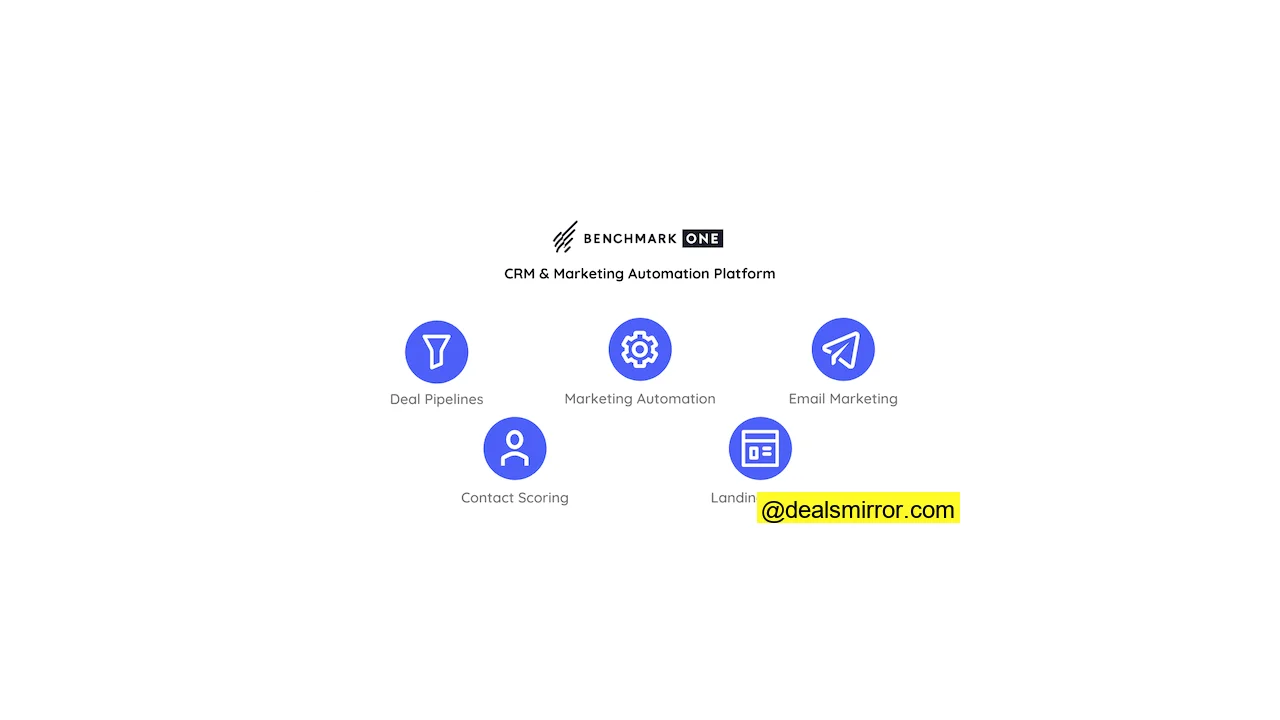
Here are five top features that help businesses transform leads into loyal customers:
- Landing Pages and Forms: Effortlessly create engaging landing pages and forms to boost your list growth.
- Contact Scoring: Instantly identify your hottest leads, allowing you to prioritize and focus marketing efforts where they’ll have the greatest impact.
- Deals Pipelines: Streamline the conversion of leads into sales with pipelines that suggest targeted actions to move prospects through their buying journey.
- Email Marketing: Build impactful email campaigns using a user-friendly drag-and-drop editor, eliminating the need for design or coding skills.
- Marketing Automation: Save significant time by automating tasks ranging from contact management to email sends, ensuring consistency and efficiency.
BenchmarkONE offers all the essential functionalities small businesses need to construct automated sales funnels, with its free plan being an ideal starting point for businesses getting online.
BenchmarkONE Review: CRM and Marketing Automation Deep Dive
At its core, BenchmarkONE is dedicated to nurturing relationships to drive sales, from initial lead generation and contact management through to successful conversions. This comprehensive platform covers a broad spectrum of functionalities, which we’ll now explore in detail.
BenchmarkONE CRM and Sales Automation Features
Like all effective CRM software, BenchmarkONE places people at the heart of its sales and marketing operations, focusing on nurturing contacts into paying customers. This process begins with straightforward contact management, allowing you to build your customer database by importing existing customers or adding new contacts manually.
A wide range of actions can be performed with your contacts, including:
- Setting up automated campaigns.
- Applying tags to segment long contact lists into smaller, targeted groups for more effective marketing.
- Adding contacts to events.
- Editing contact details and adding crucial notes.
- Creating tasks to initiate direct contact with individuals.
Effective communication is a cornerstone of CRM. Tasks enable you to schedule calls or meetings with specific contacts, and the outcomes of these interactions can be meticulously recorded in notes. This functionality is invaluable for larger sales teams, facilitating seamless information sharing.
Contact Score
Each contact within BenchmarkONE is assigned a Contact Score, a sophisticated lead scoring system that quantifies a person’s engagement with your business and their likelihood of making a purchase. This feature is highly beneficial, as it helps you pinpoint and concentrate your efforts on the most promising prospects.
BenchmarkONE offers diverse methods for tracking customer interactions, such as monitoring webpage visits and storing this data in your customer database. When contacts visit a page or click an email link, BenchmarkONE logs the activity and can identify returning visitors.
As part of this monitoring, points are awarded for various actions: a contact opening a campaign increases their score; clicking a link earns more points; and visiting your website or making a purchase further boosts their score. Conversely, if contacts remain inactive for a period, their score will gradually decrease.
A key advantage is the ability to customize the scoring model. For instance, visiting high-intent pages like pricing or demo pages can be assigned more points, as they are strong indicators of purchase intent. You can then set up automated follow-up email sequences to encourage conversion.
Creating Deals and a Sales Pipeline
Sales professionals understand the critical importance of closely monitoring deals and managing their sales pipeline. BenchmarkONE provides clear visibility into your buyers’ current stage. Based on interactions, each contact is tagged, from “Not Interested” up to “Hot,” enabling you to quickly identify high-priority leads and allocate your attention accordingly.
Within the Deals section, you have the flexibility to create your own customized sales pipeline. Here’s an example illustrating various deal stages:
Once a Deal is initiated, you can meticulously track customer progression through the sales funnel. This provides invaluable opportunities to implement actions that will ultimately increase conversions.
Deals also furnish essential data for performance monitoring, allowing you, for example, to compare ‘win probability’ against actual revenue generated.
BenchmarkONE Email Marketing
Email campaigns are an integral component of an effective CRM strategy. As BenchmarkONE aptly states, emails empower you to “reach out with the right message at the right time.”
Create Your Emails with the Drag-and-Drop Email Editor
Even if you’ve never designed an email before, BenchmarkONE‘s drag and drop email editor simplifies the process. This intuitive tool allows you to construct emails using pre-formatted blocks, requiring no coding skills whatsoever.
The email editor’s left-hand menu provides three primary editing options:
- Sections: Modify the layout of your template with one, two, or three-column configurations.
- Blocks: Access main content types such as text, headers, images, and buttons.
- Styles: Format elements like font type and size, colors, borders, and alignment.
Additional editing options become available by directly clicking on the template itself, where you can drag blocks and sections to rearrange the layout and add dynamic content. BenchmarkONE automatically saves your design as you work. You can preview your email to ensure it looks perfect on both mobile and desktop devices. Given that more than 40% of emails are now opened on mobile devices, optimizing for smaller screens is essential.
Once your design is finalized, you can send a test email to verify its appearance in a real inbox.
Email Templates in BenchmarkONE
BenchmarkONE offers 59 professionally designed email templates, facilitating rapid email creation. While some specialized email marketing services may offer more, BenchmarkONE‘s templates are of high quality: clean, uncluttered, and tasteful. They avoid excessive imagery or gimmicks, with each template expertly crafted for a clear purpose.
Templates are organized into categories, making it easy to find one suited for your specific objective. If you prefer to build an email from scratch, simply select the ‘start from scratch’ option. Even then, BenchmarkONE assists by providing 19 basic layout options to guide your design process.
Send the Right Message with Segmentation, Personalization, and Dynamic Content
You can segment your contacts based on demographics, behavior, or by creating custom tags. Another powerful option is to personalize the content within the same email campaign through what is known as dynamic content.
Dynamic content uses personal data to establish rules. Simple rules might involve inserting a recipient’s name or home city to personalize the email. More advanced applications allow you to display different promotions or calls to action to various segments of your audience. The underlying principle remains consistent: the more relevant your emails are to each individual contact, the greater their likelihood of responding.
BenchmarkONE provides insights into email campaign performance through metrics like opens, bounces, and link activity. The most valuable data often comes from link clicks, revealing who is engaging with your emails, which links they’re using, and ultimately, whether these interactions lead to conversions.
BenchmarkONE Marketing Automation
BenchmarkONE is highly effective for implementing drip email campaigns. A drip campaign is a pre-set sequence of emails designed to encourage recipients to take a specific action, with each email complementing the previous one. For instance, if a contact doesn’t open the initial email, a polite follow-up is automatically sent. The entire series is automated; once launched, no further manual intervention is needed. Some emails are sent after a specified time period, while others are triggered only when a contact performs a particular action.
When setting up an automated campaign in BenchmarkONE, you can choose from six pre-built options, all of which are drip campaigns tailored for specific marketing objectives. Alternatively, you can ‘start from scratch.’ The two basic options available are a Regular Campaign or an Event-based Campaign. Regular campaigns allow you to build straightforward email sequences over several days, while event-based campaigns enable you to set different triggers for actions. Here’s an example of an automation campaign summary:
While BenchmarkONE does not feature a visual automation editor, it offers extensive flexibility with plenty of rules and conditions, allowing you to construct sophisticated automated workflows through a text-based interface. While powerful, a visual builder, similar to what ActiveCampaign offers, could enhance ease of use.
Beyond automating emails, automation steps can encompass a wide range of actions, from adjusting a contact’s lead score to creating a task. As a comprehensive CRM software platform, BenchmarkONE enables you to automate customer relationship management processes as extensively as it does marketing campaigns.
A prime example is the automation of contact tags. As mentioned earlier, you can track link clicks and webpage visits, using this data to assign tags to contacts. Consider a scenario where a blog post links to one of your products; if someone reads it, you can infer their interest in that product. BenchmarkONE allows you to record this potential interest by adding a tag. For example: Condition: Click on blog X. Rule: Add tag as lead for product Y. What’s particularly clever is how these automated tags can be used to score leads. When a contact accumulates a sufficiently high score, it triggers a specific action.
This is known as a Tag Rule. Each time a prospect acquires the same tag, their tag score increases. A higher score indicates more time spent researching a product, signifying stronger interest. The next logical step is to use these scores to trigger automated follow-ups.
Similar automations can be set up for purchases. Purchase Rules trigger follow-up actions based on specific transaction conditions, with the goal of converting one-off customers into loyal, returning clients.
Lead Generation in BenchmarkONE
BenchmarkONE effectively manages lead generation through its integrated landing pages and forms.
BenchmarkONE‘s form options are particularly impressive. You get a choice of four distinct form types:
- Pop-up Forms: These appear on the screen as a visitor navigates a page.
- Embedded Forms: Designed to sit seamlessly within the main body of a page.
- Topbar Forms: Positioned at the top of a page, ideal for quick newsletter subscriptions or limited-time promotions.
- Scrollbox Forms: These appear at the side of the page, allowing visitors to continue viewing the main content as they scroll down.
Each form type comes with up to 20 pre-made templates, all professionally designed and visually appealing. This extensive selection significantly increases your chances of finding the perfect form to integrate harmoniously with your site’s design without being intrusive.
Adding online forms to your site requires no technical skills; an intuitive wizard guides you from template selection to publishing the form on your website. Editing options are straightforward, allowing you to customize text and adjust color schemes to match your site’s branding. By default, forms request subscriber emails, but you can easily add more fields to collect additional contact details.
More advanced technical options are available in the Behavior tab. Here, you can configure different forms for mobile versus desktop. For pop-up and scrollbar forms, you can set precise triggers for their appearance, such as after a certain number of seconds or when a visitor scrolls down a specific percentage of the page.
If you prefer not to add an online form to an existing page, you also have the flexibility to create entire dedicated landing pages.
Collect Contact Data with Standalone Landing Pages
You can build distinct landing pages tailored for specific campaigns or promotions.
There are 26 available templates, all fully customizable using a robust drag-and-drop editor. The landing page editor is exceptionally well-designed and easy to use. Unlike some web page builders that can be cluttered and confusing, BenchmarkONE’s interface is intuitive and accessible, even for novices. Everything is logically laid out and easy to find.
Regardless of the template you select, you have complete control over its appearance. Page designs are structured into layout blocks and content, which can be arranged into columns. Simply drag the desired block into position, then drag your content into the designated space.
For adding images, BenchmarkONE conveniently integrates with Unsplash, Pexels, and Pixabay. This allows you to search millions of license-free images directly within the page editor, saving significant time otherwise spent searching and uploading stock images.
A particularly useful feature is the Audit tool. After editing your template, the page builder automatically flags any design issues. Whether it’s a typo in your text or a layout choice that doesn’t render well on mobile devices, potential problems are identified before you proceed. Another valuable feature when publishing your landing page is on-page SEO, allowing you to set a meta title and description to enhance search engine visibility.
BenchmarkONE Integrations
BenchmarkONE integrates with over 4000 tools via Zapier, ensuring seamless compatibility with virtually any other platform you use.
A notable benefit is that for a one-time fee of $99, the BenchmarkONE team will assist you in setting up a Zap. This service is invaluable for users who are new to Zapier and require expert guidance.
For example, Zapier connections can create, update, and tag your contacts based on activity in other applications. If you create an event in an event management platform, new contacts can automatically be generated in BenchmarkONE when people sign up. You can tag contacts from appointment software, or add notes from Live Chat platforms. Conversely, BenchmarkONE can also trigger actions in other apps.
Gmail and Outlook CRM
There is a dedicated Gmail integration and an add-on for Outlook. These plug-ins allow you to create new contacts and tasks, or add notes and tags, all directly within your email platform. It effectively transforms your inbox into a mini-CRM.
Some of the most popular BenchmarkONE integrations include: Zapier, GoToWebinar, Calendly, Eventbrite, EZ Texting, WordPress, Facebook, Google Analytics, and Mailchimp.
BenchmarkONE Customer Support
A convenient ‘help’ icon is located at the bottom right of every page within BenchmarkONE. Clicking it allows you to navigate to the Help Centre or contact the support team via email.
The online knowledge base is comprehensive, featuring numerous how-to articles and guides covering a wide array of topics. Live support is available for paid plans, which significantly aids with onboarding. Upon initial sign-up, the support team provides a dedicated training session to familiarize you with the platform. Following this, you gain access to a dedicated consultant for 30 to 60 days, depending on your chosen plan.
Premium support benefits include a business strategy session and a ‘health check’ every six months, ensuring ongoing optimization and success.
BenchmarkONE Pricing and Discount
BenchmarkONE offers three distinct pricing plans: two paid tiers and a complimentary free plan.
The free plan provides all essential contact management tools, including tagging and task creation. You can also run email campaigns, set up automations, and create forms and landing pages. More sophisticated CRM features, such as deal pipelines and a real-time live dashboard, are not included in the free plan.
Paid plans commence at $69 for 500 contacts, with pricing scaling based on the number of contacts you manage. As your contact count increases, so does the number of emails you can send each month. The Enterprise tier offers the advantage of unlimited user accounts. To utilize Dynamic Content in your email campaigns, you must be on the Enterprise Plan. For full pricing details, please visit their website.
BenchmarkONE Discount
We’ve secured a special deal for our readers! Get 50% off your first month if you sign up for a monthly package. Alternatively, subscribe for a year and receive an additional 10% off your annual plan plus one month for free!
BenchmarkONE Pros and Cons
Pros
- Comprehensive features covering the entire CRM, marketing, and sales process.
- High-quality templates for emails, landing pages, and forms.
- Intuitive drag and drop email and landing page editors.
- User-friendly interface and easy navigation.
- Advanced automation capabilities.
- Generous free plan to get started.
Cons
- The automation builder would be more intuitive with a visual editor.
- The knowledge base could benefit from more articles, FAQs, and videos.
BenchmarkONE: Is it the CRM & Marketing Automation Software for You?
Does BenchmarkONE sound like the ideal CRM solution for your business? Here’s how it scores in key areas:
Ease of Use: 5 / 5
Value for Money: 4 / 5
Editor and Templates: 4.5 / 5
Functionalities: 4 / 5
Marketing Automation: 4 / 5
Customer Service: 4 / 5
Total score: 4.3 / 5
For us, BenchmarkONE represents an excellent choice for small teams within agencies, SaaS companies, and financial services. It centralizes all essential sales and marketing features, offering an easy-to-use and affordable platform that can significantly enhance customer understanding and increase conversions.
Frequently Asked Questions (FAQ)
What are the benefits of using an all-in-one CRM?
- The entire process, from lead generation to conversion, occurs within a single platform.
- All data is integrated, leading to more informed decision-making.
- You can tailor your marketing efforts based on a deeper understanding of your customers.
- More processes can be automated, increasing efficiency.
For small businesses, the major appeal of an all-in-one CRM like BenchmarkONE is its convenience and efficiency, simplifying operations and improving sales and marketing outcomes.
What is the best CRM for small businesses?
Hubspot is a well-known CRM software, and rival email marketing platform ActiveCampaign also boasts a robust CRM offering. Both tend to have a broader range of features than BenchmarkONE but can be more complex to master. Hubspot and ActiveCampaign are often better suited for larger companies and specialist sales and marketing teams. However, for smaller businesses, BenchmarkONE provides high-quality CRM, sales, and marketing automation tools that are user-friendly and fairly priced.
What is Hatchbuck?
What type of pricing plans does BenchmarkONE offer?
Who are the typical users of BenchmarkONE?
What languages does BenchmarkONE support in their product?
BenchmarkONE as a HubSpot Alternative
HubSpot is a giant in CRM software, offering an expansive all-in-one business platform that covers every facet of sales, marketing, and CRM. Its modular setup allows for extensive customization, making it a great fit for larger businesses. However, for smaller companies, HubSpot can be overwhelming and quickly becomes very expensive. For these businesses, BenchmarkONE emerges as a strong alternative to HubSpot, offering an easier-to-use and better-value solution that focuses on all the core CRM and marketing tools you truly need. While HubSpot does provide a free plan, its features are quite limited. BenchmarkONE’s free plan comes with features comparable to HubSpot‘s entry-level paid plans.
BenchmarkONE as an ActiveCampaign Alternative
ActiveCampaign is primarily recognized for its email marketing service, but it has expanded significantly over the years to offer a broader suite of business software. ActiveCampaign presents a more comprehensive all-in-one sales solution than BenchmarkONE, integrating with various ecommerce platforms, making it an appealing option for online stores. It also provides advanced account-based marketing (ABM) and automated sales engagement tools, which are valuable for marketing specialists. However, these advanced tools require a significant learning curve. As an alternative to ActiveCampaign, BenchmarkONE is considerably easier to master. Additionally, ActiveCampaign does not offer a free plan, and its cheapest tier comes with limited features. Explore our in-depth ActiveCampaign review to learn more about its sales automation and CRM features.
BenchmarkONE as a Keap Alternative
Keap positions itself as a CRM for smaller businesses, sharing many feature similarities with BenchmarkONE. However, BenchmarkONE proves to be more affordable. Keap offers no free plan, only a 14-day trial, and its paid plans include only one user by default, with additional users incurring extra costs. In contrast, BenchmarkONE‘s Enterprise plan, which costs similarly to Keap‘s Pro plan, provides more features and unlimited users. Furthermore, BenchmarkONE‘s Core plan includes crucial features like landing pages, lead pipelines, and lead scoring, which are significantly more expensive to access within Keap.