
Moosend has consistently been a recommended email marketing platform for its robust features and competitive pricing. The platform has recently undergone a brand refresh and an update to its workflow editor.
Moosend Review Overview
For a quick summary of Moosend’s capabilities:
- Moosend offers all the essential features desired by small to medium-sized businesses (SMBs) for email marketing.
- It is an affordable platform and provides a 30-day free trial.
- The platform is intuitive, user-friendly, and quick to learn.
- Powerful automation and segmentation tools facilitate precise targeting. Pre-built workflows allow for rapid automation setup.
- Customer support is prompt, practical, and highly helpful, available via live chat and an extensive knowledge base with articles and videos.
- While Moosend may not be the optimal solution for advanced eCommerce needs, it remains an excellent choice for SMBs and those focused on newsletter distribution.
Moosend’s Core Features
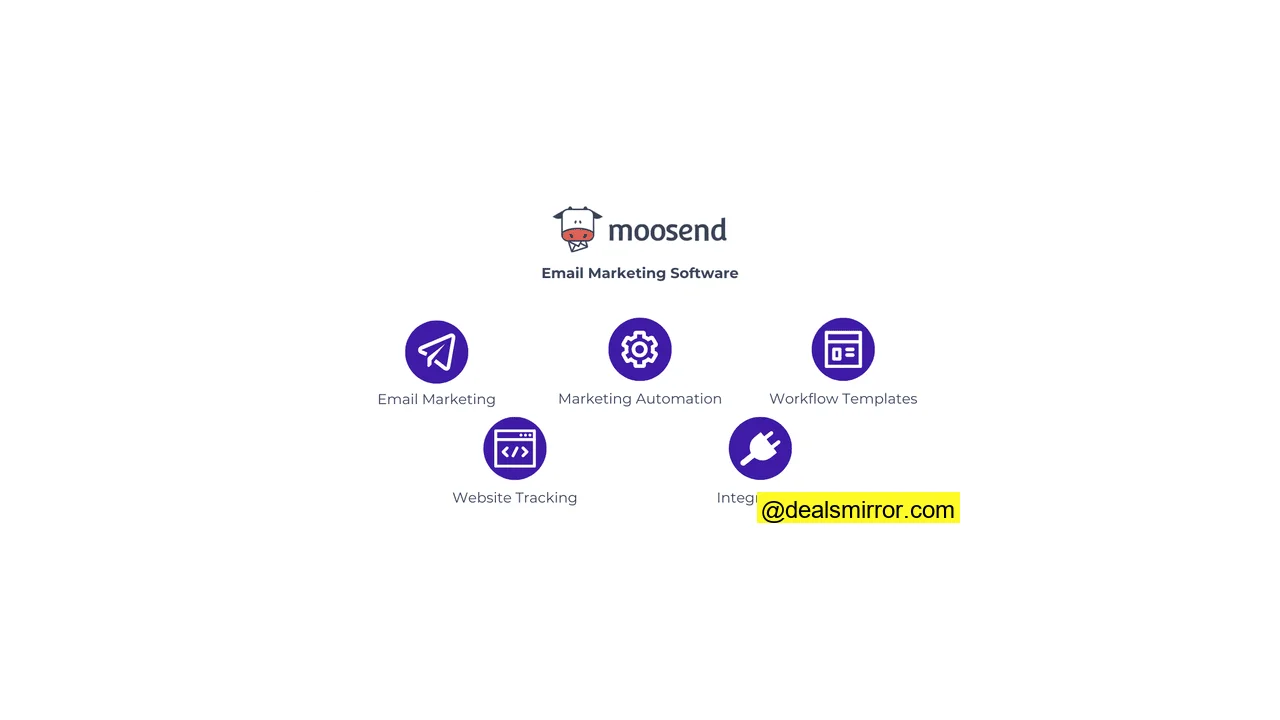
- Drag and Drop Editor: Moosend provides a user-friendly editor for crafting emails, landing pages, and forms.
- Email Templates: Access over 115 pre-designed, clean, and modern email templates to jumpstart your campaigns.
- Marketing Automation: Construct automated email sequences using a flexible and organized workflow editor.
- Automation Workflow Templates: Ready-made automation templates simplify the setup of common workflows, such as welcome email series.
- A/B Testing: Create multiple versions of campaigns to compare their performance effectively.
- Integrations: Connect your Moosend account directly to 42 third-party services. Additionally, use Zapier to sync with a wider range of CRM, eCommerce, or lead generation software.
- eCommerce: Utilize pre-designed blocks to automatically pull product listings from your online store directly into emails.
- Web Tracking: Integrate your website to track subscriber journeys in detail and measure sales attributed to your email campaigns.
Moosend Pros & Cons
Pros:
- Exceptional Ease of Use: Moosend delivers on its promise of being an intuitive email marketing tool. Its drag-and-drop editor is highly user-friendly, making campaign creation, list management, and automation setup remarkably simple for new users.
- Streamlined Automation and Email Flows: Setting up automations is straightforward and effective, avoiding the complexity often found in enterprise-level tools. The ability to add multiple triggers is a highlight, allowing for detailed yet manageable workflows.
- Responsive and Helpful Customer Support: Enjoy 24/7 live chat and email support across all plans, including the free trial. The comprehensive help center, featuring articles and videos, allows users to quickly find answers.
- Comprehensive Mobile Editor: Unlike many email marketing tools that offer limited mobile functionality, Moosend‘s mobile version allows nearly full functionality. Users can edit, send, or schedule campaigns, access reports, and activate automations on the go.
- Cost-Effective Pricing: Moosend is significantly more affordable than competitors like Mailchimp. It offers excellent value, with all features included in a single plan. Pricing begins at just $7 per month for 500 contacts, providing unlimited email sends and full access to all Pro features. Additionally, an extra 10% discount is available when stacked with the standard 20% annual discount.
Cons:
- No Freemium Plan: Moosend no longer offers a freemium option, instead providing a generous 30-day free trial with access to all Pro features.
- Shopify Integration via Zapier Only: Users of Shopify will need to integrate through Zapier, as a native integration is currently unavailable.
- A/B Testing Limited to 2 Versions: While Moosend offers adequate email A/B testing, it is capped at two versions for content, subject lines, or sender names. For multivariate testing with more than two variations, separate emails are required.
- Missing SMS Sending: Moosend does not support SMS sending natively. To combine email with SMS campaigns, integration with an SMS marketing service is necessary.
Is Moosend for you?
Recommended if:
- You’re a small business, solopreneur, or freelancer. Most smaller businesses will find Moosend to be one of the best email marketing platforms for small business for sending newsletters, building landing pages, and automating email sends.
- You’re looking for a budget email marketing tool with premium features. Compared to competitors like Mailchimp, Moosend’s $7/month plan is a great deal, including all features with fewer sending limits, making it one of the most competitive prices in email marketing software.
- You’re getting started with email marketing. Even beginners can quickly grasp Moosend‘s navigation. The 24/7 live chat support is readily available, even during the trial period, to assist with any questions.
Not recommended if:
- You’re looking for advanced marketing automation. While Moosend‘s automation builder is practical and easy to use, it does not offer the same level of complexity as advanced automation platforms like ActiveCampaign or Klaviyo.
- You’re looking for an integrated sales CRM. If an all-in-one marketing and sales CRM platform is your requirement, Moosend is not the ideal choice. Consider exploring an overview of the best CRMs.
- You are an eCommerce sender requiring comprehensive advanced features: Although many eCommerce businesses use Moosend effectively for promotions, an eCommerce email marketing platform with highly specialized functionalities might be more suitable for advanced needs.
Moosend Review Rating Details
| Ease of Use | Moosend is easy to use and quick to learn. The consistent drag-and-drop editor for emails, landing pages, and forms simplifies navigation. |
| Email Editor | The email editor is very straightforward, featuring a drag-and-drop interface and a “helper grid” for structuring emails. Its visual design with colors and icons aids navigation. Teams can collaborate on email designs using comment mode to provide feedback, track changes, and mark comments as resolved or unresolved. |
| Email Templates | Over 115 clean and modern-looking templates are available for email campaign design. These templates are mobile-responsive and largely compatible with dark mode. |
| Email Types | Moosend supports four email types: newsletters, A/B testing campaigns, recurring newsletters, and automated email workflows. |
| Marketing Automation | Marketing automation strikes a balance between simplicity and sophistication. The workflow editor is well-designed and clear, with color-coded steps for easy identification. It includes 18 ready-made automation templates to begin. |
| List Management | Creating email lists and importing subscribers is quick, with automatic data mapping for emails and names during import. Users can create unlimited lists and segments, utilizing 9 premade segment templates, 33 filter criteria, and AND/OR operators. Moosend also offers “Tags” for labeling and grouping list members, enhancing search and filtering capabilities. |
| Personalisation | Every email can be personalized by inserting any contact field or using dynamic content. Subject lines also support personalization. Dynamic content blocks can be set to show/hide based on custom fields, tags, or values. |
| Landing Pages & Forms | Building landing pages or forms is as simple as creating an email, utilizing the same editor and 38 matching page templates. There are 6 form types, including inline forms, popups, hello bars, full-screen forms, and spin-the-wheel options. |
| Reporting & Analytics | Moosend’s reports provide clear, easy-to-read email marketing metrics such as unique and total opens, clicks, unsubscribes, and bounces. Deeper insights are available by device, browser, and geolocation. An email click map visually indicates which links were clicked and how often. Website connection allows for tracking campaign conversion rates, with options to download or share reports. |
| Customer Service | Customers consistently commend the responsiveness and quality of Moosend‘s customer service, with 24/7 live chat and email support available on all plans, including the free trial. |
| Deliverability | Moosend’s deliverability ranks highly among providers, often cited by customers as a key decision factor. The Spam Test feature identifies issues with SPF, DKIM, blacklists, and HTML formatting pre-send, offering detailed scores for inbox placement improvement. Moosend is CSA certified, ensuring best practices and inclusion in the CSA allowlist for enhanced deliverability. |
| Spam and Design Check ✔️ | Before sending, a clear overview of the email, campaign, and list is provided, along with any detected issues. The live spam test checks major inboxes and offers a percentage score and improvement suggestions for inbox placement. |
| AI Writing ✔️ | The integrated AI writer within the Moosend email, landing page, and form editor enhances writing, corrects spelling and grammar, adjusts text length, or summarizes content. |
| Integrations & API ✔️ | Moosend offers 42+ native integrations, including email verification tools, CRM services, WordPress, and lead generation tools. While popular integrations are covered, and all can connect via Zapier or API, more native integrations would be beneficial. |
| User Permissions ✔️ | Moosend provides 7 user permission levels (owner, admin, admin observer, manager, viewer, GDPR viewer, and designer) to assign appropriate access to team members and maintain account security. |
| GDRP & Legal Compliance ✔️ | As a European company with offices in London and Athens, Moosend is fully GDPR compliant, storing user data on EU servers. It offers tools for GDPR compliance, including double opt-in, preference management, and GDPR checkboxes. |
| Interface Languages | Moosend is available in 7 languages: English, Spanish, French, German, Japanese, Greek, and Portuguese. |
| Customer Satisfaction | Customers rate Moosend highly, with 4.7 stars on G2 and 4.6 on Capterra. |
Overall Score
With its recent enhancements, Moosend stands as an excellent choice for small businesses seeking affordable email marketing software. The platform is intuitive, and its email editor is effective. Overall, Moosend is a strong contender for businesses prioritizing a reliable, budget-friendly email marketing tool without the complexities of more advanced platforms.
Getting Started with Moosend
Signing up with Moosend is quick, typically taking around 2 minutes by providing your email, a login domain, password, and name. After you sign up for a 30-day free trial, a setup wizard guides you through the initial steps.
Creating your first email list or importing subscribers is a seamless process, often completed within 5 minutes. The import tool automatically detects email addresses and names, allowing for easy selection and creation of new fields for additional data.
Moosend features a Mailchimp Synchronizer integration, which directly connects to Mailchimp or other platforms, facilitating migration to Moosend.
Setting up the sender information is straightforward, requiring only a sending name and email address. Domain verification is then requested, and Moosend provides an article covering how to do this for popular DNS providers, with SPF and DKIM setup advised for improved deliverability.
Users can opt to connect their website, enabling Moosend to track website activity, customer journeys, conversions, and sales. This allows for direct measurement of revenue generated from email marketing campaigns.
User reviews consistently highlight the speed and ease of completing the guided Moosend setup, often allowing users to begin sending campaigns quickly.
The entire setup process, including creating emails and automations, can be completed within approximately half an hour, affirming its user-friendly design.
Moosend Review: Email Marketing Platform
Moosend offers numerous features that make it highly appealing to SMBs and newsletter senders. The platform’s capabilities cover sending campaigns, automating emails, creating landing pages and forms, managing contacts, and reporting on analytics.
The Moosend team continuously introduces new features, including:
- AI writing capabilities,
- Three significant email editor improvements,
- Enhanced deliverability features,
- A dedicated preference center,
- And a new mobile version of the editor.
The following sections detail the performance of each core component of Moosend.
Moosend Review: Sending Emails
Moosend provides extensive assistance for new users starting their first email campaign, featuring a Campaign Creation Wizard that guides through the entire process.
There are four distinct campaign options:
- Regular Campaign
- A/B Split Test Campaign
- Repeatable HTML Campaign
- RSS Campaign
The Regular Campaign is the most frequently used option, suitable for newsletters and all types of promotional emails.
Repeatable HTML and RSS Campaigns are designed to build emails from existing online content. RSS feeds, common on blogs, can automatically load updates into a newsletter. The repeatable HTML option extends this capability to non-RSS web pages.
Moosend enables A/B testing on three key components of an email marketing campaign:
- Sender name
- Subject line
- Email content
The email content A/B test is particularly powerful, allowing for the comparison of two distinct versions of the same campaign. It’s important to note that A/B tests are limited to a maximum of two versions. This feature allows for testing different designs, text, images, and calls to action.
Moosend also includes a “real-time personalized subject line enhancer” tool. This feature recommends subject lines to improve deliverability and open rates, with suggestions becoming more refined as more campaigns are sent.
Email Templates in Moosend
The design process for your campaign begins with selecting an email template.
Moosend offers over 115 pre-made email templates. Users can browse to find the most suitable design and favorite templates for quick access in their personal library, alongside edited templates.
Moosend’s template designs are professional, clean, and effectively incorporate various content blocks with a balanced ratio of images and text. They are highly practical and optimized for their intended use, with most templates being mobile-friendly and compatible with dark mode.
Users also have three options for importing their own templates:
- Import a template from an online source via a link.
- Upload a file directly from your computer.
- Create your own templates from scratch using Moosend’s Email Editor.
Moosend Email Editor
Like most email marketing software, Moosend features a drag-and-drop email editor. The Moosend version is well-designed, highly visual, and uses colors and icons for easy navigation, making it very straightforward to use. The editor includes different modes at the top-center of the screen: edit, preview, code, history, and comments.
Editing is organized into three tabs:
- Structure (for layout modifications)
- Items (the content building blocks)
- Settings (for adjusting colors and sizes of individual items)
Users can add different layouts row by row, with up to four columns per row, providing significant layout flexibility. For eCommerce stores, pre-made layouts for products and other elements are available.
A helpful layout tool is the Helper Grid, which visually guides users on where to drag elements into their design, showcasing all available elements for each row. This feature enhances design visualization and speeds up the building process. The editor also includes a zoom function for pixel-perfect designs.
There are 11 elements and content blocks that can be added to your layouts:
- Images: Moosend integrates with Unsplash for thousands of free stock images. Images can also be uploaded from Giphy, Facebook, and Instagram, or directly connected from Google Drive, OneDrive, or DropBox.
- Buttons: Format links into visually appealing Call-to-Action (CTA) buttons with icons.
- Articles: Pre-formatted blocks, such as text paired with an image.
- TextBox: Used for headings and text paragraphs.
- Social Share: Buttons enabling subscribers to share your email on social media.
- Social Follow: Buttons allowing subscribers to follow your social accounts.
- Spacer: Used for adding padding between elements to fine-tune layouts.
- HTML: Provides an option for users to build custom elements using code.
- Countdown Timer: Ideal for highlighting time-limited special offers.
- Video: Paste a video URL to display a YouTube-like image with a direct play link.
- Product: For eCommerce stores, directly import products into your email.
Extensive customization options for each element are available under the ‘Settings’ tab in the editor’s right-hand menu.
Text editing can also be performed in this pane, featuring a spell checker, autosave, history, and redo options, designed to provide a stress-free editing experience.
Use Tags to personalize your email content.
In Moosend, “Personalization Tags” allow you to include any type of merge field. These function similarly to other email software, where a merge tag is inserted from a drop-down menu and replaced with the appropriate subscriber data during sending.
Use Dynamic Content to serve each subscriber their own perfect newsletter.
Moosend refers to this function as conditional visibility. By clicking the cog icon on any block and scrolling down, you can select a custom field, a match type, and a value. The dynamic content will then display based on these defined conditions.
Pull Products into your email with Product blocks.
Dynamic block presets are available for cart abandonment, product recommendations, and browse abandonment. Selecting one will populate it with dynamic content, indicated by a red frame on hover. Note that website tracking is required for these blocks to function.
Send dynamic images personalized to each subscriber.
A workaround allows for dynamic image personalization: set up a custom field with unique image links as values for each subscriber. Then, add an HTML block to your email and insert the field as the image source, displaying a unique image for every contact.
Improve your email copy with built-in AI
Moosend integrates an AI writer within its email, landing page, and form editor. This tool enhances writing quality, corrects spelling and grammar, adjusts text length, or summarizes content. Users can choose from professional, enthusiastic, informative, approachable, and persuasive tones of voice, making it useful for generating summaries for campaigns.
Save and reuse blocks you like
Users can clone and save preferred layouts or items, such as banners, headers, and footers, for reuse in future email marketing campaigns.
To maintain design consistency, users can preset newsletter width, default fonts and colors, and adjust the default image position of articles. Additional design tools like positioning background images and adding shadows to items are available to enhance email aesthetics.
For assistance, clicking the yellow question mark in the editor’s top-right corner provides access to relevant help articles for the current page.
Moosend Automation Features
Marketing automation is a significant strength for Moosend, striking a balance between simplicity and comprehensive functionality. This makes it appealing to both beginners and experienced marketers.
Moosend’s marketing automation workflow editor is a pleasure to use, known for its clear and well-designed interface. Each workflow includes a summary explaining its purpose and a list of task prompts to guide users through its creation, which is particularly helpful for those new to marketing automation.
The color-coded automation steps and actions enhance recognition and usability.
Black for trigger: The trigger initiates your automation. For instance, the trigger for a welcome campaign would be a new subscriber joining your newsletter.
Moosend offers 32 distinct automation triggers, surpassing many rival email marketing services. Multiple triggers can initiate the same workflow, and custom fields, events, and tags can also be used, offering virtually endless possibilities.
Some triggers leverage web tracking, linking automations to subscriber behavior on your website. This powerful marketing tool enables targeted emails based on specific web page visits.
Purple for filter: Filters act as conditions, or what Moosend terms a Control Step. If a condition is met, the workflow proceeds down the ‘Yes’ path; otherwise, it follows the ‘No’ path. Moosend offers three types of filters:
- Standard if/then conditions. Moosend‘s conditions are highly flexible, allowing filtering based on 30 different criteria, from subscriber details and behavior to device and browser types. Users can set custom values and add multiple conditions to the same filter, enabling detailed workflow customization.
- Split Flow. This feature randomly divides subscribers by a user-defined ratio, sending one group down one pathway and the other group down another.
Split flow also functions as an A/B test, allowing users to compare the results of different emails or paths. For example, you can delay a follow-up action by varying amounts of time for two groups to determine the most effective strategy.
Green for Yes, Red for No: These colors visually indicate the path taken based on whether a condition is met or not.
Yellow for wait: The ‘Wait’ step is another control step, setting a time delay before a chosen action is executed. Users can specify a duration or a particular time and date.
Blue for action: Actions are the responses to triggers and conditions, with 11 possible actions available.
These actions encompass sending communications, managing lists, or modifying contact details. Users can also trigger another automation. For instance, a condition could be set for opening a specific number of campaigns; anyone failing this condition (the ‘No’ path) would then receive a re-engagement campaign.
Save time with workflow automation templates
All created automation workflows can be saved as templates for future reuse. Moosend refers to these workflow templates as ‘recipes’. There are 18 ready-made recipes to help you get started.
Each recipe is a pre-designed marketing automation sequence tailored for a specific purpose. Examples include:
- Survey emails
- Birthday or anniversary emails
- Abandoned shopping cart emails
- Welcome emails for new subscribers and customers
- E-commerce funnels, such as up-sell/cross-sell or reminder emails
- Behaviour-led automations, utilizing web tracking and contact data as triggers
- Customer re-engagement campaigns, for contacts who haven’t opened a campaign in a while
Moosend’s marketing automation recipes are accessible for beginners yet powerful enough for experienced marketers, as each recipe is fully customizable.
Some recipes offer clever functionalities, particularly for optimizing online sales. Notable examples include weather-based recipes for re-engagement and up-selling/cross-selling. These utilize real-time location data to check local weather conditions and then make product recommendations accordingly. This intelligent approach helps prevent common mistakes, such as promoting swimwear during a rain shower, and allows for highly customized campaigns based on weather’s influence on sales.
Moosend Landing Pages & Forms
Creating a landing page in Moosend is virtually identical to creating an email. The template designs match those of the emails, and the landing page editor operates with the same familiar interface. This consistency is a significant advantage, as many email marketing services feature distinct editors for emails and landing pages. Moosend‘s approach ensures that once you are familiar with email design, you can easily build landing pages.
Users can choose from 38 landing page templates or create a landing page from scratch. The landing page builder is praised for its clear, visual interface and flexible layouts. The ability to resize images directly in place after they’ve been added is also a convenient feature, as many tools require setting image sizes prior to upload, which can complicate page alignment.
Minor observations regarding the landing page editor include occasional text wrapping issues that can cut words mid-line. Additionally, once a structure is set and content added, changing the layout (e.g., from one column to two) may necessitate starting with a new row. Despite these small points, the landing page builder is highly capable.
Once a landing page is built, users can:
- Share it on Facebook and Twitter to drive more sign-ups from social media.
- Configure tracking to monitor link clicks and form submissions. Advanced tracking can be integrated using Google Analytics and Facebook Pixel.
- Choose a publishing method, either on the Moosend domain, directly on your own domain, or via a WordPress site.
Sign-up Forms in Moosend
In-line forms can be added to any page, or standalone subscription forms can be created for integration into other web pages. This expands the available form types to:
- In-line forms
- Pop-up forms
- Fullscreen forms (occupying an entire page)
- Floating bar forms (affixed to the top or bottom of the page)
- Floating box forms (remaining visible as visitors scroll)
- Promotional Popups (featuring a button linking to a landing or offer page)
Consistent with emails and landing pages, Moosend employs the same editor for creating forms. Form templates maintain a similar aesthetic to email and landing page templates, ensuring visual consistency. There are 11 form templates with varied layouts based on form type, and 18 distinct promotional popup templates.
A notable feature in the form and landing page editor is the ‘wheel of fortune.’ This interactive element can be added to forms to boost conversions. Users can customize the wheel’s size, offers, labels, colors, and coupon codes, along with defining the probability for win or lose slices.
Every signup form template defaults to an email address field. To collect additional data, users can click ‘Edit Custom Fields’ to create and collect any desired information.
Code mode is also available in the landing page and form builders, offering a read-only HTML view. Users can copy HTML code, download designs in JSON format, or upload JSON templates. This allows for pasting the HTML code into a Content Management System (CMS) to display Moosend forms on their site.
Moosend Email List Management
Moosend allows for the creation of an unlimited number of lists.
Data privacy is a crucial aspect of list management, and Moosend provides options for single, confirmed, or double opt-in. Double opt-in involves sending a confirmation email to new sign-ups, ensuring they genuinely wish to receive communications.
Another valuable feature is the suppression list, which holds contacts who should never receive emails again due to hard bounces or complaints. This list ensures compliance and prevents unwanted communications by automatically blocking future campaigns for added contacts.
The preference center is an additional tool for compliance and reducing unsubscribes. By adding an “update preferences” link alongside the unsubscribe link in email footers, contacts can customize their content and frequency preferences.
Email segmentation
A standout feature of Moosend’s list management is its robust segmentation capabilities.
Nine pre-made segment templates are available to get started. Users can easily create custom segments based on their data, custom fields, and tags, offering virtually limitless segmentation possibilities. Pre-set filters cover basic contact information like name, location, and date added, extending to advanced web tracking data to filter by contact actions.
Moosend’s Audience Discovery feature tracks customer engagement with products—viewing, adding to cart, or purchasing—and applies tags to contacts. This enables quick creation of targeted campaigns for specific interest segments. The tags indicate a contact’s interest level and purchase likelihood.
Automations can be set up based on these Audience Discovery segments and tailored to align with brand strategies. This elevates Moosend’s segmentation, making it particularly beneficial for small businesses and eCommerce retailers. Contacts can be filtered by specific links clicked, the number of links clicked, viewed products, or even average customer spend for online shops.
Reporting and Analytics
Understanding email campaign performance in detail is crucial, and Moosend provides comprehensive statistics and analysis for both standalone and recurring campaigns, including opens and clicks.
- Performance overview: The foundation of email marketing reporting, covering open rates, click rates, and unsubscribes.
- Track recipient activity: Provides detailed statistics per individual subscriber, showing who opened, clicked a link, or unsubscribed.
- Click map: A visual representation indicating which links in your emails were clicked and how many times.
- Track email clients & devices: A breakdown of the devices, email clients, browsers, and operating systems used by your subscribers, useful for identifying popular clients like Gmail or Outlook.
- Track activity by location: An interactive map that displays key campaign performance statistics for each country when hovered over.
Moosend also provides open, click, and unsubscribe rates for automation campaigns, alongside the number of subscribers in an automation and overall campaign statistics.
For subscription forms, users receive statistics on views and conversion rates. Landing page reports detail the number of visitors, views, and conversions, where conversion rate reflects link clicks or form submissions.
Moosend analytics offer additional insights when website tracking is enabled. Integrating your Google Analytics account allows for analysis of site traffic from campaigns. Alternatively, placing Moosend’s own tracking code on your site provides detailed web reporting on subscriber behavior, such as orders placed, total spending, and abandoned carts.
Deliverability
Moosend’s deliverability ranks among the top providers, a factor frequently cited by customers for choosing the platform.
Moosend is certified by the CSA (Certified Sender Alliance), ensuring enhanced deliverability in major inboxes through its inclusion in the CSA whitelist. This certification also guarantees adherence to deliverability best practices.
The platform offers a suite of tools to proactively address potential email deliverability issues. Before sending a campaign, Moosend flags problems related to HTML, sender email, or name, and verifies SPF and DKIM setup. This is invaluable for beginners to ensure successful inbox placement and for all users to monitor every send.
For deeper analysis, Moosend’s Spam Test evaluates email compliance with spam filters and provides detailed scores for improving inbox placement.
The test covers popular email services such as Gmail, Yahoo, Outlook, Aol, Mail.com, Hotmail, and Office 365, yielding a percentage score. A 100% score indicates optimal inbox placement readiness, while 0% suggests a high likelihood of landing in junk folders. The percentage scores offer a quick assessment of email health.
The tool’s true value lies in its detailed breakdown of a Spam Assassin score, highlighting issues with SPF, DKIM, blacklists, and HTML formatting.
Upon email list import, Moosend automatically checks for and removes duplicate and unsubscribed contacts, keeping your list clean and reducing costs. It also provides a warm-up plan for new customers with recommended daily sending volumes.
If a sender’s bounce or complaint rate becomes excessively high, Moosend directly contacts them to prevent further damage to sender reputation. Moosend simplifies list cleaning through integrations with leading email verification tools.
Integrations
Moosend offers 42 direct third-party integrations, covering CRM, CMSes, list validation, and eCommerce platforms.
It integrates with eCommerce services like WooCommerce and Magento. These integrations enable pulling product listings into emails and setting up upsell automations.
For stores running on Shopify or other eCommerce platforms not natively listed, integration is possible through Zapier, which syncs with thousands of web applications. This flexibility ensures connectivity with virtually any software service you use.
Moosend Customer Support
Moosend provides customer support via a live chat help desk and a self-service knowledge base.
A live chat widget is accessible on every page, allowing for instant assistance with any issues. The live chat feature is noted for its impressive response speed, providing direct answers and pointing to relevant knowledge base articles for further information.
Moosend’s knowledge base is well-organized into 13 categories, aligning with key service areas such as Audience, Campaigns, Growth Tools, and Automation. Approximately half of these categories contain over 100 articles, supplemented by video tutorials to help users quickly master the platform.
Moosend Pricing and Plans
Given the quality of its marketing tools, Moosend offers exceptional value. Pricing begins at a highly competitive $7 per month for 500 contacts when paid annually, making it one of the most affordable options in its category. For a detailed comparison, consult a guide to Moosend pricing against other email marketing tools.
Moosend employs a straightforward pricing structure with a single paid plan, the Pro tier. This plan grants access to all features at one price, which scales based on the number of contacts.
| Free | – 30-day free trial with all Pro features |
| $7 | – 500 contacts – Unlimited email sends with all Pro features |
| $13 | – 1000 contacts – Unlimited email sends with all Pro features |
| $38 | – 5,000 contacts – Unlimited email sends with all Pro features |
| $70 | – 10,000 contacts – Unlimited email sends with all Pro features |
| $128 | – 25,000 contacts – Unlimited email sends with all Pro features |
| $252 | – 50,000 contacts – Unlimited email sends with all Pro features |
Custom-priced Moosend+ and Enterprise plans are available for larger organizations seeking dedicated account management and additional benefits. Users can try Moosend for free with no limitations during the trial period, followed by a 30% annual discount. An extra 10% off is also available, stackable with the standard 20% annual discount.
Moosend Review Conclusion
Moosend is a strong recommendation for anyone seeking an affordable email marketing platform or an alternative to more expensive options like Mailchimp.
The platform is intuitive and beginner-friendly, making it accessible to users of all experience levels in email marketing, and its email editor is highly functional.
Customer service is consistently friendly and eager to assist, providing practical advice and quick responses to user queries.
Unlike some competitors, Moosend includes all Pro features within its paid plan, eliminating the need for additional payments to unlock core functionalities.
However, there are a few considerations. Moosend does not offer a free plan, only a 30-day free trial, after which a paid subscription is required. While its automation builder effectively supports popular workflows, it may not be as elaborate as those found in more complex and expensive platforms.
Although it incorporates some CRM-like features, such as contact management, Moosend is not a dedicated CRM platform. For integrated sales CRM capabilities, platforms like ActiveCampaign, Salesforce, or Keap might be more suitable.
Overall, Moosend is an excellent choice for businesses seeking a feature-rich, budget-friendly email marketing tool that avoids the complexities of more advanced platforms.
To experience its capabilities firsthand, try Moosend now and receive an additional 10% off on top of the 20% annual discount.
Frequently Asked Questions (FAQ)
How good is Moosend?
How much does Moosend cost?
How does Moosend work?
Is Moosend a CRM?
Where is Moosend located?
Is Moosend mobile-friendly?
Is Moosend easy to use?
Is Moosend free forever?
What is Moosend used for?
How many emails can I send with Moosend?
When did Sitecore acquire Moosend?
Moosend Alternatives
Moosend vs Mailchimp
Mailchimp is a widely recognized email marketing tool, offering essential features found in small market email software, translation into over 50 languages, a free-forever plan, and mobile apps for both Android and iOS.
However, when comparing paid plans, Moosend proves to be significantly more cost-effective than Mailchimp. Its automation and segmentation options are more flexible and user-friendly. Additionally, Moosend allows for unlimited email sends, whereas Mailchimp imposes email caps across all its plans.
Moosend vs. Brevo
One of Brevo’s key selling points is its robust free plan, which allows users to send 300 free emails per day. Some argue this makes Brevo one of the most value-driven email marketing services, particularly for those aiming to build large subscriber lists at a low cost.
However, Moosend’s entry-level paid plan starts at a lower price than Brevo’s cheapest paid offering. Moosend also provides better value for features like A/B testing, which is only available in Brevo’s Business plan, though Brevo does include a CRM.
Moosend vs. Constant Contact
At first glance, Moosend and Constant Contact appear quite similar in their entry-level pricing. Both are highly affordable and known for their ease of use, making them ideal for individuals new to email marketing. For more details on its features, pros, cons, and pricing, you can consult a full Constant Contact review.
Constant Contact offers a larger selection of email templates. However, Moosend excels in marketing automation and analytics. Not only are its tools more robust, but all advanced features are included without additional cost.
Moosend vs. Mailerlite
Moosend and Mailerlite share many similarities, both positioned as affordable, user-friendly email marketing solutions for small businesses. Both platforms offer unlimited emails on all paid plans and provide solid email and landing page editors.
In terms of pricing, they are quite comparable. Mailerlite offers slightly better value, with plans starting at $7 per month for 1,000 contacts when paid annually, compared to Moosend‘s $7 for 500 contacts. Mailerlite also provides a free-forever plan alongside a 14-day free trial of premium features.
However, Moosend offers more advanced features. Its strengths lie in its marketing automation, segmentation, and web-tracking tools, which are fully accessible across all plans. In contrast, Mailerlite maintains a more basic feature set.